Removal of sliding dovetail
-
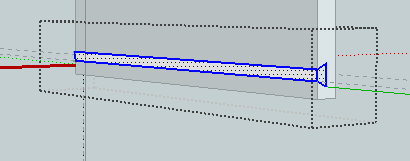
as shown in the attached screen shot, I have created a grove for a sliding dovetail on the face of a cabinet board by drawing the profile and pushing the profile across the board face. I would like to remove that material from the face of the board and leave a cut groove. I've tried moving it, deleting it and repushing it. I wind up with a solid board face without the desired groove. What should I be doing to remove that material from the board?
-
Reiterating: open the group that the groove is enclosed in, select the end profile of the dovetail. Control+X(cut),erase the rest of that group, right click> close that group. If the object you want the groove in is also a group or component, open it. then Menu, Edit>Paste in Place. The end profile will be inserted in the group in the desired position. Perform pushpull to form the groove.
Or, you could select the groove edges and faces and paste in place and erase the unneeded faces and edges. -
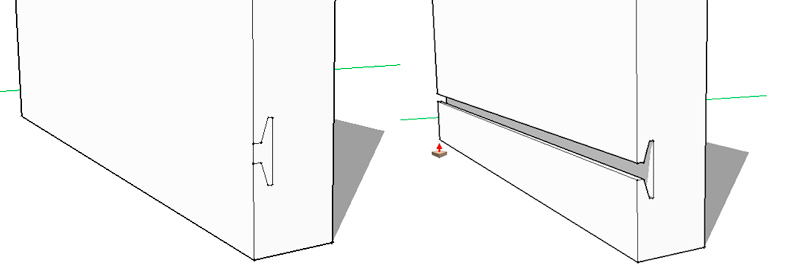
It looks like the profile is in its own group. Copy the profile face, delete the group, and paste (paste in place in edit menue) the profile on the cardboard (or in its group). You can use the pushpull tool afterwards...
-
This might be helpful.





Hello! It looks like you're interested in this conversation, but you don't have an account yet.
Getting fed up of having to scroll through the same posts each visit? When you register for an account, you'll always come back to exactly where you were before, and choose to be notified of new replies (either via email, or push notification). You'll also be able to save bookmarks and upvote posts to show your appreciation to other community members.
With your input, this post could be even better 💗
Register Login


Advertisement