Animation Export - Cropped
-
Hello,
Pretty new user here, but have a question regarding the export of Scenes. When I export my scenes, I do not get what I see on the screen. I realize we are dealing with a global sort of model, but is there a solution to export the scenes as I have them displayed, or rather, set some sort of limits for the scenes globally? Mine are cropping down 15% maybe.Thank you for reading.
chaz_
-
Are you setting the animation's image size/aspect-ration in the Options ?
If its aspect-ratio matches the screen's then there should be minimal cropping... -
Animation can only be exported at 4:3 or 16:9 aspet ratio. This means that if your SU window is different from these ratios, there will always be some cropping.
I see you are on Windows. First of all, I would recommend this plugin to hide all your toolbars (before they get messed up when you resize your SU window):
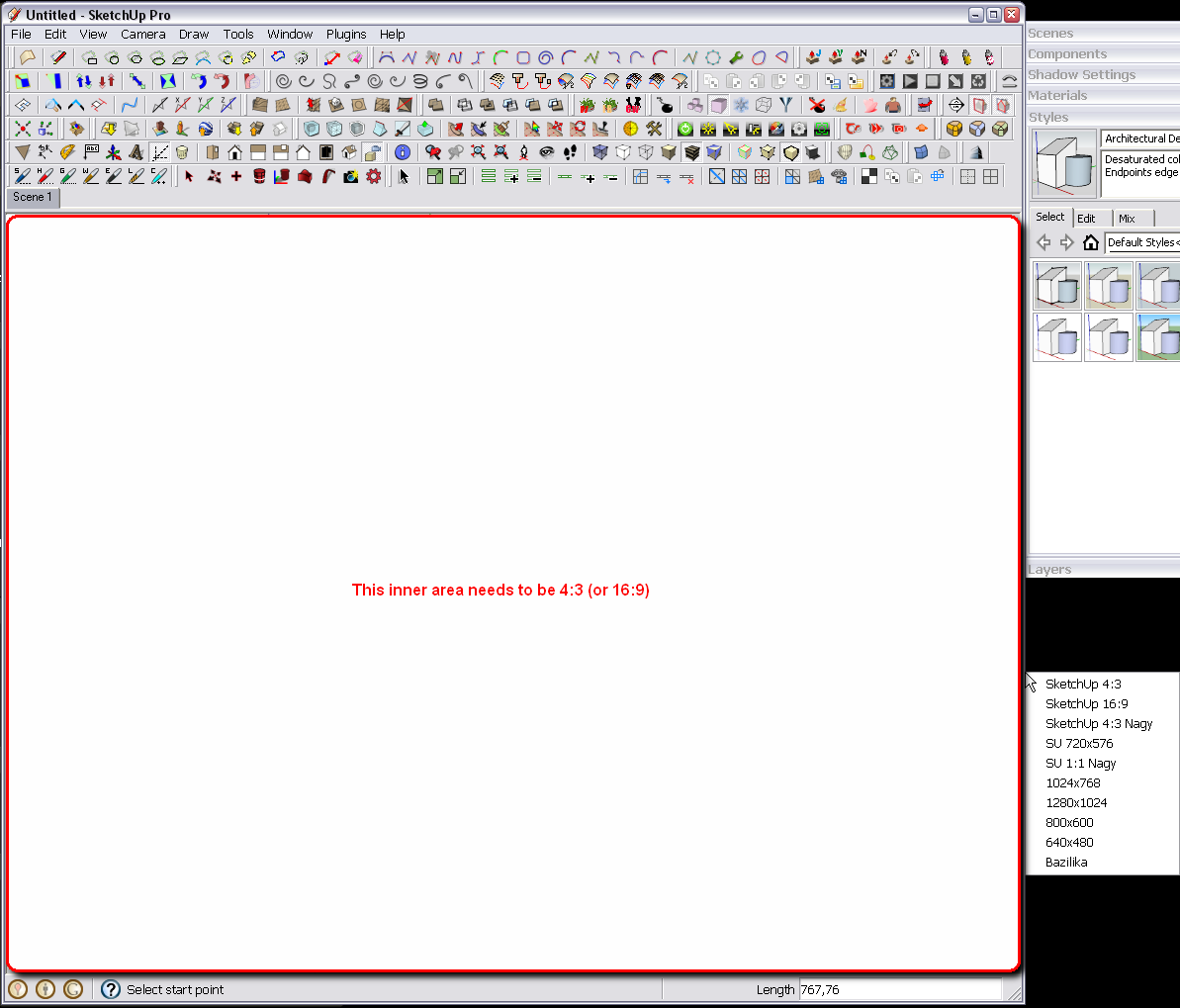
http://forums.sketchucation.com/viewtopic.php?t=42926Then this little freebie to resize your SU window so that the inner (model) space is exactl 4:3 or 16:9 (you will need to experiment a bit - try to export a 2D image and set it to export at screen resolution to see what it is):
http://www.brianapps.net/sizer/It works like shown below; you right click on the edge of a window and tell it what size it should be. As you can see, presets can be saved.


Hello! It looks like you're interested in this conversation, but you don't have an account yet.
Getting fed up of having to scroll through the same posts each visit? When you register for an account, you'll always come back to exactly where you were before, and choose to be notified of new replies (either via email, or push notification). You'll also be able to save bookmarks and upvote posts to show your appreciation to other community members.
With your input, this post could be even better 💗
Register Login


Advertisement