sketchucation logo sketchucation
    • 登入
    Oops, your profile's looking a bit empty! To help us tailor your experience, please fill in key details like your SketchUp version, skill level, operating system, and more. Update and save your info on your profile page today!
    ⚠️ Important | Libfredo 15.6b introduces important bugfixes for Fredo's Extensions Update

    Lumen RT Plugin not working

    已排程 已置頂 已鎖定 已移動 Extensions & Applications Discussions
    extensions
    25 貼文 6 Posters 16.3k 瀏覽 6 Watching
    正在載入更多貼文
    • 從舊到新
    • 從新到舊
    • 最多點贊
    回覆
    • 在新貼文中回覆
    登入後回覆
    此主題已被刪除。只有擁有主題管理權限的使用者可以查看。
    • S 離線
      Syndicate
      最後由 編輯

      One thing I forgot to mention. Sketchup is 32-Bit, the plugin is 64. Does this make a difference?

      Women have the last word in arguments. Anything said after that is the beginning of a new argument.

      1 條回覆 最後回覆 回覆 引用 0
      • S 離線
        Syndicate
        最後由 編輯

        Thats a no go Nicholas. Still nothing 😕

        Women have the last word in arguments. Anything said after that is the beginning of a new argument.

        1 條回覆 最後回覆 回覆 引用 0
        • N 離線
          Nicholas Phelps
          最後由 編輯

          Re 32 vs 64 bit: That's not a problem, since LumenRT is launched as a separate application.
          I don't understand the cause of your problem.
          To clarify, does the LumenRT interface appear inside of SketchUp, when you select it from the plug-in menu or click the LumenRT icon?

          1 條回覆 最後回覆 回覆 引用 0
          • S 離線
            Syndicate
            最後由 編輯

            The interface does not show up. Ive attached an image of what I get. Also, I have ran setup with admin rights on both the 32 and 64 bit. Maybe Ive got a bad trial installer?
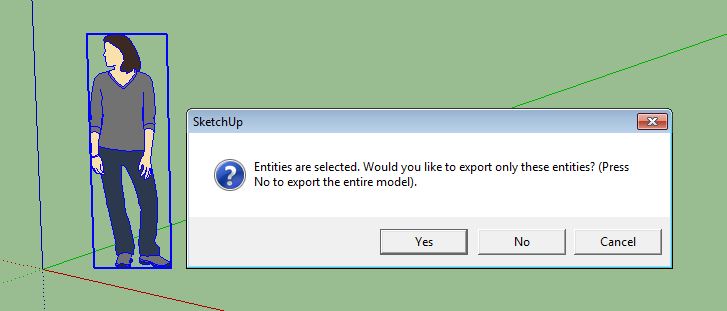

            All I get

            Women have the last word in arguments. Anything said after that is the beginning of a new argument.

            1 條回覆 最後回覆 回覆 引用 0
            • N 離線
              Nicholas Phelps
              最後由 編輯

              Maybe a bad download. What happens if you have nothing selected in the scene when you invoke LumenRT?

              1 條回覆 最後回覆 回覆 引用 0
              • S 離線
                Syndicate
                最後由 編輯

                If nothing is selected when I invoke Lumen Rt 2, then I dont even get the popup like in the pic. Nothing at all happens.

                Women have the last word in arguments. Anything said after that is the beginning of a new argument.

                1 條回覆 最後回覆 回覆 引用 0
                • N 離線
                  Nicholas Phelps
                  最後由 編輯

                  Do you have other plug-ins inside of SketchUp? Is JAvascript disabled by any chance? I've heard of possible interactions with JS...

                  1 條回覆 最後回覆 回覆 引用 0
                  • S 離線
                    Syndicate
                    最後由 編輯

                    Its a barebones Sketchup install. The only plugin is LumenRT. I forgot how to check for Javascript enabled?

                    Women have the last word in arguments. Anything said after that is the beginning of a new argument.

                    1 條回覆 最後回覆 回覆 引用 0
                    • N 離線
                      Nicholas Phelps
                      最後由 編輯

                      I think it has to do with your browser settings. Not sure, though, sorry.

                      1 條回覆 最後回覆 回覆 引用 0
                      • D 離線
                        dburdick
                        最後由 編輯

                        @syndicate said:

                        I hit the export to Lumen Rt button, I get a dialog box asking me to export the selected model or not. Either answer I choose the box goes away and then nothing.

                        Hi Syndicate,

                        Lets do a test.
                        Try loading in a bigger model to test LumenRT - like a house from 3D Warehouse or something. Then , lets open up the ruby console by going to Window --> Ruby Console.
                        Now, don't select anything in the scene, just go the menu Plugins --> LumenRT --> Export Full Model.

                        You should then see the export user interface:

                        http://www.skinvue.net/LRTExportUI.jpg

                        If you don't see this interface, check to see what the Ruby Console is showing.

                        Dave

                        1 條回覆 最後回覆 回覆 引用 0
                        • S 離線
                          Syndicate
                          最後由 編輯

                          The interface didnt popup but heres what the console says:

                          Error: #<Errno::EACCES: Permission denied - D:/Program Files/e-on software/LumenRT 2/LumenRT/Ruby/Settings.ini>
                          (eval):1844:in initialize' (eval):1844:in open'
                          (eval):1844:in save_Settings' (eval):1862:in get_SavedSettings'
                          (eval):1636:in initialize' (eval):192:in new'
                          (eval):192:in lumenRT_exportModel' (eval):278:in load'
                          (eval):1844:in `call'
                          (eval):1844

                          Women have the last word in arguments. Anything said after that is the beginning of a new argument.

                          1 條回覆 最後回覆 回覆 引用 0
                          • S 離線
                            Syndicate
                            最後由 編輯

                            This is ridiculous. Sorry, Dave, didnt see your reply. Ill try this.

                            Women have the last word in arguments. Anything said after that is the beginning of a new argument.

                            1 條回覆 最後回覆 回覆 引用 0
                            • S 離線
                              Syndicate
                              最後由 編輯

                              FIXED!!! I realized that the console told me the settings.ini file was denied permission. I used a handy little tool called "Take Own" and took ownership of the LumenRT 2 folder and Voila!
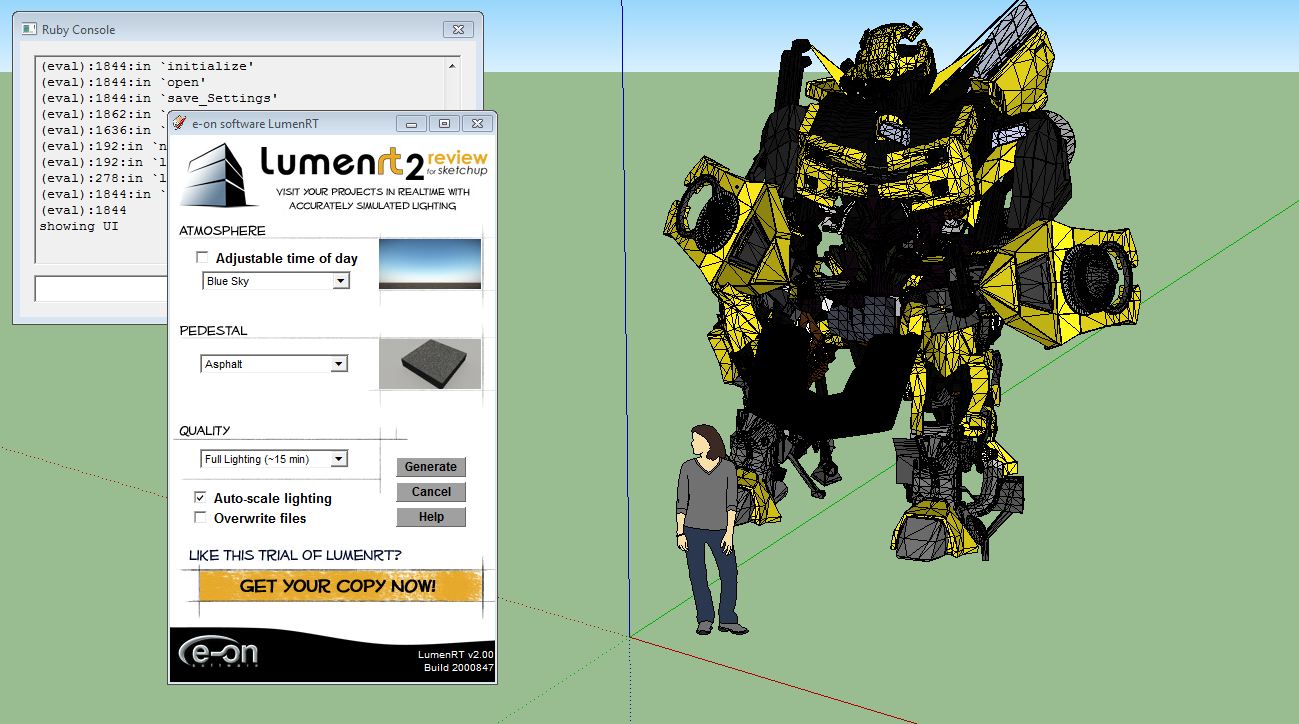

                              voila.JPG

                              Women have the last word in arguments. Anything said after that is the beginning of a new argument.

                              1 條回覆 最後回覆 回覆 引用 0
                              • D 離線
                                dburdick
                                最後由 編輯

                                @syndicate said:

                                FIXED!!! I realized that the console told me the settings.ini file was denied permission. I used a handy little tool called "Take Own" and took ownership of the LumenRT 2 folder and Voila!

                                Glad you got it working - let us know what you think after your test runs.

                                Regards,

                                Dave

                                1 條回覆 最後回覆 回覆 引用 0
                                • W 離線
                                  whiterabbit
                                  最後由 編輯

                                  I have same issue. no export function suddenly, tried a reinstall too.
                                  below is the ruby info. Only material editor appears. No export from dropdown menu or from lumenrt buttons. If I have a selection I do get the window that asks if I want to export the whole model or just the selection, but either way...nothing happens.

                                  Setting Default Settings
                                  Error: #<NoMethodError: undefined method strip' for nil:NilClass> (eval):2295:in get_SavedSettings'
                                  (eval):2292:in each' (eval):2292:in get_SavedSettings'
                                  (eval):1926:in initialize' (eval):241:in new'
                                  (eval):241:in lumenRT_exportModel' (eval):552:in load'
                                  (eval):2296:in `call'
                                  (eval):2296

                                  1 條回覆 最後回覆 回覆 引用 0
                                  • D 離線
                                    dburdick
                                    最後由 編輯

                                    Hi WhiteRabbit,

                                    Look like the Setting.ini may be corrupted. Go to ProgramFiles/LumenRT 4 Studio/LumenRT/Skp/Ruby and delete the Settings.ini file. Then, restart Sketchup and try firing up LRT again. It will create a new Settings.ini file.

                                    1 條回覆 最後回覆 回覆 引用 0
                                    • R 離線
                                      reno94
                                      最後由 編輯

                                      HI. I can help you regarding your problem why nothing model scene during exporting 3d. Well, you need to GROUP or make COMPONENTS of all your materials (like Walls, Tables, Door, etc.) in sketchup before Exporting to 3d. as a result, all which GROUPED materials (like Walls, Tables, Door, etc.) are only be exported to 3D, which is ".dae" files. IF you DON'T GROUP OF MAKE COMPONENTS, there will be nothing to do with exporting.

                                      sorry for my bad english..
                                      Greetings from PH.

                                      1 條回覆 最後回覆 回覆 引用 0
                                      • S 離線
                                        skizzopatrick
                                        最後由 編輯

                                        Hi Guys,
                                        After reading the suggestions and tried different ways I still cannot figure out how to solve this thedious problem.
                                        Here you can find the "Ruby console" output.

                                        Closing UI
                                        Starting Export
                                        Error: #<NameError: uninitialized constant LumenRT2015::VueExportGUI::Main>
                                        e:/program files/e-on software/lumenrt 2015/lumenrt/export/skp/ruby/lumenrt_ui.rbs:477:in showUI' e:/program files/e-on software/lumenrt 2015/lumenrt/export/skp/ruby/lumenrt_menu.rbs:139:in lumenRT_exportModel'
                                        e:/program files/e-on software/lumenrt 2015/lumenrt/export/skp/ruby/lumenrt_menu.rbs:535:in block in <module:LumenRT2015>' SketchUp:1:in call'

                                        All the best.
                                        Patrick

                                        1 條回覆 最後回覆 回覆 引用 0
                                        • 1
                                        • 2
                                        • 1 / 2
                                        • 第一個貼文
                                          最後的貼文
                                        Buy SketchPlus
                                        Buy SUbD
                                        Buy WrapR
                                        Buy eBook
                                        Buy Modelur
                                        Buy Vertex Tools
                                        Buy SketchCuisine
                                        Buy FormFonts

                                        Advertisement