Problems with PC
-
Hi
Some strange things happen to my pc since some days... I allow me to ask here because I already spent some hours without success...
I think all ot those stuff has the same reason:- In SU when I click on button "check plugins for update" nothing happens
- When I click on Thea Exporter the window look strange and also nothing happens when trying exporting the scene
- I use the smale icons in SU (not the large toolset) but only the large icons are shown (after a new installation SU)
- maybe others I have not seen yet...
I made a new installation of SU but same things happen. I also searched for virus but nothing found also.
And the Internet Explorer tells me: "the current security settings do not allow the download of this file" by downloading files. But the settings are fine I think, I reset it all to default... Google chrome works.
Al of this has begin one week ago, I can not remember to do anything. I can imagine that no one has any idea
 , but I just try to ask... Thanks for reading anyway!
Win7 64 bit SU8pro -
Do you only get problems with Sketchup ?
Do you get any error messages when it starts ?
Do you get any error messages when running a tool within Sketchup ?
If you open Sketchup menu > Window > Ruby Console do you get any error messages when activating a tool ?
[Have you reinstalled Sketchup 'from scratch'].Do you have lots of 'scripts' in your Plugins folder [.rb/.rbs files] ?
Make a new empty 'PluginsDisabled' folder.
Open the Plugins folder and move [cut/paste] all files with .rb/.rbs suffixes into PluginsDisabled folder.
Restart Sketchup.
Do you still get issues with things like Toolbars ?
If you return the scripts from the PluginsDisabled folder into Plugins a few at a time when does it 'break' Sketchup ?
You might have a 'rogue' script, or a rare script clash...
What is the "check plugins for update" button ???

-
That's Fredo's plugins update checker...
'From scratch' - means from the start with nothing there - a 'clean install'.
Your IE/Outlook issues seem to be a separate issue with your Internet connectivity.
Have you recently updated Internet-Explorer or changed any settings ? -
no, I did nothing. The Connection is fine because Google chrom works. Because the update checker does not even work I think there must be a problem wich is coherent somehow...
-
Web-dialogs made in Ruby for Sketchup use the native web-browser - in the case of a PC it's Internet-Explorer.
Have you tried downloading the latest version of IE from Microsoft and reinstalling it on your PC...
http://windows.microsoft.com/en-GB/internet-explorer/downloads/ie
You could also try reverting to an earlier version and see if that fixes the glitch... -
I seen some rare IE corruptions (possible by result of virus/troijan/adware.../act of god), result was non operating program that did use native web browser for IU (like SU2Thea).
It's easy to test by creating a new user account (with fresh new account everything should be fine)... but I am not aware how to fix the issue. -
Have you checked to see if you have a restore point before the time you have the problem. If so, try to restore there and see if that helps. If not you can go back to where you are now. If you have automatic updates turned on you may want to disable until this can be sorted out.
-
@tig said:
Web-dialogs made in Ruby for Sketchup use the native web-browser - in the case of a PC it's Internet-Explorer.
Have you tried downloading the latest version of IE from Microsoft and reinstalling it on your PC...
http://windows.microsoft.com/en-GB/internet-explorer/downloads/ie
You could also try reverting to an earlier version and see if that fixes the glitch...Don't think IE9 is compatible with Windows XP. He will have to use IE8
-
Thanks mac1
XP I have in office, at home with the problems Win7 -
Select internet options , advanced tab and at the bottom of the screen is a reset button try that and see if it helps. That sets IE to the default condition.
-
Oops sorry I missed that. I see it is 64 bit. What SKU version do you have and did it work ok before or is it new? There have been some registery issues. Will have to see if I can find the post

-
@mac1 said:
Select internet options , advanced tab and at the bottom of the screen is a reset button try that and see if it helps. That sets IE to the default condition.
This I already tried!
-
Could not find the registry issue by quick search. Will continue to look. Don't think it fits your case since SU8 was just not starting but you never know?
BTW SU M2 came out recently. SU runs as a 32 bit app on 64 bit machines. Have you checked to see if you did an automatic update recently. I don't think they rolled the version number but you can go to the extension and there is a new tab for plugin installs? If so try an correlate date on the SU file with your problem
-
Hi
I follow this instruction:
http://windows.microsoft.com/en-US/windows7/how-do-i-install-or-uninstall-internet-explorer-9
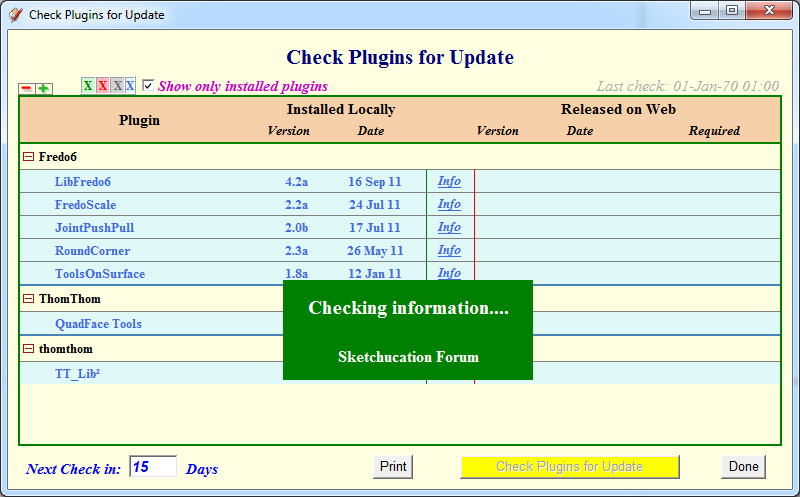
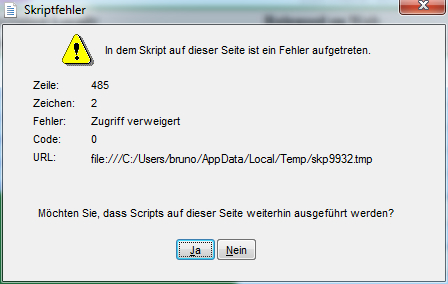
and now the Fredo's plugin update checker begins to work! But it does not stop now, it is frozen and does not stop searching and an error message is pop up, see images.
also the Thea Exporter works again!
Just downloading files still not working on IE9
IE9 is still installed but a previous version
Maybe I will deinstall it completely
Well my problems have to do with IE and not with SU, this is for sure!
Thanks folks for great support!!
-
Thanks Tig for answer!
I will do things you recommend when I am at home.
"From scratch"??
The thing with the toolbar was a mistake, this works.
IE9 like told I can not download files anymore
My wife in her profile Outlook crashes since one week to
I will post again when done your tips
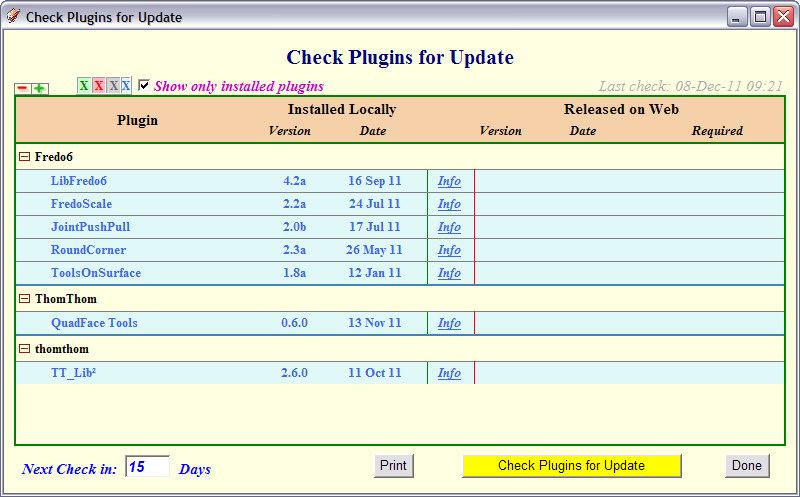
see attached the update button
-
@mac1 said:
Oops sorry I missed that. I see it is 64 bit. What SKU version do you have and did it work ok before or is it new? There have been some registery issues. Will have to see if I can find the post
SU8 pro
-
@mac1 said:
... and there is a new tab for plugin installs? If so try an correlate date on the SU file with your problem
where is this tab? I use the newest SU 8 version and maybe the problems are since then!
-
hI have 2 IE9 installed (by default I guess)
1 IE9 32 bit, here I still can not download file
1 IE9 64 bit, here files can be downloadedWich one should be used??
-
I am not sure, but I think the tab mentioned is the one pictured by Gaieus here: http://forums.sketchucation.com/viewtopic.php?f=10&t=41684&p=372689#p371745
So you have XP 64 bit? -
Found it, thanks
No I have Win7 64 bitI am happy that TheaExporter is working again, this was the most important thing I have to thank all of you for the friendly support. Maybe Microsoft make some updates and the rest is working also sometimes...




Advertisement