How to remove a non-existent library folder?
-
Hey everyone
I'm trying to remove a folder from my component favorites, but it doesn't exist anymore on my computer. On an earlier occasion of such a thing, I re-created the folder, accessed it via the component dialog, and then removed it. But this time, I cannot, how ever much I try, remember where it used to exist. Does anyone have a solution for this?
cheers
Martha -
Run
regeditand find this entry
HKEY_CURRENT_USER\Software\Google\SketchUp8\UserLibrariesComponentBrowser1
You can have up to 8 listed as favorites - the count here says 5
You can read or edit an entry's value - so for example you can read the path to the now gone folder and recreate it...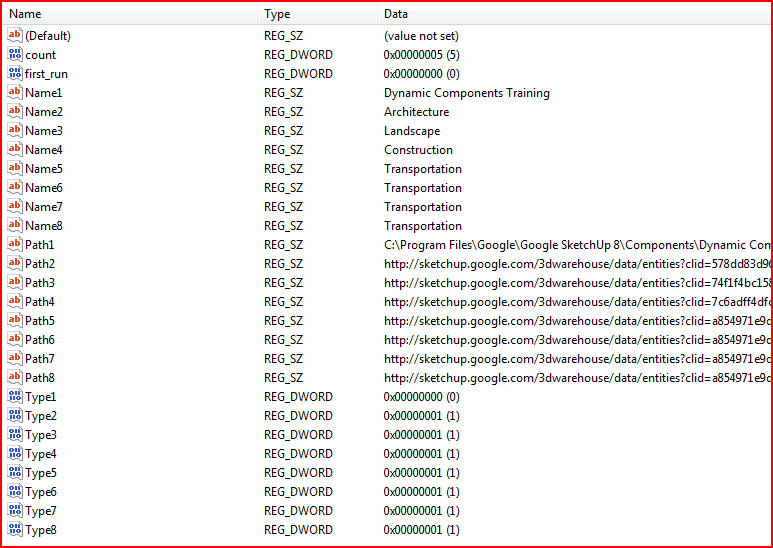
-
Thanks!!



Hello! It looks like you're interested in this conversation, but you don't have an account yet.
Getting fed up of having to scroll through the same posts each visit? When you register for an account, you'll always come back to exactly where you were before, and choose to be notified of new replies (either via email, or push notification). You'll also be able to save bookmarks and upvote posts to show your appreciation to other community members.
With your input, this post could be even better 💗
Register Login


Advertisement