[Plugin] Simple Scale Tool Handles v1.2 7-25-2011
-
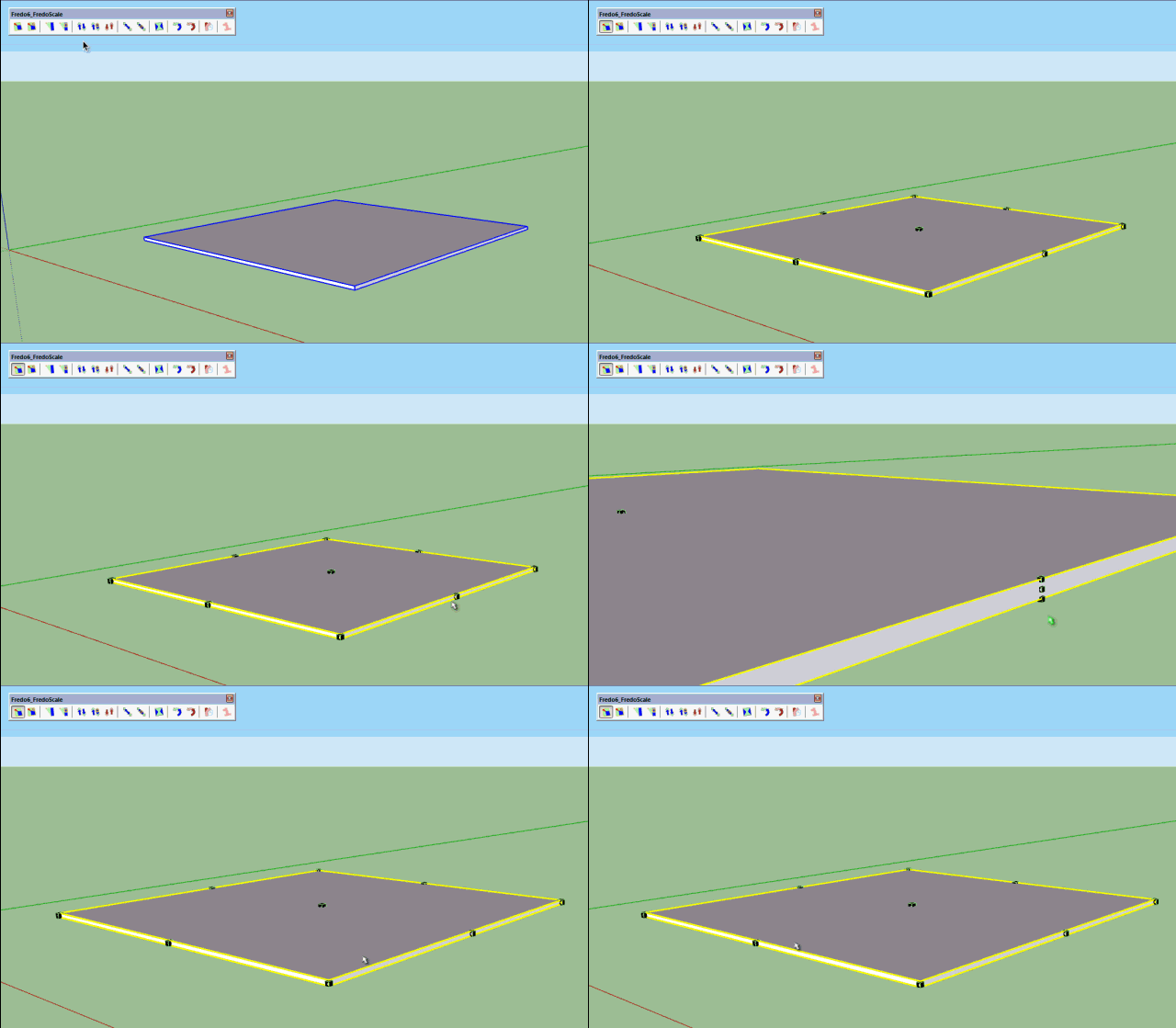
Just for info, FredoScale does this reduction of handle automatically depending on the 'apparent' dimensions along the axes. If you manipulate a thin plate, you'll get one handle, but if you zoom, you will end up by getting 3 as in the native Scale Tool.
Fredo
-
Fredo I had never noticed that. As I'm used to being afraid of Scale tool handles I thought it was better zooming in with yours too... Mindless zooming in and out! Your tools seem to surprise me at every corner with such elaborate features!
-
@fredo6
FredoScale "Box stretching" is most useful in planar editing I think. Default scale tool may modify size in view direction (invisible in 2d view), that's why I wish to replace the default scale tool handles.
Your work is amazing fredo6...What I really miss in Skethup is some kind of property window or something - showing and modifying real x, y, z size of selected object/s (or/and any kind of selection) in users units. I wander why it is not done yet. I know I can enter exact values with scale tool, but this is NOT a natural way for size editing.
You can do it fredo6. -
@tboy said:
What I really miss in Skethup is some kind of property window or something - showing and modifying real x, y, z size of selected object/s (or/and any kind of selection) in users units. I wander why it is not done yet. I know I can enter exact values with scale tool, but this is NOT a natural way for size editing.
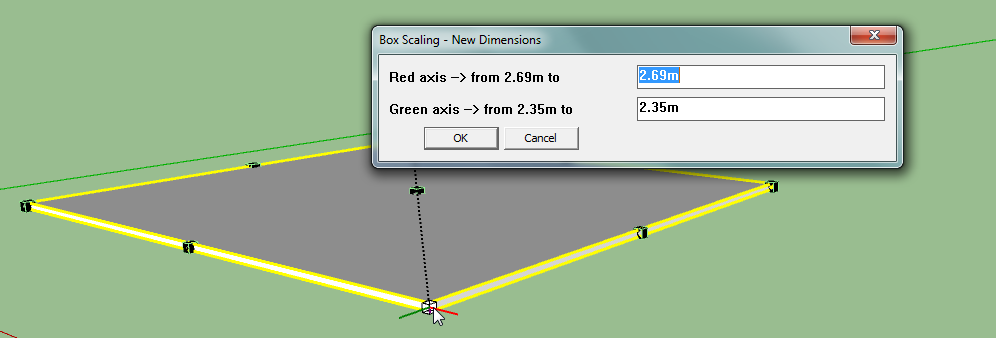
You can do it fredo6.I think you can press TAB when the mouse is over a handle and you'll get a dialog box to enter the size.
Fredo
-
@fredo6 said:
I think you can press TAB when the mouse is over a handle...
FredoYes, something like this but...
too much clicks to obtain a simple size change.
I started a new topic here:
http://sketchucation.com/forums/viewtopic.php?f=10%26amp;t=64170
Please see it. -
ky, where can I find explanation of those numeric equivalents of the commands you use in this and other scripts?
Thanks for Simple scale handles, it is always ON with "120 mask" in my files. -
use this in the console to find out the integers (also below are some you can use)
@s=Sketchup.active_model.selection;@d=@m.definitions;@s[0].definition.behavior.no_scale_mask = 127 ; Sketchup.send_action('selectScaleTool;')ALL VISIBLE = 000000 = 0
NO RED = 0000001 = 1
NO GREEN = 0000010 = 2
NO BLUE = 0000100 = 4
NO FREE DEFORM = 0111000 = 56
CORNERS ONLY = 0111111 = 63
NO HANDLES = 1111111 = 127
ONLY AXES = 1110000 = 120 -
Thank you CadFather. So answer of my question is: anyone can extract these and others using console? Any additional explanations for integers? I'm just curious.
(Error: #<NoMethodError: undefined method `definitions' for nil:NilClass>)Please, tell me what to do to activate 'Simple scale handles' automatically for every file permanently?
P.S. My next question will be: Why size of objects is so difficult to extract and show in some kind of info panel, this is strange, too strange.
-
.
ops, sorry few copy errors : try this code
@m=Sketchup.active_model;@s=@m.selection;@d=@m.definitions;@s[0].definition.behavior.no_scale_mask = 4 ; Sketchup.send_action('selectScaleTool;')you can find this in the sketchup API:

Class: Sketchup::Behavior
The Behavior class is used to control the
SketchUp Ruby API Documentation (ruby.sketchup.com)
i don't find it very clear, but more or less: you have 7 numbers (bits). each representing a pair of handles. when the bit is 0, the particular handle pair is visible. when the bit is 1 the handle pair is hidden.
@unknownuser said:
Bit0: disable scale along red (X),
Bit1: disable scale along green (Y),
Bit2: disable scale along blue (Z),
Bit3: disable scale in red/blue plane (X+Z),
Bit4: disable scale in green/blue plane (Y+Z),
Bit5: disable scale in red/green plane (X+Y),
Bit6: disable scale uniform (from corners) (XYZ).take 1111000 as an example. the bits from left to right are bit6, bit5, bit4, bit3, bit2, bit1, bit0. in this example, bits 6, 5, 4,and 3 are all hidden. the only visible ones are the blue, green and red: bits 2, 1 and 0.
this 'combination' is given in the form of an integer. if you take the example above, the 1111000 number is the 'binary' conversion of 120.
here's a place where you can do a conversion:
http://acc6.its.brooklyn.cuny.edu/%7Egurwitz/core5/nav2tool.htmlso, you can decide your combination of ones and zeroes (your seven bits)
use the converter to get the corresponding integer
use the ruby code above to test the integer.hope it makes sense
unfortunately you cannot activate it permanently - you can use the script from this thread (and change the handle numbers you prefer). and yes, there is a lot of 'strange' about sketchup - but we do love it anyway!

.





Advertisement