FOLLOW ME TOOL..???
-
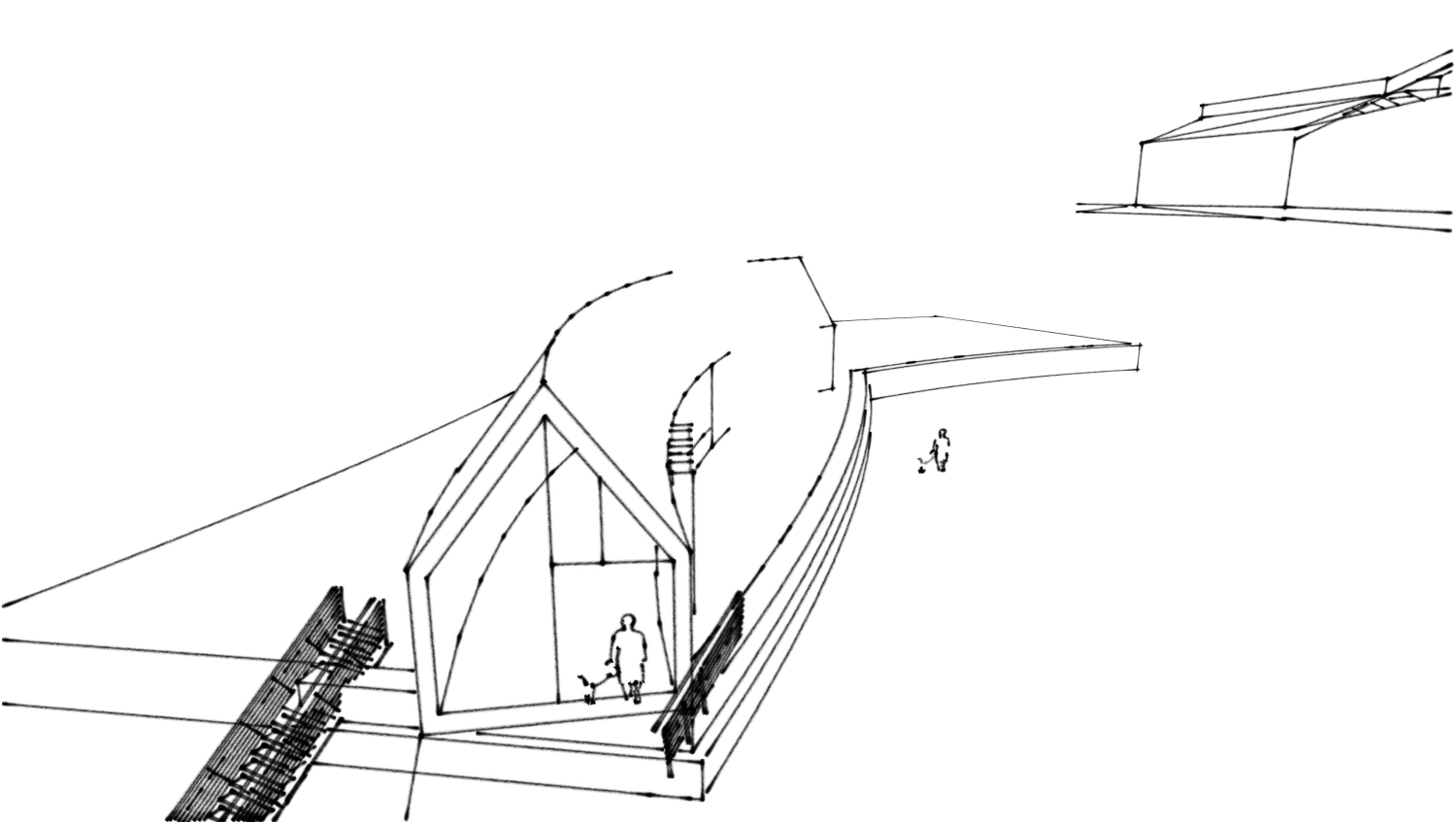
I have created the following building using the following me tool (see attached).
both gables are currently the same size - does anyone know the best way to make the gables
different sizes? such that i have a sloping curved ridge line?I have tried using the scale tool just on the 2d surface of the gable but it has some weird effects.
thanks,
ryan
-
I think I would use TIGs Extrude Tools for that. Create the outline of both gables as well as the ridge and eave curves. Then use Extrude edges by rails to get the faces. You could construct the sloped ridge line from the existing one if you want.
that's a nice line style. What is it?
-
an alternative to tig's extrude tools would be Curviloft..
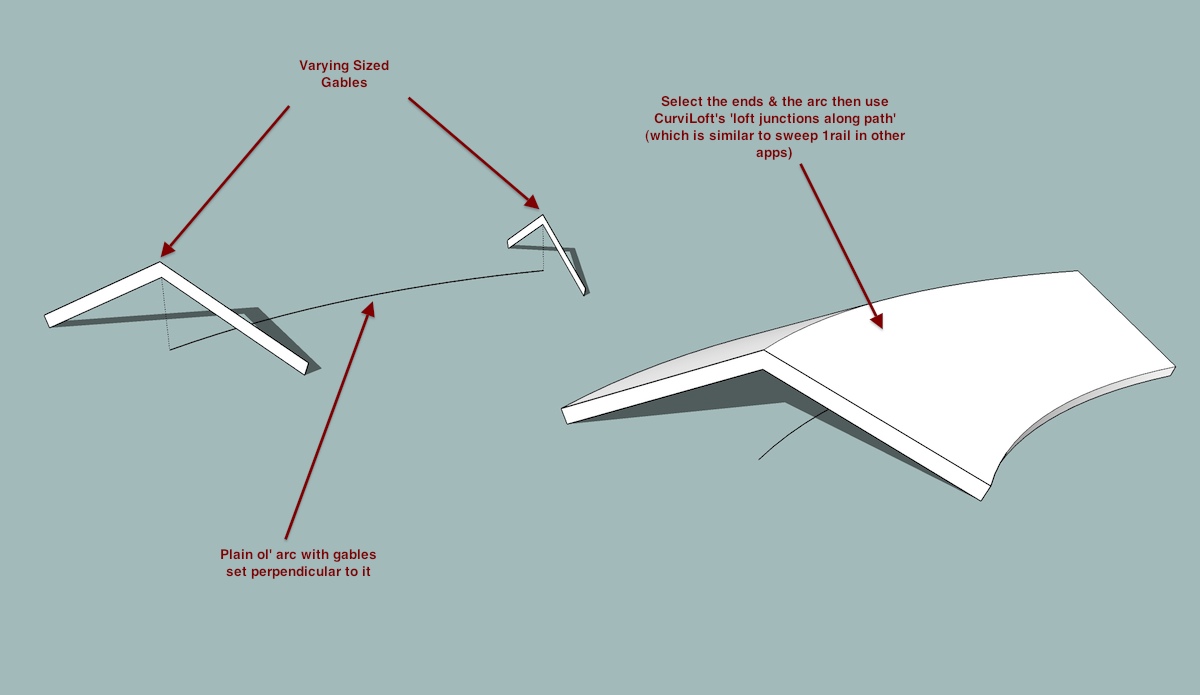
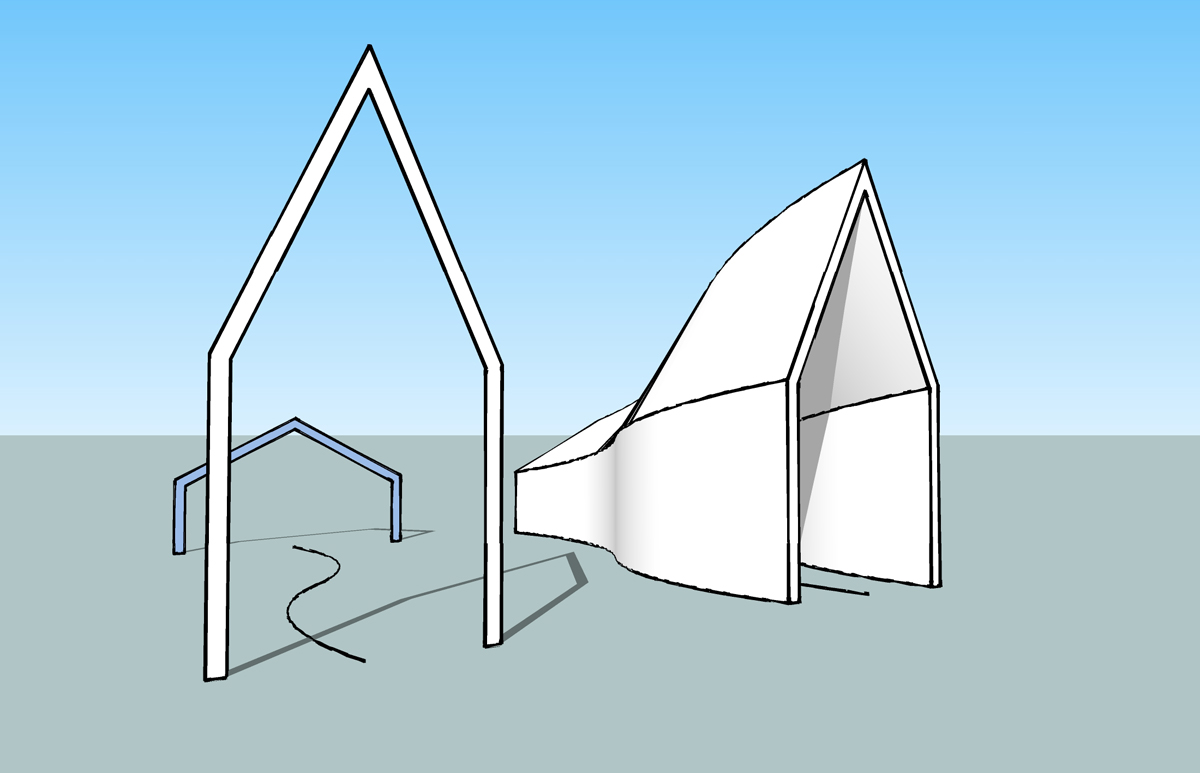
it has a function very similar to sweep1 commands in other apps..using curviloft's 'create loft junctions following a given path', you won't have to draw the curved/slanted ridge line (which will be a bit of a task in itself to get accurate).. just draw the two ends then a path line then run the tool..
-
just an exaggerated example of using the above technique.. there's virtually zero work for the user.. the plugin does all the hard parts

-
@dave r said:
that's a nice line style. What is it?
hey Dave,
notice in his style that some of the shorter edges forming the curve don't show up.. i'll often try to apply styles to some of my drawings which are heavily curved etc and many of the lines won't show up..
in fact, so many of the edges won't show up that i can't use the style even though i really like the look of it.
is this something i can fix myself via a setting -or- is it something to do with the style itself?
thanks.


Hello! It looks like you're interested in this conversation, but you don't have an account yet.
Getting fed up of having to scroll through the same posts each visit? When you register for an account, you'll always come back to exactly where you were before, and choose to be notified of new replies (either via email, or push notification). You'll also be able to save bookmarks and upvote posts to show your appreciation to other community members.
With your input, this post could be even better 💗
Register Login


Advertisement