Lathe Tool
-
I just need a code that will take a defined face and lathe it to the following specifications:
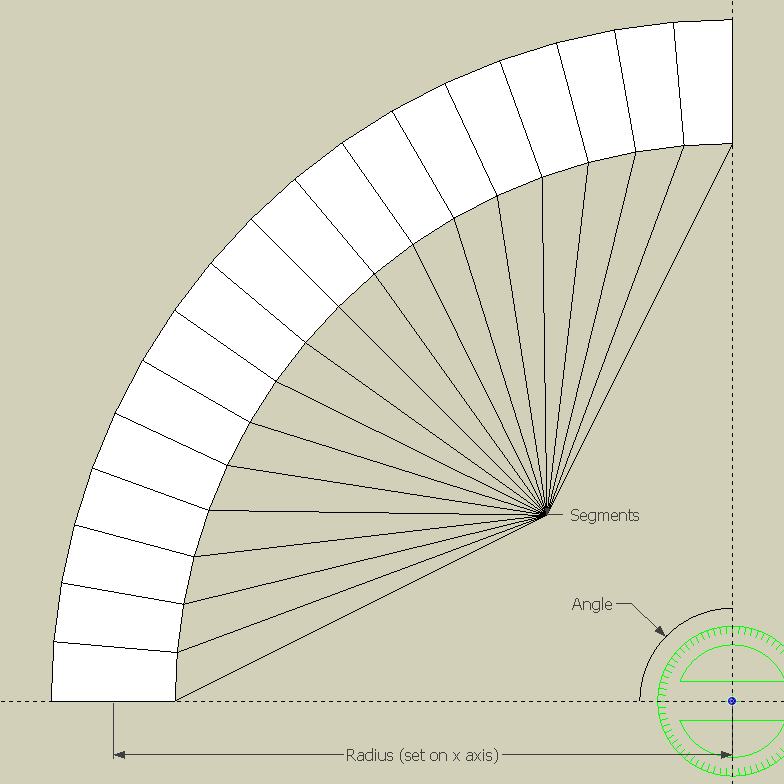
I don't want to use mouse gestures or anything else, or I would have used TIG's Plugin. I just want the section that creates the geometry.
I also don't want to use Follow Me to an arc, and this is why:
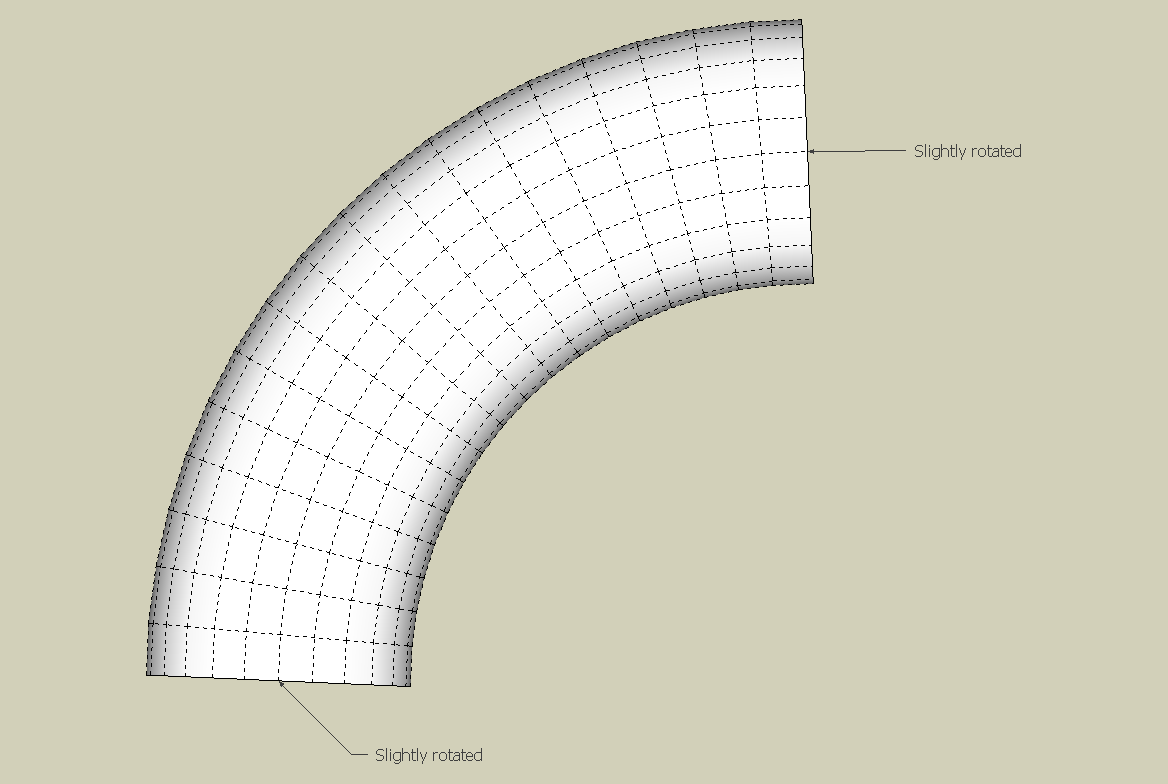
This is what I have so far:
-
Rotate+Ctrl to copy xN or /N for number at each angle or within the angle...

-
@tig said:
Rotate+Ctrl to copy xN or /N for number at each angle or within the angle...
I think you're confused
I used a 2D graphic for the first picture to make it simple. In real life, It would look a little more like this:
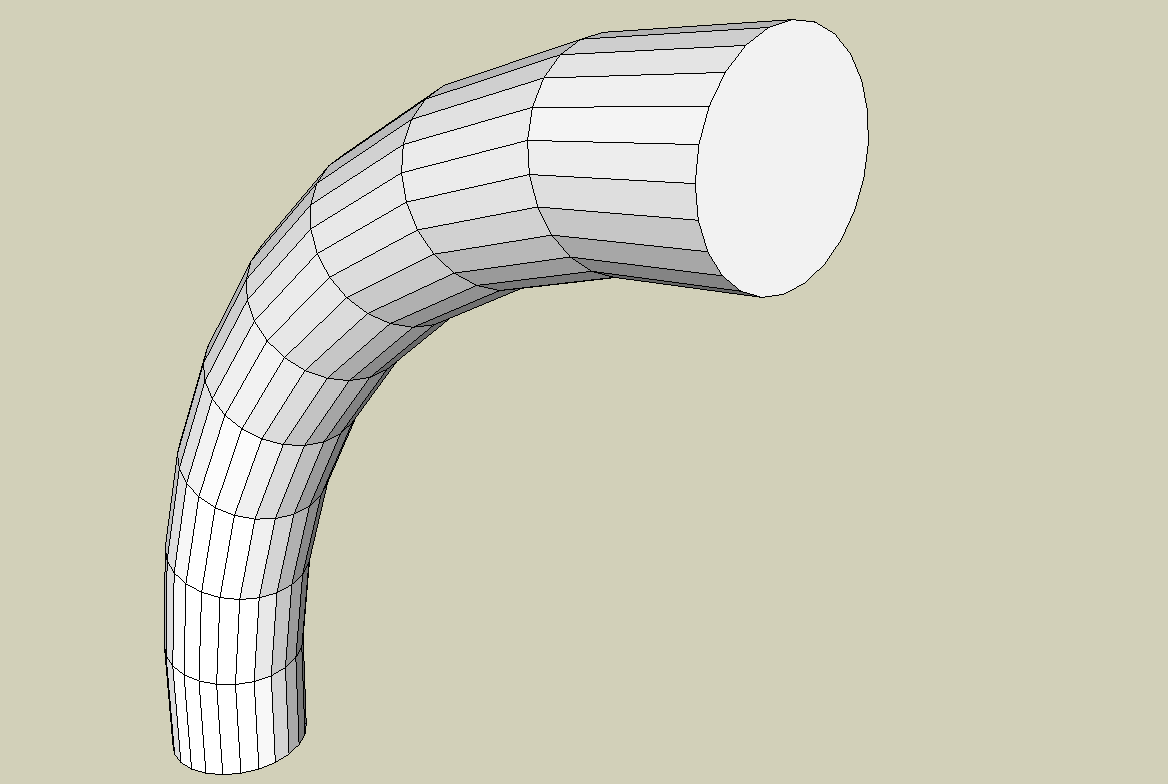
-
OK, 'FollowMe' won't give the exact 3D form... so try 'FollowMeAndKeep' [FAK] OR [maybe better] my 'ExtrudeEdgesByLathe' [part of the 'ExtrusionTools' Zipped Set]... these should give a 'lathed' form you desire...

[flash=425,344:40u9ysgp]http://www.youtube.com/v/whZU0sf0ACA?hl=en&fs=1[/flash:40u9ysgp] -
I'm probably confused also but, I think the the issue you are pointing out is SU does not draw a true tangent at the arc end so end it with a snippet of a straight coplanar line to the axis you are referencing or conversely use a circle section such you position the mid point of a seg to get the straight section. Of course you will be dealing with integer sections and may not get match you want. I think the 3rd order Bezier gives tangent at the ends but it may not match an arc close enough

-
???
When FollowMe doesn't do what you want there ARE other tools... like FAK and for 'lathes' EEbyLathe................
That's all.
Why get into esoteric Bezier Curve issues
-
@tig said:
OK, 'FollowMe' won't give the exact 3D form... so try 'FollowMeAndKeep' [FAK] OR [maybe better] my 'ExtrudeEdgesByLathe' [part of the 'ExtrusionTools' Zipped Set]... these should give a 'lathed' form you desire...
[flash=425,344:1edc9v1y]http://www.youtube.com/v/whZU0sf0ACA?hl=en&fs=1[/flash:1edc9v1y]I already told you! I just want a snippet of code! Not a plugin! Besides, I already have that plugin! And, I specifically said:
@builder boy said:
I don't want to use mouse gestures or anything else, or I would have used TIG's Plugin. I just want the section that creates the geometry.
-
@builder boy said:
@tig said:
OK, 'FollowMe' won't give the exact 3D form... so try 'FollowMeAndKeep' [FAK] OR [maybe better] my 'ExtrudeEdgesByLathe' [part of the 'ExtrusionTools' Zipped Set]... these should give a 'lathed' form you desire...
[flash=425,344:2fbxbi3h]http://www.youtube.com/v/whZU0sf0ACA?hl=en&fs=1[/flash:2fbxbi3h]I already told you! I just want a snippet of code! Not a plugin! Besides, I already have that plugin! And, I specifically said:
@builder boy said:
I don't want to use mouse gestures or anything else, or I would have used TIG's Plugin. I just want the section that creates the geometry.
OK...
 IF you have 'EEbyLathe' then you already have the ******* code!!
So what is your exact problem ???
Almost all of my scripts are easily read, annotated and clearly set out... so you can clone whatever snippets you want from them...
I'm ****** if I am going to extract the exact lines you might want [my telepathic powers are limited after all!]....
What is the purpose of your request IF you already have the information you need ??? IOTB. -
@builder boy said:
The reason I ask is because I'm very new to sketchup-ruby scripting. ... So I said why not give myself a challenge and try to make 3SKENG myself.
Well, I can say that your not facing a steep slope, there's a cliff in front of you. A Tool class plugin like 3SKENG is not a newbie level project. The best way to learn is to read a study all the code examples in the 'plugins/examples' folder. Then get some of the more advanced tool plugins written, and study them.. and so on.
Make sure you take advantage of all the free online tutorials and downloadable books I listed in the Ruby Resources topic. Download a copy of the Standard Ruby CHM Reference.@builder boy said:
(does anyone know how to redefine the defaults to match the last usage?)
Do a forum search on inputbox. This has been discussed before.
Also you should get Jim Foltz' class Inputbox extension. It makes coding inputboxes much easier and Rubyish. -
The reason I ask is because I'm very new to sketchup-ruby scripting. I enjoyed making pipe sculptures, so I got the free version of 3SKENG when it was avalable. (it's not available for a free download anymore :evil: ) So I said why not give myself a challenge and try to make 3SKENG myself. I just wanted the plugin to create the geometry, without any mouse gestures or vcb. I allready knew how to use UI.inputbox, so I decided to just use that. (does anyone know how to redefine the defaults to match the last usage?) I was hoping someone knew a simple lathe tool. So far I'v got it to make all the circles in the curve, but I don't know how to connect them.
PS. Sorry I yelled. :ashamed:


Hello! It looks like you're interested in this conversation, but you don't have an account yet.
Getting fed up of having to scroll through the same posts each visit? When you register for an account, you'll always come back to exactly where you were before, and choose to be notified of new replies (either via email, or push notification). You'll also be able to save bookmarks and upvote posts to show your appreciation to other community members.
With your input, this post could be even better 💗
Register Login


Advertisement