[Plugin] ImageTrimmer
-
@oxer said:
@tig said:
First test - is it writing the original image file
your_image.png, andyour_image[Edges].pngandyour_image[Edges].datfiles into a folder called 'TrimmedImages' in your Model's folder ?
Second test - if it is can you 'read' all of them ?
Open the .dat with a plain-text-editor and see if it has 01s in it...
Does the Image you are processing have transparent areas?
Even if it did not it should still make a .dat file [just random ideas at the moment]...
Do you have appropriate permissions to read/write to the SKMtools folder and Model's folder ?
Do you have 'from.ini' and 'to.ini' files left in your ../Plugins/SKMtools folder?
If so read them with a plain-text-editor does the first saypath_to_model_folder\TrimmedImages\your_image.pngand the secondpath_to_model_folder\TrimmedImages\your_image?
If not edit them to suit, if they don't exist make them containing appropriate paths [one line - no 'carriage-return'].
Also ensure there's a folder called 'TrimmedImages' on the specified path.
If you have the two '[Edges]' 'image' files mentioned above move them out of that folder.
However, you must havepath_to_model_folder\TrimmedImages\your_image.pngin there.
Now double-click on 'EdgeDetector.jar' in the ../Plugins/SKMtools folder - does it make the two files from the in the
'your_image.png' ??

Please test and report back...Hi TIG again,
I have probed the before instructions and now the two files ( my_image[Edges].dat & my_image[Edges].png) appear into TrimmedImages folder with the original image my_image.png, what i do now?
Thanks TIG.OK... so we now know that the '
EdgeDetector.jar' file IS working when it's double-clicked - as it does 'execute' and it makes the files we need.
We now need to find why it isn't 'executing' withUI.openURL()like it should.
Please try this in the Ruby Console...
Move the two '..[Edges].png' and ..[Edges]'.dat' files out of the 'TrimmedImages' folder temporarily.
To get a file to 'execute' on a MAC it's usual to change to the appropriate directory first - type
Dir.chdir(path_to_SKMtools)[you add the full path to the SKM folder]
To check where you are typeDir.pwd- it should now show you are 'in' the 'SKMtools' folder.
and then use
jar="EdgeDetector.jar" File.chmod(0777, jar)- to make sure it is 'executable'.
then type
UI.openURL("file:///"+jar)
The jar should 'open' - execute - and make the two '[Edges]' files we need.
If not can you try other options like
UI.openURL(jar)
or
UI.openURL(full_path_to_SKMtools/EdgeDetetcor.jar)
where the 'path' is the 'full path' to the required jar-file in the SKMtools folder...
any other permutations you can think of for trying to 'run' the 'EdgeDetetcor.jar' file would be appreciated...I am a bit at a loss to sort out MAC problems like this direct - I don't have access to a MAC... BUT if you can help resolve this I'm sure lots of other MAC users will be grateful, as will I...

-
@dave r said:
I beg to report that I tried with a different PNG image and it work. There must be something wrong with the other image I used. Is there a way to tell what that something is?
There's a 'time-out' for making the two 'Edges' files so it might simply be taking too long and exiting - I tweaked the time-out so that it waits longer [60secs] before giving up - please try this alternative with the problem file and see if it helps... http://forums.sketchucation.com/viewtopic.php?p=293677#p293677
Any one else getting the files made but the tool not completing try this new version...

-
@unknownuser said:
@unknownuser said:
To see if anything is messing with .jar files double-click on ../Plugins/EdgeDetector.jar and see what happens - if it opens with say 'WinRar' then edit that App's options to NOT open jar files... 'Jar' files should 'open' [execute] with Java...
It doesn't do anything once I click on it.@unknownuser said:
Can you edit the permissions to that folder to allow you full access.
By everything I can tell I have full permission to the folders. Far as for all the other, I'm not sure I've done it right but nothing happens.Please try the newest version and report back http://forums.sketchucation.com/viewtopic.php?p=293677#p293677
-
@unknownuser said:
Please try the newest version and report back
Does the same as before. It adds a folder on my desktop called trimmedimages with the image I imported into SU in it but nothing has been done to it and I still get those two messages with nothing being done to the image in SU.
-
@unknownuser said:
@unknownuser said:
Please try the newest version and report back
Does the same as before. It adds a folder on my desktop called trimmedimages with the image I imported into SU in it but nothing has been done to it and I still get those two messages with nothing being done to the image in SU.
Your 'Java' installation can't access the 'jar' file... Have you tried updating your Java installation ? It might be 'old'...
-
@tig said:
There's a 'time-out' for making the two 'Edges' files so it might simply be taking too long and exiting - I tweaked the time-out so that it waits longer [60secs] before giving up - please try this alternative with the problem file and see if it helps... http://forums.sketchucation.com/viewtopic.php?p=293677#p293677
Any one else getting the files made but the tool not completing try this new version...
I downloaded your updated file and gave it a try. Still no go with that image file. And it was much less than 60 seconds before it quit so I doubt it is a timeout issue. Curiously, I downloaded another and much simpler PNG with a transparent background and had the same problem. Then I tried it with an SU toolbar icon PNG and it worked perfectly. There must be something wrong with some PNG files.
-
@dave r said:
@tig said:
There's a 'time-out' for making the two 'Edges' files so it might simply be taking too long and exiting - I tweaked the time-out so that it waits longer [60secs] before giving up - please try this alternative with the problem file and see if it helps... http://forums.sketchucation.com/viewtopic.php?p=293677#p293677
Any one else getting the files made but the tool not completing try this new version...I downloaded your updated file and gave it a try. Still no go with that image file. And it was much less than 60 seconds before it quit so I doubt it is a timeout issue. Curiously, I downloaded another and much simpler PNG with a transparent background and had the same problem. Then I tried it with an SU toolbar icon PNG and it worked perfectly. There must be something wrong with some PNG files.
The 'transparent' areas need to be 100% transparent and the 'solid' areas need to be 100% solid ?
Can you post a problem png image - or PM it if it's 'sensitive'.....
-
Here's the second PNG I tried that didn't work. The other one is too large pixel-wise so I put it here instead.

-
FWIW, I opened the wreath PNG (the one in the link) in my image editor, selected the background and made it transparent. I couldn't see any difference in the image, though. I got the same results with the revised version as I did before.
-
@unknownuser said:
Your 'Java' installation can't access the 'jar' file... Have you tried updating your Java installation ? It might be 'old'...
I am using vista so who knows?
-
Hi TIG,
I have probe different combinations and to make it works this is the process in Ruby Console:- Type jar="EdgeDetector.jar"
- Type UI.openURL("file:/Users/Oxer/Library/Application Support/Google SketchUp 8/SketchUp/plugins/SKMtools/"+jar)
With these two commands EdgeDetector runs and creates the 2 files into TrimmedImages folder.
Note that the path to EdgeDetector is to my User Account, on Mac you can place the Sketchup plugins in two locations:
a) /Users/User Name*/Library/Application Support/Google SketchUp/SketchUp/plugins
or
b) Library/Application Support/Google SketchUp/SketchUp/plugins
I hope this help you.
-
@unknownuser said:
@unknownuser said:
Your 'Java' installation can't access the 'jar' file... Have you tried updating your Java installation ? It might be 'old'...
I am using vista so who knows?
Strange I too run Vista with that version of Java... and have no problems!
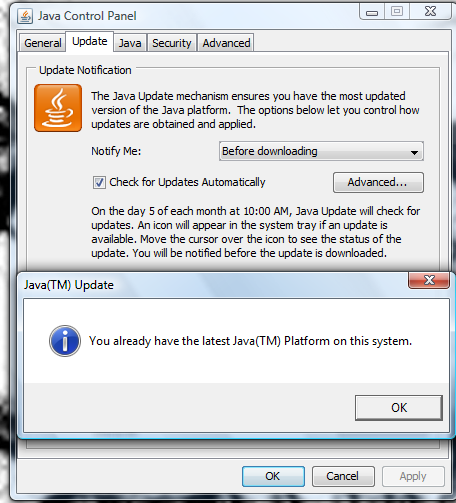
Can you post screen-shots of your 'Java settings'...
Do you have full read/write/execute access-rights to the SKMtools folder and its contents?
I have a fix for a MAC problem that I'll post asap - this might also help you... watch this space... -
Here's an update - http://forums.sketchucation.com/viewtopic.php?p=293677#p293677 - it addresses some glitches with the MAC file paths [I hope! Thanks for the assistance Oxer et al]...
-
Thanks TIG.
Have you had an opportunity to look at the two images I was having difficulty with? They were randomly collected off the web and I'm guessing that if I could find two problem images that easily, others would also come across them. Maybe it has to do with images saved from websites?
-
@dave r said:
Thanks TIG.
Have you had an opportunity to look at the two images I was having difficulty with? They were randomly collected off the web and I'm guessing that if I could find two problem images that easily, others would also come across them. Maybe it has to do with images saved from websites?You need to ensure that all sold areas are 'solid' with no transparency - edit the png, merge layers, flatten and select area of the transparent color and delete so transparency is only applied to the 'holes'...
I also tried and made the wreath image smaller so it processed faster...
But it still fails - must be something in the 'form'
As a result of your report I'm revisiting the Java in the EdgeDetector.jar as it had a glitch on the image's edge pixels.
I'm also adding a timed wait [3secs] for the 'dat' file to complete, as I found that 'dat' file was getting made BUT the Ruby was reading the file too soon so it wasn't getting the data...
I'll post updates when they are tested.... -
TIG, after reading your last post I thought I'd try a couple of things n that wreath image. I selected the areas that should be transparent and deleted them and I selected the rest and adjusted the Transparency slider to make them opaque. I couldn't see any change in the editor but when I imported the image into SU, the transparent areas were black rather than transparent. I tried running the script on it anyway. It ran for awhile slowly increasing the percentage of pixels processed. I turned away to work on something else and when I looked back SketchUp had closed. No bug splat and no message from Windows. Just closed as if I had hit the X.
I'll wait for your next version and see what happens.
Just some free thinking here, which I probably shouldn't do but is it possible to inspect the PNG for problems before starting to create the edges and throw up some sort of message indicating potential problems?
-
Hi,
I have tested the last revision, and now the plugins runs but nothing happens, after 60 seconds this message appears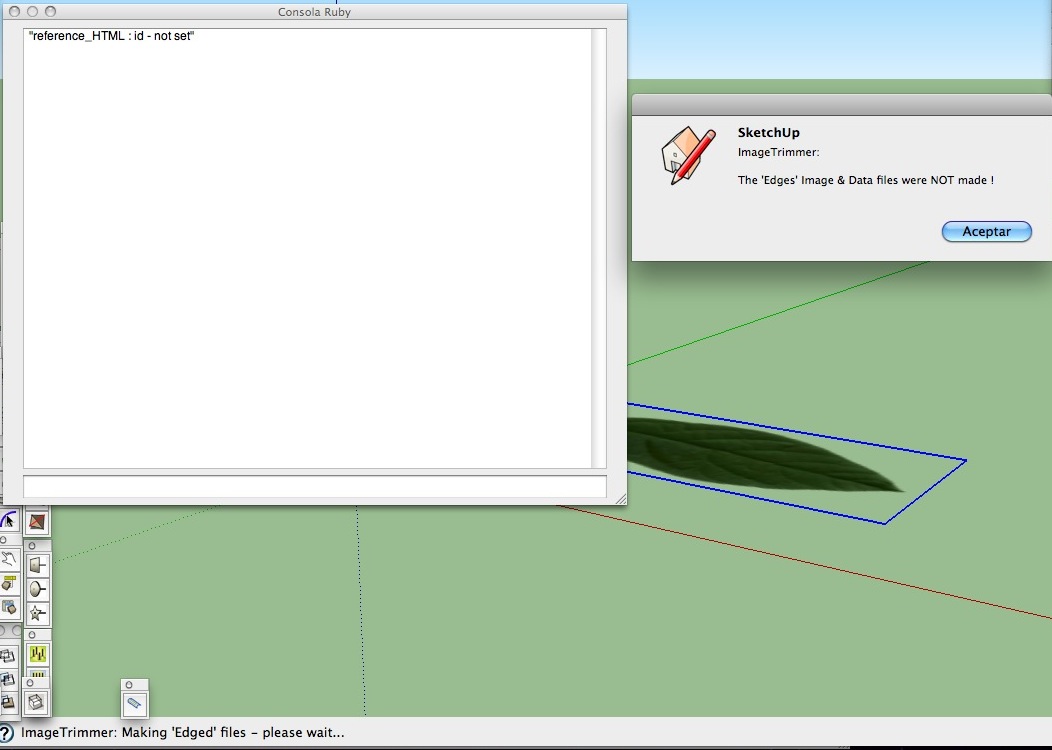
The Ruby Console is empty and the plugin don't makes the two files in TrimmedImage folder.EDIT: I probe to run EdgeDetector.jar directly and OSX shows this:
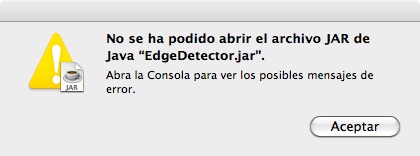
Has not been possible to open the file JAR of Java "EdgeDetector.jar" Open the Console to see the possible error messages.
The OSX Console shows this: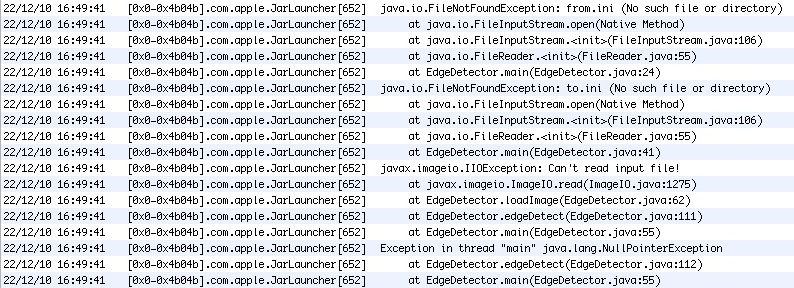
I have looked in SKMtools folder and there aren't the from.ini and to.ini files, the previous revisions of the plugin generated these files.
This is in what I can help you. -
Oxer
Can you open you Java control panel and check the settings - that you are allowed to 'auto'-run 'jar' files on your MAC etc. The from/to.ini files are made by the tool but are auto-removed on completion or error. You can manually reproduce these by making than as you did before - then the jar runs when double-clicked [opened] and UI.openURL(full_path) so I can't see why it's not working now from within SUp
... The timeout occurs when the files aren't made...
I have a think....
-
@dave r said:
TIG, after reading your last post I thought I'd try a couple of things n that wreath image. I selected the areas that should be transparent and deleted them and I selected the rest and adjusted the Transparency slider to make them opaque. I couldn't see any change in the editor but when I imported the image into SU, the transparent areas were black rather than transparent. I tried running the script on it anyway. It ran for awhile slowly increasing the percentage of pixels processed. I turned away to work on something else and when I looked back SketchUp had closed. No bug splat and no message from Windows. Just closed as if I had hit the X.
I'll wait for your next version and see what happens.
Just some free thinking here, which I probably shouldn't do but is it possible to inspect the PNG for problems before starting to create the edges and throw up some sort of message indicating potential problems?
After a bit of editing of the pngs and tweaking the jar and ruby code it now works although the wreath is painfully slow as there are lots of separate 'face' dots formed by the pointed leaf-ends...
I hope to post the updates asap, but I can concurrently trying to sort out Oxer's MAC problem too
Here's the tweaked pngs and a skp that works...TroublesomeImages.zip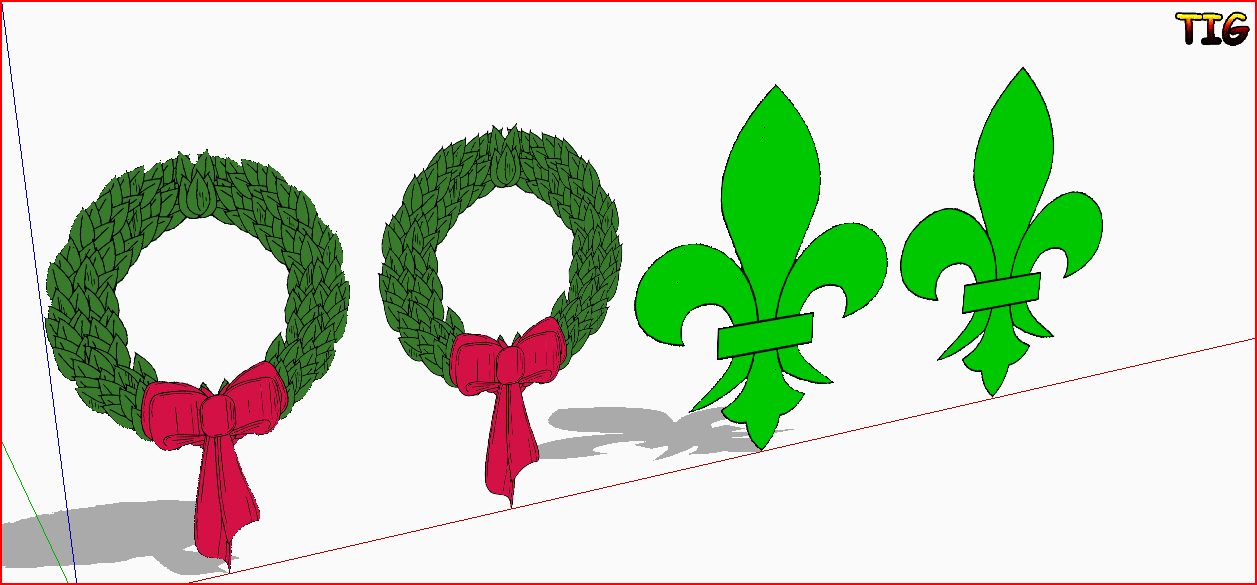
-
Here's an update http://forums.sketchucation.com/viewtopic.php?p=293677#p293677
The time-out for larger .dat files in extended and the EdgeDetector.jar is improved.We seem still to have problems with some MAC users [see Oxer]... any MAC users who are getting good results please let us know your Java settings etc - this might be the key to resolving this issue...






Advertisement