[Plugin] ImageTrimmer
-
Hello TIG
nothing is happend.
all file i write without accents.
i have try to remove the write protection at first was ok, however when i open this dialog again the writeprotection is ON again.
the same problem i have with sketchup make
-
You'll need admin rights...
Control Panel > Users - make yourself and admin.You MUST have FULL rights to the Plugins folder to do thing with this tool, AND many other tools for that matter ! ...
Select the Plugins folder's icon
Right-click
Context-menu
Properties
Security
Edit
...
Set each user/group that is listed to have FULL, read/write permissions.
Apply & OK to save...The changes ought to filter down to all enclosed files and subfolders automatically - but please check the permissions on the tools folder etc...
Next...
Select the Plugins folder's icon
Right-click
Context-menu
Properties
Compatibility
Tick the 'Always run this application as an administrator' box
Apply & OK to save...Restart SketchUp and retry the tool to see if it now works...
-
done everything , nothing works
-
Not very useful information.
What happens?
What is created?
Are there error messages in the Ruby Console.
What us the exact name of the SKP, the Image and the containing folder of the SKP ?
Do you have full permission to this containing folder AND to the ../Plugins/SKMtools subfolder [and all of its contents] ??Please post all of this...
I still feel it's either a permissions issue and/or a filepath naming problem... -
Files via PM
i have installed a fresh sketchup installation and had change all permissions you told me.
-
I refer to the PMd SKP...
First thing the imported PNG Image is much larger than it needs to be.
All of the unwanted transparent pixels need to be analyzed - so edit the PNG [Gimp or Shop] and auto-crop to exclude them, they are ignored anyway but the PNG can be 40% of that size with no loss of the important data!Second - the image MUST have its 'solid' area made from non-transparent pixels, with a transparent background that is to be removed, if the main area's pixels have ANY transparency then they will be removed during the trimming too...
Your PNG is nearly all transparent pixels of varying opacity
To fix that... edit the PNG, Flatten the image [the background goes white and all pixels lose their transparency], then [re]add an Alpha Channel [Transparency Layer], use the Magic-wand to select all of the 'white' pixels forming the background and Delete them to leave the background transparent again. Export the edited file as the new PNG, re-import into the SKP and retry - the 'solid' part should now trim OK...I attached a modified SKP to the PM...
It took a minute to reprocess in Gimp and then seconds to trim in SketchUp...[Of course I ensure that I do have all my folder permissions set to FULL etc and no non-ASCII characters in filepaths etc...]
The lesson is get your files right before you start...
-
Here's an updated toolset: http://sketchucation.com/forums/viewtopic.php?p=293677#p293677
The SKMtools Temp folder that is needed to process Image files etc, is now made in the User's Temp folder [OS specific] rather that the ../Plugins/SKMtools folder, avoiding potential permission issues... -
Here's another updated toolset: http://sketchucation.com/forums/viewtopic.php?p=293677#p293677
It fixes a silly typo in the ImageTrimmer code which prevented it from completing its tasks...
-
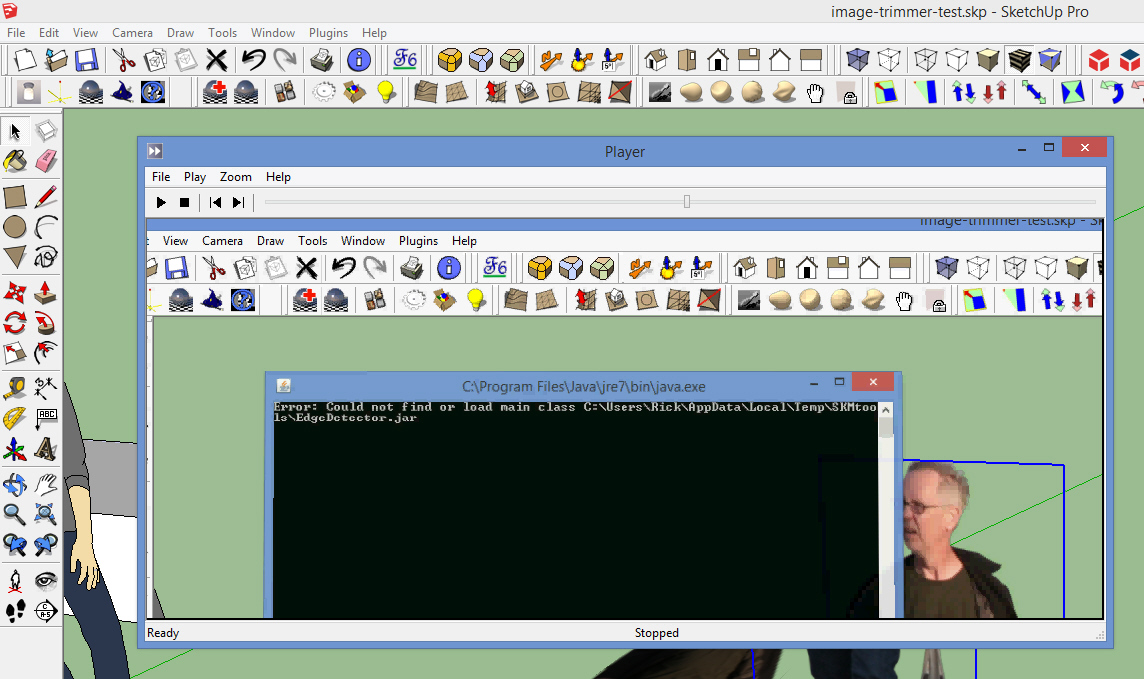
I'm running into a similar problem with image trimmer running and hope mine has a simple answer. After clicking image trimmer from the dropdown box, it appears to start processing but quickly diplays an windowed dos error message indicating it can't find EdgeDetector.jar.
At the top of the window it reads: C:\Program Files\Java\jre7\bin\java.exe
The message reads: Error: Could not find or load main class C:\Users\Rick\AppData\Local\Temp\SKMtools\EdgeDetector.jar
Why java is looking there, I don't know because the file is where it's supposed to be at Google SketchUp 8\Plugins\SKMtools\EdgeDetector.jar
Quick Background..... New computer with Windows 8. No java came preinstalled so loaded the latest 64bit version from their website. jar files were originally associated to another program so I had to change associated program to java.exe
All folder permissions in SKMtools (and below) have "full control" rights
What am I missing???
Rick
-
@rahdad1 said:
I'm running into a similar problem with image trimmer running and hope mine has a simple answer. After clicking image trimmer from the dropdown box, it appears to start processing but quickly diplays an windowed dos error message indicating it can't find EdgeDetector.jar.
At the top of the window it reads: C:\Program Files\Java\jre7\bin\java.exe
The message reads: Error: Could not find or load main class C:\Users\Rick\AppData\Local\Temp\SKMtools\EdgeDetector.jar
Why java is looking there, I don't know because the file is where it's supposed to be at Google SketchUp 8\Plugins\SKMtools\EdgeDetector.jar
Quick Background..... New computer with Windows 8. No java came preinstalled so loaded the latest 64bit version from their website .jar files were originally associated to another program so I had to change associated program to java.exe
All folder permissions in SKMtools (and below) have "full control" rights
What am I missing???
Rick
To avoid issues with permissions to the SKMtools folder the files are now replicated in your own personal folder tree, to which you should have FULL rights...
The minimum rights that 'everyone' needs to the main SKMtools folder is READ - FULL read/write is best...If you open:
C:\Users\Rick\AppData\Local\Temp\SKMtools
are there any files in there ?
The jar files needed should be copied across...
Does C:\Users\Rick\AppData\Local\Temp\SKMtools have FULL permissions ?This CAN be fixed

-
<<If you open: C:\Users\Rick\AppData\Local\Temp\SKMtools
are there any files in there ?>>There is one subfolder called.... META-INF
and 4 files EdgeDetector.class
Edgedetector.jar
from.ini
to.ini<<The jar files needed should be copied across...>>
jar files are now copied across
<<Does C:\Users\Rick\AppData\Local\Temp\SKMtools have FULL permissions ?>>
YesAfter opening the SU file, clicking the "image" and then clicking "imagetrimmer" from the drop-down list under tools,
I can see it processing. The error box (content is the same as before) pops up again very briefly and dissappears like before.
This time it processes much longer and then finishes. Nothing new in the window. There is a new folder in the project directory called "TrimmedImages" with the png file in it.
The script appears to stop at that point. I'm expecting to see a new componant in the SU window with the trimmed image.Any ideas of what I need to do next???
-
Do you definitely have Java enabled and .jar files set to execute [open] with Java and NOT a decompression tool.
I suspect that you might not got your PNG files transparency set up suitably.
Remember that ALL pixels with some transparency set [even a tiny %] will be discarded and trimmed off.
So... you might need to edit the png in an image editor like Gimp or Photoshop...
Firstly 'Flatten' the image to remove transparency from every pixel.
Now use its 'Layers > Transparency > Add Alpha Channel...' [or something like that]
Then use the editor's 'magic-wand' tool to select all of the background pixels and <delete> them.
The background should now disappear, and be 100% transparent.
It's also a good idea to use 'Crop' on the image to trim it exactly to the bounds of the solid parts: every pixel has to be considered and processed by ImageTrimmer so it is always best to minimize the number of pixels in the image you are going to process...Save [export?] the png and import it into an empty SKP... retry ImageTrimmer on it...
If still no joy then... then post the image as an attachment here - or PM it to me if it's 'sensitive'.

-
Attached are two pngs
Is java working? I don't know but I presume not. I keep getting the can't find or load main class c:\users\Rick\appdata\local\temp\skmtools\edgedetector.jar
Even though the progress line says "making edges", I don't think it has the image/data to actually do this. It's just running the loop until it times out.I have both the jre and jdk java packages loaded and the web test on their web site indicates it is loaded and working correctly.
File association is set to run jave.exe (even tried javaw.exe)I know java won't run on the "start"(metro) screen in win8 or win8.1 but I'm running sketchup on the desktop mode anyway.
Any other suggestions?
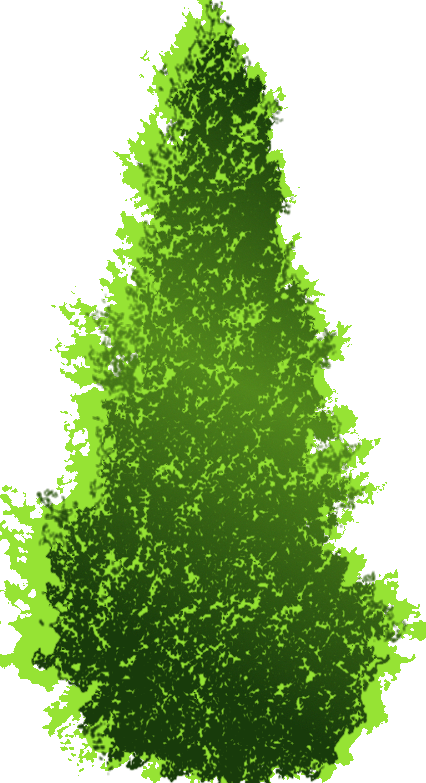

-
There's nothing wrong with Image Trimmer, anyway. It works perfectly for me.
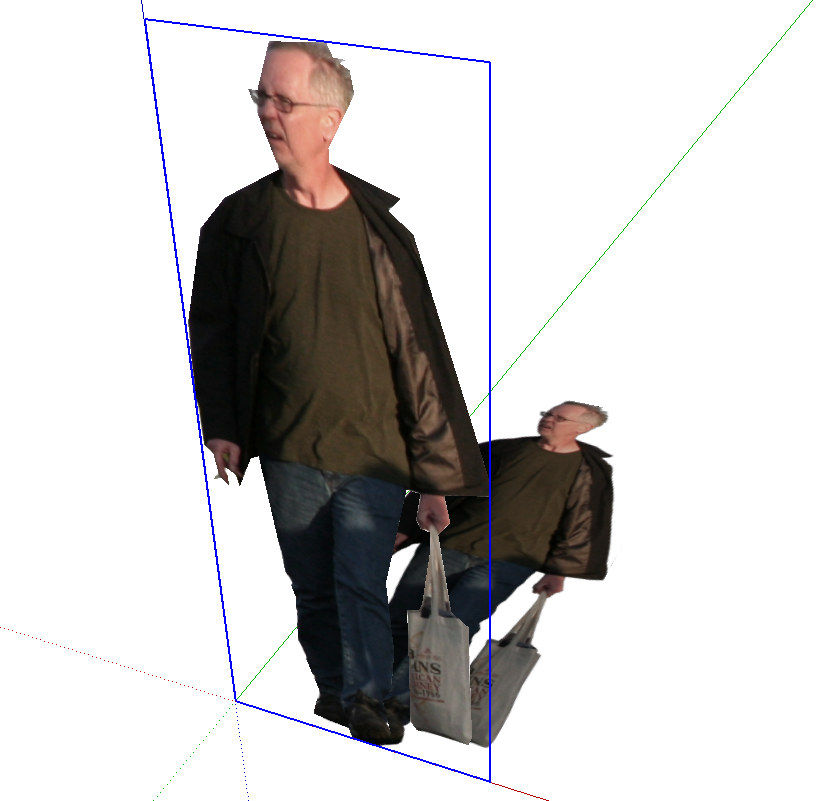
-
@unknownuser said:
I keep getting the can't find or load main class
c:\users\Rick\appdata\local\temp\skmtools\edgedetector.jarThe files are there ? So it's a failure to load ??
Where do you get this message ?
Is it a Java dialog that pops up ?
This suggests Java is NOT set up to execute the .jar files ?
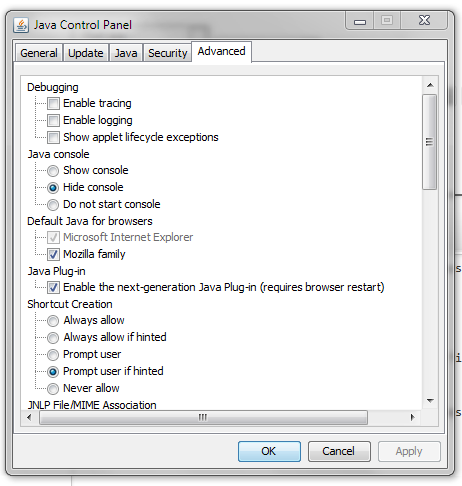
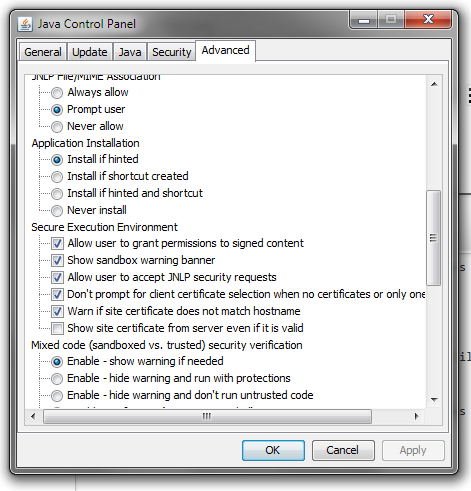
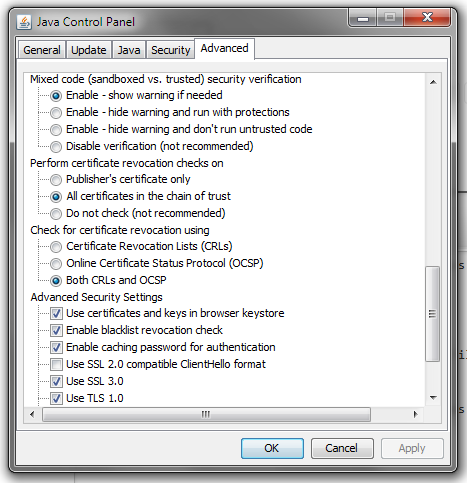
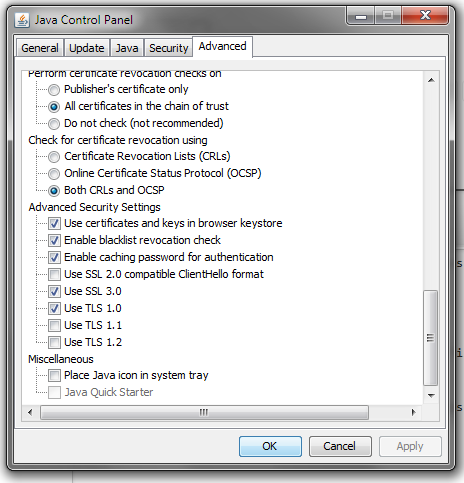
My settings are attached...There's nothing wrong with your png file[s] as Dave has shown...
The 'man' png ImageTrims in just a few seconds !
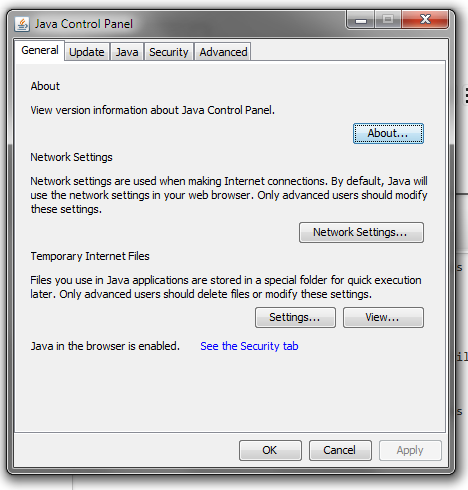
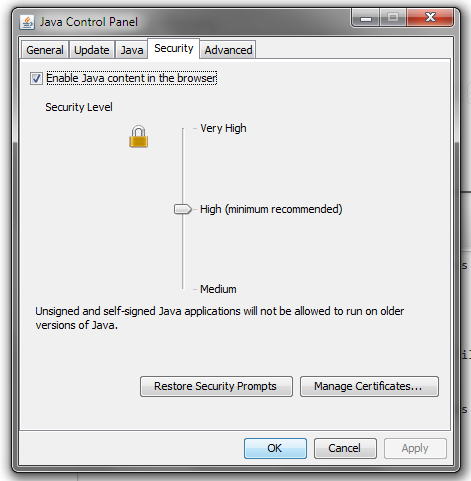
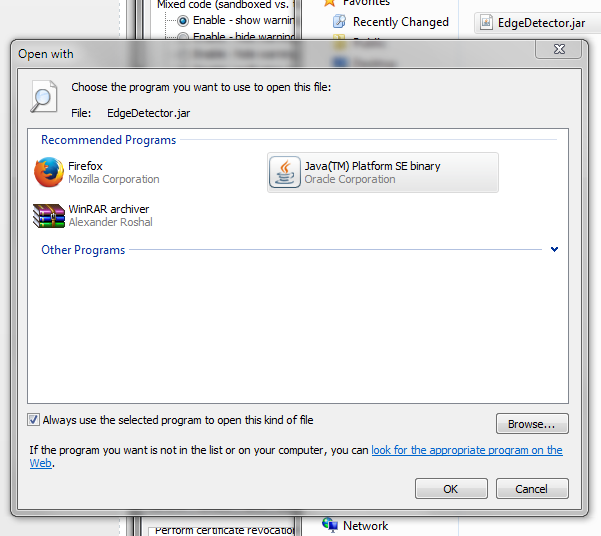
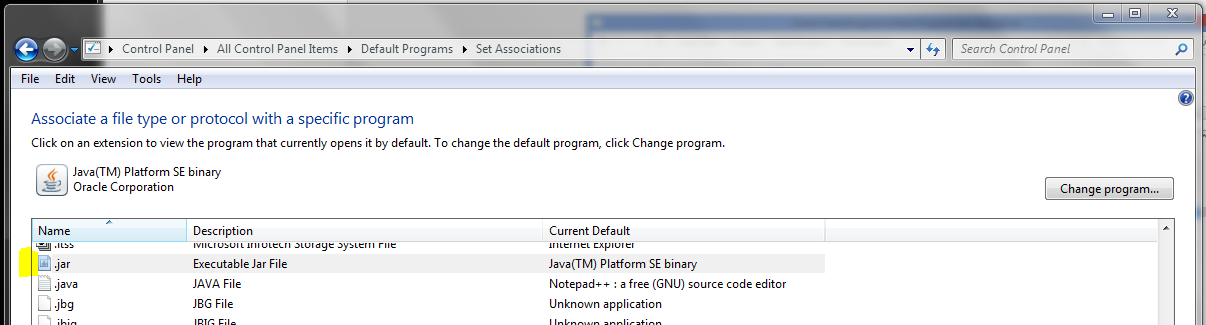
-
The image "example-1.jpg is what I've been expecting from "imagetrimmer".
Please verify.Also attached is a screen shot of the java error message box which flashes on and then off so fast I had to do a screen capture video to be able to read the message.
My java settings are identical with the exception of the one about Java plug-in.
My Java control panel doesn't have this check box category.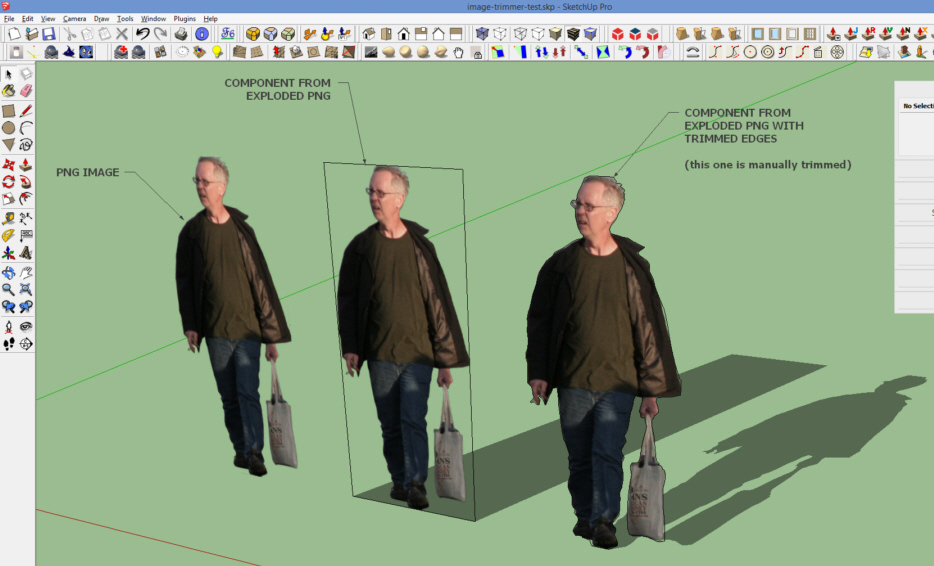
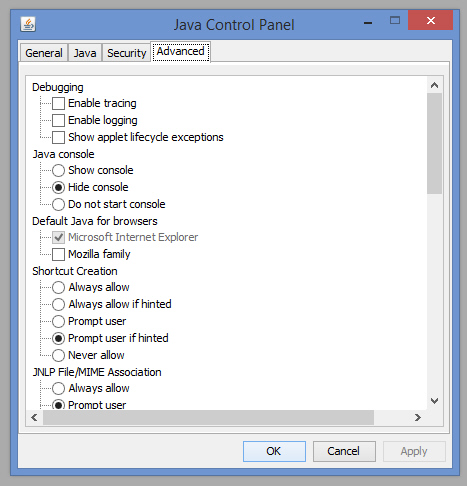
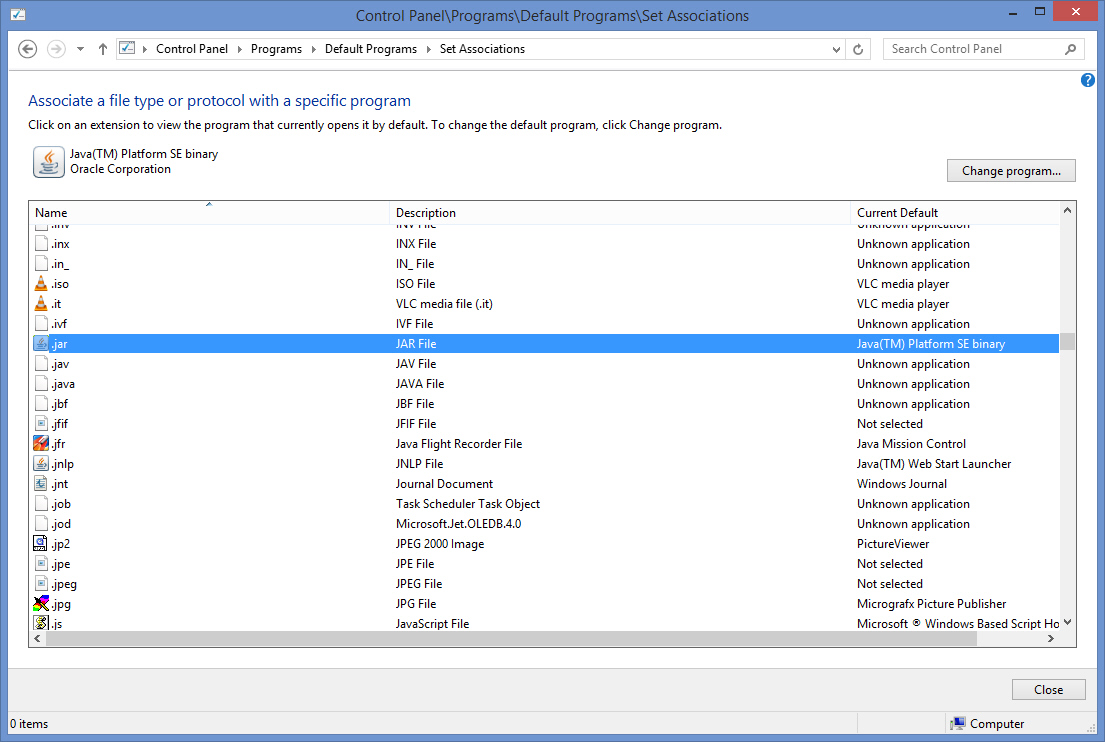
-
This is weird, as jar seems to be associated with Java
Please confirm that the jar files are in the correct Temp folder... -
just a thought, does the online java test suit work on Windos...
one of my apps took me there to check my java instal recently
john
-
Attached are images of both directories (google and user/temp)
They are identical since i copied the google one to the temp one earlier.
If you know that's a problem let me know.
I know less than squat about Java and I've only been using Windows 8.1 for about a month.
I use quite a few other ruby scripts (some are yours) in Sketchup 8 without any problems.
This is the only one however that uses .jar files.
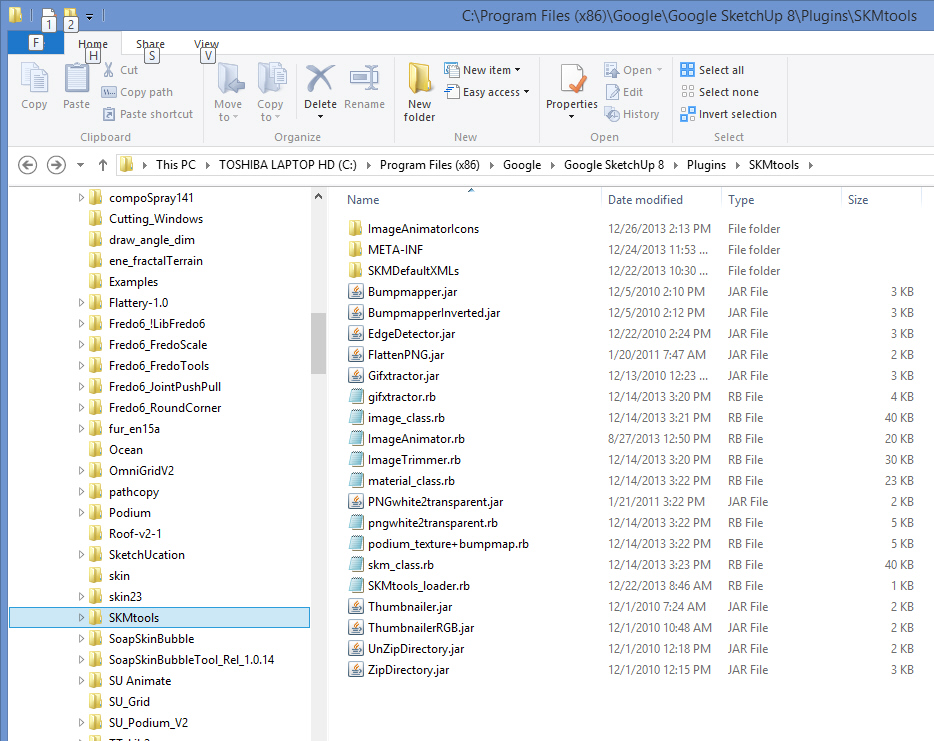
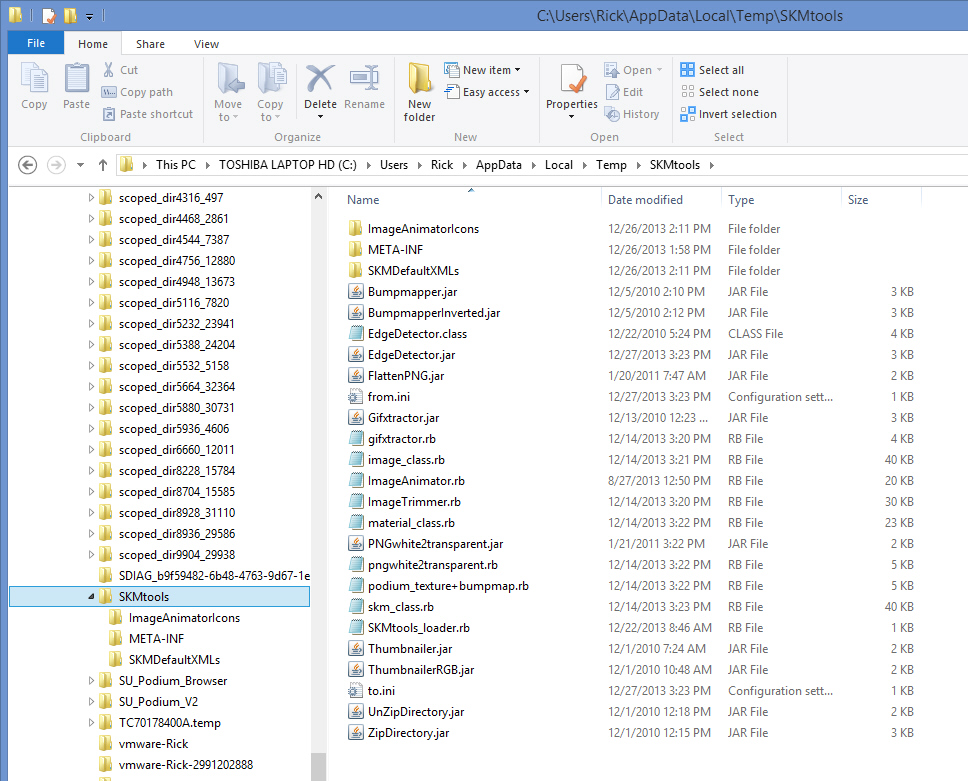
-
I don't have windows but this is the link page to test your java instal
http://java.com/en/download/installed.jsp
might be a good place to start
john





Advertisement