sketchucation logo sketchucation
    • 登入
    Oops, your profile's looking a bit empty! To help us tailor your experience, please fill in key details like your SketchUp version, skill level, operating system, and more. Update and save your info on your profile page today!
    🔌 Smart Spline | Fluid way to handle splines for furniture design and complex structures. Download

    [Plugin] Select Curve

    已排程 已置頂 已鎖定 已移動 Plugins
    37 貼文 16 Posters 48.0k 瀏覽 16 Watching
    正在載入更多貼文
    • 從舊到新
    • 從新到舊
    • 最多點贊
    回覆
    • 在新貼文中回覆
    登入後回覆
    此主題已被刪除。只有擁有主題管理權限的使用者可以查看。
    • thomthomT 離線
      thomthom
      最後由 thomthom 編輯

      Overview
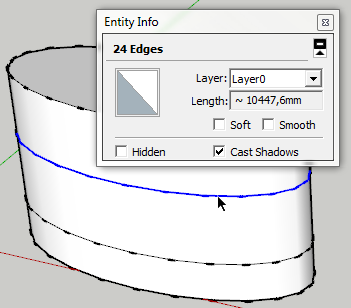
      A quick little select tool that will find "curves" when you click on an edge. It'll look for connected visible edges and select every edge until it branches or ends.

      Access
      Tools > Select Curve
      View > Toolbars > Select Curve

      Features

      • Select Curve
        SelectCurve.png

      Requirements

      • SketchUp 7 or newer - ( Other versions untested )
      • TT_Lib2 (v2.4.0)

      Link Preview Image
      SketchUp Plugins | PluginStore | SketchUcation

      SketchUp Plugin and Extension Store by SketchUcation provides free downloads of hundreds of SketchUp extensions and plugins

      favicon

      (sketchucation.com)

      Footprint

      http://forums.sketchucation.com/download/file.php?id=53762
      <Sketchup>/Plugins/
      +-
      http://forums.sketchucation.com/download/file.php?id=53762
      TT_SelectCurve
      +-
      http://forums.sketchucation.com/download/file.php?id=53763
      tt_select_curve.rb

      http://forums.sketchucation.com/download/file.php?id=53761

      Thomas Thomassen — SketchUp Monkey & Coding addict
      List of my plugins and link to the CookieWare fund

      1 條回覆 最後回覆 回覆 引用 0
      • CadFatherC 離線
        CadFather
        最後由 編輯

        as always...

        1 條回覆 最後回覆 回覆 引用 0
        • jeff hammondJ 離線
          jeff hammond
          最後由 編輯

          so good!

          didn't realize ⇧Space could be a keystroke shortcut but it can.. this is probably the quickest i've every assigned a ruby to a keystroke (ie- 1 use 😄 )

          dotdotdot

          1 條回覆 最後回覆 回覆 引用 0
          • thomthomT 離線
            thomthom
            最後由 編輯

            @unknownuser said:

            didn't realize ⇧Space could be a keystroke shortcut but it can.. this is probably the quickest i've every assigned a ruby to a keystroke (ie- 1 use 😄 )

            Ah - good tip. I was wondering what shortcut to use.
            hm... should probably make custom cursors so one can see from the icon it's a special Select tool...

            Thomas Thomassen — SketchUp Monkey & Coding addict
            List of my plugins and link to the CookieWare fund

            1 條回覆 最後回覆 回覆 引用 0
            • EarthMoverE 離線
              EarthMover
              最後由 編輯

              Thanks bro! This is great and much needed. I can never seem to get Fredo's to work.

              I went Ctrl + Space for my shortcut as I already have Hover Select as Shift + Space. I like to keep as many shortcuts on my left hand as possible to keep the right on the mouse.

              3D Artist at Clearstory 3D Imaging
              Guide Tool at Winning With Sketchup
              Content Creator at Skapeup

              1 條回覆 最後回覆 回覆 引用 0
              • mitcorbM 離線
                mitcorb
                最後由 編輯

                @ThomThom:
                This looks like a good step toward selecting loops.
                One question. In your illustration I notice that the ellipsoidal entity/extrusion has smoothe/hidden verticals. Is the smoothed verticals a required condition, in other words that loop selection would never complete if the verticals were visible?

                EDIT: Ok, I see that I should have reread the description two or three more times before posting.

                I take the slow, deliberate approach in my aimless wandering.

                1 條回覆 最後回覆 回覆 引用 0
                • thomthomT 離線
                  thomthom
                  最後由 編輯

                  @mitcorb said:

                  @ThomThom:
                  This looks like a good step toward selecting loops.

                  Yea - something like that is also needed.

                  @earthmover said:

                  I can never seem to get Fredo's to work.

                  There is a plugin like this already?

                  Thomas Thomassen — SketchUp Monkey & Coding addict
                  List of my plugins and link to the CookieWare fund

                  1 條回覆 最後回覆 回覆 引用 0
                  • EarthMoverE 離線
                    EarthMover
                    最後由 編輯

                    There is an option to within Hover Select to select curves, but it rarely works for me.

                    3D Artist at Clearstory 3D Imaging
                    Guide Tool at Winning With Sketchup
                    Content Creator at Skapeup

                    1 條回覆 最後回覆 回覆 引用 0
                    • D 離線
                      DIEGO-RODRIGUEZ
                      最後由 編輯

                      thom thank you very much.
                      This tool is very useful.
                      Questions?
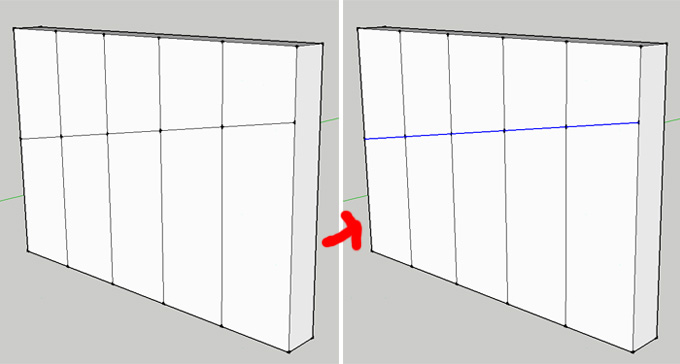
                      from this new tool. is possible to create a tool for selecting multiple lines with a single click?

                      Selec multiple line.jpg

                      1 條回覆 最後回覆 回覆 引用 0
                      • jeff hammondJ 離線
                        jeff hammond
                        最後由 編輯

                        @diego-rodriguez said:

                        thom thank you very much.
                        This tool is very useful.
                        Questions?
                        from this new tool. is possible to create a tool for selecting multiple lines with a single click?

                        i'm thinking quite a few people would be into that but it's probably a lot more involved than we(non-programmers) think..

                        [even thom himself liked the idea in the following thread 😄]
                        http://forums.sketchucation.com/viewtopic.php?f=323&t=30457&p=267469

                        dotdotdot

                        1 條回覆 最後回覆 回覆 引用 0
                        • thomthomT 離線
                          thomthom
                          最後由 編輯

                          The problem is defining the rules for which lines to select. I find that SU models often has much more irregular meshes than in some other types of modellers where you have regular quad faces (quad-faces that doesn't need to be co-planar).

                          Thomas Thomassen — SketchUp Monkey & Coding addict
                          List of my plugins and link to the CookieWare fund

                          1 條回覆 最後回覆 回覆 引用 0
                          • mitcorbM 離線
                            mitcorb
                            最後由 編輯

                            I think it is like Jeff said. You'd probably need some kind of filter(adjustable perhaps)that scouts for forks or deviations within a "cone of vision" such that it would find the most direct route. Sort of like that salesman's map algorithm that looks for the optimal routes for a circuit.

                            I take the slow, deliberate approach in my aimless wandering.

                            1 條回覆 最後回覆 回覆 引用 0
                            • W 離線
                              watkins
                              最後由 編輯

                              Dear Thomas,

                              Can your script be modified to both find a 'circle' and to 'recreate' that 'circle' so that it has the correct entity assignment (not a curve, nor an arc, but a circle).

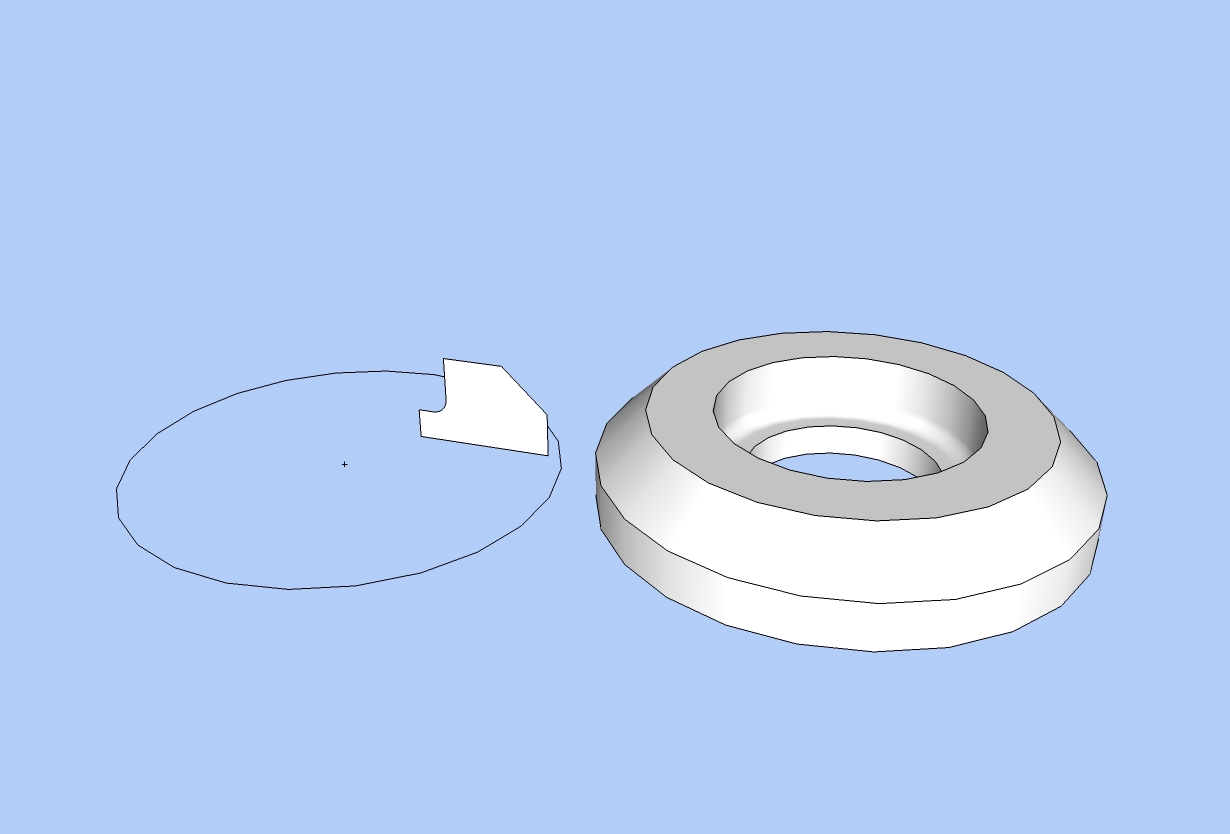
                              When a solid is made by revolving a closed profile about an axis (see the attached jpeg) the circles so formed are made up of individual edges, and so the circles do not have the entity assignment 'circle'.

                              There are many occasions when I need the circles to be circles. Is this something that can be done? A proper 'revolve' tool would be even better. The tool would allow a closed profile to be revolved about an axis (in the plane of the profile) such that all the circles so formed were circles. An option to place a cpoint at the centre of each circle would be the icing on the cake.

                              Kind regards,
                              Bob

                              Circles and follow_me.jpg

                              1 條回覆 最後回覆 回覆 引用 0
                              • thomthomT 離線
                                thomthom
                                最後由 編輯

                                hm... recreate a curve into a proper circle entity when it's attached to faces... hm.... not sure if/how it can be done...

                                Thomas Thomassen — SketchUp Monkey & Coding addict
                                List of my plugins and link to the CookieWare fund

                                1 條回覆 最後回覆 回覆 引用 0
                                • ken28875K 離線
                                  ken28875
                                  最後由 編輯

                                  Yes, finally you wrote this script. 👍

                                  It will save me so much time compared to selecting edges one by one.

                                  It was a request I made back in March.
                                  http://forums.sketchucation.com/viewtopic.php?f=323&t=26957

                                  I noticed that selecting the curve works only if the perpendicular edges to the one we pick are hidden. For the next release, would it be possible to be able to select invisible edges, as well as selecting the looping curve when all the edges are visible?

                                  Thank you so much, Thomas!

                                  _KN

                                  Follow Your Dreams.

                                  1 條回覆 最後回覆 回覆 引用 0
                                  • thomthomT 離線
                                    thomthom
                                    最後由 編輯

                                    @ken28875 said:

                                    I noticed that selecting the curve works only if the perpendicular edges to the one we pick are hidden. For the next release, would it be possible to be able to select invisible edges, as well as selecting the looping curve when all the edges are visible?

                                    This is related to the discussion earlier in this thread - going by only visible edges between forks is an easy filter. If you are to take into account all edges, then things gets more complicated in determining the path to choose.

                                    Thomas Thomassen — SketchUp Monkey & Coding addict
                                    List of my plugins and link to the CookieWare fund

                                    1 條回覆 最後回覆 回覆 引用 0
                                    • ken28875K 離線
                                      ken28875
                                      最後由 編輯

                                      Hi Thomas,

                                      I was working on this project Friday night and spent a lot of time selecting each of the edges of the circle. Then I took a break by visiting Sketchucation. And guess what, I saw your Select Curve plugin thread. I was like, wow just what I needed! Thomas you're the man. 👍

                                      I was mentioning to you about the possibility of selecting the hidden edges of the curve. I did actually find a plugin that does the trick. I don't know who wrote it, but it's called "Connected edges by Angle" and it works just fine.

                                      I also find out that you posted a bunch of new awesome plugins this past few weeks. Thank you so much for taking time to write them. I will feed you some cookies.

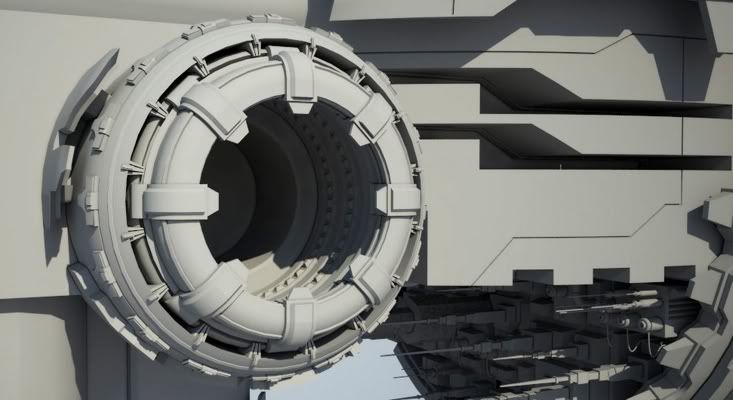
                                      Anyway, here are some images of what I was working on that needed your Select Curve last night.

                                      All the Best,

                                      _KN
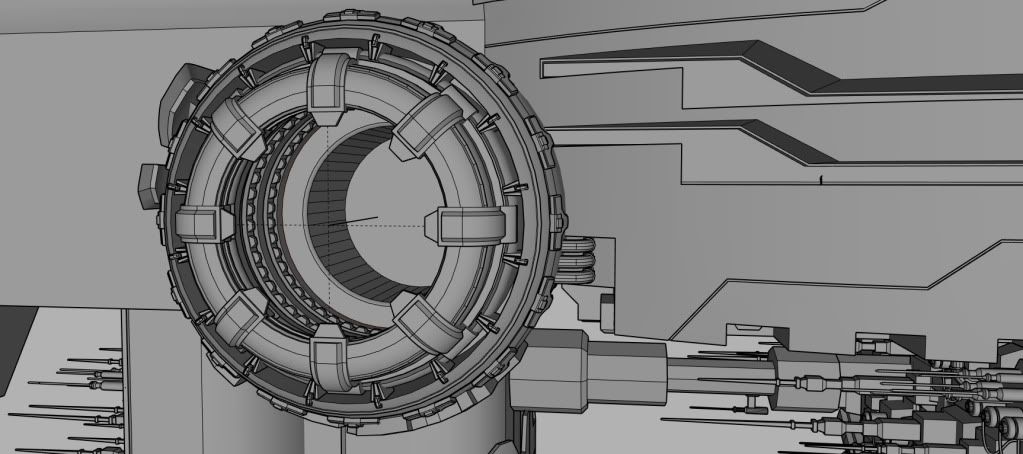
                                      http://i593.photobucket.com/albums/tt12/ken28875/Art of Sketchhup - Sci-Fi/Starship_WIP_04c.jpg

                                      http://i593.photobucket.com/albums/tt12/ken28875/Art of Sketchhup - Sci-Fi/vray_EVE_test_04a.jpg

                                      Follow Your Dreams.

                                      1 條回覆 最後回覆 回覆 引用 0
                                      • thomthomT 離線
                                        thomthom
                                        最後由 編輯

                                        @ken28875 said:

                                        I was mentioning to you about the possibility of selecting the hidden edges of the curve. I did actually find a plugin that does the trick. I don't know who wrote it, but it's called "Connected edges by Angle" and it works just fine.

                                        Oh yea - that is a feature in Selection Toys. 😄

                                        Thomas Thomassen — SketchUp Monkey & Coding addict
                                        List of my plugins and link to the CookieWare fund

                                        1 條回覆 最後回覆 回覆 引用 0
                                        • Dave RD 離線
                                          Dave R
                                          最後由 編輯

                                          @watkins said:

                                          Dear Thomas,

                                          Can your script be modified to both find a 'circle' and to 'recreate' that 'circle' so that it has the correct entity assignment (not a curve, nor an arc, but a circle).

                                          Kind regards,
                                          Bob

                                          Dear Bob,

                                          Although it won't change the Entity description from 'Curve' to 'Circle', Weld.rb will at least make it select like a circle. Would that help?

                                          Etaoin Shrdlu

                                          %

                                          (THERE'S NO PLACE LIKE)

                                          G28 X0.0 Y0.0 Z0.0

                                          M30

                                          %

                                          1 條回覆 最後回覆 回覆 引用 0
                                          • thomthomT 離線
                                            thomthom
                                            最後由 編輯

                                            Ken - what kind of machine are you creating there?? 😲 😮

                                            Thomas Thomassen — SketchUp Monkey & Coding addict
                                            List of my plugins and link to the CookieWare fund

                                            1 條回覆 最後回覆 回覆 引用 0
                                            • 1
                                            • 2
                                            • 1 / 2
                                            • 第一個貼文
                                              最後的貼文
                                            Buy SketchPlus
                                            Buy SUbD
                                            Buy WrapR
                                            Buy eBook
                                            Buy Modelur
                                            Buy Vertex Tools
                                            Buy SketchCuisine
                                            Buy FormFonts

                                            Advertisement