sketchucation logo sketchucation
    • Login
    Oops, your profile's looking a bit empty! To help us tailor your experience, please fill in key details like your SketchUp version, skill level, operating system, and more. Update and save your info on your profile page today!
    Mac User? | Join the Rayscaper Beta for Mac Learn More

    [Plugin] Solid Inspector

    Scheduled Pinned Locked Moved Plugins
    303 Posts 99 Posters 356.5k Views 98 Watching
    Loading More Posts
    • Oldest to Newest
    • Newest to Oldest
    • Most Votes
    Reply
    • Reply as topic
    Log in to reply
    This topic has been deleted. Only users with topic management privileges can see it.
    • thomthomT
      thomthom
      last edited by

      @jim said:

      So long ago I wrote a toy that cycled a material color. How about marking the problems with a animated material? Then when you drop into the normal SketchUp tools to repair the model, you can still see the problems?

      I like that idea - though it would flood the undo-stack, making it impossible to undo anything.
      In the upcoming update to SI I've added a way to select the entities for the errors found. I could expand that to a function that will apply a material to all "error-entities". Won't have as string attention effect as flashing material, but at least it will make it visible and one can use Select by Material etc.

      Thomas Thomassen โ€” SketchUp Monkey & Coding addict
      List of my plugins and link to the CookieWare fund

      1 Reply Last reply
      Reply Quote 0
      • jgbJ
        jgb
        last edited by

        I like that idea!!!!!


        jgb

        1 Reply Last reply
        Reply Quote 0
        • KrisidiousK
          Krisidious
          last edited by

          had issues with this little group... could not get it to complete.

          Group_109.skp

          By: Kristoff Rand
          Home DesignerUnique House Plans

          1 Reply Last reply
          Reply Quote 0
          • KrisidiousK
            Krisidious
            last edited by

            Here's the "solution" I came to which still brings up a reversed face.

            Group_110.skp

            By: Kristoff Rand
            Home DesignerUnique House Plans

            1 Reply Last reply
            Reply Quote 0
            • thomthomT
              thomthom
              last edited by

              I have an update that is ready very soon. Both models was handled correctly with the update.

              Thomas Thomassen โ€” SketchUp Monkey & Coding addict
              List of my plugins and link to the CookieWare fund

              1 Reply Last reply
              Reply Quote 0
              • KrisidiousK
                Krisidious
                last edited by

                ๐Ÿ‘

                By: Kristoff Rand
                Home DesignerUnique House Plans

                1 Reply Last reply
                Reply Quote 0
                • thomthomT
                  thomthom
                  last edited by

                  Version 2.2.1 is now available in the Plugin Store and Extension Warehouse.

                  Thomas Thomassen โ€” SketchUp Monkey & Coding addict
                  List of my plugins and link to the CookieWare fund

                  1 Reply Last reply
                  Reply Quote 0
                  • KrisidiousK
                    Krisidious
                    last edited by

                    Used it on this group and it worked except when it came to the 11 reversed faces. it left 3 faces reversed and when I went to manually flip them I noticed there were 4 reversed faces and not just 3.


                    Group_111.skp

                    By: Kristoff Rand
                    Home DesignerUnique House Plans

                    1 Reply Last reply
                    Reply Quote 0
                    • thomthomT
                      thomthom
                      last edited by

                      @krisidious said:

                      Used it on this group and it worked except when it came to the 11 reversed faces. it left 3 faces reversed and when I went to manually flip them I noticed there were 4 reversed faces and not just 3.

                      When I opened that file I visually saw 4 reversed faces - and SI detected 4.
                      Where are the 11 you talked about? Different model?

                      Thomas Thomassen โ€” SketchUp Monkey & Coding addict
                      List of my plugins and link to the CookieWare fund

                      1 Reply Last reply
                      Reply Quote 0
                      • KrisidiousK
                        Krisidious
                        last edited by

                        Yes, this model is after I fixed the 11... I had already saved and didn't bother undoing back before it. sorry. I got 3 on mine with new version. strange. But I didn't restart SU after install? Not a big deal to me though.

                        By: Kristoff Rand
                        Home DesignerUnique House Plans

                        1 Reply Last reply
                        Reply Quote 0
                        • thomthomT
                          thomthom
                          last edited by

                          Can you reproduce it?
                          If you didn't restart after updating you might be still have been using the old version.

                          Thomas Thomassen โ€” SketchUp Monkey & Coding addict
                          List of my plugins and link to the CookieWare fund

                          1 Reply Last reply
                          Reply Quote 0
                          • KrisidiousK
                            Krisidious
                            last edited by

                            after restarting SU I get this... ๐Ÿ˜„

                            group111.JPG

                            By: Kristoff Rand
                            Home DesignerUnique House Plans

                            1 Reply Last reply
                            Reply Quote 0
                            • jgbJ
                              jgb
                              last edited by

                              I don't know if something ain't right or what....

                              I really like the improved SI over what I had been using in SU 8 for years.

                              I'm now on SU-15.

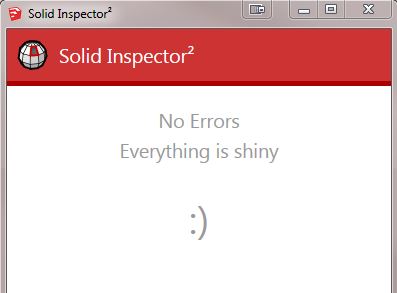
                              But I just noticed that the found errors are not highlighted with big red/yellow circles. Up until yesterday, that was not a problem, as SI fixed 100% of my errors. ๐Ÿ‘ ๐Ÿ‘ ๐Ÿ‘

                              But then there was a new error (can't remember exactly what) that only offered info and no fix. The problem was the line was so tiny, even in red, that it took me about an hour to find it in an object with over 4,000 lines. Only by zooming in and going over the whole thing twice (2 separate but identical errors) did I find the tiny red lines, deleting them, and all was OK.

                              No red circle to guide me to the errors. Why?


                              jgb

                              1 Reply Last reply
                              Reply Quote 0
                              • thomthomT
                                thomthom
                                last edited by

                                @jgb said:

                                No red circle to guide me to the errors. Why?

                                Did you not see a label in the viewport pointing to the edge?
                                (got sample model or screenshot?)

                                Thomas Thomassen โ€” SketchUp Monkey & Coding addict
                                List of my plugins and link to the CookieWare fund

                                1 Reply Last reply
                                Reply Quote 0
                                • jgbJ
                                  jgb
                                  last edited by

                                  I do not recall seeing anything other than the warnings box.

                                  I will try to set up a "fail" and see if I get that same error message, or see a viewport.

                                  Stay tuned......

                                  10 min later ====================

                                  Well I did not get the same error msg with this test, but I got an error msg without a circle or a "viewport" pointing me to where the error was, in this case an external face.
                                  It is at the top center of the comp.

                                  Unless I zoomed in, I would not see where it was, especially if it were much smaller.

                                  The error is hard to find without a red circle.
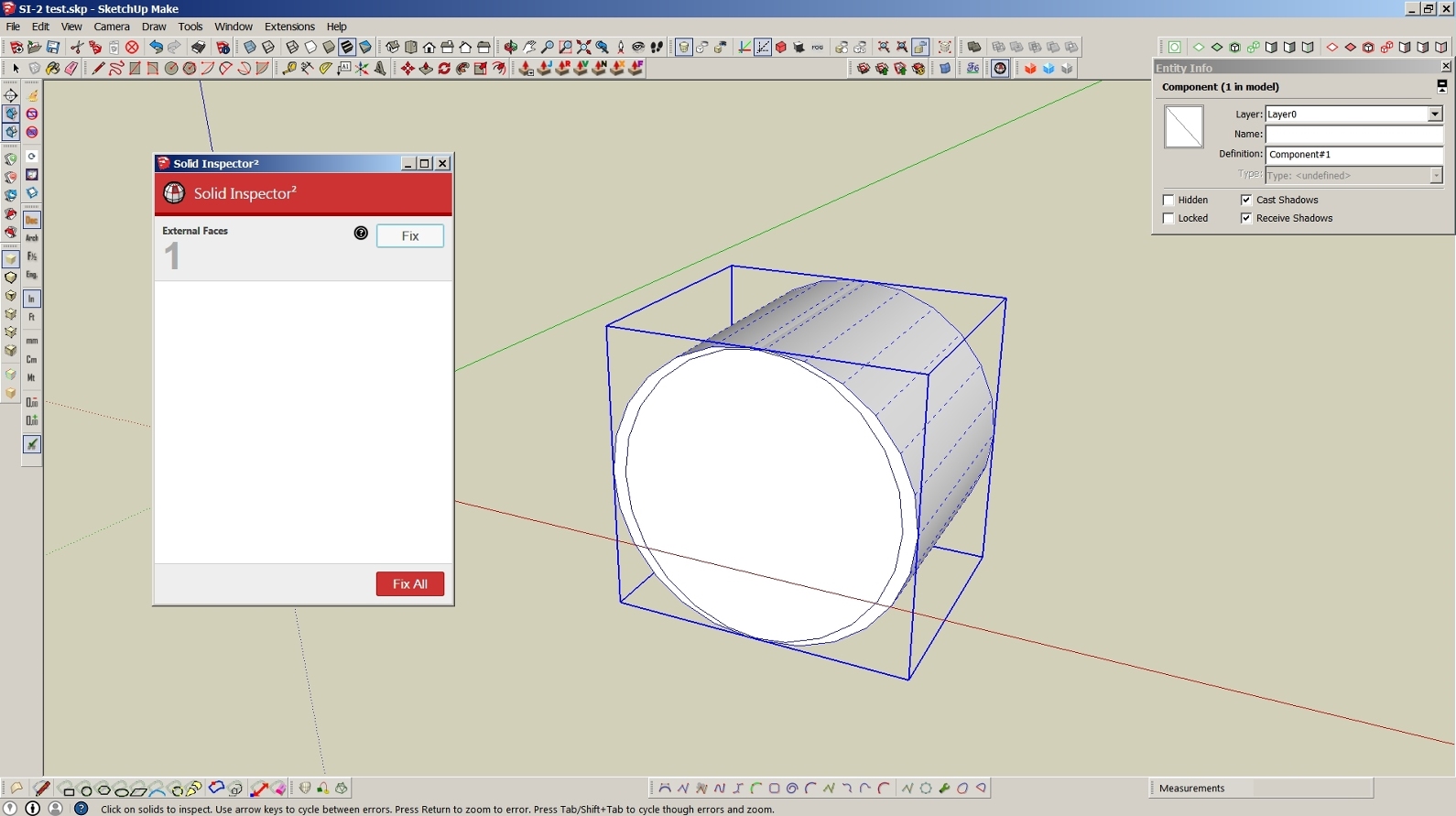
                                  Can't see the error!


                                  jgb

                                  1 Reply Last reply
                                  Reply Quote 0
                                  • thomthomT
                                    thomthom
                                    last edited by

                                    I have an issue filed for adding back functionality to circle highlight the errors.

                                    Thomas Thomassen โ€” SketchUp Monkey & Coding addict
                                    List of my plugins and link to the CookieWare fund

                                    1 Reply Last reply
                                    Reply Quote 0
                                    • jgbJ
                                      jgb
                                      last edited by

                                      That would be great. ๐Ÿ‘ ๐Ÿ‘ ๐Ÿ‘

                                      Thank you.


                                      jgb

                                      1 Reply Last reply
                                      Reply Quote 0
                                      • jgbJ
                                        jgb
                                        last edited by

                                        Another problem.....

                                        Inspector says "all Shiny" but SU-15 says not solid. ๐Ÿ˜ฎ

                                        Why??

                                        SI2 says Shiny, but it is not solid.


                                        jgb

                                        1 Reply Last reply
                                        Reply Quote 0
                                        • Dave RD
                                          Dave R
                                          last edited by

                                          I could see the problem immediately upon opening the file. There are two overlapping faces. Delete one of them and it's solid. Why SI2 doesn't detect it is a good question, though.
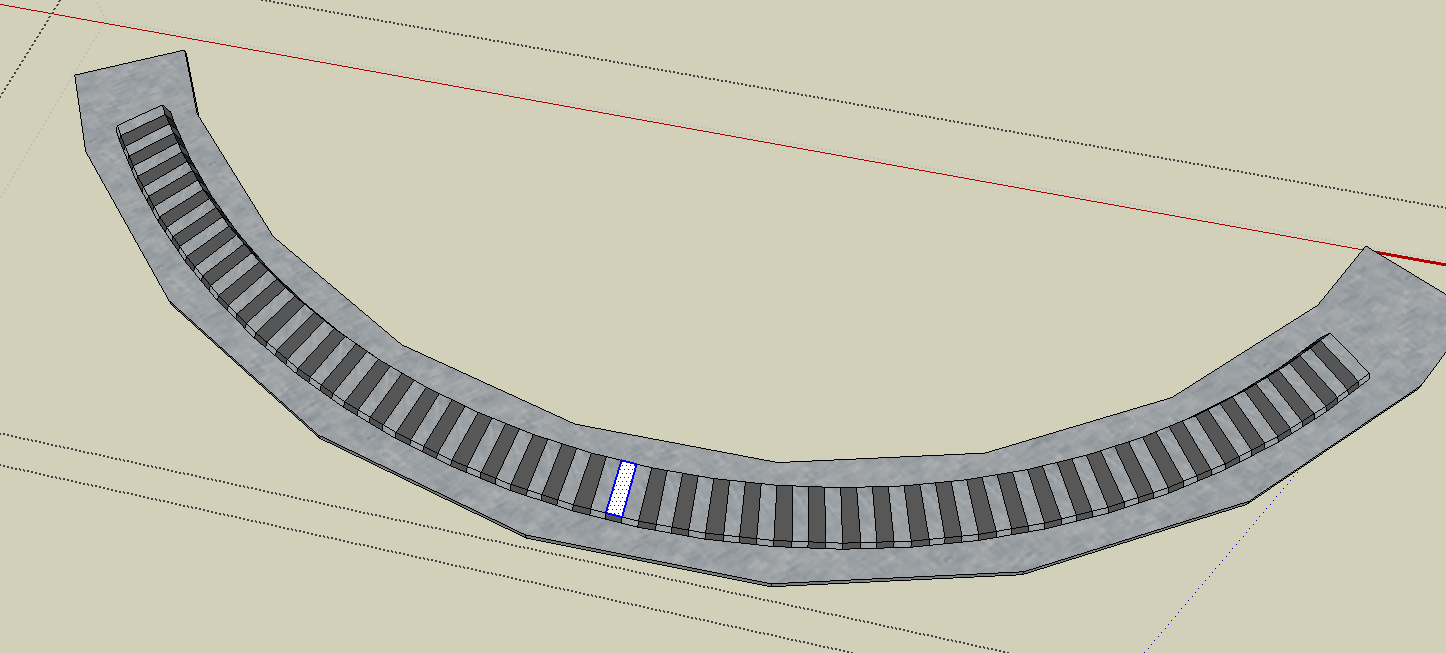
                                          Screenshot - 5_25_2015 , 5_32_52 PM.png

                                          Etaoin Shrdlu

                                          %

                                          (THERE'S NO PLACE LIKE)

                                          G28 X0.0 Y0.0 Z0.0

                                          M30

                                          %

                                          1 Reply Last reply
                                          Reply Quote 0
                                          • jgbJ
                                            jgb
                                            last edited by

                                            Thank you. That is in the very same small area that I had a lot of SI2 found errors (most it could not fix) that took a while for me to find (no circles!!) and manually fix.

                                            How did you find it so fast???


                                            jgb

                                            1 Reply Last reply
                                            Reply Quote 0

                                            Hello! It looks like you're interested in this conversation, but you don't have an account yet.

                                            Getting fed up of having to scroll through the same posts each visit? When you register for an account, you'll always come back to exactly where you were before, and choose to be notified of new replies (either via email, or push notification). You'll also be able to save bookmarks and upvote posts to show your appreciation to other community members.

                                            With your input, this post could be even better ๐Ÿ’—

                                            Register Login
                                            • 1
                                            • 2
                                            • 3
                                            • 4
                                            • 5
                                            • 6
                                            • 7
                                            • 8
                                            • 15
                                            • 16
                                            • 6 / 16
                                            • First post
                                              Last post
                                            Buy SketchPlus
                                            Buy SUbD
                                            Buy WrapR
                                            Buy eBook
                                            Buy Modelur
                                            Buy Vertex Tools
                                            Buy SketchCuisine
                                            Buy FormFonts

                                            Advertisement