Strange view area in sketchup
-
Hi all,
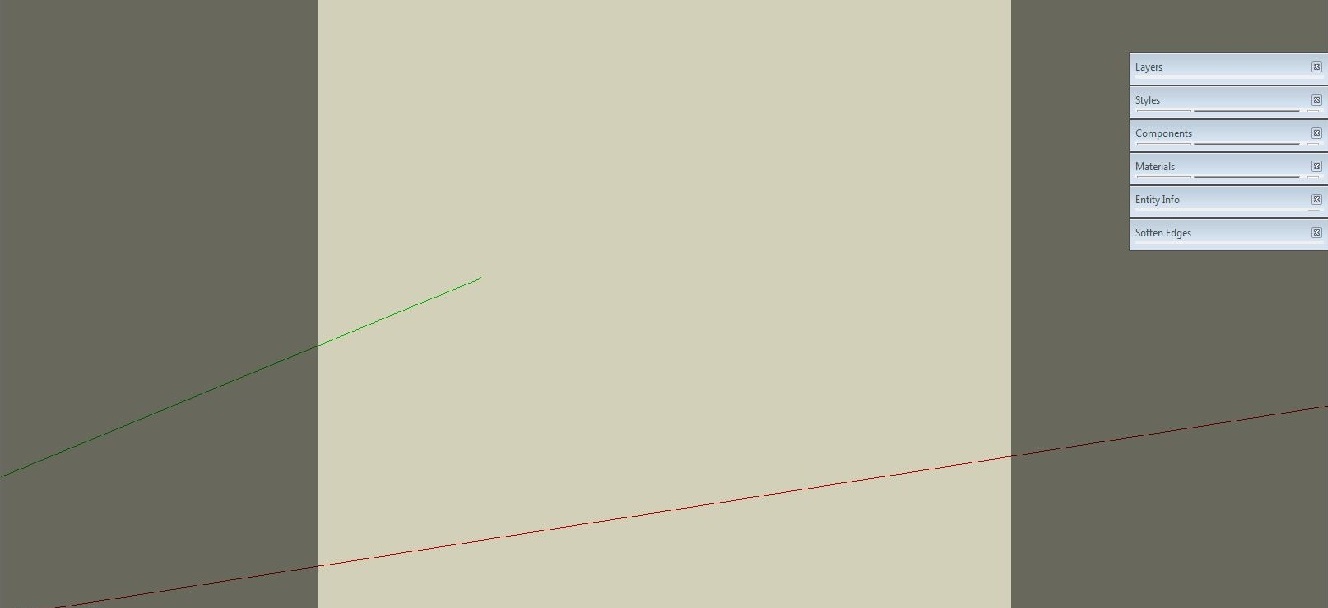
I got this model which has really weird dark squares on the left and right side of the screen. I tried everything from styles to watermarks but I can't seem to get rid of them. I continued the model in a new sketchup file so it isn't bothering me anymore. But i would really like to know the cause of the problem. The origin was a v6 file but it stayed in v7 also.
Anyone has expierenced this before?
Regards,
Quintus
-
When using some rendering plugins this is the rendering area - for instance with Indigo.
-
Thanks for your quick response. I guess that probably is the problem.
-
It's related to a camera with an image aspect-ratio that doesn't match the screen's...
-
FixAspectRatio by Rick Wilson should fix those (most of the times).
-
There has been several discussions on this on the Thea forum http://www.thearender.com/forum/viewtopic.php?p=20399#p20399. Apparently it is called letterboxing. There are a couple of code snippets in the above link that can be typed into the console. I know they work for the .skp files I use in for rendering in Thea, I think they may work for files created by another exporter as well, but it may take a ruby guru to verify this.



Hello! It looks like you're interested in this conversation, but you don't have an account yet.
Getting fed up of having to scroll through the same posts each visit? When you register for an account, you'll always come back to exactly where you were before, and choose to be notified of new replies (either via email, or push notification). You'll also be able to save bookmarks and upvote posts to show your appreciation to other community members.
With your input, this post could be even better 💗
Register Login


Advertisement