[Plugin][$] Vertex Tools
-
Vertex Tools
A powerful vertex editor for SketchUp
SCF Premium Offer - $32
SCF Premium members can buy Vertex Tools for a discounted price of 32$

Version 2.0 Overview
Version 1.0 Overview
Version 1.1 Overview
Version 1.1 Gizmo Overview
Make Planar to Target Face
Requirements
- SketchUp Pro/Make 2017 or newer
Support
Official support is via the Support contact form available when logged in to Vertex Tool's website.
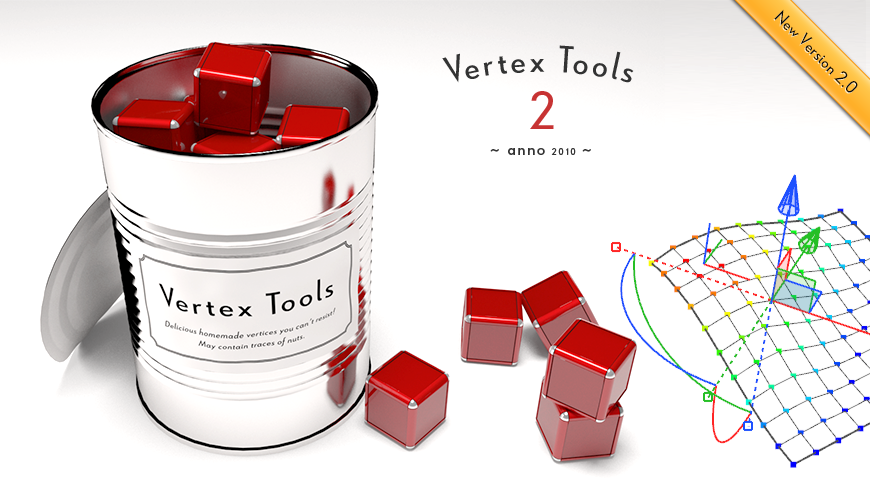
Vertex Tools for SketchUp
Vertex Tools is a powerful vertex editor for SketchUp.
Vertex Tools for SketchUp (evilsoftwareempire.com)
Facebook page: https://www.facebook.com/VertexTools
-
Awesome!!!

-
Simple and luxous!

-
second Luxous!

-
Great looking plugin!
May I make a suggestion that may provide additional usefulness to the plugin? I have no idea how easy it would be to implement, I don't know darn thing about Ruby. How about different profiles or wave forms used to calculate the shape of the deflection? I notice that the deflection when push/pulled is very smooth, but would it be possible to get different results by selecting a "profie shape", changing the rate and direction (positive or negative displacement) of deflection change across distance selected? Pictures:
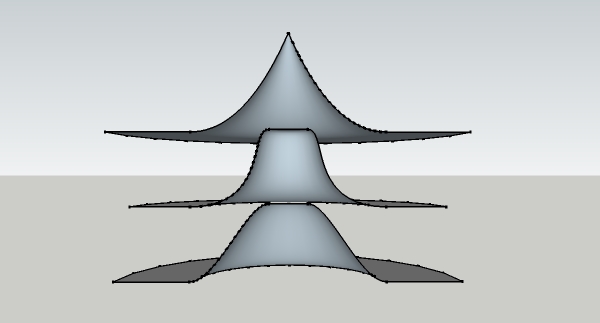
Possible? Not worth it?
-
Quite simply a 'tour de force'. An essential addition to SU.
-
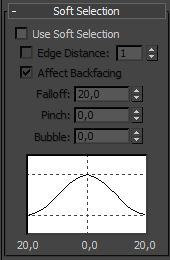
Yes - that is in fact on my todo list for a future release.

I'm modelling it after how 3D Studio do soft selection. From what I can tell it is a bezier curve controlled by two paramters, Pinch and Bubble.
-
OK, paypal'ed, now what?
 how do i download my prize???
btw, is that your voice on the video? isn't what i expected. weard eh?
PS, great day in the history of SU!!!!!!!!!!!!!!!!!!!!!!!!!

-
THE SUSPENSE IS KILLING ME!

-
@xrok1 said:
OK, paypal'ed, now what?
how do i download my prize??? You should receive an email to your paypal email address with login information. (How long it takes depends on the email system handling the email on the route to you.)
@xrok1 said:
btw, is that your voice on the video? isn't what i expected. weard eh?
Yea
- I had to record that so many times - kept messing up. Cursed be my allergy that makes me sound so nasal. -
thanks for the reply.
12:45! -
Have you not received the email yet?
Have you checked your spam folder? -
checked junk, still nothing!
-
@thomthom said:
Yes - that is in fact on my todo list for a future release.
I'm modelling it after how 3D Studio do soft selection. From what I can tell it is a bezier curve controlled by two paramters, Pinch and Bubble.
Fantastic!
-
@xrok1 said:
checked junk, still nothing!
hmm... maybe it's just delayed. Check your PM - I've sent you your temp password.
But please let me know if you finally receive the email or not.
The other users all seem to have received it, as I can see they have downloaded. Either it's delayed, or it's getting blocked. If it's getting blocked I'd like to investigate it. -
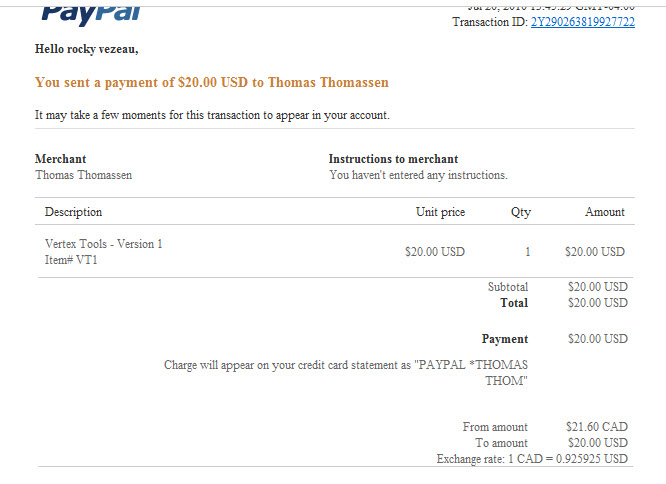
ok, thanks! i did recieve the payment varification from them right away. are they supposed to send 2 emails or is the info supposed to be on the first?
-
PayPal will send you one email. But my system will also send you one email with the login details once it has been notified about your transaction.
-
thom great job. thank you very much for the tools.
always very interesting. Always very prifesionales.thank you very much
-
AWSOME! i'm lovin it.
feature request: it would be neat if you could have a free mode; don't select any vertex then with the move tool you could sort of sculpt by clicking and dragging on verts (with soft select radius)

-
hmm... a sort of brush... interesting idea...






Hello! It looks like you're interested in this conversation, but you don't have an account yet.
Getting fed up of having to scroll through the same posts each visit? When you register for an account, you'll always come back to exactly where you were before, and choose to be notified of new replies (either via email, or push notification). You'll also be able to save bookmarks and upvote posts to show your appreciation to other community members.
With your input, this post could be even better 💗
Register Login


Advertisement