sketchucation logo sketchucation
    • Login
    Oops, your profile's looking a bit empty! To help us tailor your experience, please fill in key details like your SketchUp version, skill level, operating system, and more. Update and save your info on your profile page today!
    Mac User? | Join the Rayscaper Beta for Mac Learn More

    [Plugin] ChrisP_ColorEdge

    Scheduled Pinned Locked Moved Plugins
    67 Posts 35 Posters 102.0k Views 35 Watching
    Loading More Posts
    • Oldest to Newest
    • Newest to Oldest
    • Most Votes
    Reply
    • Reply as topic
    Log in to reply
    This topic has been deleted. Only users with topic management privileges can see it.
    • brookefoxB
      brookefox
      last edited by

      I am late to this party, as well, but so glad to be here.

      Thank you so much, Christophe, for your generosity and delicious plugin.

      ~ Brooke

      1 Reply Last reply
      Reply Quote 0
      • brookefoxB
        brookefox
        last edited by

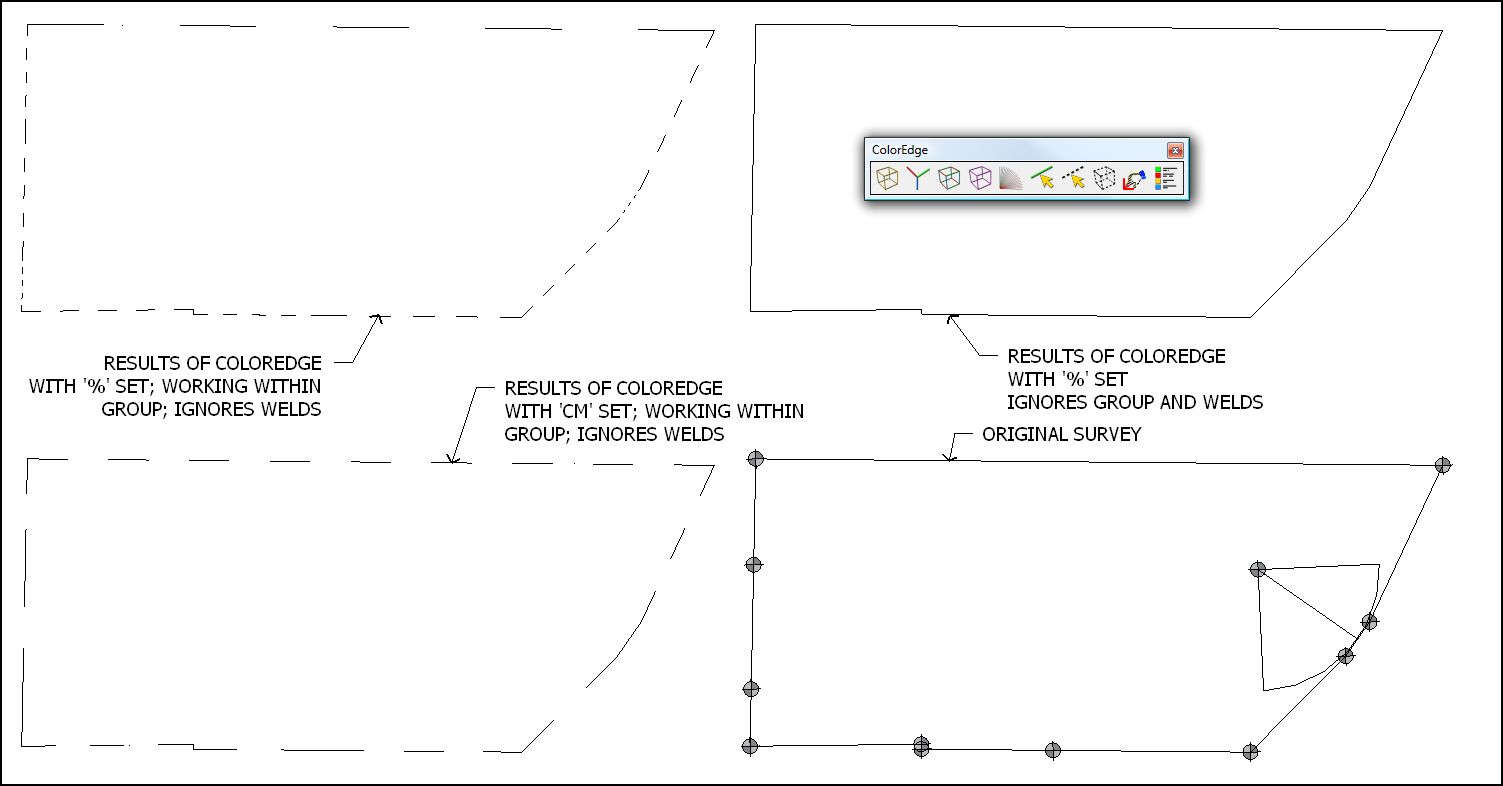
        I wish:

        1. it worked on groups as groups
        2. settings were remembered
        3. setting units respected those active in SU
        4. it worked on circles, arcs

        Please see the image, which I hope explains my comments better.

        In this case I'm really just looking for a consistent appearance for the perimeter edges.

        coloredge-3.JPG

        ~ Brooke

        1 Reply Last reply
        Reply Quote 0
        • R
          ramonbastos
          last edited by

          Hi Chris, would you help me please? I colored some edges on my model, but now i want it all to go back to default.. How do i do it? Thanks

          1 Reply Last reply
          Reply Quote 0
          • A
            AlainBo
            last edited by

            Very usefull, thanks for this plugin.

            It seems there is a problem when we don't select any edge. It asks if we want to apply the color to all entities but it that case, I got nothing !?!
            It would be nice if it would keep the last selected color instead of having to choose it in the list.

            Regards,
            Alain

            1 Reply Last reply
            Reply Quote 0
            • N
              nida12345m
              last edited by

              hello everyone,
              sorry am new to this , but I have added the ruby of this plugin to my sketchup plugins file, but i still dont get the menu .. what is the problem? and how can i show the menu?

              1 Reply Last reply
              Reply Quote 0
              • pilouP
                pilou
                last edited by

                It's not on Menu Plugins!!!
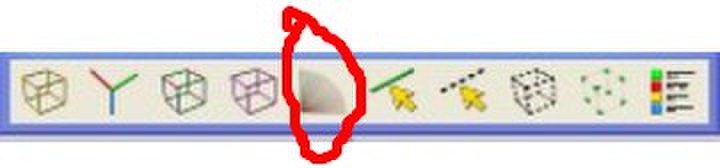
                It is only under Menu ...VIEW __TOOLBARS ^`...Color Edge

                Frenchy Pilou
                Is beautiful that please without concept!
                My Little site :)

                1 Reply Last reply
                Reply Quote 0
                • guanjinG
                  guanjin
                  last edited by

                  QQ图片20131116215243.jpg

                  This feature does not work on sketchup8.0--2013 πŸ˜’

                  I come from China, is to learn

                  1 Reply Last reply
                  Reply Quote 0
                  • D
                    dullgirlnef
                    last edited by

                    I know this is a very old post but I am wondering if anyone knows if this plugin will work in Sketchup Make 2015? I downloaded the plugin but it doesn't seem to add a toolbar in the toolbar list.

                    Thank so much

                    Stephanie

                    1 Reply Last reply
                    Reply Quote 0
                    • OxerO
                      Oxer
                      last edited by

                      Thanks for the plugin!!
                      The Tab key to change the color doesn't work on mac, is it possible fix this issue on Mac?
                      In the Color List window don't appear the scrollbar.

                      "The result is the end what is important is the process" by Oxer
                      http://www.oxervision.blogspot.com/

                      1 Reply Last reply
                      Reply Quote 0
                      • TIGT
                        TIG Moderator
                        last edited by

                        @Oxer

                        I haven't looked at the code at all [it is pretty old].
                        Get the latest version from the PluginStore...
                        http://sketchucation.com/pluginstore?pln=ChrisP_ColorEdge_EN
                        However, the know bug on using TAB on MACs [unlike PCs] is that a KeyDown event doesn't trigger, but a KeyUp does...
                        So for cross-platform it's always required that you use KeyUp - at least when testing for TAB presses.

                        In the RB file's code you could try to edit the FOUR occurrences of
                        def onKey**Down**(key, repeat, flags, view)
                        to be
                        def onKey**Up**(key, repeat, flags, view)

                        That should then work on PC and MAC...

                        TIG

                        1 Reply Last reply
                        Reply Quote 0
                        • OxerO
                          Oxer
                          last edited by

                          I installed the last version 0.2.3 and I changed onKeyDown >> onKeyUp but the Tab key doesn't work 😞

                          "The result is the end what is important is the process" by Oxer
                          http://www.oxervision.blogspot.com/

                          1 Reply Last reply
                          Reply Quote 0
                          • TIGT
                            TIG Moderator
                            last edited by

                            You must change EVERY KeyDown to KeyUp...
                            ???

                            TIG

                            1 Reply Last reply
                            Reply Quote 0
                            • OxerO
                              Oxer
                              last edited by

                              I did it.

                              "The result is the end what is important is the process" by Oxer
                              http://www.oxervision.blogspot.com/

                              1 Reply Last reply
                              Reply Quote 0
                              • TIGT
                                TIG Moderator
                                last edited by

                                So I am now at a loss πŸ˜•

                                Sorry, but I have several v2017 problems of my own to solve, let alone those of other authors who opt not to support older plugins...

                                TIG

                                1 Reply Last reply
                                Reply Quote 0
                                • OxerO
                                  Oxer
                                  last edited by

                                  I understand you TIG, and thanks for your help!!
                                  I'll try with older version of Sketchup.

                                  "The result is the end what is important is the process" by Oxer
                                  http://www.oxervision.blogspot.com/

                                  1 Reply Last reply
                                  Reply Quote 0
                                  • pilouP
                                    pilou
                                    last edited by

                                    Sorry i have no more contact with C Plassais for the moment! 😳

                                    Frenchy Pilou
                                    Is beautiful that please without concept!
                                    My Little site :)

                                    1 Reply Last reply
                                    Reply Quote 0
                                    • OxerO
                                      Oxer
                                      last edited by

                                      I use Sketchup with my students in the technical drawing lessons and it's very useful draw the edges with different colors. Would be possible assign another different key to TAB to select the different colors on Mac?
                                      For example in Ivy plugin the ALT and SHIFT keys work fine.

                                      "The result is the end what is important is the process" by Oxer
                                      http://www.oxervision.blogspot.com/

                                      1 Reply Last reply
                                      Reply Quote 0
                                      • sdmitchS
                                        sdmitch
                                        last edited by

                                        @oxer said:

                                        I use Sketchup with my students in the technical drawing lessons and it's very useful draw the edges with different colors. Would be possible assign another different key to TAB to select the different colors on Mac?
                                        For example in Ivy plugin the ALT and SHIFT keys work fine.

                                        Yes. Any key that works for you will do. However, there is one other problem that I found. On two occasions, colr1 = results and color1 = results should be colr1 = results[0] and color1 = results[0]. These statements appear around line 233 and 754.

                                        Another problem is the number of Sketchup Colors far exceeds the number the inputbox pull-down can handle. It needs to be a WebDialog if you really want all the color choices.

                                        Nothing is worthless, it can always be used as a bad example.

                                        http://sdmitch.blogspot.com/

                                        1 Reply Last reply
                                        Reply Quote 0
                                        • OxerO
                                          Oxer
                                          last edited by

                                          Thanks for the info sdmitch but I changed the lines 233 and 754 but nothing, the TAB key doesn't work 😞

                                          "The result is the end what is important is the process" by Oxer
                                          http://www.oxervision.blogspot.com/

                                          1 Reply Last reply
                                          Reply Quote 0
                                          • sdmitchS
                                            sdmitch
                                            last edited by

                                            @oxer said:

                                            Thanks for the info sdmitch but I changed the lines 233 and 754 but nothing, the TAB key doesn't work 😞

                                            Remember nothing happens until the Tab key is released. Please check messages. I have sent a copy of the plugin I modified and tested.

                                            Nothing is worthless, it can always be used as a bad example.

                                            http://sdmitch.blogspot.com/

                                            1 Reply Last reply
                                            Reply Quote 0

                                            Hello! It looks like you're interested in this conversation, but you don't have an account yet.

                                            Getting fed up of having to scroll through the same posts each visit? When you register for an account, you'll always come back to exactly where you were before, and choose to be notified of new replies (either via email, or push notification). You'll also be able to save bookmarks and upvote posts to show your appreciation to other community members.

                                            With your input, this post could be even better πŸ’—

                                            Register Login
                                            • 1
                                            • 2
                                            • 3
                                            • 4
                                            • 1 / 4
                                            • First post
                                              Last post
                                            Buy SketchPlus
                                            Buy SUbD
                                            Buy WrapR
                                            Buy eBook
                                            Buy Modelur
                                            Buy Vertex Tools
                                            Buy SketchCuisine
                                            Buy FormFonts

                                            Advertisement