Stair
-
Hi, i have problem with modelling this stair. Do you have any idea?
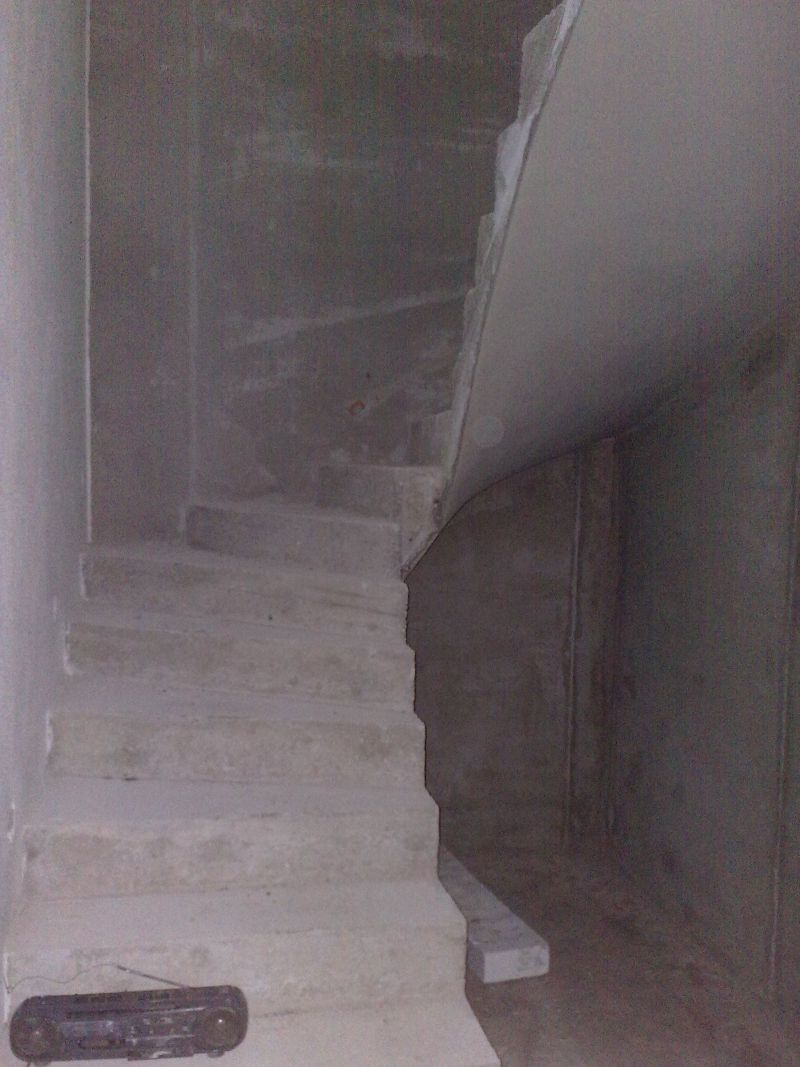
-
Try this http://forums.sketchucation.com/viewtopic.php?p=158602#p158602
I know it's based on underlaying an image but you can adapt it to a 2D plan of the stairs too...
You could also look at these http://forums.sketchucation.com/viewtopic.php?p=160622#p160622
-
@tig said:
Try this http://forums.sketchucation.com/viewtopic.php?p=158602#p158602
I know it's based on underlaying an image but you can adapt it to a 2D plan of the stairs too...
You could also look at these http://forums.sketchucation.com/viewtopic.php?p=160622#p160622thx i try it ... correction: my problem is with bottom part, curve surface

-
The soffit part is explained in the end section of my stair tutorial skp - copy the treads down select edges move 'up' with alt for auto-folding etc

-
@tig said:
The soffit part is explained in the end section of my stair tutorial skp - copy the treads down select edges move 'up' with alt for auto-folding etc
Its work, but soffit has a few faces. Must wait for Curviloft from Fredo (amazing thing). Its what i need
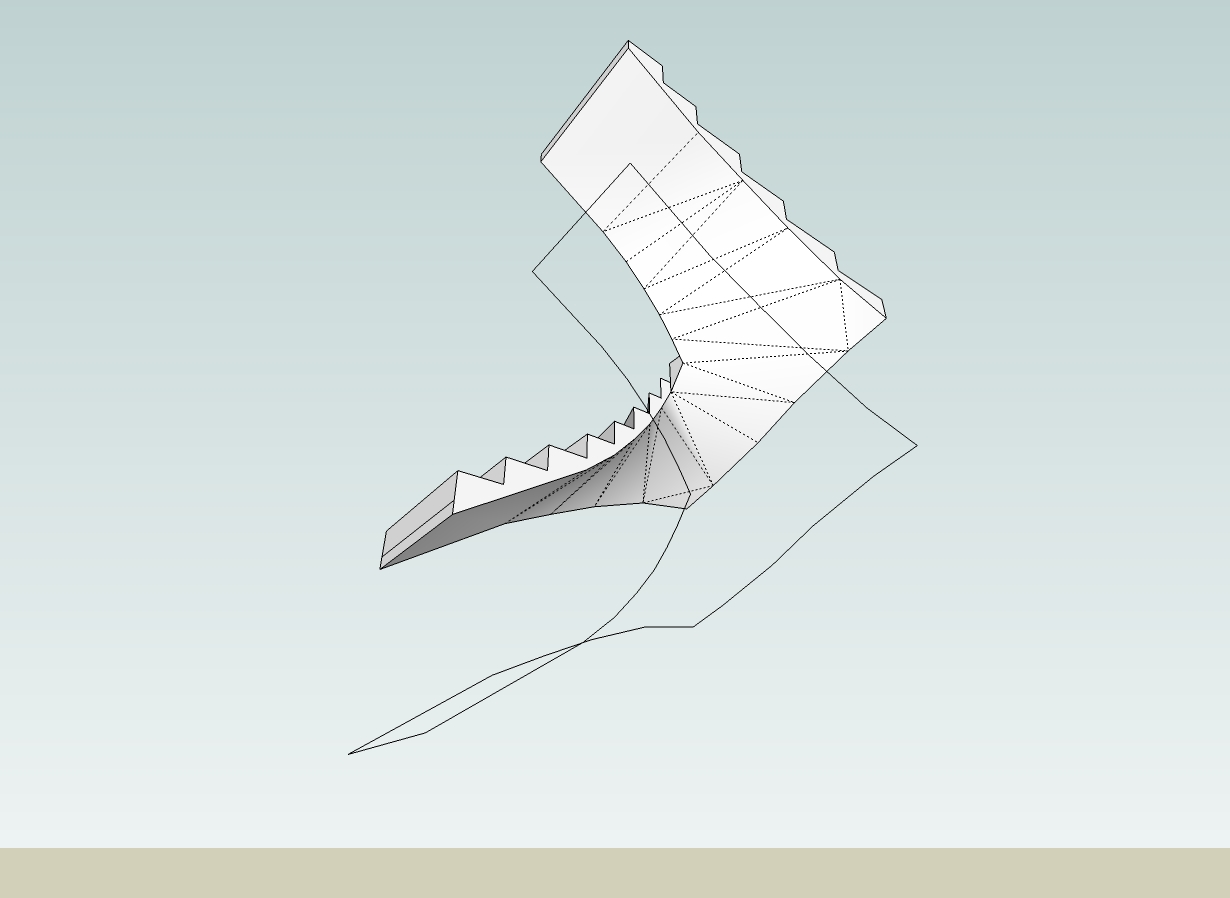
-
If you make the top and bottom 'tread' lines into 'curves' with '
weld.rb' [divide the 1 edge into 2 or more pieces first], and also make 'curves' from the two side 'stringers', then you can use myExtrudeEdgesByRails[part of theExtrusion Toolset] - then you'd pick the bottom 'tread' as the 'profile', then the stringers as the two 'rails' and finally the the top 'tread' as the 'melding-profile'... It should form a mesh face to suit... Here's a quick example...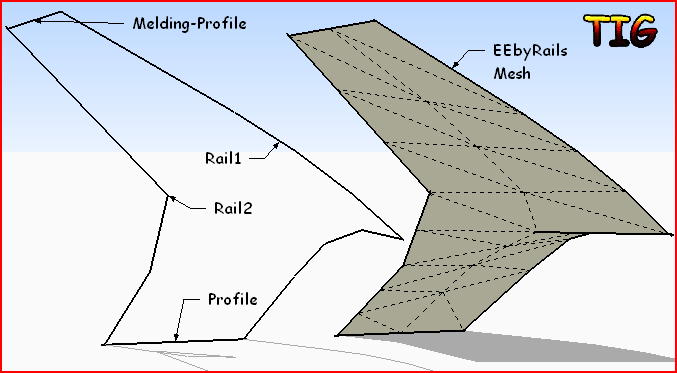
-
@tig said:
If you make the top and bottom 'tread' lines into 'curves' with '
weld.rb' [divide the 1 edge into 2 or more pieces first], and also make 'curves' from the two side 'stringers', then you can use myExtrudeEdgesByRails[part of theExtrusion Toolset] - then you'd pick the bottom 'tread' as the 'profile', then the stringers as the two 'rails' and finally the the top 'tread' as the 'melding-profile'... It should form a mesh face to suit... Here's a quick example...[attachment=1:3wyvaxf0]<!-- ia1 -->Capture.PNG<!-- ia1 -->[/attachment:3wyvaxf0]thank you tigger, ill try it

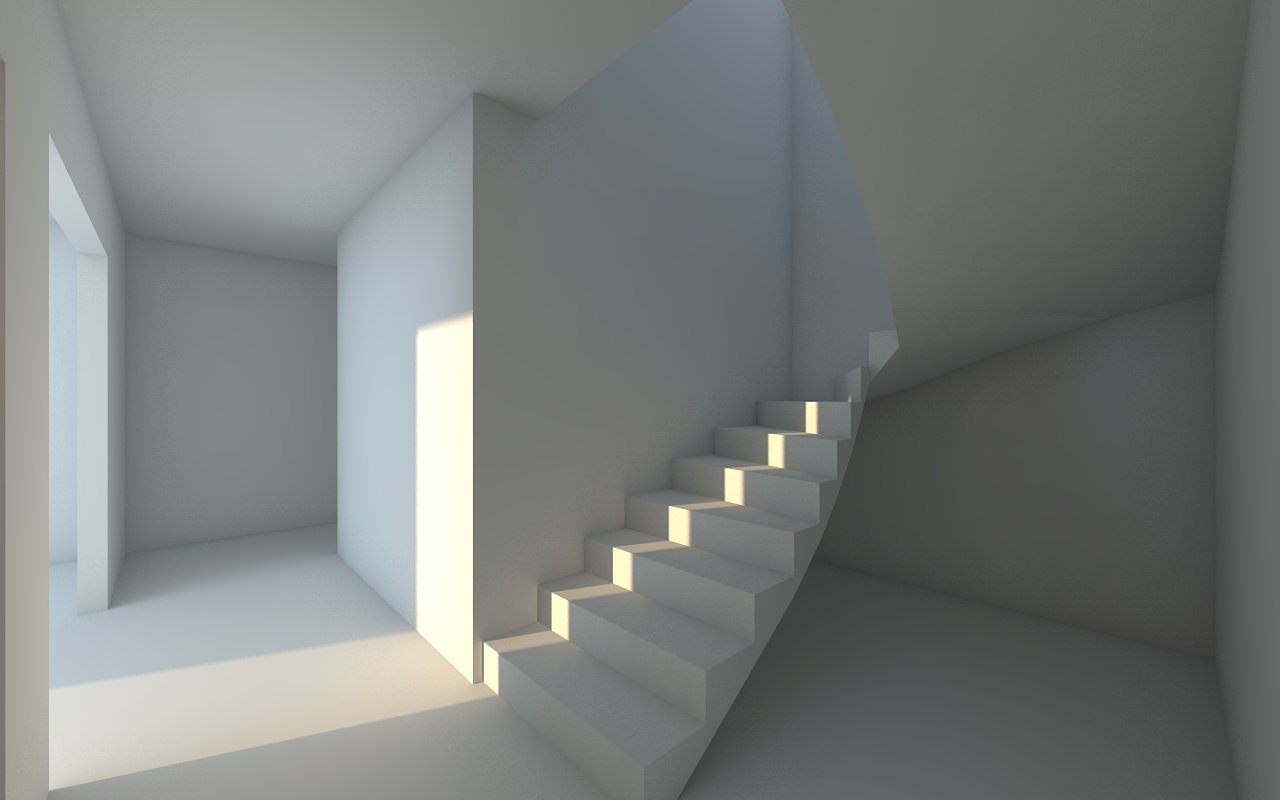
here is sample

Hello! It looks like you're interested in this conversation, but you don't have an account yet.
Getting fed up of having to scroll through the same posts each visit? When you register for an account, you'll always come back to exactly where you were before, and choose to be notified of new replies (either via email, or push notification). You'll also be able to save bookmarks and upvote posts to show your appreciation to other community members.
With your input, this post could be even better 💗
Register Login


Advertisement