sketchucation logo sketchucation
    • Login
    Oops, your profile's looking a bit empty! To help us tailor your experience, please fill in key details like your SketchUp version, skill level, operating system, and more. Update and save your info on your profile page today!
    Mac User? | Join the Rayscaper Beta for Mac Learn More

    [Plugin] jf_get_dimensions.rb

    Scheduled Pinned Locked Moved Plugins
    61 Posts 21 Posters 79.1k Views 21 Watching
    Loading More Posts
    • Oldest to Newest
    • Newest to Oldest
    • Most Votes
    Reply
    • Reply as topic
    Log in to reply
    This topic has been deleted. Only users with topic management privileges can see it.
    • J
      Jim
      last edited by

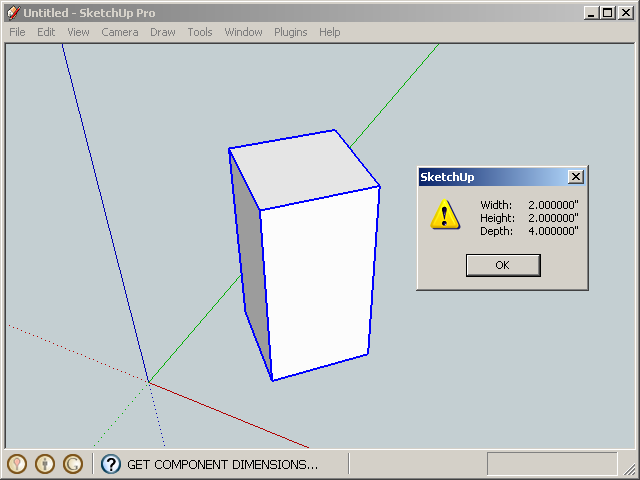
      This simple plugin displays the dimensions (width, length, depth) of a selected Group or Instance.

      Unlike the BoundingBox dimensions, the dimensions are correct even when the object is rotated and scaled. Units are displayed in the model units.

      (Width, Height, Depth) correspond to the object's (X, Y, Z) dimensions.

      Menu: Plugins / jf Get Dimensions
      405.png

      reference: http://forums.sketchucation.com/viewtopic.php?f=323&t=28842


      version 1.1 2014-04-02

      Hi

      1 Reply Last reply
      Reply Quote 0
      • J
        Jim
        last edited by

        I like what this does, but menus are so clunky. Can anyone envision an interface that is fast yet non-intrusive?

        What about a small, button-size webdialog that activates on an onMouseOver event? No clicking, just activates as you pass your mouse over it.

        Or maybe on the other end of the spectrum, a complete alternative to the Entity Info window, but with much more information?

        Hi

        1 Reply Last reply
        Reply Quote 0
        • thomthomT
          thomthom
          last edited by

          Entity Into window with collapsible sections of data.

          Thomas Thomassen β€” SketchUp Monkey & Coding addict
          List of my plugins and link to the CookieWare fund

          1 Reply Last reply
          Reply Quote 0
          • Dave RD
            Dave R
            last edited by

            Jim, I didn't know I needed this plugin but it is very useful. Although I assigned a keyboard shortcut to it, I like your idea of mouseover so you don't have to reactivate the tool for each component.

            Etaoin Shrdlu

            %

            (THERE'S NO PLACE LIKE)

            G28 X0.0 Y0.0 Z0.0

            M30

            %

            1 Reply Last reply
            Reply Quote 0
            • thomthomT
              thomthom
              last edited by

              Yesterday I hacked the Query tools that comes with SU to display the .bounds dimension for the entity you hover over by request from someone at my office.

              Both a query tool that display info on screen and an enhanced Entity Info window has its uses.

              What if you have this Entity Info++ window, where at each section you also have a checkbox. That checkbox controls what info you get on screen with Query Tool++.
              ❓ πŸ’­


              TT Hack

              Thomas Thomassen β€” SketchUp Monkey & Coding addict
              List of my plugins and link to the CookieWare fund

              1 Reply Last reply
              Reply Quote 0
              • D
                dedmin
                last edited by

                This is the most used plugin in my toolbox - assigned shortcut "N" to it! Thanks again Jim for improving it!! πŸŽ‰ πŸŽ‰

                1 Reply Last reply
                Reply Quote 0
                • D
                  dedmin
                  last edited by

                  @thomthom said:

                  Yesterday I hacked the Query tools that comes with SU to display the .bounds dimension for the entity you hover over by request from someone at my office.

                  Both a query tool that display info on screen and an enhanced Entity Info window has its uses.

                  What if you have this Entity Info++ window, where at each section you also have a checkbox. That checkbox controls what info you get on screen with Query Tool++.
                  ❓ πŸ’­

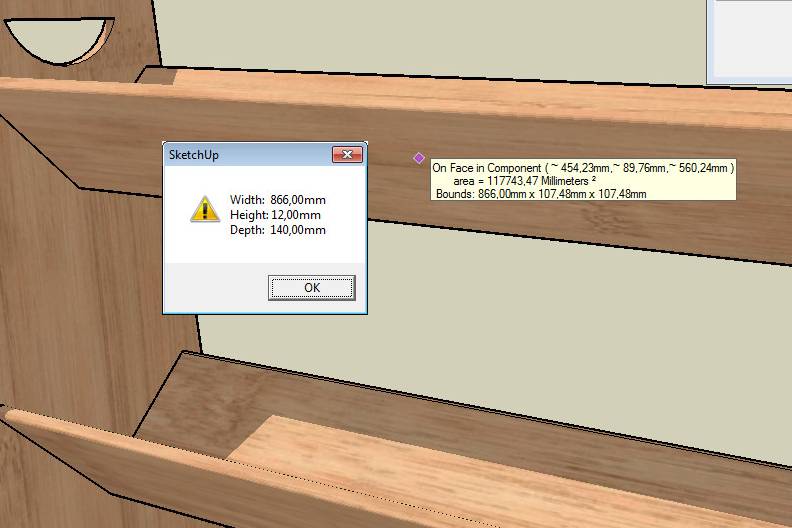
                  The same problem with components not aligned to the world axes as the old Get Dimensions plugin:
                  2010-06-08_164546.jpg

                  1 Reply Last reply
                  Reply Quote 0
                  • thomthomT
                    thomthom
                    last edited by

                    ah! oops!

                    Thomas Thomassen β€” SketchUp Monkey & Coding addict
                    List of my plugins and link to the CookieWare fund

                    1 Reply Last reply
                    Reply Quote 0
                    • B
                      Ben Ritter
                      last edited by

                      Jim, thank you for sharing.

                      1 Reply Last reply
                      Reply Quote 0
                      • D
                        dedmin
                        last edited by

                        2010-06-24_092943.jpg

                        1 Reply Last reply
                        Reply Quote 0
                        • thomthomT
                          thomthom
                          last edited by

                          In SketchUp when it rounds of a value it prefix it with a tilde ~.
                          If the lenght is 10.522221 and your model units are set to display only two decimals, SU will display that as "~ 10.52"

                          Thomas Thomassen β€” SketchUp Monkey & Coding addict
                          List of my plugins and link to the CookieWare fund

                          1 Reply Last reply
                          Reply Quote 0
                          • D
                            dedmin
                            last edited by

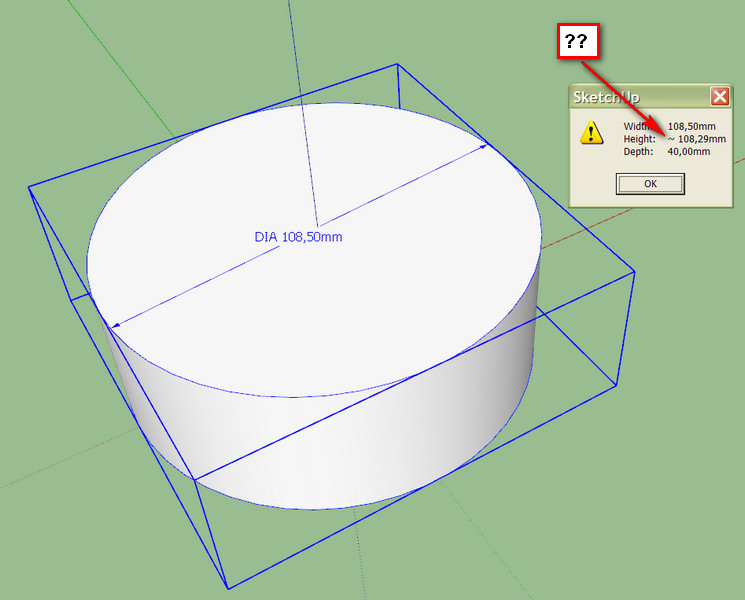
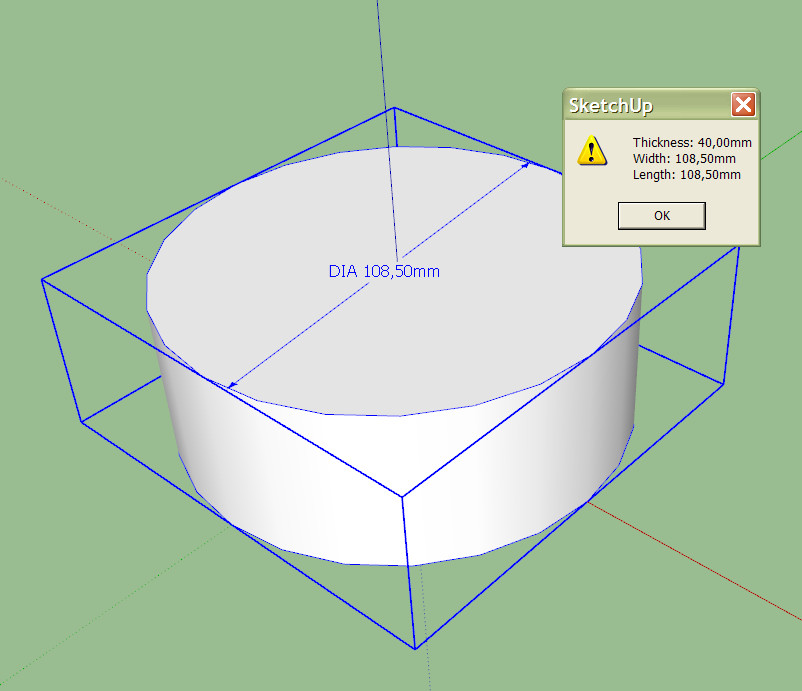
                            The problem is that the plugin can't recognize SketchUP's circles - it shows different sizes for x and y. Here is the old plugin:
                            2010-06-24_095545.jpg

                            1 Reply Last reply
                            Reply Quote 0
                            • B
                              Ben Ritter
                              last edited by

                              Jim, thank you.

                              1 Reply Last reply
                              Reply Quote 0
                              • J
                                Jim
                                last edited by

                                @ben ritter said:

                                Jim, thank you.

                                You're welcome.
                                @dedmin said:

                                The problem is that the plugin can't recognize SketchUP's circles - it shows different sizes for x and y. Here is the old plugin:

                                This knows nothing of circles, or any other actual geometry. It only reports the BoundingBox dimensions adjusted for rotation.

                                Dave, that is the only way I can reproduce the results. And it makes sense (to me, anyway) that an odd-sided circle has differing dimensions due to the segments being non-symmetrical.

                                Hi

                                1 Reply Last reply
                                Reply Quote 0
                                • Dave RD
                                  Dave R
                                  last edited by

                                  I get the same results as dedmin if I drag out the radius of the circle off axis or if I use an odd number (25) of sides for the circle instead of an even number. On the other hand, with the radius dragged out on axis and an even number of sides, I get the same value for x and y even with Precision set to 0.000001mm it is the same value. Those results are all understandable since the plugin is reporting the size of the bounding box.

                                  Etaoin Shrdlu

                                  %

                                  (THERE'S NO PLACE LIKE)

                                  G28 X0.0 Y0.0 Z0.0

                                  M30

                                  %

                                  1 Reply Last reply
                                  Reply Quote 0
                                  • D
                                    dedmin
                                    last edited by

                                    I see. Thanks for the explanation. This SketchUp "geometry" is becoming a big problem for me. To bad, but I have to move to other more precise software.

                                    1 Reply Last reply
                                    Reply Quote 0
                                    • thomthomT
                                      thomthom
                                      last edited by

                                      Sounds like you might need a NURBS modeller - one that understand circles.
                                      Bonzai or Rhino comes to mind.

                                      Thomas Thomassen β€” SketchUp Monkey & Coding addict
                                      List of my plugins and link to the CookieWare fund

                                      1 Reply Last reply
                                      Reply Quote 0
                                      • D
                                        dedmin
                                        last edited by

                                        Rhino is my choice - the new version 5 is very promising. Gonna miss SketchUp's components, FredoScale and the community!

                                        1 Reply Last reply
                                        Reply Quote 0
                                        • D
                                          dedmin
                                          last edited by

                                          Here is a new version that displays the dimensions on the status bar
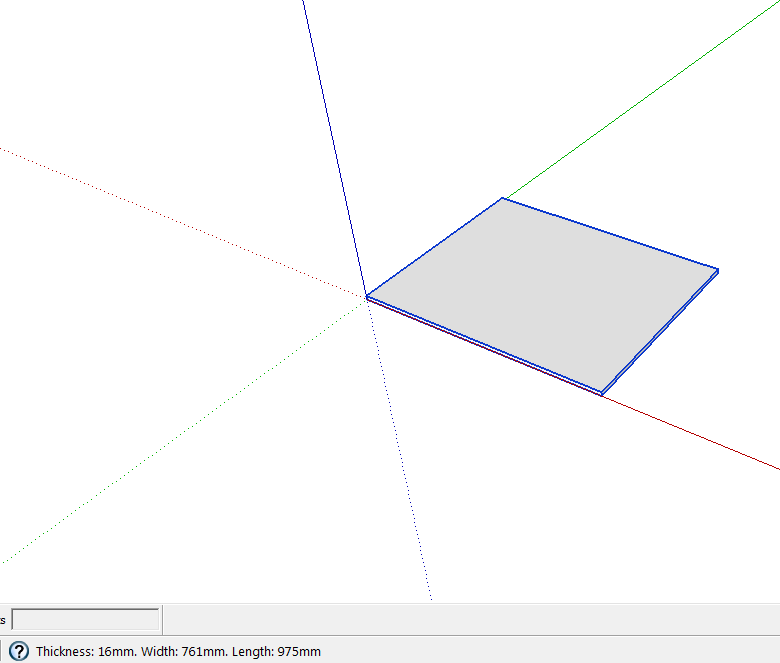
                                          Screen.png

                                          Made by a russian guy called 'newsposting'
                                          GetDimensions.rb

                                          1 Reply Last reply
                                          Reply Quote 0
                                          • mitcorbM
                                            mitcorb
                                            last edited by

                                            Hi, dedmin:
                                            Can you point to the source of the Russian guy's plugin?

                                            I take the slow, deliberate approach in my aimless wandering.

                                            1 Reply Last reply
                                            Reply Quote 0

                                            Hello! It looks like you're interested in this conversation, but you don't have an account yet.

                                            Getting fed up of having to scroll through the same posts each visit? When you register for an account, you'll always come back to exactly where you were before, and choose to be notified of new replies (either via email, or push notification). You'll also be able to save bookmarks and upvote posts to show your appreciation to other community members.

                                            With your input, this post could be even better πŸ’—

                                            Register Login
                                            • 1
                                            • 2
                                            • 3
                                            • 4
                                            • 2 / 4
                                            • First post
                                              Last post
                                            Buy SketchPlus
                                            Buy SUbD
                                            Buy WrapR
                                            Buy eBook
                                            Buy Modelur
                                            Buy Vertex Tools
                                            Buy SketchCuisine
                                            Buy FormFonts

                                            Advertisement