sketchucation logo sketchucation
    • 登入
    Oops, your profile's looking a bit empty! To help us tailor your experience, please fill in key details like your SketchUp version, skill level, operating system, and more. Update and save your info on your profile page today!
    🔌 Smart Spline | Fluid way to handle splines for furniture design and complex structures. Download

    [Plugin][$] Curviloft 2.0a - 31 Mar 24 (Loft & Skinning)


    已排程 已置頂 已鎖定 已移動 Plugins
    1.3k 貼文 299 Posters 2.5m 瀏覽 297 Watching
    正在載入更多貼文
    • 從舊到新
    • 從新到舊
    • 最多點贊
    回覆
    • 在新貼文中回覆
    登入後回覆
    此主題已被刪除。只有擁有主題管理權限的使用者可以查看。
    • thomthomT 離線
      thomthom
      最後由 編輯

      @lapx said:

      I'm trying to map a texture on this shape. I must admit I'm totally at a loss understanding the uv and quad rubies.
      I'm sure I'm missing out on some powerful tools if i fail to understand these.
      Need some help in explaining how these would work in this application.

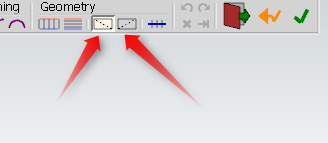
      If you want to map that with QuadFace Tools you need to generate the mesh as a set of quads.
      MakeQuads.png
      I assume you use Curviloft to create the mesh, you need to explicitly tell it to generate quads.

      Thomas Thomassen — SketchUp Monkey & Coding addict
      List of my plugins and link to the CookieWare fund

      1 條回覆 最後回覆 回覆 引用 0
      • A 離線
        aea
        最後由 編輯

        hello

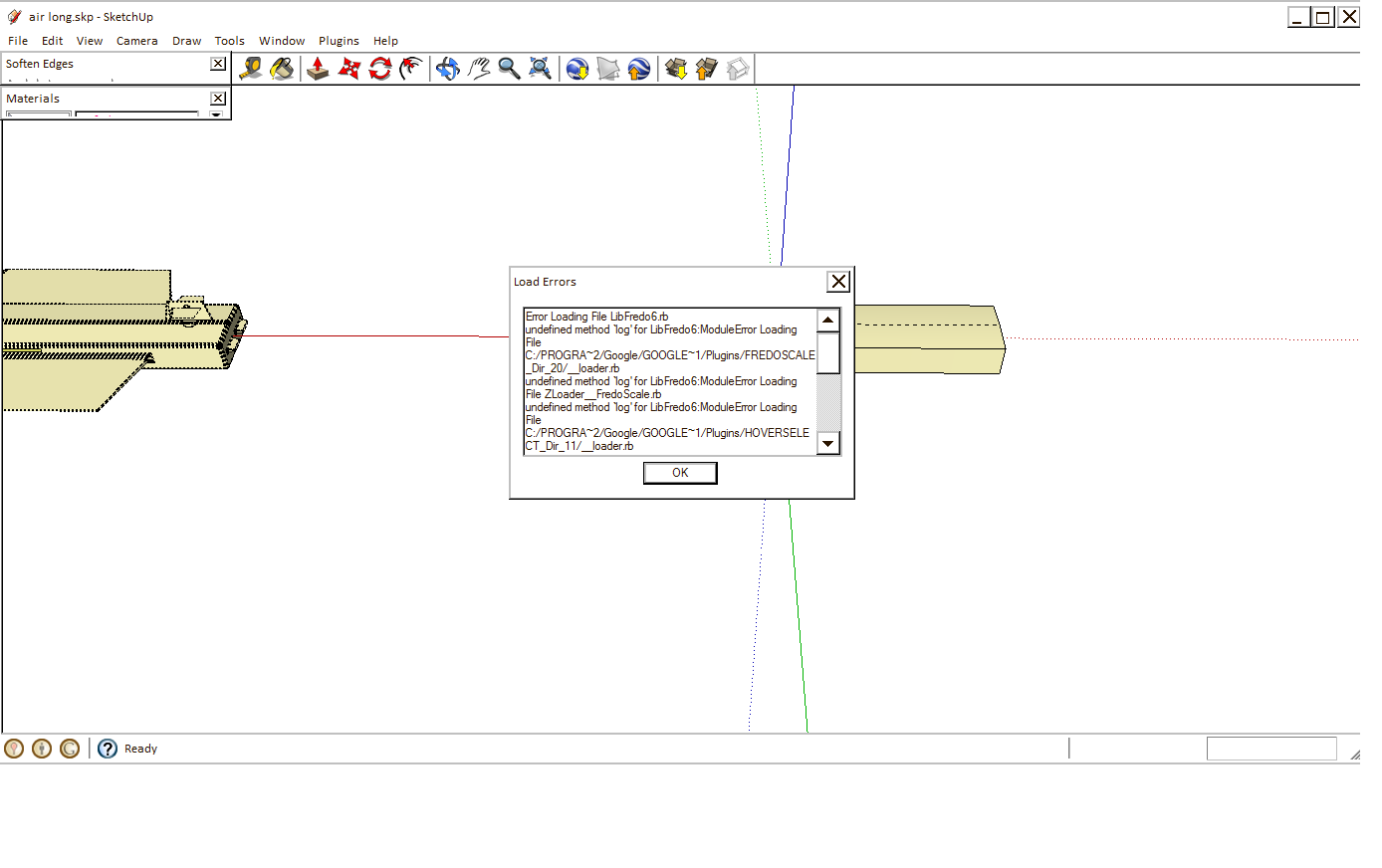
        I tried to install Curviloft but does not work. When you install the 4.2 LibFredo6 disappear Hoverselect and Roundcorner that can not be used.

        I attached ... please

        a.png


        b.png

        1 條回覆 最後回覆 回覆 引用 0
        • L 離線
          lapx
          最後由 編輯

          Thanks Tom,

          Yes I did use curviloft and joint pushpull after skinning to get thickness. Will the joint pushpull operation destroy the quadfaces?
          I'll try it.

          Thanks again Tom! You are amazing!

          1 條回覆 最後回覆 回覆 引用 0
          • thomthomT 離線
            thomthom
            最後由 編輯

            @lapx said:

            Will the joint pushpull operation destroy the quadfaces?

            I believe so...

            Thomas Thomassen — SketchUp Monkey & Coding addict
            List of my plugins and link to the CookieWare fund

            1 條回覆 最後回覆 回覆 引用 0
            • L 離線
              lapx
              最後由 編輯

              Tom,
              I just tried it with your instruction and still could not get it to work. I got it to work on a flat surface.
              Can you try it from the model that I uploaded? The rails are still in the model. It ask for U direction and I get nothing when I try and define U V direction. There is no highlight.

              Thanks,

              1 條回覆 最後回覆 回覆 引用 0
              • thomthomT 離線
                thomthom
                最後由 編輯

                @lapx said:

                Tom,
                I just tried it with your instruction and still could not get it to work. I got it to work on a flat surface.
                Can you try it from the model that I uploaded? The rails are still in the model. It ask for U direction and I get nothing when I try and define U V direction. There is no highlight.

                Thanks,

                I made a mesh with Curviloft using the rails - made it generate quads and I had no problem mapping it. ( Note that is you have anything selected, the UV mapping tool will limit the mapping to the selected entities. So make sure to deselect unless you can't to map a local region. )

                As for the extruded surface, I ran Convert Triangulated Mesh to Quads on it, turned out it converted it quite well. (surprisingly as it has issues)
                But I had to select a local region in order to map it, because the sides of the mesh could not be mapped to a 2D grid.
                See the screenshot for what selection I made:
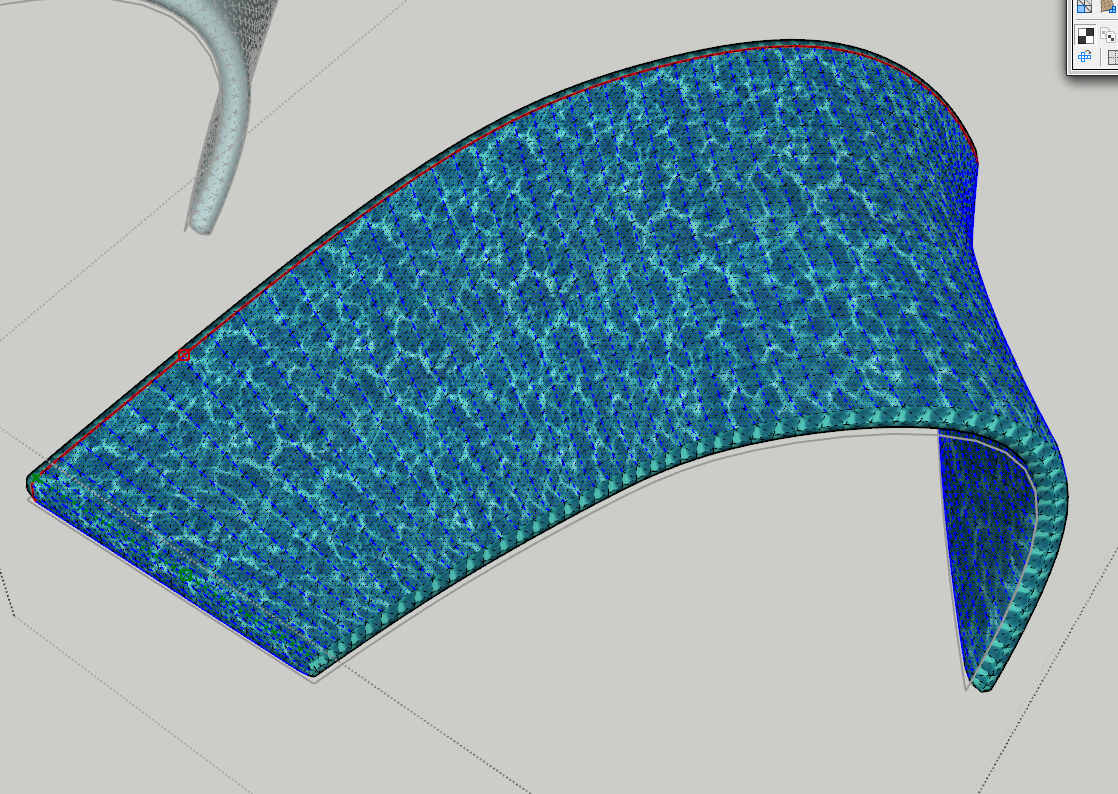
                Mapping.png

                I picked a center-ish edge and used the Grow Edge Loop so the selection ran the length of the mesh - before it folds around the sides. Then I used Edge Ring to ring loop around the whole mesh. Then I use Select Quads from Edges.


                UVTEST.skp

                Thomas Thomassen — SketchUp Monkey & Coding addict
                List of my plugins and link to the CookieWare fund

                1 條回覆 最後回覆 回覆 引用 0
                • L 離線
                  lapx
                  最後由 編輯

                  Like I said, You are amazing! I'll try it an let you know the results when i get to the office.
                  Thanks once more and many thanks to come.

                  1 條回覆 最後回覆 回覆 引用 0
                  • A 離線
                    aea
                    最後由 編輯

                    my instal new sketchup 8 and works ☀

                    1 條回覆 最後回覆 回覆 引用 0
                    • L 離線
                      lapx
                      最後由 編輯

                      One step at a time. Here's my curvi loft skin with quads activated. I select the quads by triple clicking in SU. I hit UV map selected quads and nothing happens when I try to pick UV direction. 😞

                      BTW, my pick button on your quad tools is not working. Might that be the problem?
                      Is there a problem using Su native picking tools?

                      Thanks Tom for your help,

                      Lapx


                      uvmap.jpg

                      1 條回覆 最後回覆 回覆 引用 0
                      • thomthomT 離線
                        thomthom
                        最後由 編輯

                        You do not need to select anything in this case. Since you map everything.

                        Do you get any error messages in the Ruby Console?

                        Thomas Thomassen — SketchUp Monkey & Coding addict
                        List of my plugins and link to the CookieWare fund

                        1 條回覆 最後回覆 回覆 引用 0
                        • L 離線
                          lapx
                          最後由 編輯

                          No errors to report. I just get the dialog at the bottom to pick the u direction. 😕
                          Do hidden lines need to be on?

                          1 條回覆 最後回覆 回覆 引用 0
                          • S 離線
                            sepo
                            最後由 編輯

                            Installed in on mac book pro mac os 10.6.8 and have this error.

                            Error Loading File __loader.rb
                            uninitialized constant TraductorError Loading File bootstrap_Curviloft.rb
                            uninitialized constant Curviloft::T6Error Loading File CurviloftAlgo.rb
                            uninitialized constant Curviloft::T6Error Loading File CurviloftCurveMover.rb
                            uninitialized constant Curviloft::T6Error Loading File CurviloftPalette.rb
                            uninitialized constant Curviloft::T6Error Loading File CurviloftTool.rb
                            uninitialized constant Curviloft::T6

                            1 條回覆 最後回覆 回覆 引用 0
                            • Dave RD 離線
                              Dave R
                              最後由 編輯

                              Sepo, is it possible that when you installed the plugin that you put the contents of the folder loose into the Plugins folder? The files listed in your error message should be in a folder called CURVILOFT_Dir_12 inside the Plugins folder.

                              Etaoin Shrdlu

                              %

                              (THERE'S NO PLACE LIKE)

                              G28 X0.0 Y0.0 Z0.0

                              M30

                              %

                              1 條回覆 最後回覆 回覆 引用 0
                              • thomthomT 離線
                                thomthom
                                最後由 編輯

                                @lapx said:

                                No errors to report. I just get the dialog at the bottom to pick the u direction. 😕
                                Do hidden lines need to be on?

                                That might be in order for the tool to be able to pick the edges...

                                Thomas Thomassen — SketchUp Monkey & Coding addict
                                List of my plugins and link to the CookieWare fund

                                1 條回覆 最後回覆 回覆 引用 0
                                • S 離線
                                  sepo
                                  最後由 編輯

                                  @dave r said:

                                  Sepo, is it possible that when you installed the plugin that you put the contents of the folder loose into the Plugins folder? The files listed in your error message should be in a folder called CURVILOFT_Dir_12 inside the Plugins folder.

                                  😳 thanks...

                                  1 條回覆 最後回覆 回覆 引用 0
                                  • Dave RD 離線
                                    Dave R
                                    最後由 編輯

                                    Was that the problem?

                                    Etaoin Shrdlu

                                    %

                                    (THERE'S NO PLACE LIKE)

                                    G28 X0.0 Y0.0 Z0.0

                                    M30

                                    %

                                    1 條回覆 最後回覆 回覆 引用 0
                                    • L 離線
                                      lapx
                                      最後由 編輯

                                      I'm still not able to get the UV tool to work after lofting the curves. Maybe these questions should be posted at the UVtoolkit plugin forum 😞

                                      1 條回覆 最後回覆 回覆 引用 0
                                      • R 離線
                                        redlerred7
                                        最後由 編輯

                                        This some how happened in a random instance. I need to know how to stop it from happening again
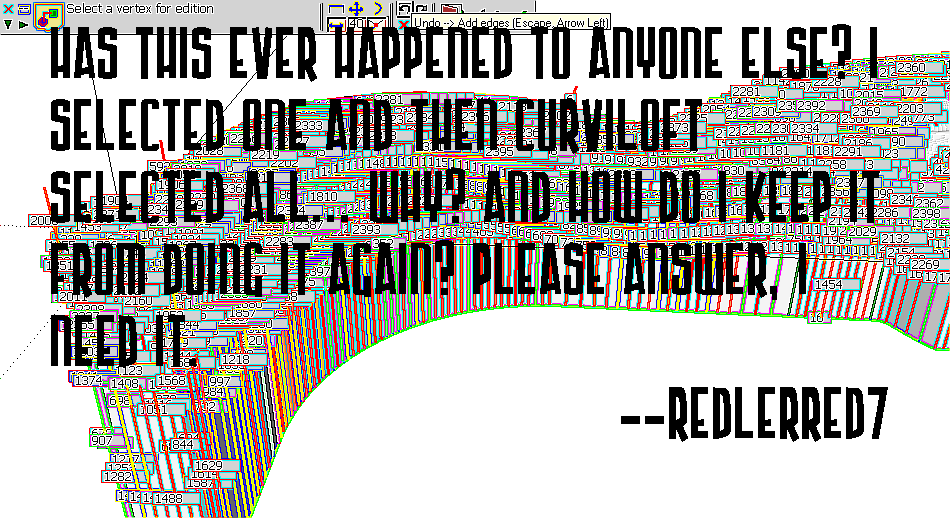

                                        curviloftfail.png

                                        1 條回覆 最後回覆 回覆 引用 0
                                        • thomthomT 離線
                                          thomthom
                                          最後由 編輯

                                          @lapx said:

                                          I'm still not able to get the UV tool to work after lofting the curves. Maybe these questions should be posted at the UVtoolkit plugin forum 😞

                                          UV Toolkit? Not QuadFace Tools? (but yea - better post in the thread related to the plugin in question.)

                                          Thomas Thomassen — SketchUp Monkey & Coding addict
                                          List of my plugins and link to the CookieWare fund

                                          1 條回覆 最後回覆 回覆 引用 0
                                          • S 離線
                                            sepo
                                            最後由 編輯

                                            @dave r said:

                                            Was that the problem?

                                            Yes... I did not read the footprint...I presumed it was the content of the zipped folder which usually is.
                                            Thanks again.

                                            1 條回覆 最後回覆 回覆 引用 0
                                            • 1
                                            • 2
                                            • 31
                                            • 32
                                            • 33
                                            • 34
                                            • 35
                                            • 65
                                            • 66
                                            • 33 / 66
                                            • 第一個貼文
                                              最後的貼文
                                            Buy SketchPlus
                                            Buy SUbD
                                            Buy WrapR
                                            Buy eBook
                                            Buy Modelur
                                            Buy Vertex Tools
                                            Buy SketchCuisine
                                            Buy FormFonts

                                            Advertisement