sketchucation logo sketchucation
    • Login
    Oops, your profile's looking a bit empty! To help us tailor your experience, please fill in key details like your SketchUp version, skill level, operating system, and more. Update and save your info on your profile page today!
    ⚠️ Update | Sketchucation Tools 5.0.8 released with licensing improvements and bugfixes Download

    [Plugin][$] Curviloft 2.0a - 31 Mar 24 (Loft & Skinning)


    Scheduled Pinned Locked Moved Plugins
    1.3k Posts 300 Posters 3.1m Views 298 Watching
    Loading More Posts
    • Oldest to Newest
    • Newest to Oldest
    • Most Votes
    Reply
    • Reply as topic
    Log in to reply
    This topic has been deleted. Only users with topic management privileges can see it.
    • AlomphegaA
      Alomphega
      last edited by

      Ok, thanks Fredo6 for your work and your answer.

      So I've done a try and to help you a bit I post here a little "newcomer oriented installation resume" :

      To install Curviloft as a beginner we just have to close SketchUp and to download these 2 files :
      LibFredo6 4.2a – 16 Sep 11 -> http://forums.sketchucation.com/download/file.php?id=74965
      Curviloft 1.2b – 26 Sep 11 -> http://forums.sketchucation.com/download/file.php?id=75416

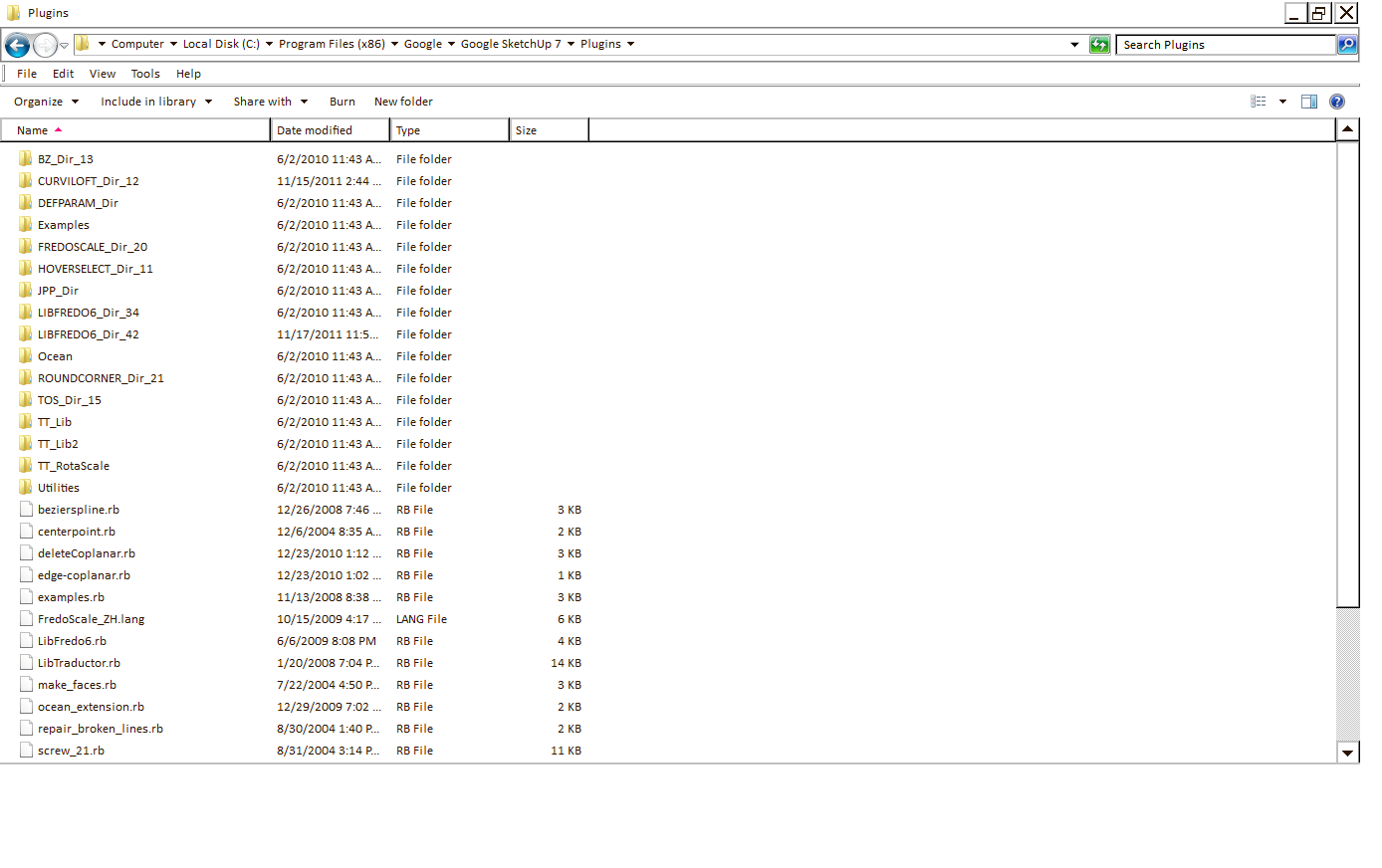
      Then we just have to open these zip files, to take all that is inside, and to put it into the "Plugins" folder of the Google SketchUp installation without changing anything, nor names, nor hierarchy.
      (for instance under Windows 7 64bits if you have done a standard installation copy all that is in the zip files into the "C:\Program Files (x86)\Google\Google SketchUp 8\Plugins" directory)

      After that we can open SketchUp, that's all.

      Of course after a quick try I encourage to re-check this entire topic from beginning to see tutorials, to install within an additional directory, to download manuals and so on...

      Best Regards,
      Guy

      Guy Capra, http://www.nauticaerium.com
      Non je ne suis pas un "Géo Trouvetou", juste un "Géo... Zéchercher" ! ;)

      1 Reply Last reply
      Reply Quote 0
      • jeff hammondJ
        jeff hammond
        last edited by

        @unknownuser said:

        Curviloft 1.2a – 21 Sep 11[/color]: Include the generation of Pseudo-quads allowing the usage of the new QuafFaceTools by Thomthom. Also, it avoids generation of empty group if there is a problem.

        nice! 👍 👍

        dotdotdot

        1 Reply Last reply
        Reply Quote 0
        • R
          redlerred7
          last edited by

          I believe an update is in schedule.
          A new version of Quad-face tools was released and now has a different definition on the so called "pseudo-quad".

          1 Reply Last reply
          Reply Quote 0
          • thomthomT
            thomthom
            last edited by

            @redlerred7 said:

            I believe an update is in schedule.
            A new version of Quad-face tools was released and now has a different definition on the so called "pseudo-quad".

            Fredo is aware of it. Until it's updated, use the Convert Sandbox Quads to QuadFace Quads function in QuadFace Tools.

            Apologies for the inconvenience - but I had to do it in order to address a critical issue. 😞

            Thomas Thomassen — SketchUp Monkey & Coding addict
            List of my plugins and link to the CookieWare fund

            1 Reply Last reply
            Reply Quote 0
            • fredo6F
              fredo6
              last edited by

              NEW RELEASE: Curviloft 1.2c - 15 Nov 11

              IMPORTANT: you need to install LibFredo6 4.2 (or higher). With this version of LibFredo6, the ZLoader__Curviloft.rb is no longer necessary.

              This release includes more options for the generation of pseudo-quads for usage by the new QuadFaceTools by Thomthom.

              Options are available in the Default Parameters dialog box
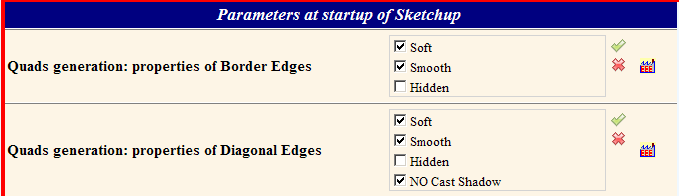
              Quad-mapping Curviloft.png

              By default, pseudo-quads are generated with:

              • Borders: Soft + Smooth (+ Cast Shadows)
              • Diagonals: Soft + Smooth + NO Cast Shadows

              This allows to have a nice-looking surface, while being compliant with all functionality of Thomthom quads tool (which is already upgraded with the above definitions)

              See main post for download

              Fredo

              1 Reply Last reply
              Reply Quote 0
              • thomthomT
                thomthom
                last edited by

                Thanks Fredo for the quick update. I love using Curviloft to produce quads.

                Maybe we should produce some nice example models the demonstrate Curviloft and QuadFace Tools. ...maybe some of the users already got some..? Anyone?

                Thomas Thomassen — SketchUp Monkey & Coding addict
                List of my plugins and link to the CookieWare fund

                1 Reply Last reply
                Reply Quote 0
                • D
                  driven
                  last edited by

                  @fredo,

                  it's not showing in 'check for updates'... yet

                  @Thomas,

                  when, 'check for update' takes you to your bitbucket site,
                  it's not the download page and the link [to the download page] is quite discrete.
                  It catches me out every time I go there, could it be more obvious?

                  john

                  learn from the mistakes of others, you may not live long enough to make them all yourself...

                  1 Reply Last reply
                  Reply Quote 0
                  • thomthomT
                    thomthom
                    last edited by

                    My bad. I'll update the link.

                    Thomas Thomassen — SketchUp Monkey & Coding addict
                    List of my plugins and link to the CookieWare fund

                    1 Reply Last reply
                    Reply Quote 0
                    • L
                      lapx
                      last edited by

                      I'm trying to map a texture on this shape. I must admit I'm totally at a loss understanding the uv and quad rubies.
                      I'm sure I'm missing out on some powerful tools if i fail to understand these.
                      Need some help in explaining how these would work in this application.

                      Thanks!


                      UVTEST.skp

                      1 Reply Last reply
                      Reply Quote 0
                      • thomthomT
                        thomthom
                        last edited by

                        @lapx said:

                        I'm trying to map a texture on this shape. I must admit I'm totally at a loss understanding the uv and quad rubies.
                        I'm sure I'm missing out on some powerful tools if i fail to understand these.
                        Need some help in explaining how these would work in this application.

                        If you want to map that with QuadFace Tools you need to generate the mesh as a set of quads.
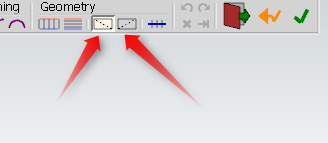
                        MakeQuads.png
                        I assume you use Curviloft to create the mesh, you need to explicitly tell it to generate quads.

                        Thomas Thomassen — SketchUp Monkey & Coding addict
                        List of my plugins and link to the CookieWare fund

                        1 Reply Last reply
                        Reply Quote 0
                        • A
                          aea
                          last edited by

                          hello

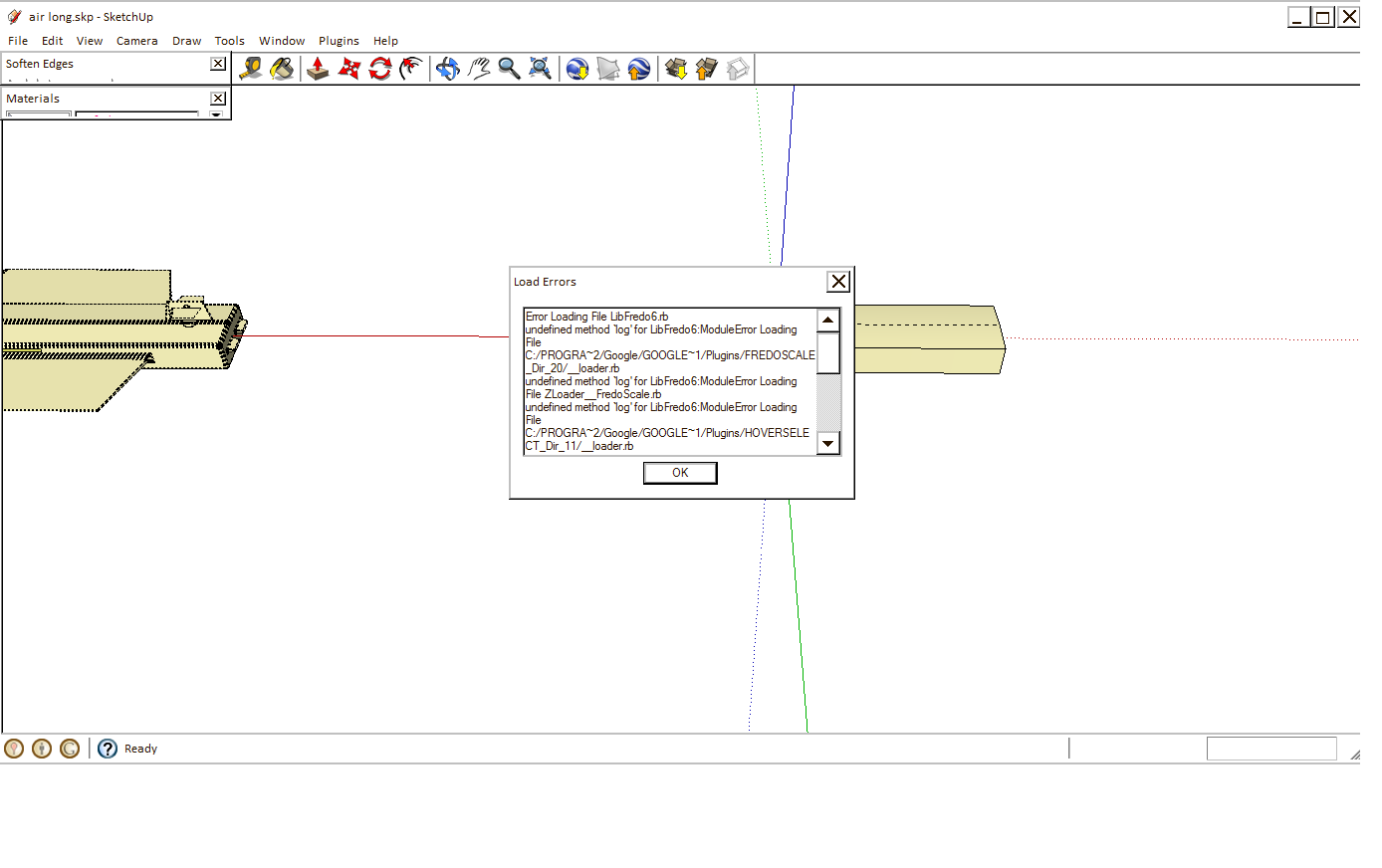
                          I tried to install Curviloft but does not work. When you install the 4.2 LibFredo6 disappear Hoverselect and Roundcorner that can not be used.

                          I attached ... please

                          a.png


                          b.png

                          1 Reply Last reply
                          Reply Quote 0
                          • L
                            lapx
                            last edited by

                            Thanks Tom,

                            Yes I did use curviloft and joint pushpull after skinning to get thickness. Will the joint pushpull operation destroy the quadfaces?
                            I'll try it.

                            Thanks again Tom! You are amazing!

                            1 Reply Last reply
                            Reply Quote 0
                            • thomthomT
                              thomthom
                              last edited by

                              @lapx said:

                              Will the joint pushpull operation destroy the quadfaces?

                              I believe so...

                              Thomas Thomassen — SketchUp Monkey & Coding addict
                              List of my plugins and link to the CookieWare fund

                              1 Reply Last reply
                              Reply Quote 0
                              • L
                                lapx
                                last edited by

                                Tom,
                                I just tried it with your instruction and still could not get it to work. I got it to work on a flat surface.
                                Can you try it from the model that I uploaded? The rails are still in the model. It ask for U direction and I get nothing when I try and define U V direction. There is no highlight.

                                Thanks,

                                1 Reply Last reply
                                Reply Quote 0
                                • thomthomT
                                  thomthom
                                  last edited by

                                  @lapx said:

                                  Tom,
                                  I just tried it with your instruction and still could not get it to work. I got it to work on a flat surface.
                                  Can you try it from the model that I uploaded? The rails are still in the model. It ask for U direction and I get nothing when I try and define U V direction. There is no highlight.

                                  Thanks,

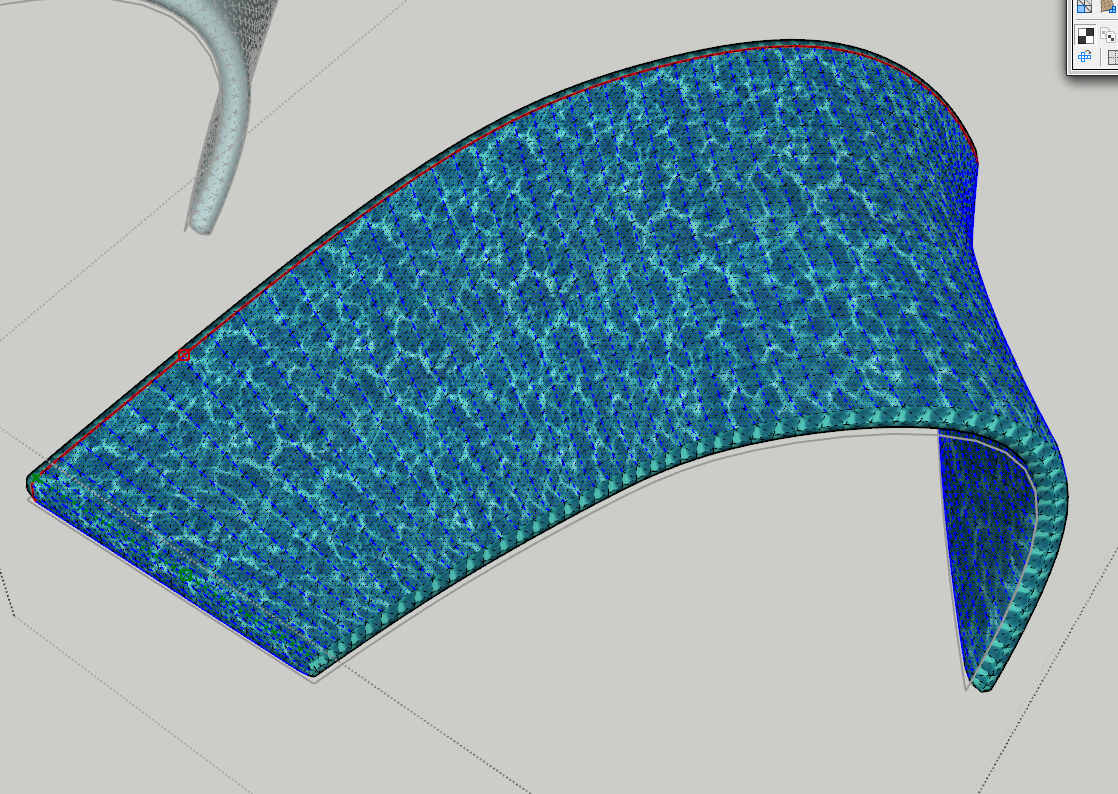
                                  I made a mesh with Curviloft using the rails - made it generate quads and I had no problem mapping it. ( Note that is you have anything selected, the UV mapping tool will limit the mapping to the selected entities. So make sure to deselect unless you can't to map a local region. )

                                  As for the extruded surface, I ran Convert Triangulated Mesh to Quads on it, turned out it converted it quite well. (surprisingly as it has issues)
                                  But I had to select a local region in order to map it, because the sides of the mesh could not be mapped to a 2D grid.
                                  See the screenshot for what selection I made:
                                  Mapping.png

                                  I picked a center-ish edge and used the Grow Edge Loop so the selection ran the length of the mesh - before it folds around the sides. Then I used Edge Ring to ring loop around the whole mesh. Then I use Select Quads from Edges.


                                  UVTEST.skp

                                  Thomas Thomassen — SketchUp Monkey & Coding addict
                                  List of my plugins and link to the CookieWare fund

                                  1 Reply Last reply
                                  Reply Quote 0
                                  • L
                                    lapx
                                    last edited by

                                    Like I said, You are amazing! I'll try it an let you know the results when i get to the office.
                                    Thanks once more and many thanks to come.

                                    1 Reply Last reply
                                    Reply Quote 0
                                    • A
                                      aea
                                      last edited by

                                      my instal new sketchup 8 and works ☀

                                      1 Reply Last reply
                                      Reply Quote 0
                                      • L
                                        lapx
                                        last edited by

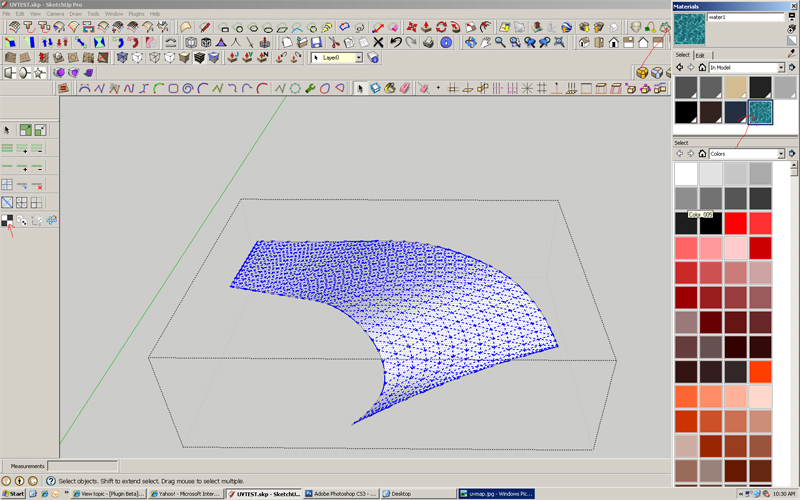
                                        One step at a time. Here's my curvi loft skin with quads activated. I select the quads by triple clicking in SU. I hit UV map selected quads and nothing happens when I try to pick UV direction. 😞

                                        BTW, my pick button on your quad tools is not working. Might that be the problem?
                                        Is there a problem using Su native picking tools?

                                        Thanks Tom for your help,

                                        Lapx


                                        uvmap.jpg

                                        1 Reply Last reply
                                        Reply Quote 0
                                        • thomthomT
                                          thomthom
                                          last edited by

                                          You do not need to select anything in this case. Since you map everything.

                                          Do you get any error messages in the Ruby Console?

                                          Thomas Thomassen — SketchUp Monkey & Coding addict
                                          List of my plugins and link to the CookieWare fund

                                          1 Reply Last reply
                                          Reply Quote 0
                                          • L
                                            lapx
                                            last edited by

                                            No errors to report. I just get the dialog at the bottom to pick the u direction. 😕
                                            Do hidden lines need to be on?

                                            1 Reply Last reply
                                            Reply Quote 0

                                            Hello! It looks like you're interested in this conversation, but you don't have an account yet.

                                            Getting fed up of having to scroll through the same posts each visit? When you register for an account, you'll always come back to exactly where you were before, and choose to be notified of new replies (either via email, or push notification). You'll also be able to save bookmarks and upvote posts to show your appreciation to other community members.

                                            With your input, this post could be even better 💗

                                            Register Login
                                            • 1
                                            • 2
                                            • 27
                                            • 28
                                            • 29
                                            • 30
                                            • 31
                                            • 65
                                            • 66
                                            • 29 / 66
                                            • First post
                                              Last post
                                            Buy SketchPlus
                                            Buy SUbD
                                            Buy WrapR
                                            Buy eBook
                                            Buy Modelur
                                            Buy Vertex Tools
                                            Buy SketchCuisine
                                            Buy FormFonts

                                            Advertisement