What's Wrong With This Image?
-

-
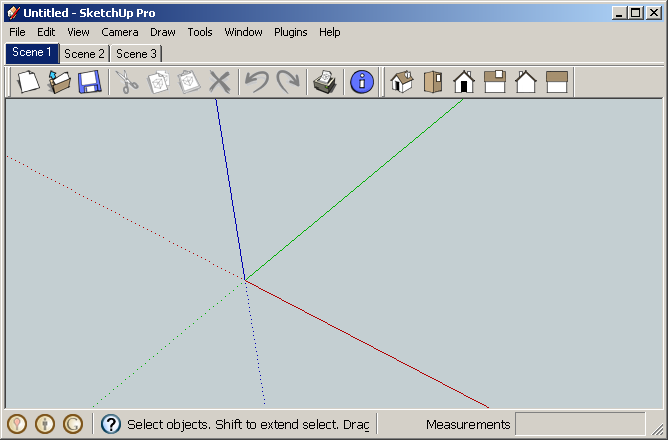
Location of scene tabs?
-
Yep. it's a repeatable bug - anyone know how? (DaveR might..)
-
Interesting, I did not realize someone had managed to get repeateable steps for this bug. Good one Jim,
Chris
-
Actually, I didn't figure out how to make it happen but it has happened to me on several occasions. The scene tabs have even been above the menus in my experience. It happens when reopening the window after it has been minimized. It isn't predictable though.
The only way I have found to restore them to their normal position is to close and reopen SU.



Hello! It looks like you're interested in this conversation, but you don't have an account yet.
Getting fed up of having to scroll through the same posts each visit? When you register for an account, you'll always come back to exactly where you were before, and choose to be notified of new replies (either via email, or push notification). You'll also be able to save bookmarks and upvote posts to show your appreciation to other community members.
With your input, this post could be even better 💗
Register Login


Advertisement