How to model a carved finial
-
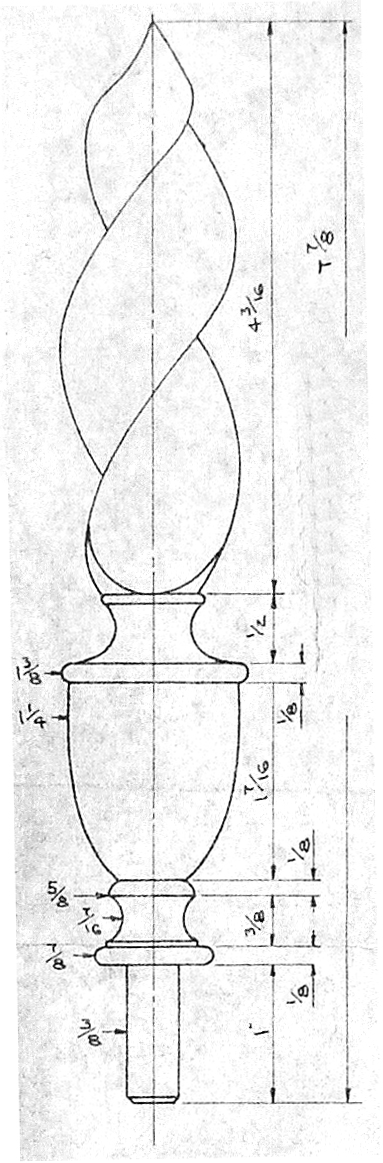
Hello, everyone! I am new to Sketchup and am trying to figure out the best way to model the hand-carved part of the flame finial in the attached drawing. The finial is part of a Queen Anne highboy. Thanks in advance for your help.
Ray
-
is it hollowed or fulled?
-
They are normally hand carved as here :-
-
Some idea by KitoRaupp
 (another videos on the same thema by the same author)
[flash=425,344:3w1kdaj1]http://www.youtube.com/v/jjgviBwP0L0&hl[/flash:3w1kdaj1]another way
2 faces + Path (of course you take another faces than a complet circle
a crescentmoon for exemple

-
There is more recent advice and more relevant on twists here:-
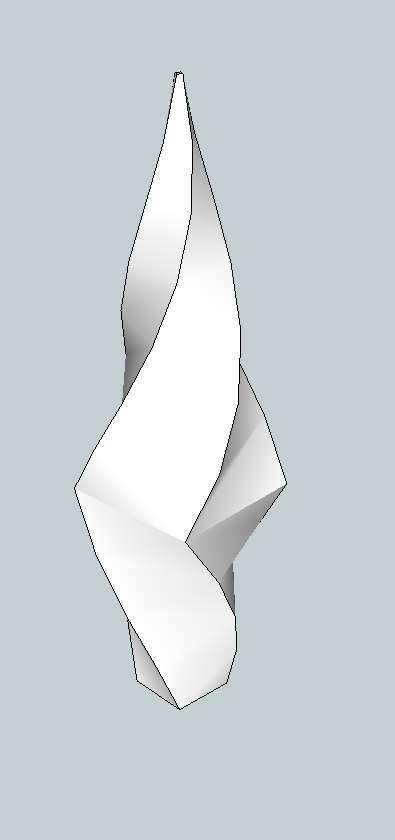
This is a very rough one I did using Fredoscale (twist then taper) The bottom part can of course just be lathed.
-
Hello there,
You can find some "twisting" advices here
http://forums.sketchucation.com/viewtopic.php?f=79&p=22430
and here
http://forums.sketchucation.com/viewtopic.php?f=323&t=23616&p=203876&hilit=chain#p203748
Some scaling would also be necessary in order to accomplish such a spiky form, at least I think so.
Edit: sorry, wrong link. What I meant was http://forums.sketchucation.com/viewtopic.php?f=79&t=26031&p=224249&hilit=twisted+bar#p224220 -
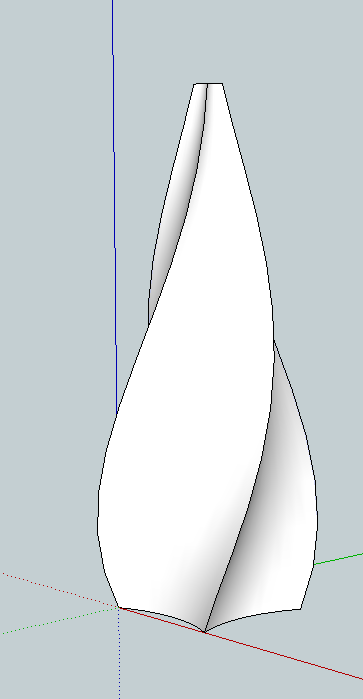
A somewhat better one:-
Made using TIG's Extrude Edges by Rails plugin then tapering and twisting with Fredoscale.
-
Thank you everyone for all of the ideas and advice! This was my first post, and I am very impressed by all the responses. I will try out these methods for myself and I feel certain that I will find something that works here.
On another note: how can I update my profile to include my "Location"?
Thanks.
-
@raych said:
Thank you everyone for all of the ideas and advice! This was my first post, and I am very impressed by all the responses. I will try out these methods for myself and I feel certain that I will find something that works here...
Yeah, those folks seem to be very helpful - thanks guys!

@unknownuser said:
On another note: how can I update my profile to include my "Location"?
Go to the User Control Panel (top left of the page) Profile Tab. You can make a whole lot of settings there, not only location. Browse through all the horizontal tabs and the vertical menus on the left.
-
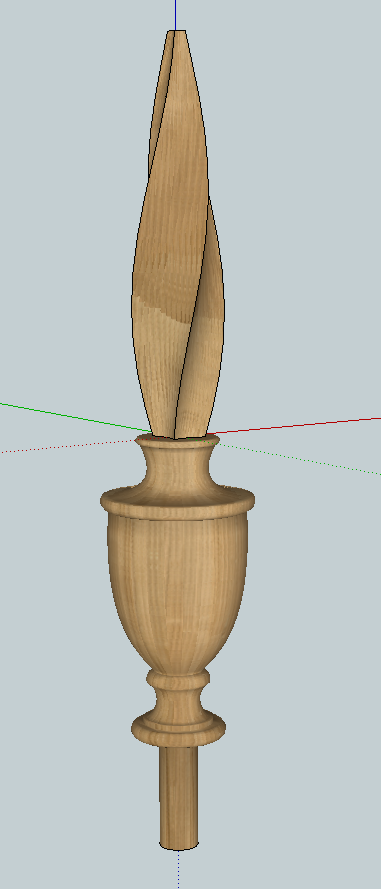
Here's one to play with. The model is too heavy as it stands and it also needs scaling.




Hello! It looks like you're interested in this conversation, but you don't have an account yet.
Getting fed up of having to scroll through the same posts each visit? When you register for an account, you'll always come back to exactly where you were before, and choose to be notified of new replies (either via email, or push notification). You'll also be able to save bookmarks and upvote posts to show your appreciation to other community members.
With your input, this post could be even better 💗
Register Login


Advertisement