sketchucation logo sketchucation
    • Login
    Oops, your profile's looking a bit empty! To help us tailor your experience, please fill in key details like your SketchUp version, skill level, operating system, and more. Update and save your info on your profile page today!
    Mac User? | Join the Rayscaper Beta for Mac Learn More

    [Plugin] Extrude Edges by Rails by Face

    Scheduled Pinned Locked Moved Plugins
    82 Posts 25 Posters 240.5k Views 25 Watching
    Loading More Posts
    • Oldest to Newest
    • Newest to Oldest
    • Most Votes
    Reply
    • Reply as topic
    Log in to reply
    This topic has been deleted. Only users with topic management privileges can see it.
    • simon le bonS
      simon le bon
      last edited by

      Does somebody have already thought of that fantastic kind of Eebrbf possibilities ?
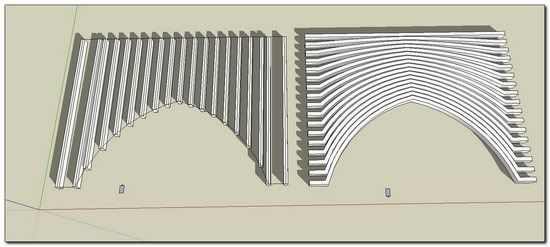

      http://i274.photobucket.com/albums/jj245/Spendauballet/SketchUp/TIGeebfbr_028_th.jpg

      In order to achieve the left figure: -> ->
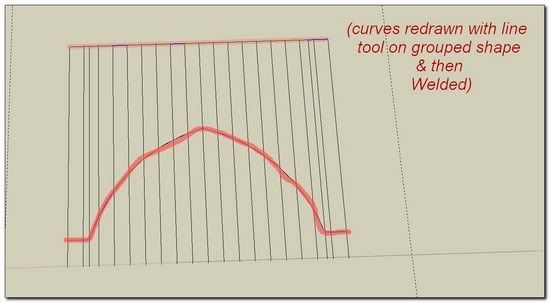
      http://i274.photobucket.com/albums/jj245/Spendauballet/SketchUp/TIGeebfbr_029_th.jpg

      😉 😉 simon

      1 Reply Last reply
      Reply Quote 0
      • pilouP
        pilou
        last edited by

        And at the end you can now rotate each "lines volumes" between them! 😉

        For the pleasure of the eyes ☀
        A geometric study by Cristobal Vila

        Frenchy Pilou
        Is beautiful that please without concept!
        My Little site :)

        1 Reply Last reply
        Reply Quote 0
        • simon le bonS
          simon le bon
          last edited by

          Hi Pilou,
          Isfahan is a pure Gem (as you sometimes like to say) It would deserve a dedicated thread IMO.
          (I would like to know what softs Cristobal Vila had used.)

          @unknownuser said:

          And at the end you can now rotate each "lines volumes" between them! 😉

          Can you please explain further. I don't understand what you mean. What you say let me think I have missed an important enhancement.. ❓

          A remark for TIG:
          Here and there, the process make Su krashes whith the following message: BUG SPLAT RC _ RESOURCE DLL NOT FOUND
          Is there some manipulations to avoid?

          *simon

          1 Reply Last reply
          Reply Quote 0
          • pilouP
            pilou
            last edited by

            @unknownuser said:

            It would deserve a dedicated thread IMO.

            I believe that it's yet exist somewhere in this forum 😉

            Cristobal uses in general Electric Image! It's a big fan of it 😉

            @unknownuser said:

            I don't understand what you mean. What you say let me think I have missed an important enhancement.

            You absolutly no missed something 😄
            Is just that your final example is some "Flat"
            So if you take each form you can rotate it 😉
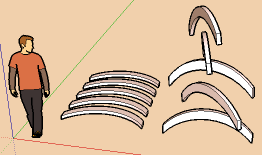
            rotate.png

            Frenchy Pilou
            Is beautiful that please without concept!
            My Little site :)

            1 Reply Last reply
            Reply Quote 0
            • simon le bonS
              simon le bon
              last edited by

              @unknownuser said:

              Electric Image Animation System v8.0 EIAS 8 full version $895.00

              😎 not for me dear Pilou

              @unknownuser said:

              You absolutly no missed something 😄

              Oh! I see! 😉

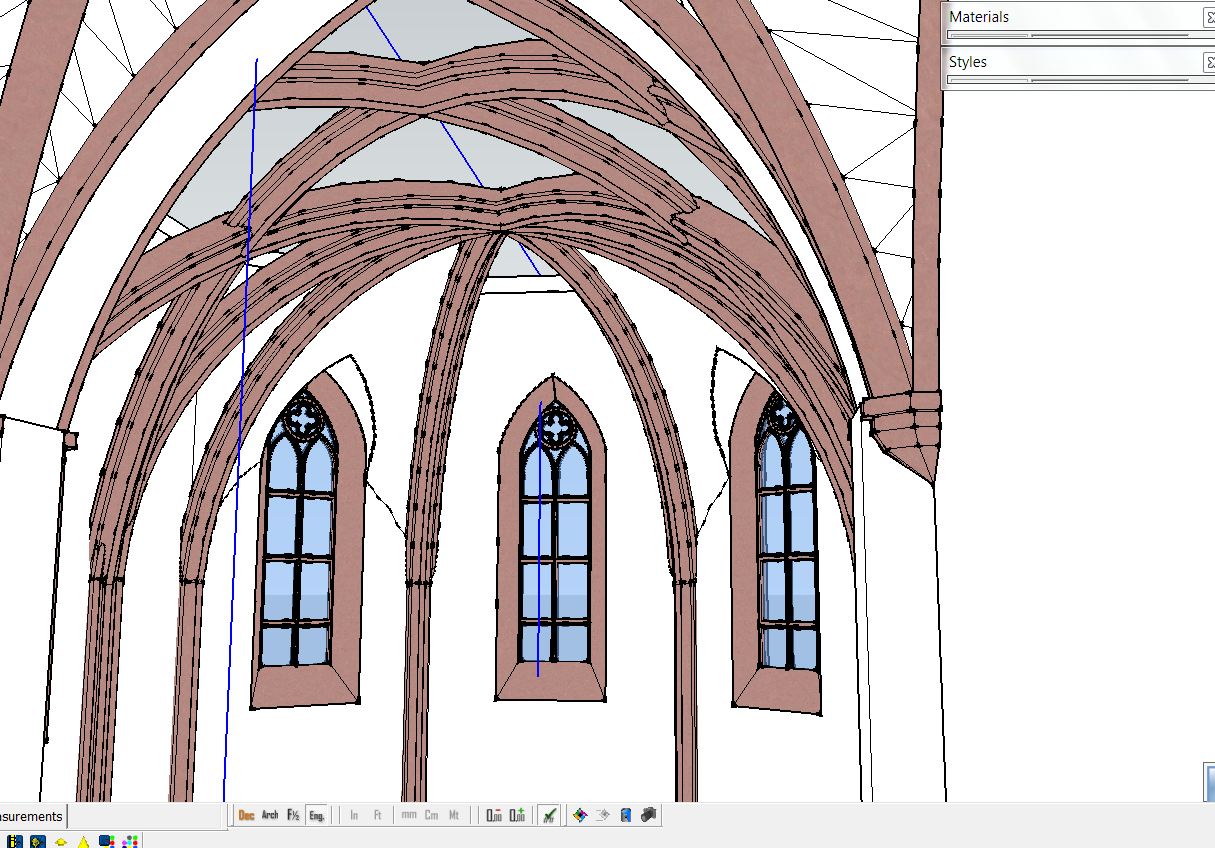
              In my mind that wasn't really an "exemple" to show but a potential to point out. ->How can we obtain else way a regular evolution of a curve from a shape to another in SU without any calculation? I see plenty of possible applications in architecture..
              -> the other possibility offers a great time saving in building fences, trellis, framework...

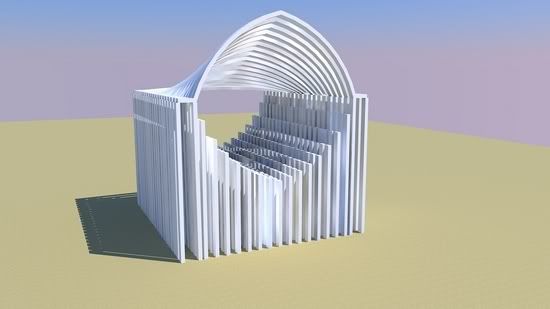
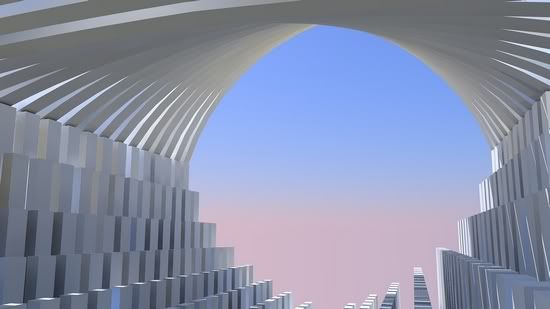
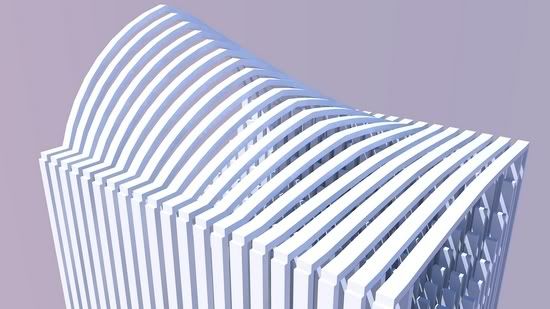
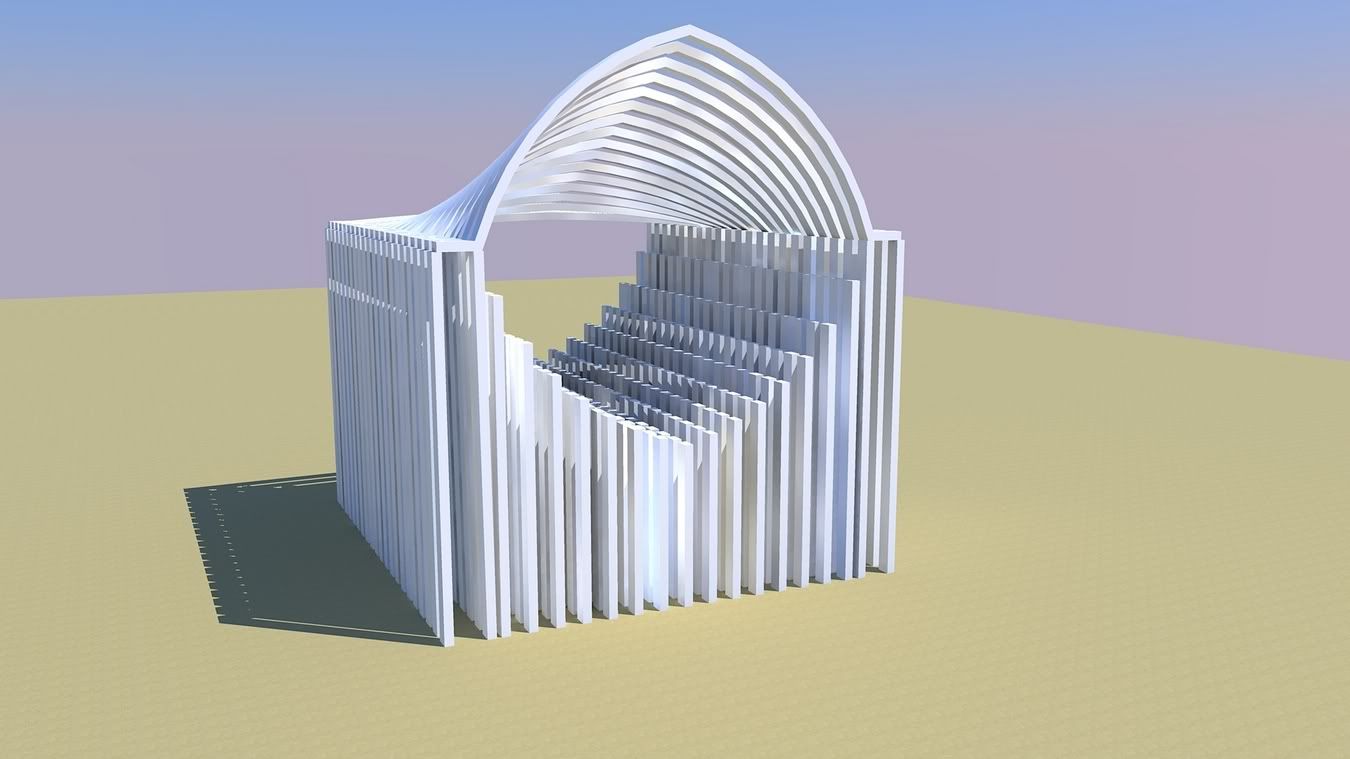
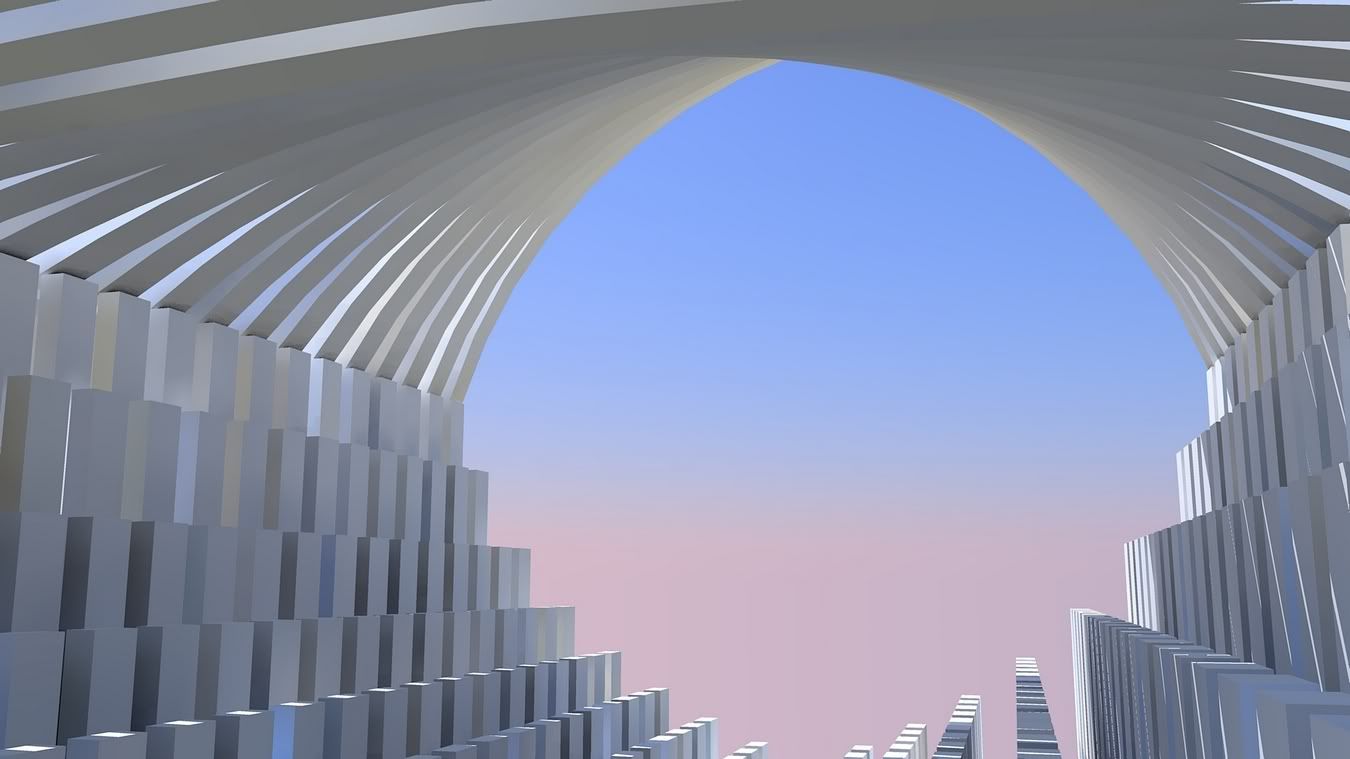
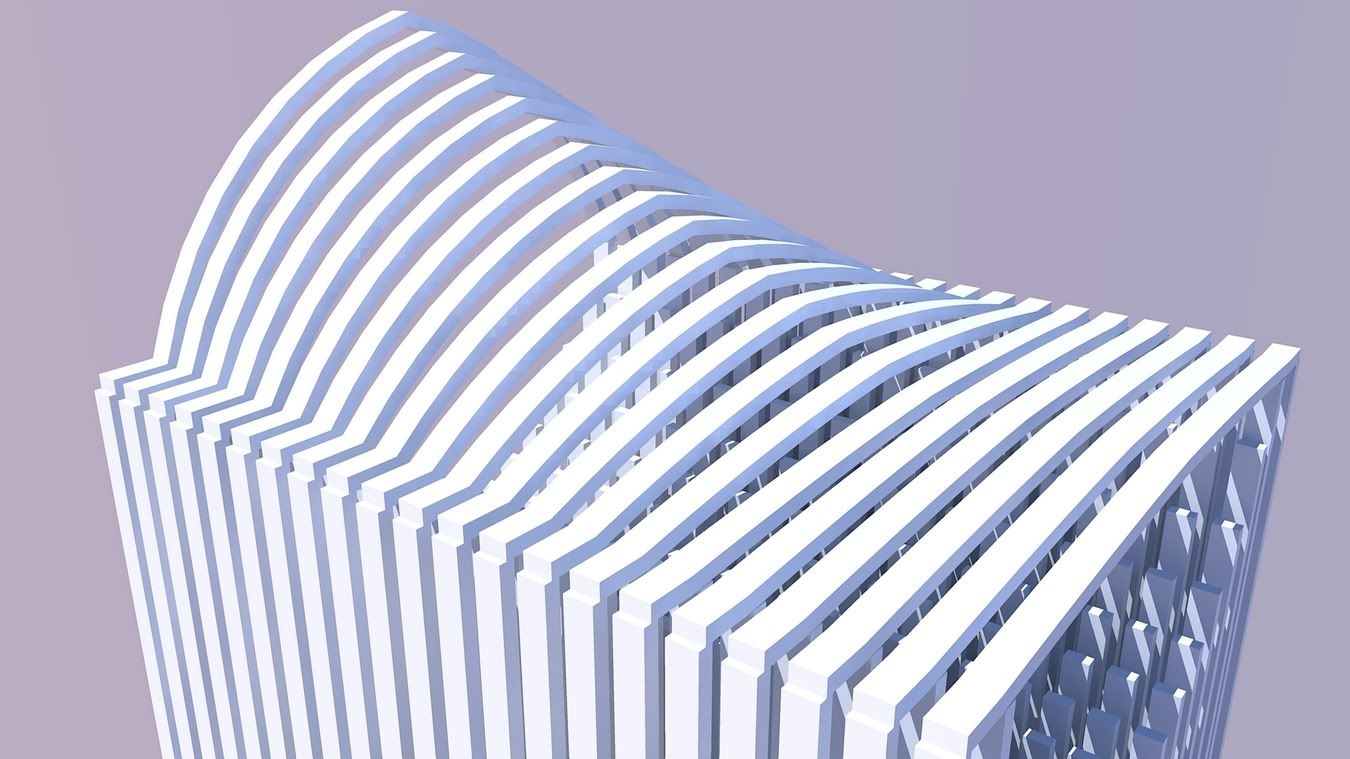
              Here is a quick rather poor exemple

              http://i274.photobucket.com/albums/jj245/Spendauballet/SketchUp/TigChurch001_th.jpg


              http://i274.photobucket.com/albums/jj245/Spendauballet/SketchUp/TigChurch003_th.jpg


              http://i274.photobucket.com/albums/jj245/Spendauballet/SketchUp/TigChurch004_th.jpg

              😕 s

              1 Reply Last reply
              Reply Quote 0
              • pilouP
                pilou
                last edited by

                yes you have also the 2 faces + path who give the evolution of a curve/ surface 😉

                http://forums.sketchucation.com/download/file.php?id=32785

                Frenchy Pilou
                Is beautiful that please without concept!
                My Little site :)

                1 Reply Last reply
                Reply Quote 0
                • simon le bonS
                  simon le bon
                  last edited by

                  Kirill 2 faces + path exact, exact 👍

                  1 Reply Last reply
                  Reply Quote 0
                  • simon le bonS
                    simon le bon
                    last edited by

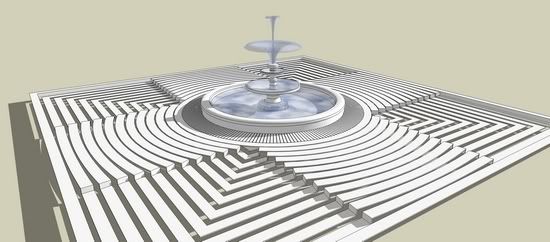
                    I pursued my idea with : "La jolie petite fontaine"

                    http://i274.photobucket.com/albums/jj245/Spendauballet/SketchUp/TIGeebfbr_048th.jpg

                    *s

                    1 Reply Last reply
                    Reply Quote 0
                    • M
                      Morphing_24
                      last edited by

                      Hey TIG
                      I have just downloaded this plugin and I tried to find an answer here if there is always a default number of ribs . Everytime, I find that there are always 21 ribs and I have no idea how to change it. How can I do it??
                      thanks

                      1 Reply Last reply
                      Reply Quote 0
                      • TIGT
                        TIG Moderator
                        last edited by

                        That number depends on the segments in the "rail/profiles's" curve - so add/subtract segments to change that...
                        Your 'rail/profile' must have 20 segments >> 21 "ends" ???
                        😒

                        TIG

                        1 Reply Last reply
                        Reply Quote 0
                        • M
                          Morphing_24
                          last edited by

                          thanks, problem solved 😄
                          But now i have one problem and another question.
                          I use a macbook pro and this only happens on mac not on the PC generally. The problem is that whenever I try to use the extrude edges by rail by face, and most of the time after I choose profiles and rails it crashes and the crashDialogHeader appears . What do you think it might be??
                          And the other question is if the number of ribs depend on the segments, I made a curve using the line tool but it looks really edgy, and if I draw a line with the bezier tool, how can I control the number of ribs using this tool and at the same time keeping it smooth?
                          Thanks in advance

                          1 Reply Last reply
                          Reply Quote 0
                          • TIGT
                            TIG Moderator
                            last edited by

                            The Bezier tool has an Edit option on its toolbar - so use that to change the number of segments in a curve - it's similar to how you can change the segmentation of an Arc in 'Entity Info'.

                            TIG

                            1 Reply Last reply
                            Reply Quote 0
                            • charly2008C
                              charly2008
                              last edited by

                              Hi TIG,

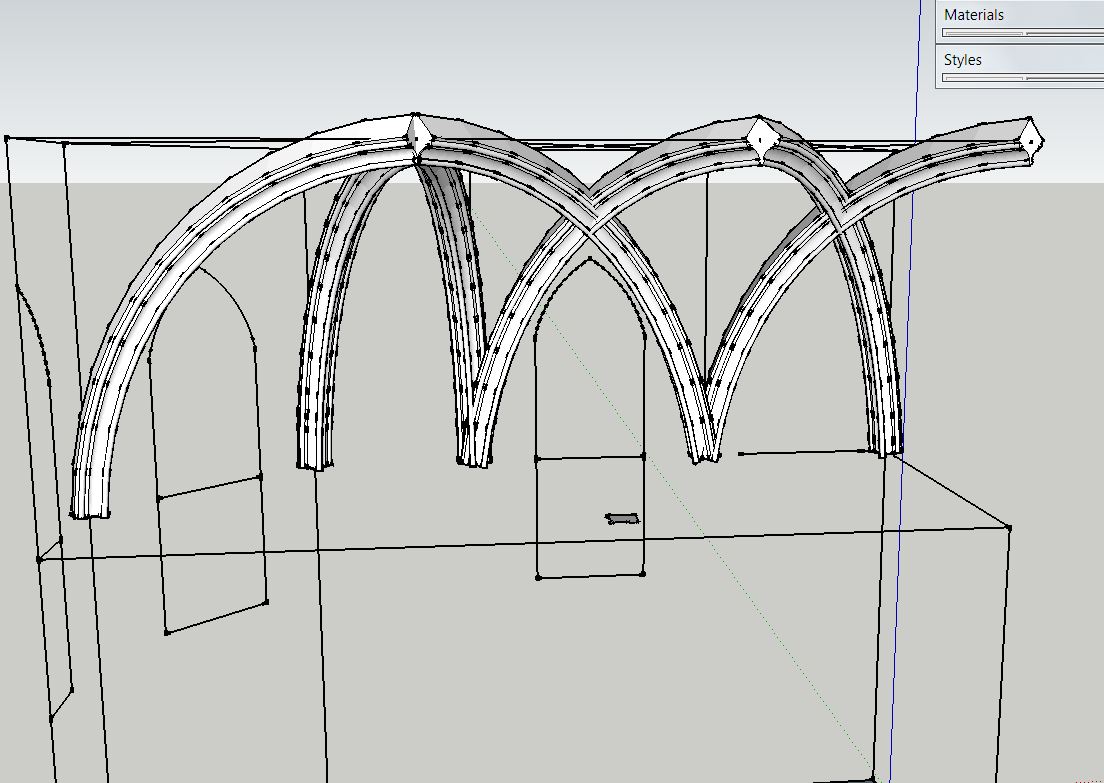
                              I find your EEbyFace is very suitable for the construction of Gothic vaults. But one problem I have! How can I predetermine the orientation of the final Profile exactly? So far I have turned the initial profile until I accidentally had the desired direction. Is there a simpler solution?

                              Charly
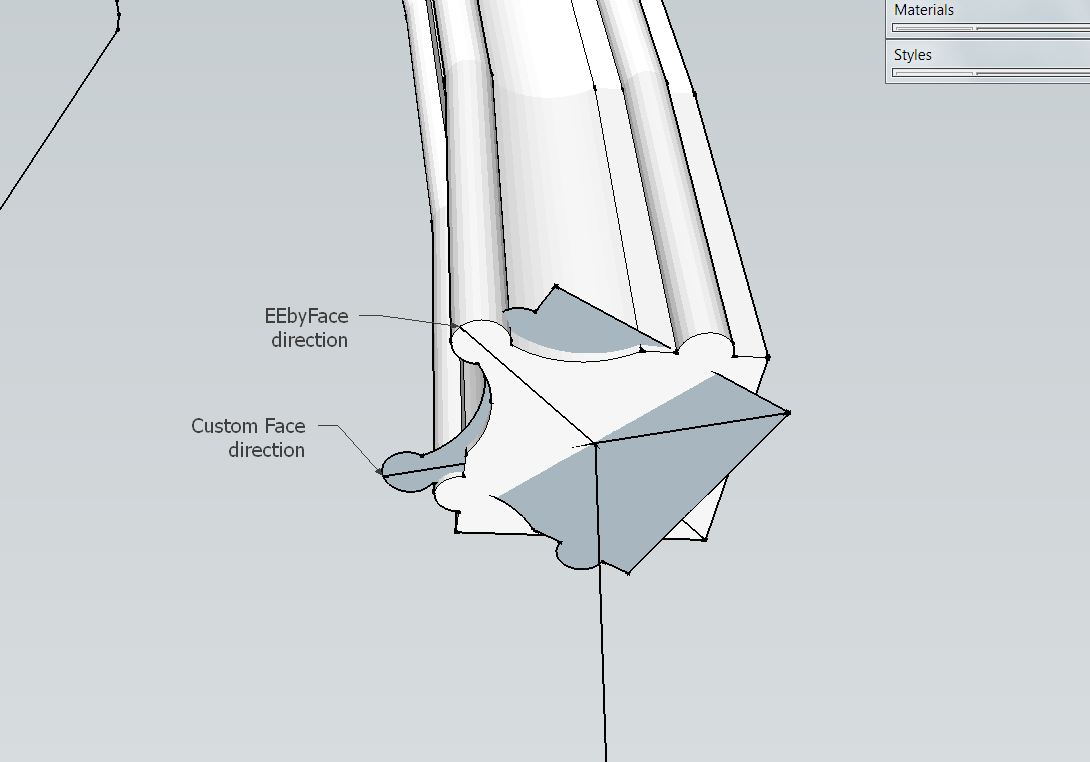

                              Extrude 1.JPG


                              Extrude.JPG


                              Extrude.skp


                              Extrude 1.JPG

                              He who makes no mistakes, makes nothing

                              1 Reply Last reply
                              Reply Quote 0
                              • TIGT
                                TIG Moderator
                                last edited by

                                When you draw the 'Profile' face flat on the ground its Y [green] axis is used as the Z up axis of the extrusion. If this extrusion starts flat it is kept at Y [?] 😕

                                TIG

                                1 Reply Last reply
                                Reply Quote 0
                                • J
                                  joebamber
                                  last edited by

                                  TIG - the other extrusion tools are awesome and i now use them as much as i can,

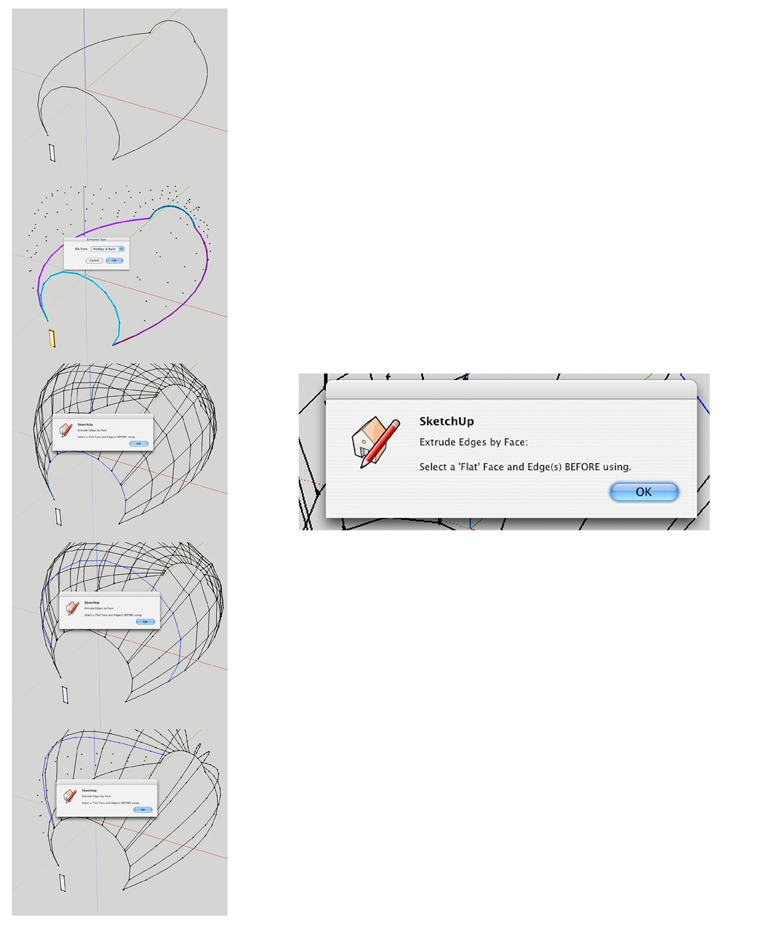
                                  But the Extrusion by Rail by Face; just has never worked for me, i've included pictures for you to understand...

                                  It always says i haven't selected the face and so wont extrude them across either rails or profiles (though as you can see, i defintly did select it),

                                  I have a MAC pro with sketchup 7 - and on bootcamp in both MAC and PC worlds i get this trouble... 😢


                                  TIG QUESTION.jpg

                                  1 Reply Last reply
                                  Reply Quote 0
                                  • TIGT
                                    TIG Moderator
                                    last edited by

                                    It's because your selected Face isn't made 'FLAT' - i.e. it must line flat on the ground, and its Y [green] axis will be taken as the 'UP' direction when extruding it. It doesn't matter if it faces up or down the tool assumes it's facing up anyway!
                                    Just rotate it about an edge so it's 'flat' on the ground.

                                    TIG

                                    1 Reply Last reply
                                    Reply Quote 0
                                    • S
                                      stefx
                                      last edited by

                                      Hi TIG,
                                      I use a MacBook too and I have the same problem of Morphin_24....have you got any idea to solve that?
                                      Thank you very much.

                                      Stef.

                                      1 Reply Last reply
                                      Reply Quote 0
                                      • TIGT
                                        TIG Moderator
                                        last edited by

                                        stefx

                                        You can control the number of points in a Bezier curve - as explained in my earlier response.
                                        Can you give any more info or an example SKP with a failing set of curves ?
                                        PM or posted 😕

                                        TIG

                                        1 Reply Last reply
                                        Reply Quote 0
                                        • S
                                          stefx
                                          last edited by

                                          It is a simple bunch of curves....could you explain how i can manage the segments with the bezier curves?
                                          thank you very much.

                                          Stef.


                                          12~.skp

                                          1 Reply Last reply
                                          Reply Quote 0
                                          • TIGT
                                            TIG Moderator
                                            last edited by

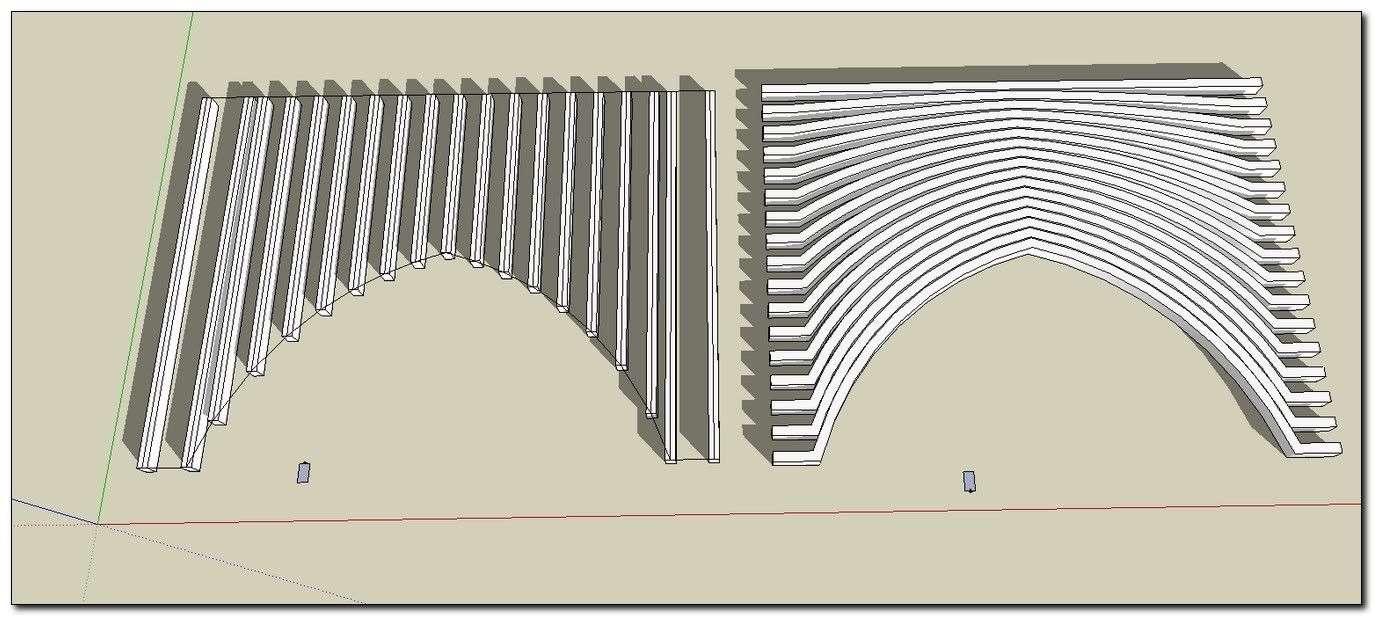
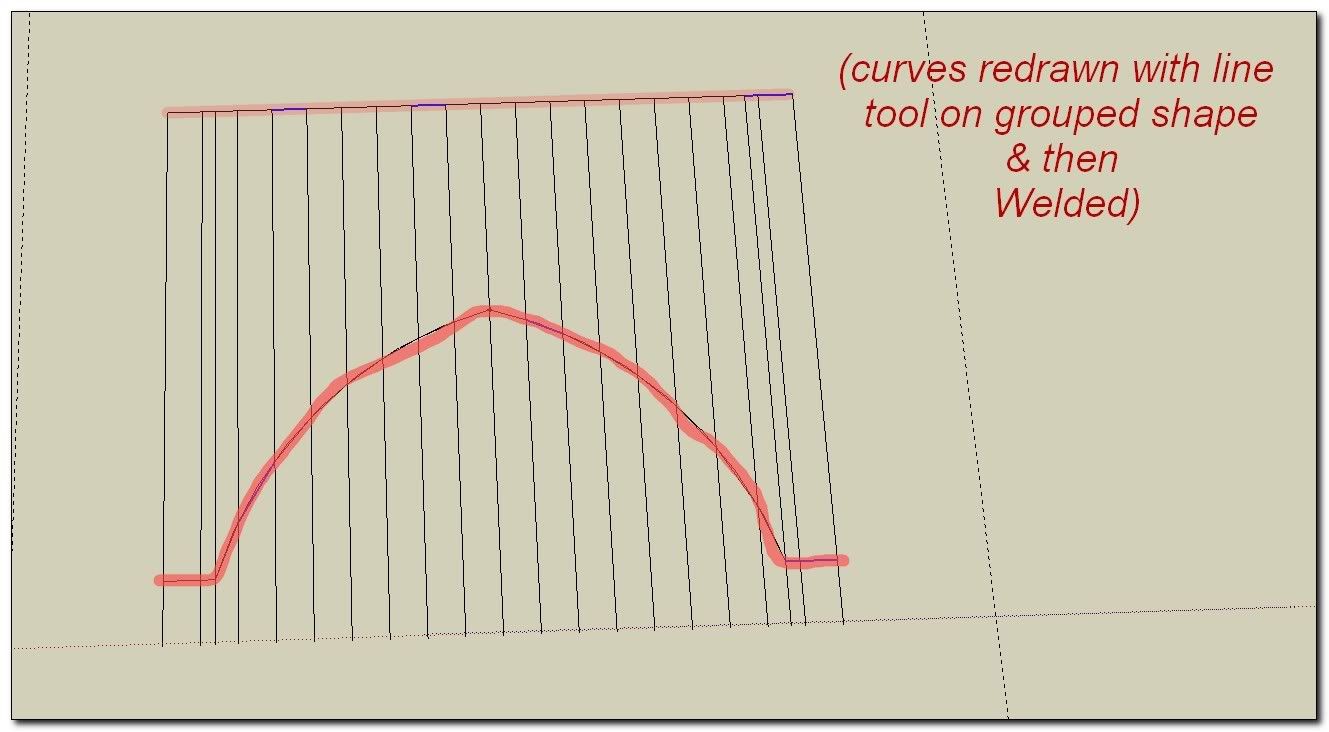
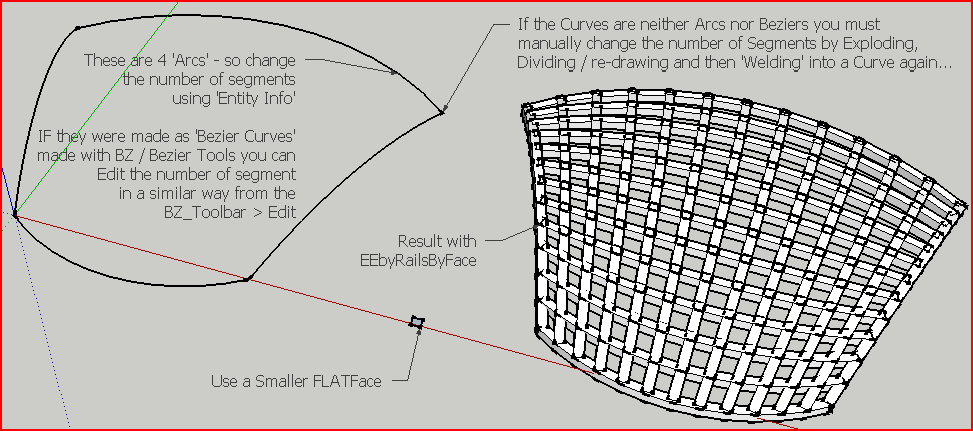
                                            You don't have Beziers 😕 They are 'Arcs' and you need to use the built-in tool 'Entity Info' to manage those. They have 12 segments which is reasonable. Reduce the face's size/shape to get 'bars' formed...
                                            See this illustration for more detailsCapture.PNG
                                            TIG

                                            1 Reply Last reply
                                            Reply Quote 0

                                            Hello! It looks like you're interested in this conversation, but you don't have an account yet.

                                            Getting fed up of having to scroll through the same posts each visit? When you register for an account, you'll always come back to exactly where you were before, and choose to be notified of new replies (either via email, or push notification). You'll also be able to save bookmarks and upvote posts to show your appreciation to other community members.

                                            With your input, this post could be even better 💗

                                            Register Login
                                            • 1
                                            • 2
                                            • 3
                                            • 4
                                            • 5
                                            • 2 / 5
                                            • First post
                                              Last post
                                            Buy SketchPlus
                                            Buy SUbD
                                            Buy WrapR
                                            Buy eBook
                                            Buy Modelur
                                            Buy Vertex Tools
                                            Buy SketchCuisine
                                            Buy FormFonts

                                            Advertisement