Hidden geometry shadows
-
Hi,
Is there a way to hide or create section plane of a wall and keep the shadows of that hidden wall visible.
The reason i ask is i would like to create an elevation sun study of the effects of my building on a neighboring building but the view of this elevation means my building is in front of the elevation i want the shadows to project on.
Any help would be appreciated.
-
You can't do what you ask... BUT here is the way...
If the original building is very complex it might be quicker to make a few quick 3D shapes to enclose it in a separate group as the 'copy', otherwise copy it as initially set out below...
If it's not already make your building etc into a group.
Edit>Copy your building to the clipboard.
Make a Layer for the Building [BLDG].
Put you original building onto this and then switch that Layer off.
Make a new Layer for the copied building [BLDG-COPY].
Edit>Paste_in_Place to put the copy where it should be.
Put the 'copy' onto the new layer BLDG-COPY.
If the building was originally a component use 'make unique' on it, so that you don't affect the original.You now need to make all of this copied-building to have a special material [explained later].
The best way is to apply it to a component or group that has the default material and everything will take that material.
Now edit the parts of this copy as required - selecting all faces and uncolored groups [remember that component-instances should be 'made unique' or exploded to avoid unexpected changes elsewhere] etc and make their material 'default'.Whether you have made a simplified overlaid group 'copy' or you have copied the whole original building - now you need to add the attached material [skm] to your model from the Materials Browser [I'd probably put it in Transparent Materials folder before [re]starting SUp?] and paint the 'copy' with it.
The 'copy' should now become completely transparent except for its edges, BUT it will still cast shadows - this is because it's using a transparent .png texture BUT it has its transparency above the transparency threshold.Note that if some bits don't become clear in your copied version you need to do a bit more editing of its contents...
So now you have a copy of your building that is completely transparent and will cast shadows - switch between the layers to toggle the transparent copy and original on/off...
Note that if you want to hide even the edges of this copy then you need to do some more editing and select all edges within it [there are several plugins that allow you to do this and ignore faces etc] - and then 'hide' them all - now with View>Hidden_Geometry 'off' you won't be able to see the copy at all BUT it will cast a shadow on its neighbors...
A complex volume might cast shadows within itself onto otherwise invisible faces - if you section-cuts beyond these there is no problem - however, if you see them in the shadow study you can minimize them by temporarily hiding the offending faces in the 'copy' in that view so they don't cast shadows - switch them back on when you need them to cast shadows at a different time of day ?
TransparentDummy.skm -
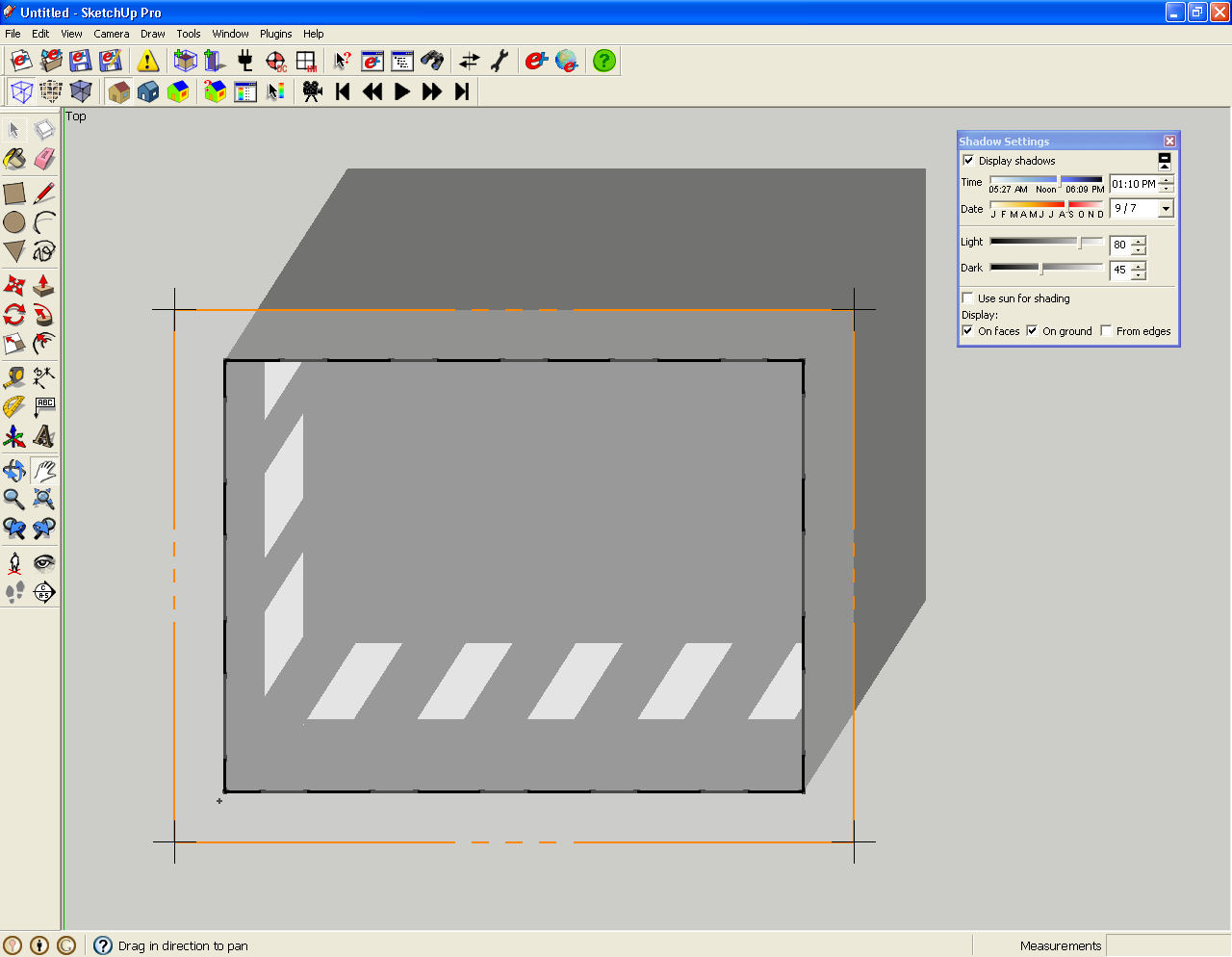
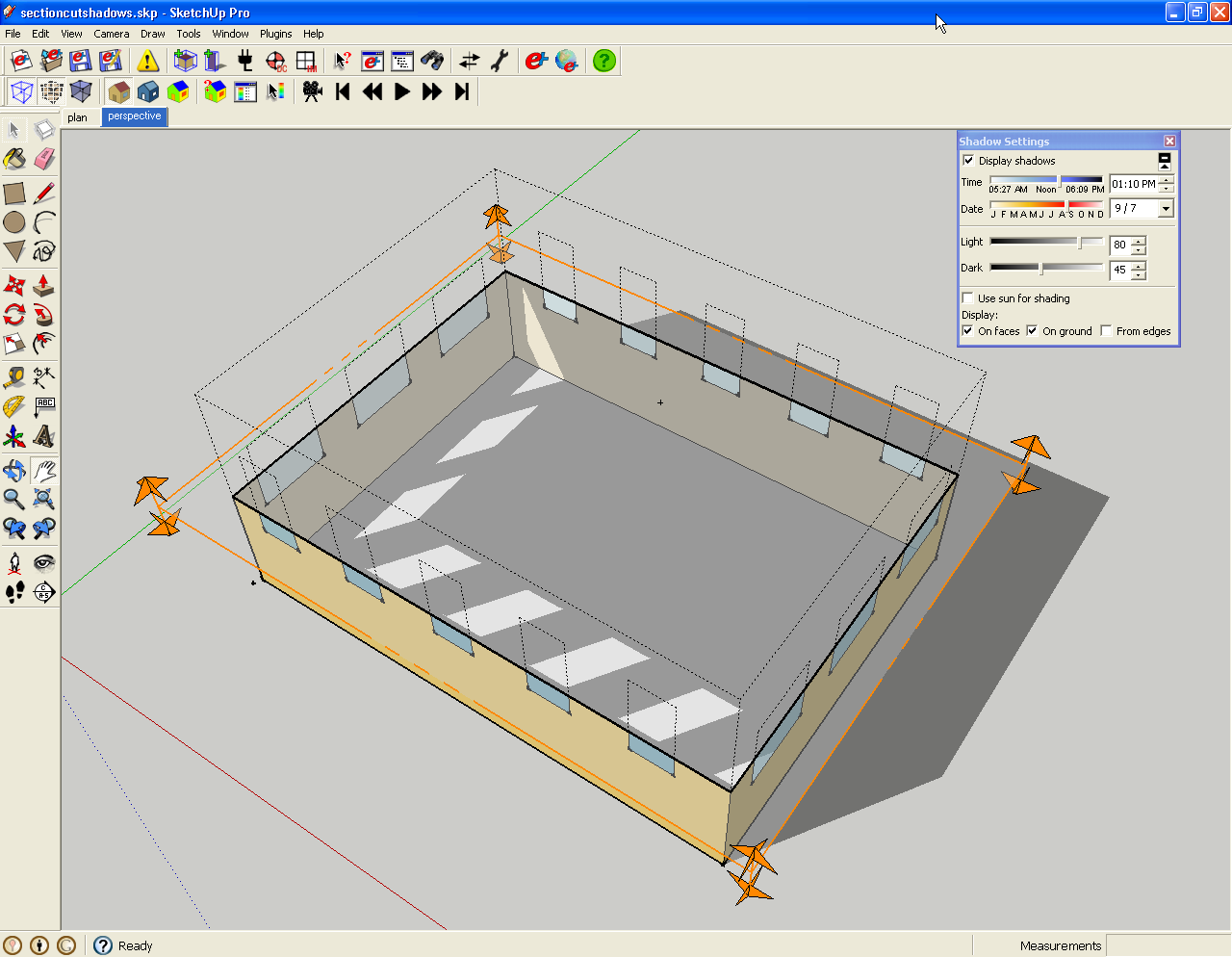
I just ran across this idea myself, but I guess it wasn't original. At any rate, I have a SketchUp file demonstrating this and some sample screen shots.
Seems it would be a pretty easy ruby script.
- User starts with section cut selected.
- Ruby copies all objects in active group to a new group.
- Changes materials
- Pastes section cut in place
- reverses section cut direction.
If any geometry is changed the script has to be re-run.


Hello! It looks like you're interested in this conversation, but you don't have an account yet.
Getting fed up of having to scroll through the same posts each visit? When you register for an account, you'll always come back to exactly where you were before, and choose to be notified of new replies (either via email, or push notification). You'll also be able to save bookmarks and upvote posts to show your appreciation to other community members.
With your input, this post could be even better 💗
Register Login


Advertisement