[Plugin] ExtrudeTools - Full Set
-
Here's an update http://forums.sketchucation.com/viewtopic.php?p=217663#p217663
EEbyRails and EEbyLoft have been updated so that the 'Quad Faces' option meets Thomthom's updated spec for this type of face... -
I've just installed the collection but it isn't working properly. The toolbar doesn't appear and the EbyEdges tool doesn't work. I haven't tried the others out yet. Is this just me? I've installed it by putting the .rb files in the main plugins folder and the tigtools folder in there as well. Is that right?
-
Yes.

This is what should be in your Plugins folder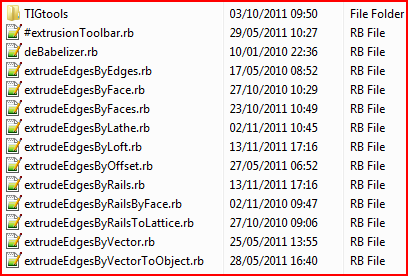
The TIGtools folder contains lots of support files too.
Are you sure all of the files are properly inside Plugins ?
No 'Compatibility Files' issues ??
The one starting with # is needed to make the toolbar etc.
You must activate the toolbar from View > Toolbars the first time it's loaded... -
Hi, thanks aagain for this excellent tools
Is it possible to use extrude edge by loft by using lines and curves instead of curves exclusively,
If it is not possible how can I recreate the line using a curve ? -
Ok, I've got the toolbar, but when I try to use the EbyEdge tool, for about 15 - 20mins nothing happens. My computer is normally quite fast - is it meant to take that long?
-
@peterf said:
Ok, I've got the toolbar, but when I try to use the EbyEdge tool, for about 15 - 20mins nothing happens. My computer is normally quite fast - is it meant to take that long?
Run it with the Ruby Console open and post any error messages.
Are you sure you want to use this too?
It has quite specific results.
Perhaps EEbyRails might be what you want... -
@unknownuser said:
Hi, thanks aagain for this excellent tools
Is it possible to use extrude edge by loft by using lines and curves instead of curves exclusively,
If it is not possible how can I recreate the line using a curve ?Fredo's CurviLoft might work with plain edges... BUT most of my EEby... tools usually require 'Curves' to be selected... to make a collection of edges into a 'curve' use
weld.rb, it's freely available from Smustard.com... -
I've ended using curviloft, the weld tool couldn't manage to get my lines into curves
-
Hi,
I have the toolbar, but nothing happens if i want to use a function except the popup-windows.
I am getting the following error from Ruby-Console:Error: #<TypeError: reference to deleted Group>
C:/Program Files (x86)/Google/Google SketchUp 8/Plugins/extrudeEdgesByFaces.rb:626:inentities' C:/Program Files (x86)/Google/Google SketchUp 8/Plugins/extrudeEdgesByFaces.rb:626:inmake_mesh'
C:/Program Files (x86)/Google/Google SketchUp 8/Plugins/extrudeEdgesByFaces.rb:286:in `onLButtonDownCan anyone help me? Thanks in advance!
-
@unknownuser said:
Hi,
I have the toolbar, but nothing happens if i want to use a function except the popup-windows.
I am getting the following error from Ruby-Console:Error: #<TypeError: reference to deleted Group>
C:/Program Files (x86)/Google/Google SketchUp 8/Plugins/extrudeEdgesByFaces.rb:626:inentities' C:/Program Files (x86)/Google/Google SketchUp 8/Plugins/extrudeEdgesByFaces.rb:626:inmake_mesh'
C:/Program Files (x86)/Google/Google SketchUp 8/Plugins/extrudeEdgesByFaces.rb:286:in `onLButtonDownCan anyone help me? Thanks in advance!
The error you show is when you choose to intersect the mesh with itself. What happens if you don't do that [say No!]...
Can you post the SKP that's causing the issue and some instructions on the steps you are taking to get the error, which I can't reproduce... -
Hi TIG,
thank you for your fast answer! I will give a more detailed description: I had to reinstall Sketchup and because of that also your plugin. Since that reinstallation the whole plugin is not working anymore and I can’t figure out why (because I installed it the same way as before). No matter which function of the plugin I use, I get no result.
I get the error message I posted every time when I press “intersect with mesh”. When I press anything else nothing happens at all (no matter which of the functions I use). When I use the function “Extrude edges by rails” for example I get another error message:EEE
undefined method `transform!' for nil:NilClassI added two screenshots, I don’t know if that helps.
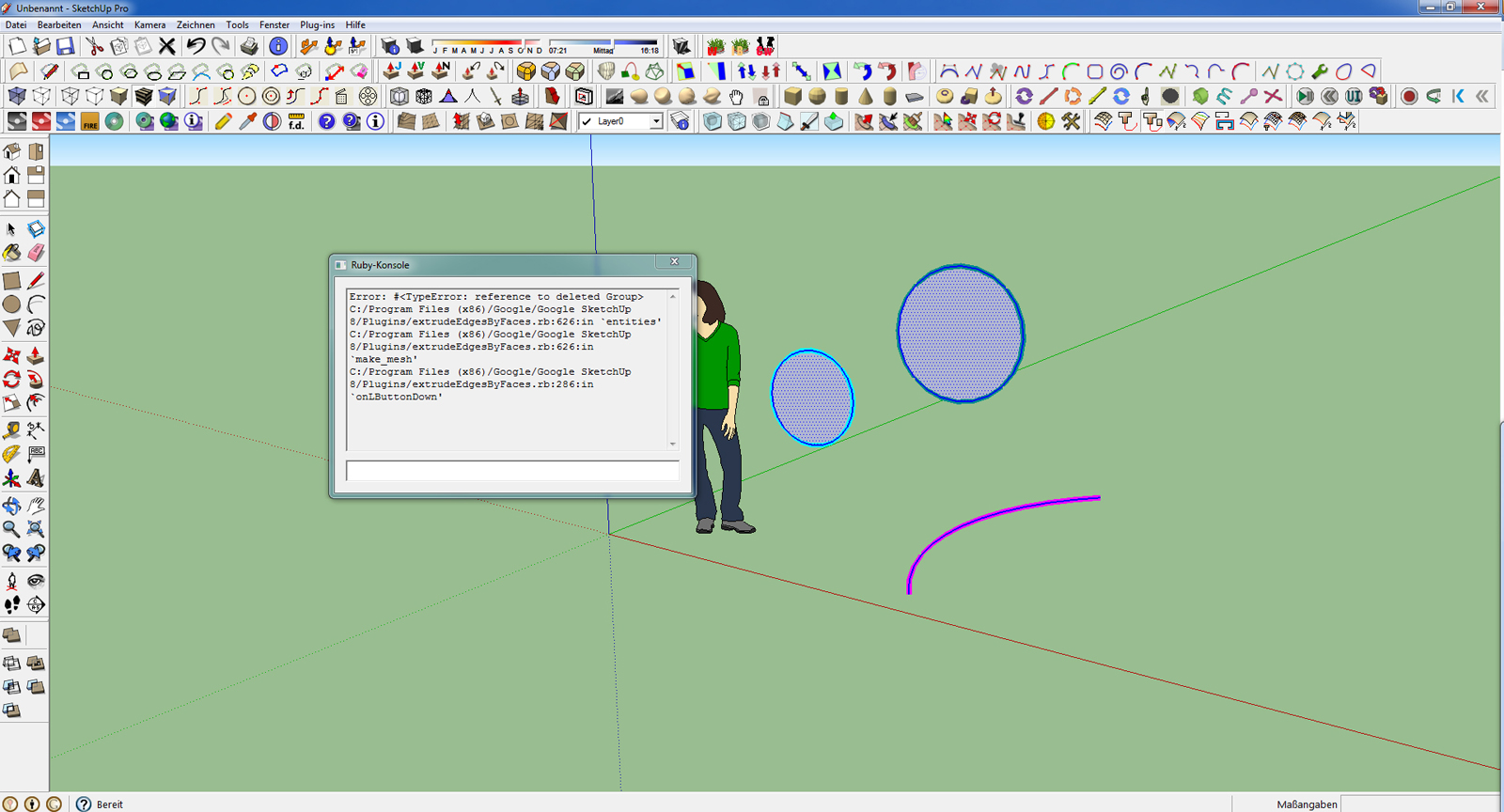
-
dear Tig
I installed this set on a fresh copy of Su but some tool are not working with no error message! just it highlights ( and recolor) curves!
Majid -
Majid
Have you installed all of the .rb files that are in the zipped set - e.g. the deBabelizer.rb.
Have you definitely installed all of the other files keeping them inside their subfolder ?
Are you sure it's not a 'Compatibility Files' issue ?
Do you have full access rights to the Plugins folder etc...
Are there any [other] Ruby Console messages when you try to run the tool ?MeisterDrow
Same goes for you...
Can you post the sample SKP and a step by step of what you do to get the failure.
It may be you are trying to do something that another tool would be better suited to ?? -
dear TIG, there is some other plugin installed, libfredo, scin and loft, ferrari sketch, and that is all. all of them are installed in a true way. at the moment cannot check, but will tomorrow.
-
Hi TIG,
thanks for your support, that's not self-evident!
You have been right, it was a 'Compatibility Files' issue as you recommended. Your plugin 20111113 is not working if sketchyphysics 3.2 is also installed. The older version of your plugin in combination with an older sketchyphysics version worked. Now I deleted sketchyphysics and your plugin is working fine!
Greetings
-
There is a known problem with several scripts being incompatible with SP - which messes, ill-advisedly with some base-classes...
We await its resolution.
The 'Compatibility Files' often catches users out on new systems -one of Windows dafter ideas... -
Hi everybody,
i have installed the TIG extrusion tools, but the most of them don't work.
I make:
2 arcs, after make a groupe - it's the first groupe.
2 arcs for the second groupe.
I select the 2 groupes and start EXTRUDE EDGES BY EDGES
Sketchup show me : MULTIPLYING EDGES.....
.... waiting 5 minutes and nothing.the same is with other tools
I have no problem with tools like ARTISAN and others
Where is the problem? -
Run EEbyEdges with the Ruby Console open and post any error messages.
Are your arcs of a reasonable size etc ?
Why not post the SKP that's not working, or at least a screenshot - you might have made the bits wrongly ?
We can't tell unless we have more information...
Works for me and thousands of others...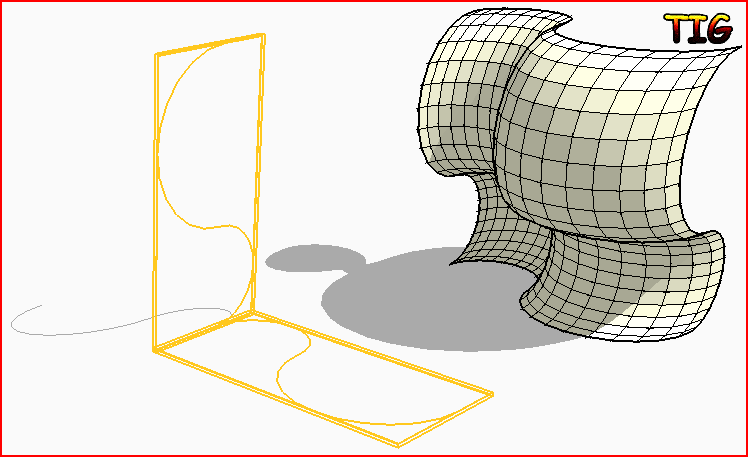 Are you sure it's the tool you want? If you welded the arcs into curves and the used EEbyRails would that perhaps give the expected result ??
 -
that's on ruby console:
Error: #<TypeError: wrong argument type (expected Sketchup::Entity)>
C:/Program Files (x86)/Google/Google SketchUp 8/Plugins/extrudeEdgesByEdges.rb:228:inadd_group' C:/Program Files (x86)/Google/Google SketchUp 8/Plugins/extrudeEdgesByEdges.rb:228:inactivate'
C:/Program Files (x86)/Google/Google SketchUp 8/Plugins/extrudeEdgesByEdges.rb:384:inselect_tool' C:/Program Files (x86)/Google/Google SketchUp 8/Plugins/extrudeEdgesByEdges.rb:384:inextrudeEdgesByEdges'
C:/Program Files (x86)/Google/Google SketchUp 8/Plugins/extrudeEdgesByEdges.rb:399 -
Still doesn't help a lot!
However, I now suspect that it's a clash with another script that's ill-advisedly interfering with the built-ingroup.copymethod. One known culprit is Sketchy-Physics, another is Driving-Dimensions. If you have those install tools please try disabling them - to do that find the relevant .rb or .rbs file[s] in the Plugins folder, that will load the tool[s] and add a '!' to the end of the file-extension [you need your folder options set to let you see the extensions] so they are .rb! or .rbs! files. Restart Sketchup and see if EEbyEdges works now...
I am looking at a workaround for this kind of issue - but it's these rogue tools who's code is wrongly messing with built-in methods though !It it continues after the disablement, then post the SKP or at the very least a screenshot, with instructions on what you pick, how etc, so we can test it ourselves...





Advertisement