sketchucation logo sketchucation
    • 登入
    Oops, your profile's looking a bit empty! To help us tailor your experience, please fill in key details like your SketchUp version, skill level, operating system, and more. Update and save your info on your profile page today!
    ⚠️ Important | Libfredo 15.6b introduces important bugfixes for Fredo's Extensions Update

    Your SketchUp?

    已排程 已置頂 已鎖定 已移動 Corner Bar
    50 貼文 27 Posters 2.6k 瀏覽 27 Watching
    正在載入更多貼文
    • 從舊到新
    • 從新到舊
    • 最多點贊
    回覆
    • 在新貼文中回覆
    登入後回覆
    此主題已被刪除。只有擁有主題管理權限的使用者可以查看。
    • chrisglasierC 離線
      chrisglasier
      最後由 編輯

      screen002.png

      With TBA interfaces we can analyse what is to be achieved so that IT can help with automation to achieve it.

      1 條回覆 最後回覆 回覆 引用 0
      • B 離線
        bubbalove
        最後由 編輯

        Here's mine. I use the normal Sketchup setup along with the plugin toolbars I use the most. Having too many toolbars drives me crazy!
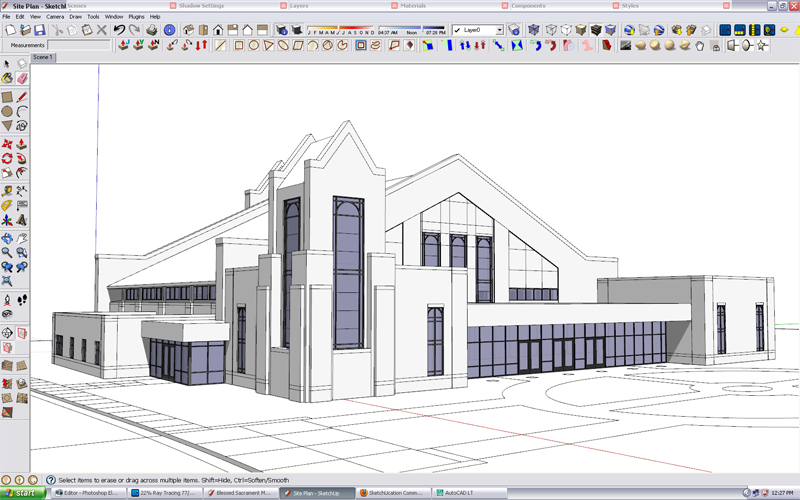

        Sketchup Setup copy.jpg

        "Success consists of going from failure to failure without loss of enthusiasm." - Churchill

        1 條回覆 最後回覆 回覆 引用 0
        • simon le bonS 離線
          simon le bon
          最後由 編輯

          Hum!
          I have a question about the working environment shown by wind-borne:

          How can he get the shortcuts referenced in front of each tool into View/Tool Palettes submenu ?
          is it possible with the help of a plugin? or is it just by editing a configuration file?

          http://forums.sketchucation.com/download/file.php?id=40922&t=1

          ❓ simon

          1 條回覆 最後回覆 回覆 引用 0
          • wind-borneW 離線
            wind-borne
            最後由 編輯

            @simon le bon said:

            Hum!

            How can he get the shortcuts referenced in front of each tool into View/Tool Palettes submenu ?
            is it possible with the help of a plugin? or is it just by editing a configuration file?

            ❓ simon

            set up keyboard preferences for SU thru system preferences rather than inside SU itself. Maybe just a Mac thing 😉


            Keyboard & Mouse.png

            "To read between the lines was easier than to follow the text."OSX 10.11.6

            %(#BF80BF)[SU 8 pro

            1 條回覆 最後回覆 回覆 引用 0
            • MarianM 離線
              Marian
              最後由 編輯

              Here's mine. 😄


              su.jpg

              http://marian87.deviantart.com/

              1 條回覆 最後回覆 回覆 引用 0
              • jeff hammondJ 離線
                jeff hammond
                最後由 編輯

                another fairly basic layout...

                screen-2.jpg

                [a little surprised to see the mac users with their docks on the bottom. personally, i like it on the right so i get more vertical pixels in my windows + i like to keep a little of my desktop visible over there for drag/dropping, project folders, HD access, etc..]

                dotdotdot

                1 條回覆 最後回覆 回覆 引用 0
                • simon le bonS 離線
                  simon le bon
                  最後由 編輯

                  @wind-borne said:

                  set up keyboard preferences for SU thru system preferences rather than inside SU itself. Maybe just a Mac thing 😉
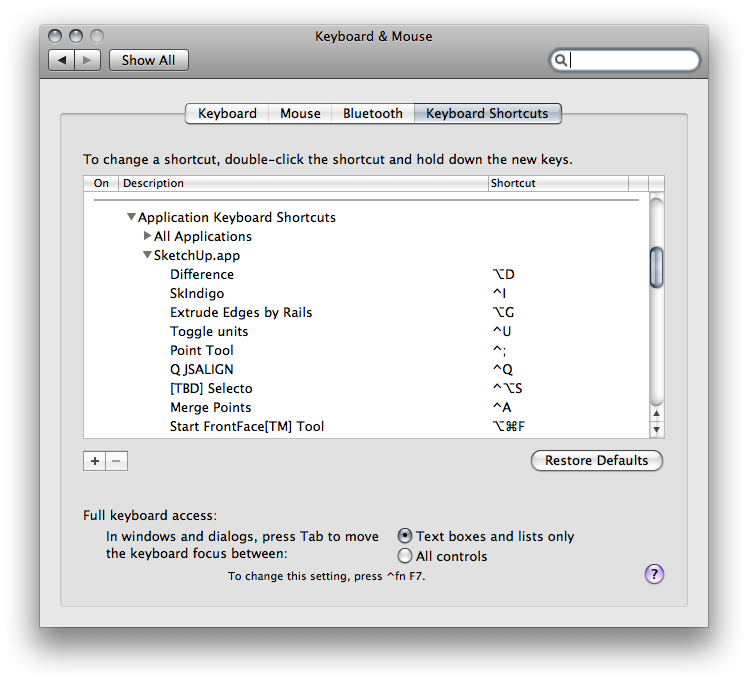
                  I have made a search and I think you are right on this point: Windows is lacking for this 👎 .. sic!

                  1 條回覆 最後回覆 回覆 引用 0
                  • J 離線
                    Jim
                    最後由 編輯

                    @rickgraham said:

                    On a related note, it is interesting to see how many people have their view set to perspective vs. parallel view. That would make for an interesting thread to see why that is so. I have mine on parallel - but then again I come from a CAD background where I'm used to working parallel and then just quick-viewing in perspective mode.

                    Rick

                    You also get better zoom control when using Parallel Projection - you can zoom in much more without losing sight of the target.

                    Hi

                    1 條回覆 最後回覆 回覆 引用 0
                    • T 離線
                      tomot
                      最後由 編輯

                      I prefer to use 2 monitors as well, mostly I have SciTE on the other monitor when I'm writing Ruby scripts or I change to PIP to view TV, or watch AVI movies. My total screen res is 3520x1200
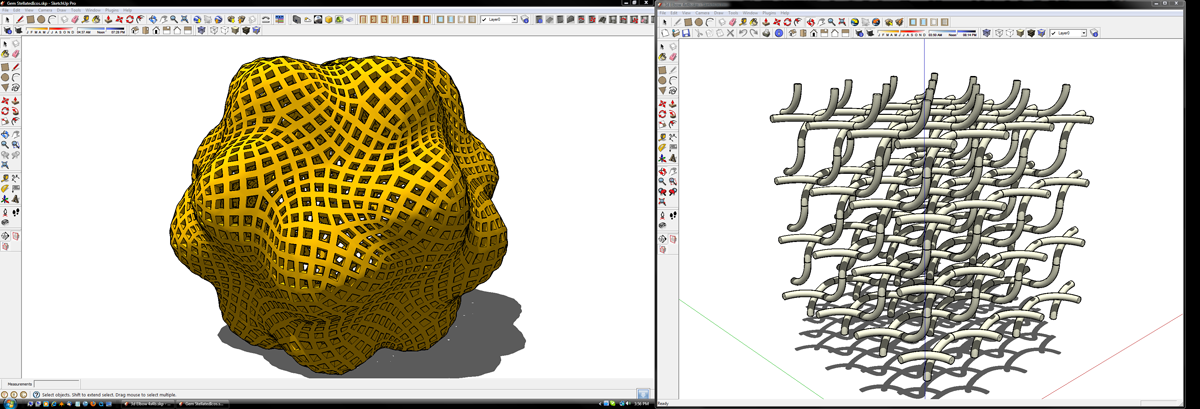

                      my desk1.png

                      [my plugins](http://thingsvirtual.blogspot.ca/)
                      tomot

                      1 條回覆 最後回覆 回覆 引用 0
                      • A 離線
                        arjunmax09
                        最後由 編輯

                        @unknownuser said:

                        A sort of Viera Da Silva painting every day changing due bug of icones display 😉 😒

                        Hi
                        I saw your workspace screenshot on Post titled Your SketchUp?. I was really blown away by the number of plugin toolbars that you had. 😮 😮 Would you tell me the names of your plugin toolbars that you've installed with SketchUp?? My email id is
                        arjunmax09@live.com

                        Thank You 😄

                        when you fail at something....you haven't really failed...you've found one way the thing will not work out

                        1 條回覆 最後回覆 回覆 引用 0
                        • 1
                        • 2
                        • 3
                        • 3 / 3
                        • 第一個貼文
                          最後的貼文
                        Buy SketchPlus
                        Buy SUbD
                        Buy WrapR
                        Buy eBook
                        Buy Modelur
                        Buy Vertex Tools
                        Buy SketchCuisine
                        Buy FormFonts

                        Advertisement