sketchucation logo sketchucation
    • Login
    Oops, your profile's looking a bit empty! To help us tailor your experience, please fill in key details like your SketchUp version, skill level, operating system, and more. Update and save your info on your profile page today!
    ⚠️ Important | Libfredo 15.6b introduces important bugfixes for Fredo's Extensions Update

    Dome with smooth edges

    Scheduled Pinned Locked Moved Newbie Forum
    sketchup
    29 Posts 9 Posters 4.8k Views 9 Watching
    Loading More Posts
    • Oldest to Newest
    • Newest to Oldest
    • Most Votes
    Reply
    • Reply as topic
    Log in to reply
    This topic has been deleted. Only users with topic management privileges can see it.
    • Al HartA Offline
      Al Hart
      last edited by

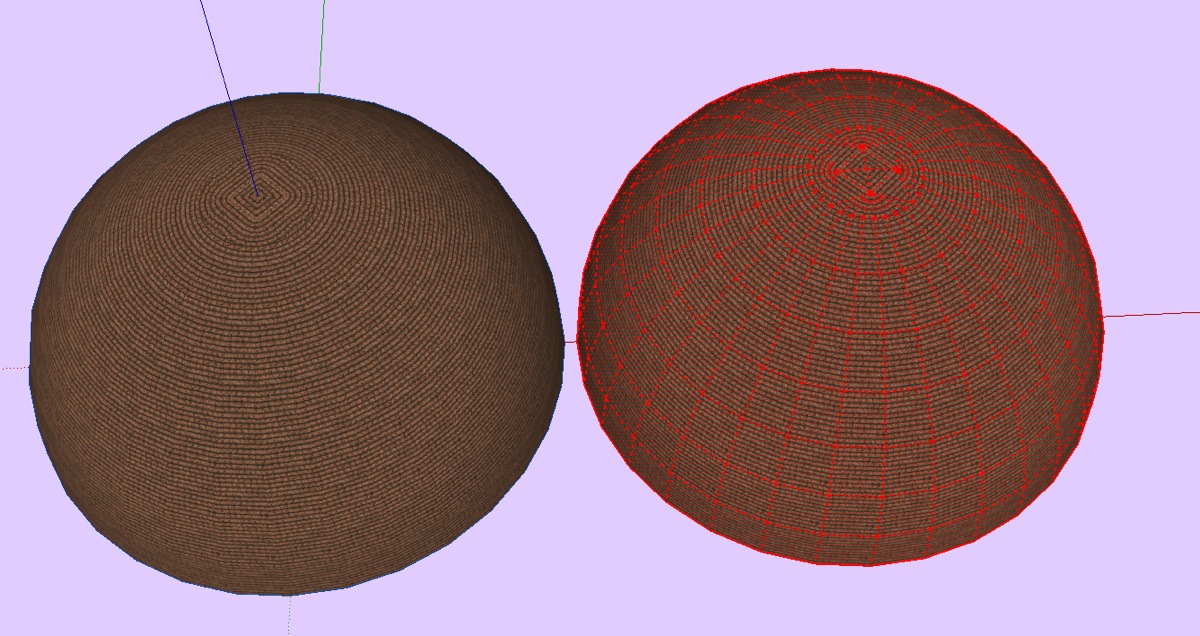
      I see my problem better now.

      I don't want a texture mapping which gets smaller and smaller at the top. I want a texture mapping which is uniform over the entire dome - As if you placed an actual carpet on the dome.

      To do this properly, I would probably need to make the dome out of hexagons, and have a "hexagon tileable" pattern to place on it.

      I'm sure people must to this sometimes, but it is probably more difficult than I think.
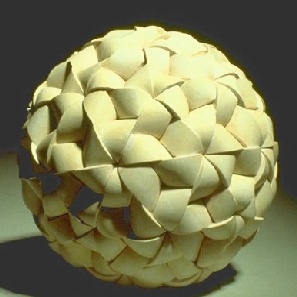
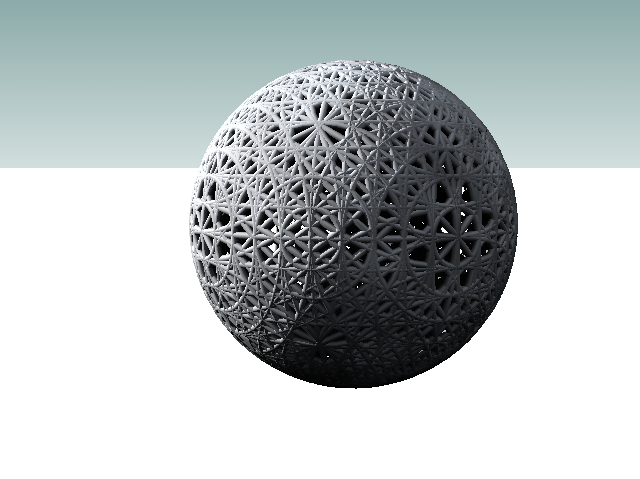
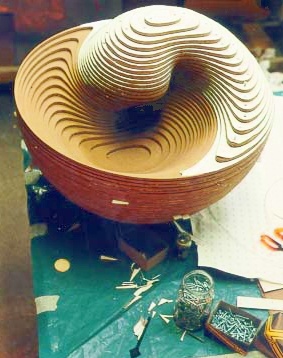
      http://plus.maths.org/issue8/features/art/orb.jpg

      Al Hart

      http:wiki.renderplus.comimageseefRender_plus_colored30x30%29.PNG
      IRender nXt from Render Plus

      1 Reply Last reply Reply Quote 0
      • D Offline
        driven
        last edited by

        I do this a lot , if that's what you mean

        learn from the mistakes of others, you may not live long enough to make them all yourself...

        1 Reply Last reply Reply Quote 0
        • D Offline
          d12dozr
          last edited by

          @unknownuser said:

          I do this a lot , if that's what you mean

          And just HOW do you do that? 😄 I believe that is what he means...

          3D Printing with SketchUp Book
          http://goo.gl/f7ooYh

          1 Reply Last reply Reply Quote 0
          • D Offline
            driven
            last edited by

            @d12dozr said:

            And just HOW do you do that? 😄 I believe that is what he means...

            probably the hard way,

            I strip out the annular rings from one sphere, make a group, rotate copies until I like the pattern, explode the lot, slice off the top (3 or 4 rings), drape with sandbox, slice off the top of a plain old 'follow me' sphere (just 1 or 2 rings), offer up the sandbox hat (Gai was right, just a hat), decide how far to use the pattern, trim, explode, add projected material off a number of different angled surfaces I paint ( and make unique before projecting), decide what I like, purge all the test materials, and that's it...

            I make these cages for pipe along path objects, and just thought I try draping and rendering one night,
            foolishly I always bin the makings and have to start from scratch each time, but I'll keep this drawing and use it as a component, nearly everything is grouped so have a play.
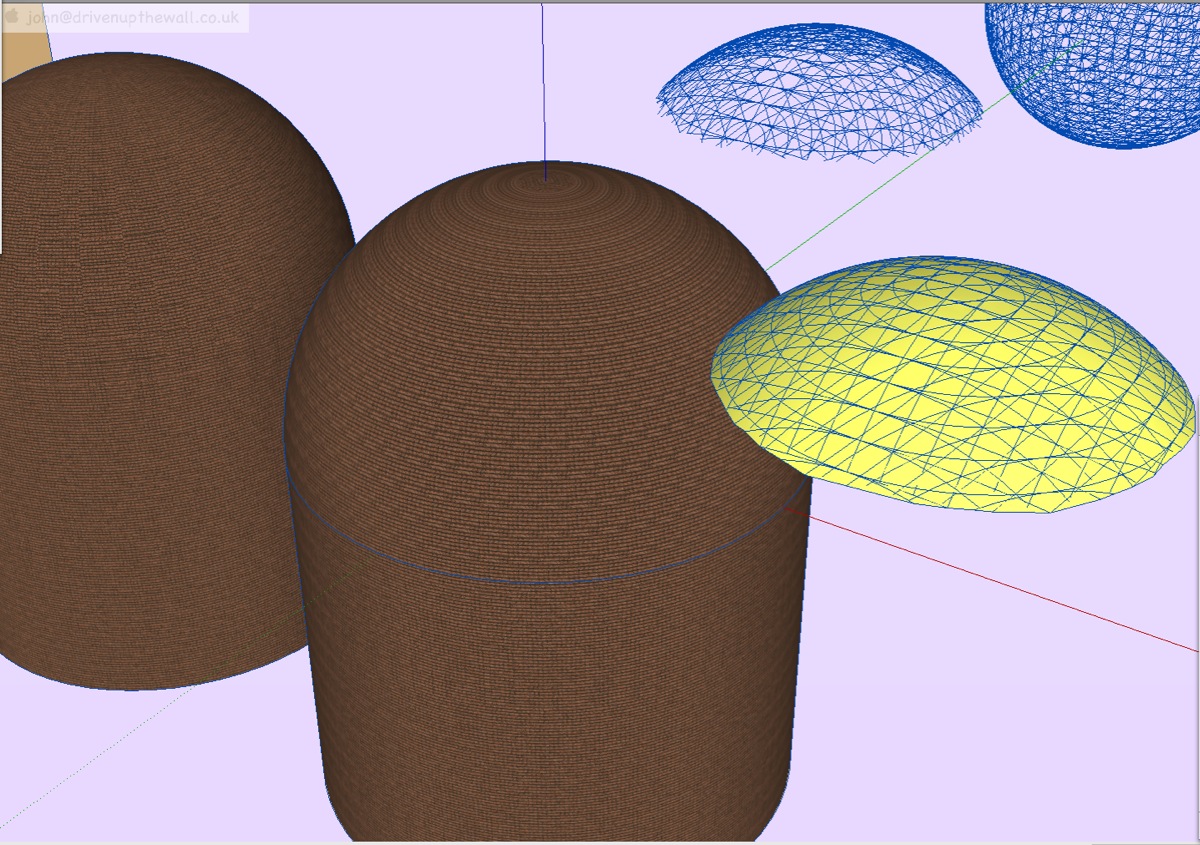
            like this

            You only need to change the top 1 or 2 rings to completely change how the texture gets projected, but I have no idea why.
            On this one I also copy pasted the cylinder off the standard one because the texture worked better on that one, again no idea why.

            john

            this is why I normally use this technique (it's for a 3D printing test in stainless steel)


            I haven't cleaned this up, but should be OK

            learn from the mistakes of others, you may not live long enough to make them all yourself...

            1 Reply Last reply Reply Quote 0
            • D Offline
              d12dozr
              last edited by

              Thank you for the detailed explanation.

              3D Printing with SketchUp Book
              http://goo.gl/f7ooYh

              1 Reply Last reply Reply Quote 0
              • D Offline
                driven
                last edited by

                @d12dozr said:

                Thank you for the detailed explanation.

                no problem, don't know if it helps Al (I know next to nothing about UV mapping, but I just saw this sitting on the desktop and may as well add it
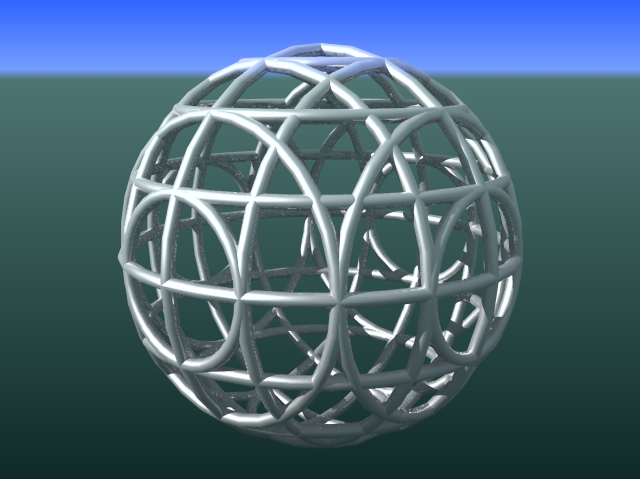
                I think explains the basic construction technique more clearly

                learn from the mistakes of others, you may not live long enough to make them all yourself...

                1 Reply Last reply Reply Quote 0
                • Al HartA Offline
                  Al Hart
                  last edited by

                  I finally found geodesic_sketchup.rb script on

                  404 Not Found

                  favicon

                  (www.crai.archi.fr)

                  It created a spehere with even triangles, so the material does not bunch up at the top or bottom. Now I just need to find a pattern which is tileable in a triangular pattern. (I turned on the hidden lines here so you could see the actual triangles which form the sphere)
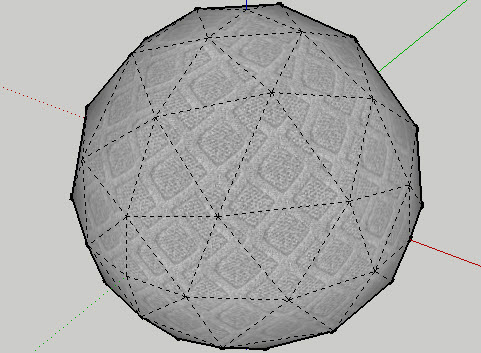
                  geodesic-w-material.jpg

                  Here's what I was trying to get - a sphere which would take a bumpy pattern, and spread it out well.
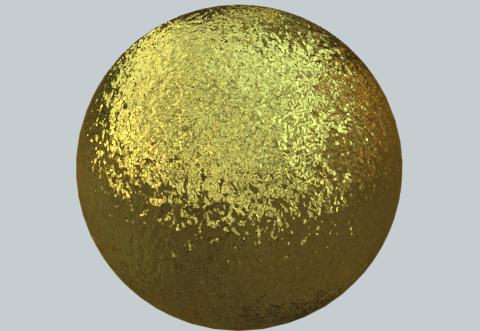
                  geodessic-gold.jpg

                  Al Hart

                  http:wiki.renderplus.comimageseefRender_plus_colored30x30%29.PNG
                  IRender nXt from Render Plus

                  1 Reply Last reply Reply Quote 0
                  • TaffGochT Offline
                    TaffGoch
                    last edited by

                    Hello, all,

                    I've been "lurking" on this discussion, and see that Al has posted an image of Simon Thomas' sculpture, "Orb"...

                    http://plus.maths.org/issue8/features/art/orb.jpg

                    As Gaieus mentioned, it is, indeed, based on a geodesic sphere (class-I, frequency-2, if you're familiar with the terminology.)

                    Several other of Thomas' sculptures are compelling, and would make for interesting SketchUp exercises.
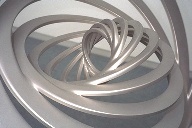
                    http://plus.maths.org/issue8/features/art/hc4.jpg

                    http://plus.maths.org/issue8/features/art/hcone1.jpg

                    See here, for descriptions: The art of numbers


                    For geodesic design in SketchUp, I often use an online java applet that can output a text file of the x,y,z coordinates for each vertex, which I then import into SketchUp, as a "point cloud"...
                    Thomson Problem

                    ...just another (powerful) geodesic resource, should you be looking for such.

                    Taff

                    "Information is not knowledge." -- Albert Einstein

                    1 Reply Last reply Reply Quote 0
                    • D Offline
                      driven
                      last edited by

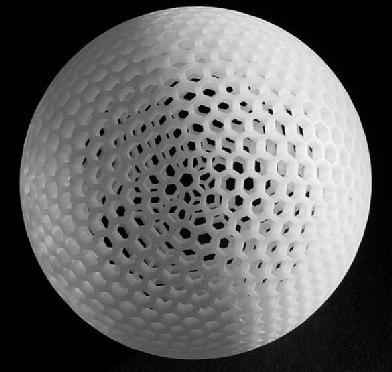
                      one of Geoge W Hart's downloadeable STL files
                      http://www.georgehart.com/rp/rp.html

                      You might try skinning one of the models on this site, well worth a visit in any case

                      john

                      learn from the mistakes of others, you may not live long enough to make them all yourself...

                      1 Reply Last reply Reply Quote 0
                      • Al HartA Offline
                        Al Hart
                        last edited by

                        I added a dome and sphere to RpTools using Gavin Kistner's Geodesic class.

                        This should make it much easier for me to create smooth domes and sphere when I need one.
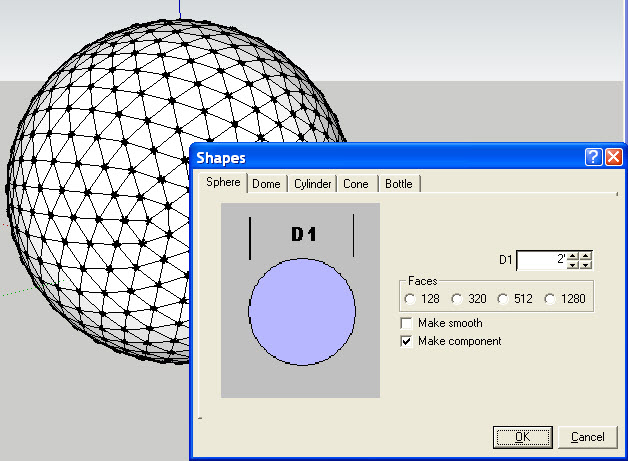
                        create_sphere.jpg

                        Al Hart

                        http:wiki.renderplus.comimageseefRender_plus_colored30x30%29.PNG
                        IRender nXt from Render Plus

                        1 Reply Last reply Reply Quote 0
                        • Al HartA Offline
                          Al Hart
                          last edited by

                          Thanks for everyone's help on this issue.

                          What this was all about, is that I wanted to show the effect of using a 360 Panaromic HDRi image as background for rendering, and a smooth dome makes it easier to see how the HDRI is reflected. I wanted a good tool to make a quick, smooth dome - especially for reflection examples.

                          The image below uses a Free HDRi provided by Bryan James. He made a 360 photo of the interior of St. John's Cathedral in NYC. The Sketch Up model is a reflective ground plane, and a reflective dome.

                          Everything else is generated using the HDRi for lighting, shadows, background and reflection.
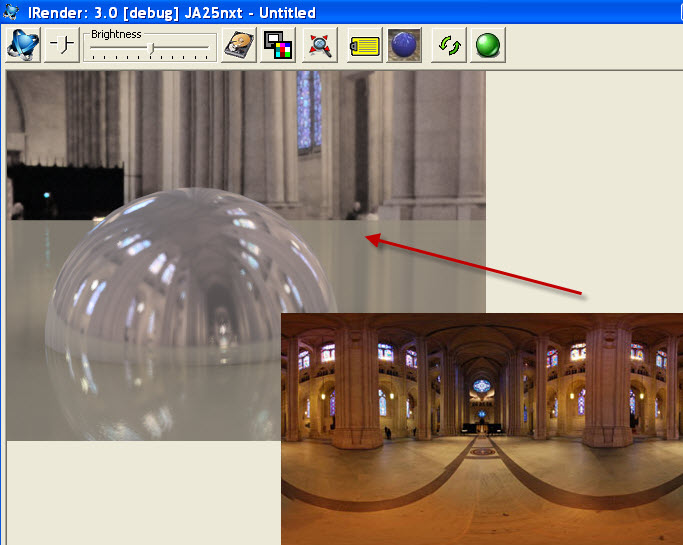

                          st johns HDRI.jpg

                          Al Hart

                          http:wiki.renderplus.comimageseefRender_plus_colored30x30%29.PNG
                          IRender nXt from Render Plus

                          1 Reply Last reply Reply Quote 0
                          • 1
                          • 2
                          • 1 / 2
                          • First post
                            Last post
                          Buy SketchPlus
                          Buy SUbD
                          Buy WrapR
                          Buy eBook
                          Buy Modelur
                          Buy Vertex Tools
                          Buy SketchCuisine
                          Buy FormFonts

                          Advertisement