sketchucation logo sketchucation
    • 登入
    Oops, your profile's looking a bit empty! To help us tailor your experience, please fill in key details like your SketchUp version, skill level, operating system, and more. Update and save your info on your profile page today!
    🔌 Smart Spline | Fluid way to handle splines for furniture design and complex structures. Download

    Sculptris

    已排程 已置頂 已鎖定 已移動 Freeware
    69 貼文 23 Posters 18.2k 瀏覽 23 Watching
    正在載入更多貼文
    • 從舊到新
    • 從新到舊
    • 最多點贊
    回覆
    • 在新貼文中回覆
    登入後回覆
    此主題已被刪除。只有擁有主題管理權限的使用者可以查看。
    • charly2008C 離線
      charly2008
      最後由 編輯

      Hi,

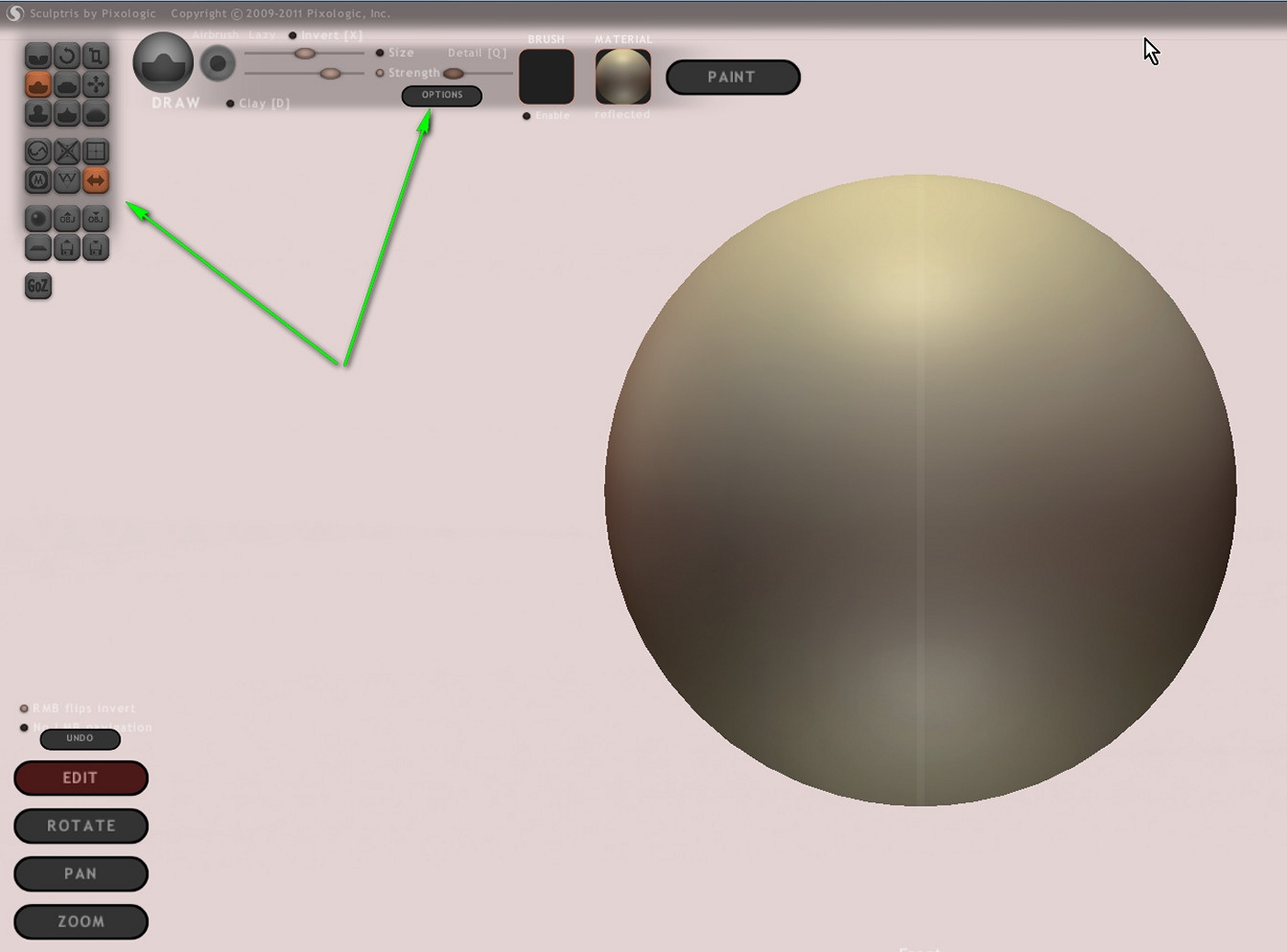
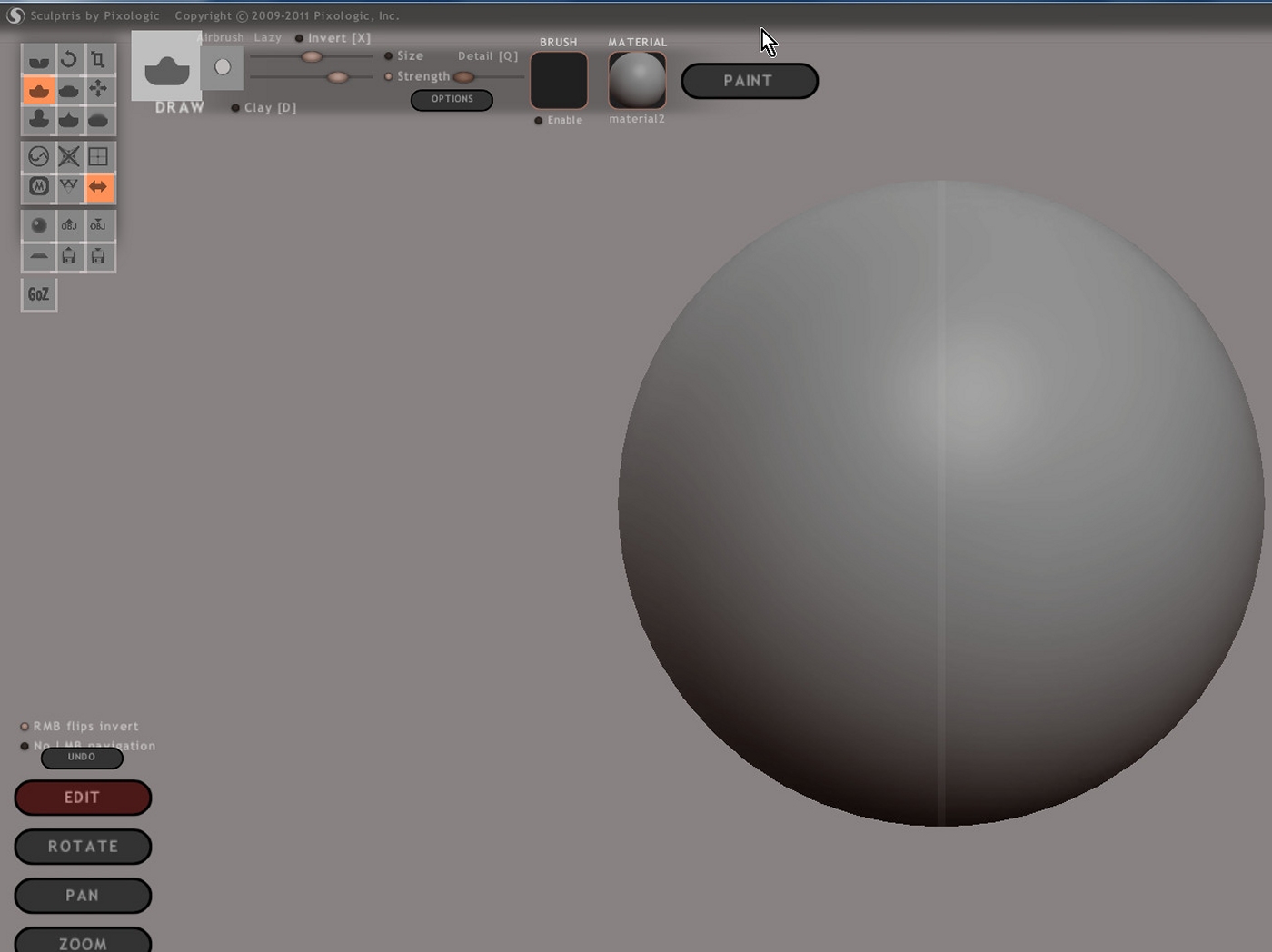
      What bothered me a bit is the dark background. After a trial with the png background, I managed to make them brighter.
      But the tool buttons are still too dark. Is there a way to change it?
      I would be grateful for any help.

      Charly


      2012-01-23_001914.jpg

      He who makes no mistakes, makes nothing

      1 條回覆 最後回覆 回覆 引用 0
      • Rich O BrienR 離線
        Rich O Brien Moderator
        最後由 編輯

        Could your monitor need calibrating?

        Download the free D'oh Book for SketchUp 📖

        1 條回覆 最後回覆 回覆 引用 0
        • BoxB 離線
          Box
          最後由 編輯

          Charly, you can edit the PNG files that it uses to make the GUI.

          The basic default location is C:\Program Files (x86)\Pixologic\Sculptris Alpha 6\data

          I did a quick edit of the button symbol colour, you can do the background, shadows etc
          Edit the PNG and save as a slightly different name, then change the original filename to something different such as gui_buttons1default and change your new file to the original filename, open sculptris and it should use your new colours.
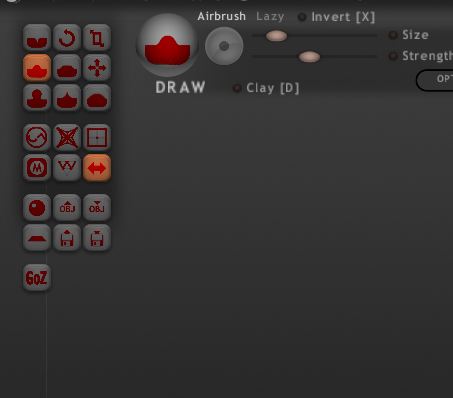

          Gui Change.JPG

          1 條回覆 最後回覆 回覆 引用 0
          • charly2008C 離線
            charly2008
            最後由 編輯

            Hi Ben,

            many thanks.

            Charly


            2012-01-23_001914.jpg

            He who makes no mistakes, makes nothing

            1 條回覆 最後回覆 回覆 引用 0
            • urgenU 離線
              urgen
              最後由 編輯

              @unknownuser said:

              Sculptris ...

              ...тру-ла-ла...ла-ла-ла!
              http://s7.rimg.info/af23ae02d626624eafc142f64966728d.gif
              😄

              --pupil forever...------

              1 條回覆 最後回覆 回覆 引用 0
              • T 離線
                Tru-la-la
                最後由 編輯

                😉


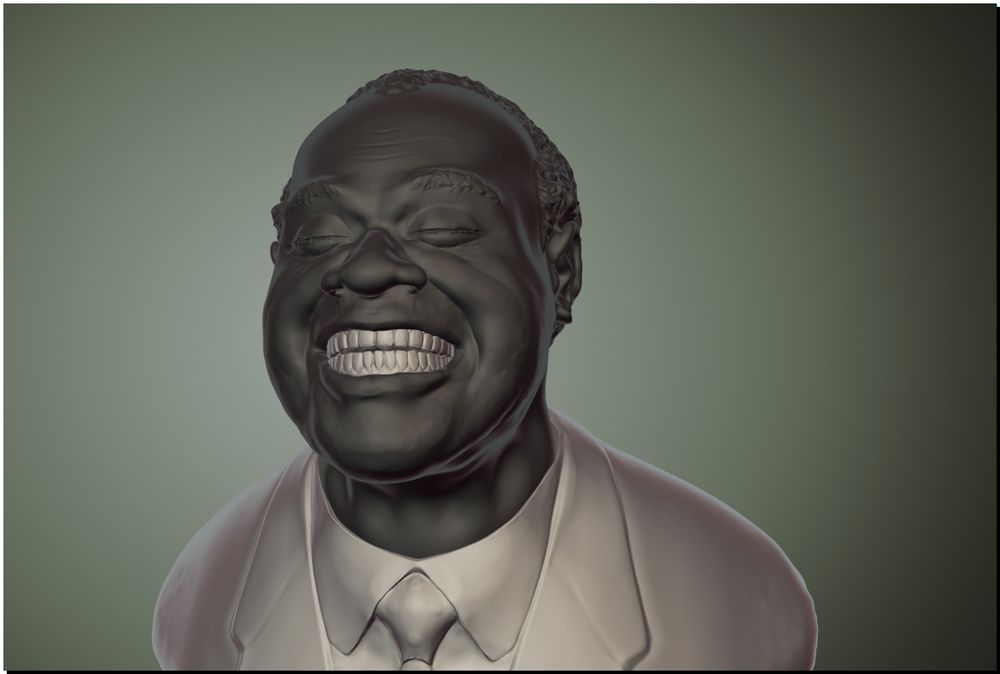
                007.jpg


                008.jpg

                1 條回覆 最後回覆 回覆 引用 0
                • urgenU 離線
                  urgen
                  最後由 編輯

                  ....
                  http://phorum.artek.org/images/smilies/appl.gif
                  😄

                  --pupil forever...------

                  1 條回覆 最後回覆 回覆 引用 0
                  • jo-keJ 離線
                    jo-ke
                    最後由 編輯

                    wow.
                    very good

                    http://www.zz7.de

                    1 條回覆 最後回覆 回覆 引用 0
                    • T 離線
                      tallbridgeguy
                      最後由 編輯

                      Great stuff. Can someone explain how to get a painted model out of sculptris into Sketchup? The obj exporter seems to lose the color layers?

                      thanks!
                      s

                      Nielsen
                      http://www.tallbridgeguy.com/

                      1 條回覆 最後回覆 回覆 引用 0
                      • 1
                      • 2
                      • 3
                      • 4
                      • 4 / 4
                      • 第一個貼文
                        最後的貼文
                      Buy SketchPlus
                      Buy SUbD
                      Buy WrapR
                      Buy eBook
                      Buy Modelur
                      Buy Vertex Tools
                      Buy SketchCuisine
                      Buy FormFonts

                      Advertisement