sketchucation logo sketchucation
    • 登入
    Oops, your profile's looking a bit empty! To help us tailor your experience, please fill in key details like your SketchUp version, skill level, operating system, and more. Update and save your info on your profile page today!
    🔌 Smart Spline | Fluid way to handle splines for furniture design and complex structures. Download

    Night shot

    已排程 已置頂 已鎖定 已移動 Gallery
    23 貼文 16 Posters 6.8k 瀏覽 16 Watching
    正在載入更多貼文
    • 從舊到新
    • 從新到舊
    • 最多點贊
    回覆
    • 在新貼文中回覆
    登入後回覆
    此主題已被刪除。只有擁有主題管理權限的使用者可以查看。
    • majidM 線上
      majid
      最後由 編輯

      Great render as usual 😄 👍

      My inspiring A, B, Sketches book: https://sketchucation.com/shop/books/intermediate/2612-alphabet-inspired-sketches--inspiring-drills-for-architects--3d-artists-and-designers-

      1 條回覆 最後回覆 回覆 引用 0
      • boofredlayB 離線
        boofredlay
        最後由 編輯

        Awesome. And more so, thanks for the link to the brushes. Those are fantastic. 👍

        http://www.coroflot.com/boofredlay

        1 條回覆 最後回覆 回覆 引用 0
        • massimoM 離線
          massimo Moderator
          最後由 編輯

          Great image. 👍 👍

          1 條回覆 最後回覆 回覆 引用 0
          • olisheaO 離線
            olishea
            最後由 編輯

            this is just beautiful.

            oli

            1 條回覆 最後回覆 回覆 引用 0
            • FrederikF 離線
              Frederik
              最後由 編輯

              I like this one A LOT...!! 👍
              Would definitely sell for me... 😉

              Cheers
              Kim Frederik

              1 條回覆 最後回覆 回覆 引用 0
              • D 離線
                davidh
                最後由 編輯

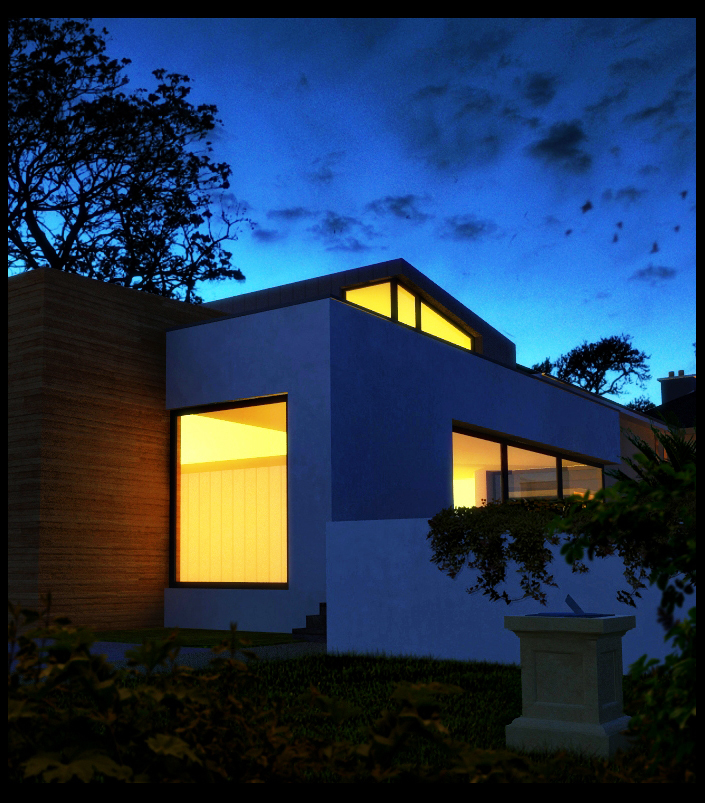
                this is a cropped part of a revision to the original image.I have played with colour saturation using layer overlays and screening.this is probably closer to what I am trying to achieve.I know the image can look "blown out" but there is something about the blues and yellows/orange that really appeals to me.

                night 16 crop.jpg

                1 條回覆 最後回覆 回覆 引用 0
                • D 離線
                  dylan
                  最後由 編輯

                  A really excellent render and use of post pro.

                  It has a great feel about it, the sky and trees work so well and not to mention I love the architecture.

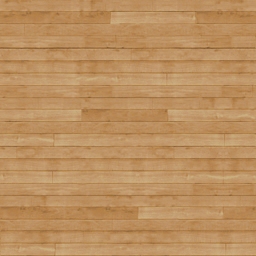
                  David, where did you get the timber siding material from? I'm about to start modeling a design of mine that I was planning a similar style timber.

                  http://dmdarchitecture.co.uk/

                  1 條回覆 最後回覆 回覆 引用 0
                  • D 離線
                    davidh
                    最後由 編輯

                    Dylan,
                    its actually a very low res image.I have attached it here ,if you can find a use for it.

                    wood14d.jpg

                    1 條回覆 最後回覆 回覆 引用 0
                    • D 離線
                      davidh
                      最後由 編輯

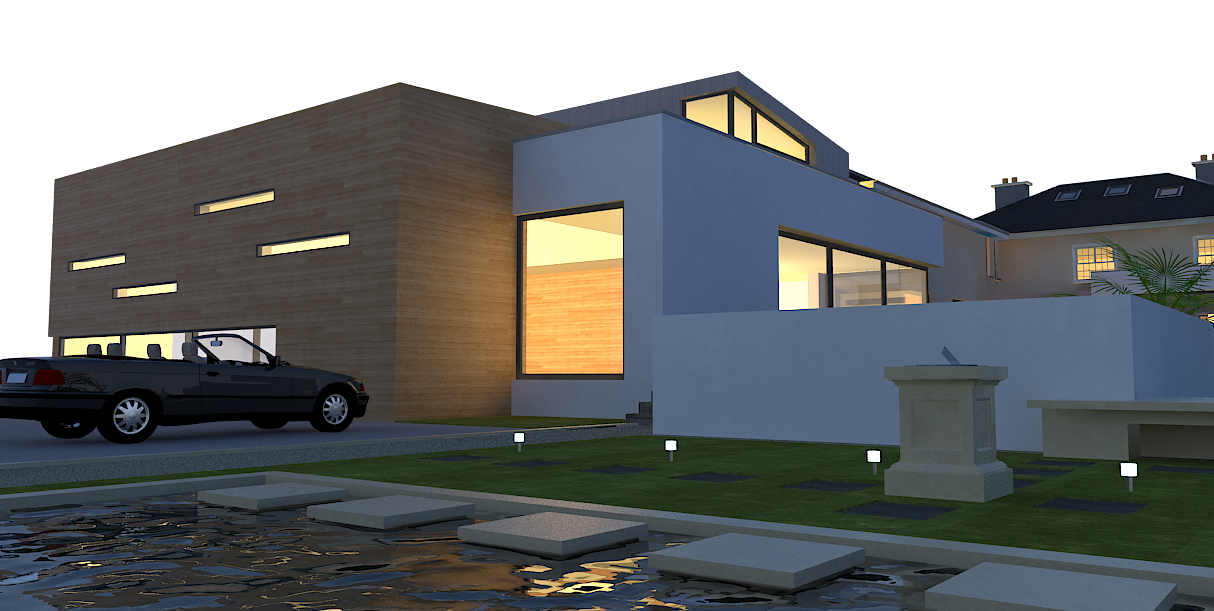
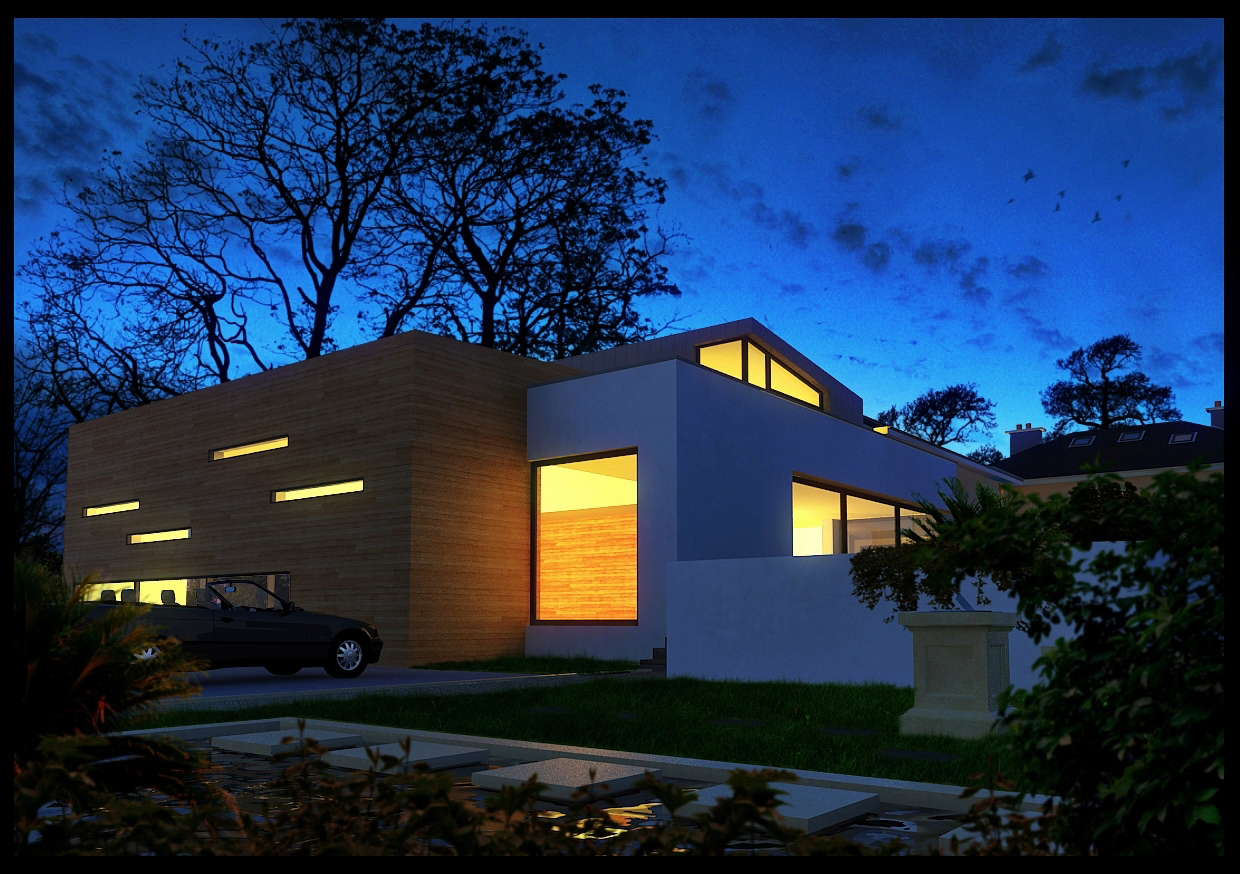
                      The final image with the original render from vray.In post processing I decided I didn't like the small lights at the front and cloned them out.The planting at the very front was originally very green when I placed them in photoshop but by adding a red tint in "VARIATIONS" in photoshop,they tie in better.
                      night 17 orig.png


                      night 17 colour.jpg

                      1 條回覆 最後回覆 回覆 引用 0
                      • R 離線
                        Ross_K
                        最後由 編輯

                        Great stuff! I like that you blurred the vegetation in the foreground now, that's what was bugging me in the first one. just a personal preference - as this is looking like a pro-photo, it would add to it if you keep all the verticals vertical IMHO.

                        oh and for that photoshop brush, looks great, thanks for sharing! a dummy question - how do i get it to work? which folder do i drop it into in ps?

                        cheers


                        RK

                        http://www.rk-studios.ca

                        1 條回覆 最後回覆 回覆 引用 0
                        • olisheaO 離線
                          olishea
                          最後由 編輯

                          open your brush options and click load brush set....something like that...and then find the file....append your new brush sets when it gives you the option. There are loads of cool grunge styles too for borders/adding cracks/scratches etc. google them.

                          stunning images david....how did you originaly get the blue hue to the raw render? what type of sky setup? u like convertibles don't you?!

                          oli

                          1 條回覆 最後回覆 回覆 引用 0
                          • R 離線
                            Ross_K
                            最後由 編輯

                            got it, awesome trees!

                            cheers oli!


                            RK

                            http://www.rk-studios.ca

                            1 條回覆 最後回覆 回覆 引用 0
                            • N 離線
                              nomo81
                              最後由 編輯

                              excellent comp, congrats!

                              1 條回覆 最後回覆 回覆 引用 0
                              • A 離線
                                avya
                                最後由 編輯

                                nice info

                                thanks 4 the link 👍

                                1 條回覆 最後回覆 回覆 引用 0
                                • D 離線
                                  davidh
                                  最後由 編輯

                                  oli is right regarding the brushes,just drop them into the brush folder for photoshop and you can then access them from the brush presets.
                                  I have attached the visopt for the night shot.because you cant upload visopts directly i have renamed it with a .rb suffix.simply rename it with a .visopt once you have downloaded and it will work fine.
                                  I have also uploaded the environment image which goes in both GI and background slots.Dont worry that the image background renders out somewhat pixalated,just render out an alpha channel and place the original sky image back in and you have a building with the same blue colour cast as the background.

                                  In photoshop what I always do is increase the colour saturation and play with curves/gamma to darken the image.then i copy the image to a second layer and blend it using overlay or softlight.this really brings out the colour and changes the image dramatically.
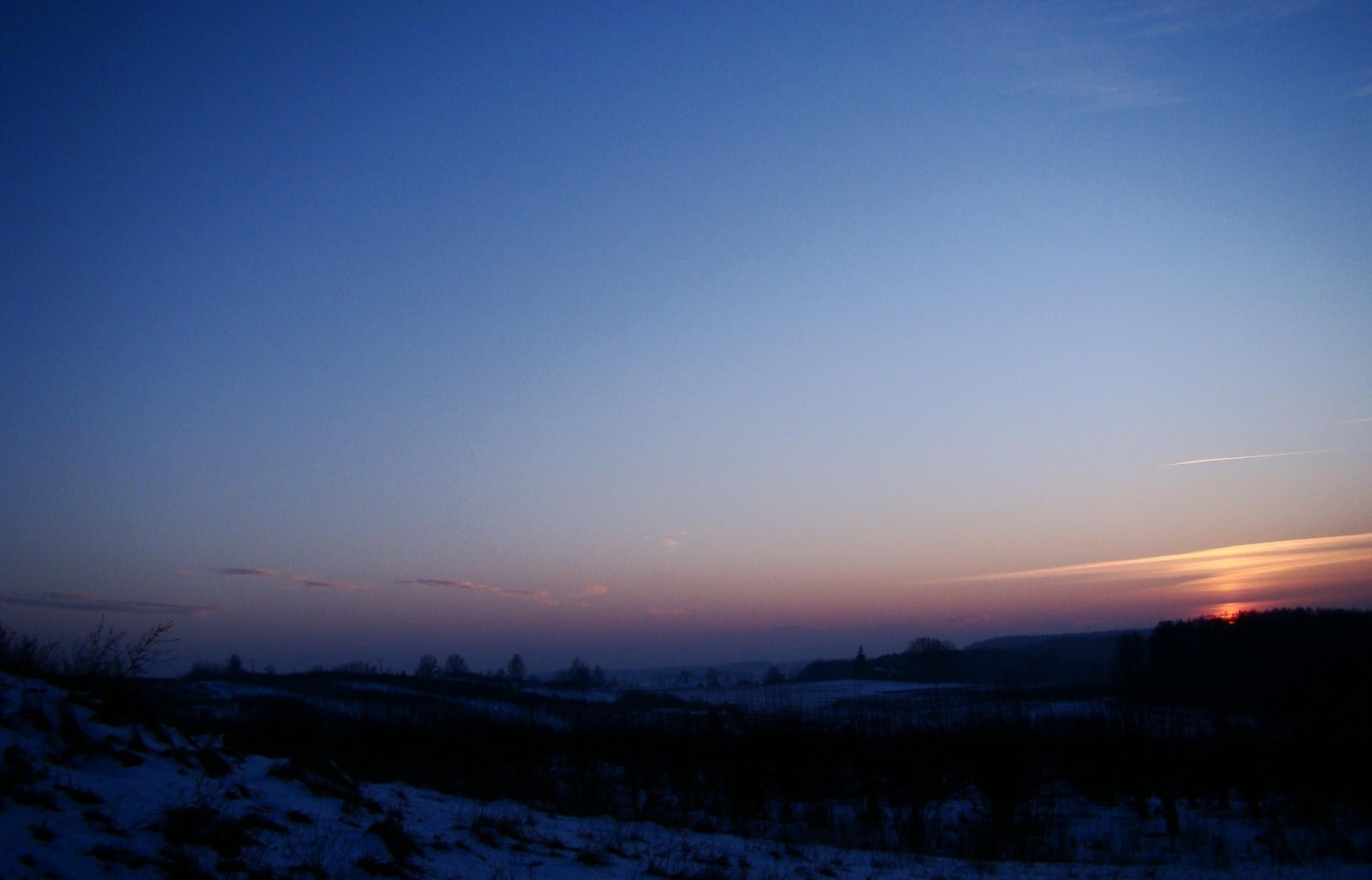

                                  Winter_sky.jpg


                                  evening blue hue.rb

                                  1 條回覆 最後回覆 回覆 引用 0
                                  • B 離線
                                    benwheels
                                    最後由 編輯

                                    really great image 👍
                                    It just gave me inspiration to do a similar image which I will post. Thanks for the link to the photoshop brushes, they are great!

                                    1 條回覆 最後回覆 回覆 引用 0
                                    • kaluK 離線
                                      kalu
                                      最後由 編輯

                                      Hi:

                                      What kind of lights you use in this render?...Rectangulat lights?, Spotlight? or IES lights?...how many and the intense?..

                                      Thanks...

                                      THE ONLY DIFFERENCE BETWEEN FICTION AND REALITY IS WHEN FICTION HAS TO BE CREDIBLE

                                      1 條回覆 最後回覆 回覆 引用 0
                                      • Bryan KB 離線
                                        Bryan K
                                        最後由 編輯

                                        Wow. Just... wow.

                                        See my portfolio at https://delphiscousin.blogspot.com/

                                        1 條回覆 最後回覆 回覆 引用 0
                                        • kaluK 離線
                                          kalu
                                          最後由 編輯

                                          Hi, excellent work, can you upload the cloudy shot for the original shot in your image or wher did you get that night clouds, Thanks.

                                          Excellent work..AWESOME!!!!!!!!!! 😍

                                          THE ONLY DIFFERENCE BETWEEN FICTION AND REALITY IS WHEN FICTION HAS TO BE CREDIBLE

                                          1 條回覆 最後回覆 回覆 引用 0
                                          • F 離線
                                            FilipAGuy
                                            最後由 編輯

                                            All render is great, but water is awesome for me !!! 😄 Realy good work. Thanks for sharing 😉

                                            ASUS G73JH-A1 (ASUS G73JH-TZ002Z) i7-720 QM, RAM 8GB DDR3 1333 MHz, HDD 1TB (2x 500GB 7200 rpm), Blu-ray Combo, ATI Radeon HD 5870 1GB

                                            1 條回覆 最後回覆 回覆 引用 0
                                            • 1
                                            • 2
                                            • 2 / 2
                                            • 第一個貼文
                                              最後的貼文
                                            Buy SketchPlus
                                            Buy SUbD
                                            Buy WrapR
                                            Buy eBook
                                            Buy Modelur
                                            Buy Vertex Tools
                                            Buy SketchCuisine
                                            Buy FormFonts

                                            Advertisement