[Plugin] 2D Tools
-
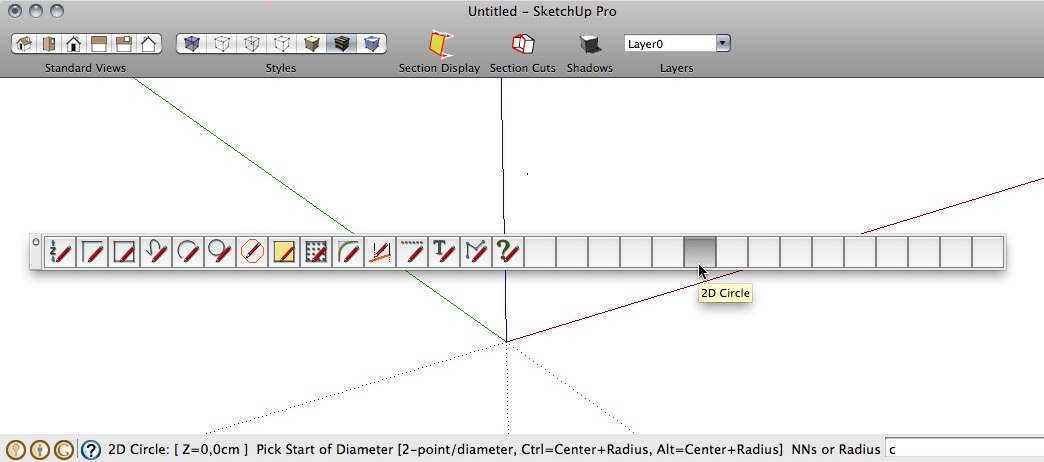
Hey guys me again. Im looking for something that would lock in my masurement's when I create a 2d rectangle, for instance I want the height and width to be free to move but not my length I want it to stay a certain mesurement I want that to stay the same no matter where my mouse is could 2d tools do this?
Thanks!
-
hi tig.
a question.
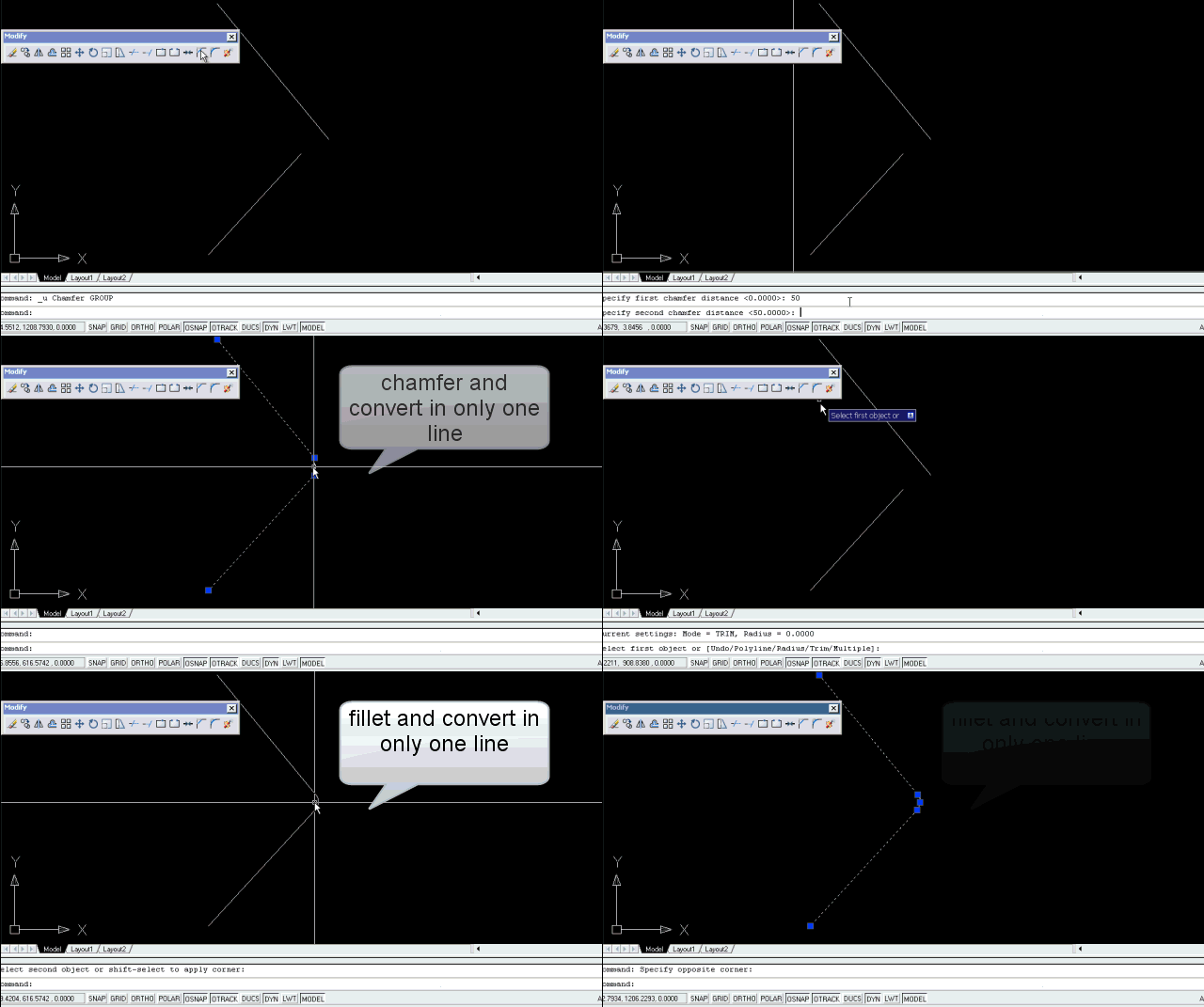
You Can add this utility to function chamfer and fillet?
The idea Would Be to chamfer or fillet + welding in a single step
maybe:
if we hold down the Ctrl key> chamfer or fillet + welding
if not press the ctrl> single chamfer or fillet.is it possible?
Greetings
-
Diego
Your idea is feasible... however, I feel that with the virtually indispensable 'weld.rb' loaded, with a shortcut to say 'J'oin, you could simply select the three pieces, press 'J' and it'll weld them into a single polyline/curve anyway... -
Hi Tig
I am sorry to bother you with something that may sound so simple but I am trying to download your plug-in 2D tools and I always get comets like “time out”....basically i don't manage to download it. Is it because my internet connection speed in Indonesia is too slow, is it that I do something wrong. If you have a suggestion I will be glad to hear from you. Thank you in advance for taking time to answer.
NikosID
-
@nikosid said:
Hi Tig
I am sorry to bother you with something that may sound so simple but I am trying to download your plug-in 2D tools and I always get comets like “time out”....basically i don't manage to download it. Is it because my internet connection speed in Indonesia is too slow, is it that I do something wrong. If you have a suggestion I will be glad to hear from you. Thank you in advance for taking time to answer.
NikosID
I have sent a PM with a cut-down set of files - for example I suspect you won't want the Spanish Help files! You should be able to download these in 'parts'...
-
SU7, SU8. MacOSX10.6.5 MacBookPro 15" C2D 2,16
Thanks!
-
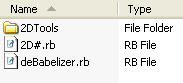
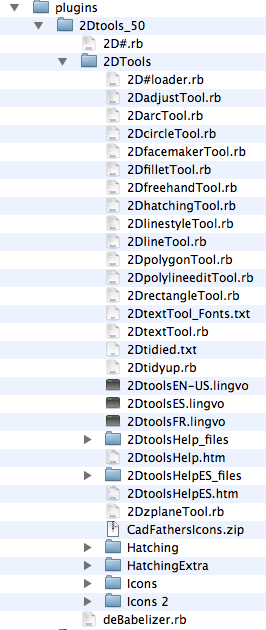
Looks like incorrectly installed to me. I'd delete all files related to 2D Tools from the Plugins directory and reinstall correctly. You should end up with something like this in the Plugins folder.
-
Thank Dave R!
I looked the SU plug-ins directory. The problem was in the strange document, called "2D%23loader.rb". After his removal,
problem has been fixed!

-
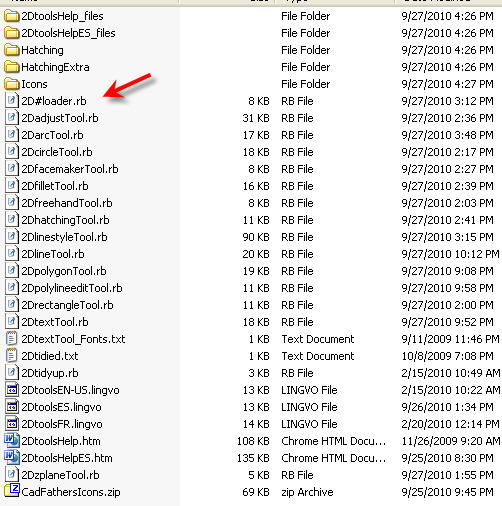
You should have a file in the 2D Tools folder called 2D#Loader. I think the '#' got changed to '%23'.
-
2D#Loader.rb
It is this document creates this bug. Tested now -
That file should be inside the 2D Tools folder.
-
Hi Tig,
First of all thank you for your great work with plugins.
I just download 2D Tools but can't find the toolbar, what's wrong with me?
-
I'm not TIG but I can see the problem. Incorrect installation. You should not have the folder called 2Dtools_50. If you take the contents of that folder and move them to the plugins folder, all should be well. you should end up with 2D#.rb and the folder called 2DTools in Plugins and of course all the contents of the folder called 2DTools must remain in that folder.
-
Thanks so much Dave R, that worked.
-
Hi Tig, If I'm not mistaking, the hatching in 2Dtools is not working as well as it was in V7, right ?
Like now in V8 (Mac), it's only calling up the hatching choices the first time, and then not anymore. So one has to right-click in the Bucket panel to add a new hatch. Is this the way it meant to be ? -
@mariocha said:
Hi Tig, If I'm not mistaking, the hatching in 2Dtools is not working as well as it was in V7, right ?
Like now in V8 (Mac), it's only calling up the hatching choices the first time, and then not anymore. So one has to right-click in the Bucket panel to add a new hatch. Is this the way it meant to be ?The way 2dHatch tool is meant to work... on the first time you use 2dHatch tool in that model the dialog auto-opens so you can choose the 2dHatch pattern, because no pattern is yet set.
Subsequently in that model the 2dHatch tool will use the last used 2dHatch pattern.
If you want to change the 2dHatch pattern you run the tool and right-click 'in empty-space' and the dialog should appear for you to choose a new 2dHatch pattern... You can even change the pattern part way through applying 2dHatch patterns to faces by right-clicking at any time whilst in the tool... -
Ah, ok. Great ! Thanks a many.

-
Updated from version 4.6 but I'm surprised you didn't include my modified tools for Mac I gave you, the Cline toggle still doesn't work on my mac (SU8, OS 10.5.8), one of the circle tool toggle doesn't work.
They are your tools so whatever decision is OK by me anyhow.
I still have 4.6 modified tools versions of:
2D arc; 2D circle; 2D line; 2d Polygon; 2Drectangle
available with cline and polyline toggles for mac and the text box appropriate changes. All toggles fixed, some other slight changes, mostly to make it Mac friendly (not tested on PC though)
Let me know if you want them.Thanks so much for your work.
Did you change any of these tools from version 4.6? (so I know if I just can replace or I have to dig and reapply modifs in the scripts)
-
@michaelv said:
Updated from version 4.6 but I'm surprised you didn't include my modified tools for Mac I gave you, the Cline toggle still doesn't work on my mac (SU8, OS 10.5.8), one of the circle tool toggle doesn't work.
They are your tools so whatever decision is OK by me anyhow.
I still have 4.6 modified tools versions of:
2D arc; 2D circle; 2D line; 2d Polygon; 2Drectangle
available with cline and polyline toggles for mac and the text box appropriate changes. All toggles fixed, some other slight changes, mostly to make it Mac friendly (not tested on PC though)
Let me know if you want them.
Thanks so much for your work.
Did you change any of these tools from version 4.6? (so I know if I just can replace or I have to dig and reapply modifs in the scripts)Please read the release note at the end of the first page http://forums.sketchucation.com/viewtopic.php?p=185760#p185760
Please send your tweaked version by PM attachment so I can consider if v5.1 is needed [I assume the MAC problem is with some modifier keys?]
-
Thanks for another great one.




Hello! It looks like you're interested in this conversation, but you don't have an account yet.
Getting fed up of having to scroll through the same posts each visit? When you register for an account, you'll always come back to exactly where you were before, and choose to be notified of new replies (either via email, or push notification). You'll also be able to save bookmarks and upvote posts to show your appreciation to other community members.
With your input, this post could be even better 💗
Register Login


Advertisement