sketchucation logo sketchucation
    • Login
    Oops, your profile's looking a bit empty! To help us tailor your experience, please fill in key details like your SketchUp version, skill level, operating system, and more. Update and save your info on your profile page today!
    Mac User? | Join the Rayscaper Beta for Mac Learn More

    [Plugin] 2 Faces + Path ver. 1.5.

    Scheduled Pinned Locked Moved Plugins
    72 Posts 48 Posters 80.1k Views 48 Watching
    Loading More Posts
    • Oldest to Newest
    • Newest to Oldest
    • Most Votes
    Reply
    • Reply as topic
    Log in to reply
    This topic has been deleted. Only users with topic management privileges can see it.
    • P
      pr0bka
      last edited by

      Hey Kiril, didn't know where to post this so that it would be easier, so i thought id post on both.
      the 2 faces and path tool only works for faces along 1 path. is it possible to blend two lines (or splines) along a path ?

      heres an example.


      example.jpg

      1 Reply Last reply
      Reply Quote 0
      • CarrozzaC
        Carrozza
        last edited by

        Great ruby, Kirill!

        1 Reply Last reply
        Reply Quote 0
        • Dave RD
          Dave R
          last edited by

          Kirill,

          Thank you for this plugin. It's very useful.

          I am having some problems with it, however. I've attempted to reproduce what you've shown in the last video for v1.4 with a circle, square and arc. I can get the geometry alright but I cannot get the front face color on the outside (short of opening the group, selecting the faces and reversing them the old fashioned way) nor can I get the color change from one end to the other as you did when you painted one face red.

          What am I missing? I did just install version 1.4 so it should be a fresh install of the plugin.

          Thanks again.

          Dave

          Etaoin Shrdlu

          %

          (THERE'S NO PLACE LIKE)

          G28 X0.0 Y0.0 Z0.0

          M30

          %

          1 Reply Last reply
          Reply Quote 0
          • ken28875K
            ken28875
            last edited by

            @unknownuser said:

            Hey! Seems a very strong and funny plug! ๐Ÿ˜Ž
            Very cool : result gives 3 groups in the same time ๐Ÿ‘
            Shell, faces and curves (curves not shown here)
            So you must move or hide / erase some of them for a render! โ˜€
            From ellipse to cross ๐Ÿ˜‰ (click the image)

            Salut Pilou,

            C'est genial ce que tu as fait.

            Can you please show us how you did it? I would like to see the different shapes and the curve.

            Merci beaucoup!

            Have a wonderful day.

            _KN

            Follow Your Dreams.

            1 Reply Last reply
            Reply Quote 0
            • pilouP
              pilou
              last edited by

              @unknownuser said:

              Can you please show us how you did it? I would like to see the different shapes and the curve.

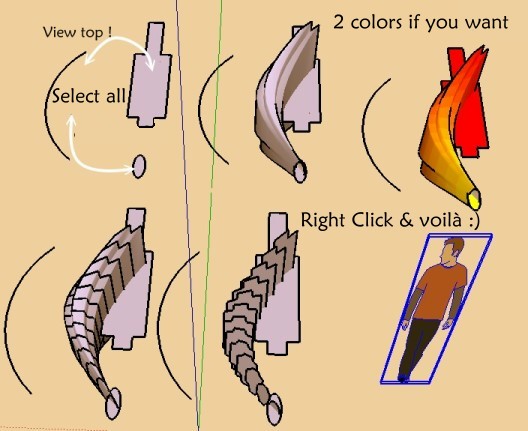
              An arc, an ellipse, a cross: when the drawing is made you can turn, move, scale original generators for explore variations ๐Ÿ‘
              Can't be more simple ๐Ÿ˜‰ A Crazzy plug! โ˜€
              Et voila ๐Ÿ˜Ž click image if scroll bar


              voila.jpg

              Frenchy Pilou
              Is beautiful that please without concept!
              My Little site :)

              1 Reply Last reply
              Reply Quote 0
              • ken28875K
                ken28875
                last edited by

                @unknownuser said:

                @unknownuser said:

                Can you please show us how you did it? I would like to see the different shapes and the curve.

                An arc, an ellipse, a cross: when the drawing is made you can turn, move, scale original generators for explore variations ๐Ÿ‘
                Can't be more simple ๐Ÿ˜‰ A Crazzy plug! โ˜€
                Et voila ๐Ÿ˜Ž click image if scroll bar

                Awesome! Thank you very much.

                Hmm..ok, so I tried it and here's what I got.

                Any ideas why? Thanks.
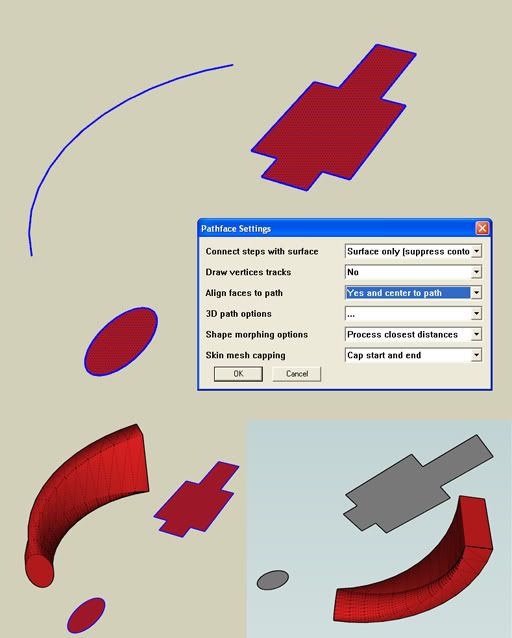
                http://i593.photobucket.com/albums/tt12/ken28875/pathsurface_problem.jpg

                Follow Your Dreams.

                1 Reply Last reply
                Reply Quote 0
                • pilouP
                  pilou
                  last edited by

                  It's works for me because I use an oldest version ๐Ÿ˜‰

                  Frenchy Pilou
                  Is beautiful that please without concept!
                  My Little site :)

                  1 Reply Last reply
                  Reply Quote 0
                  • K
                    kirill2008
                    last edited by

                    @ken28875 said:

                    Hmm..ok, so I tried it and here's what I got.
                    Any ideas why? Thanks.

                    Hi, Ken.
                    This is an issue ๐Ÿ˜ž I'll try to fix it. The problem is that "Process closest distances" method works good only for faces bounded by convex polygons. You may try "Process nearest indices" shape morphing option, but it sometimes causes inside-outs.
                    "Process nearest indices" method does not depend on face bound topology.

                    BTW, if someone try to process faces with more complex topology (I mean, faces with internal holes), then plugin will also fail to make an appropriate morphing, regardless of chosen shape morphing option.
                    For example we have 2 faces: 1-st has circular outer loop and 3 square internal holes, 2-nd has square outer loop and 2 circular internal holes. Well... I must say, the decision what kind of morphing would be more appropriate becomes pretty unobvious ๐Ÿ˜‰ . But I think that such task (the above mentioned example) is very exotic one and has no practical utilization.

                    1 Reply Last reply
                    Reply Quote 0
                    • B
                      boilingsnow
                      last edited by

                      perfect!
                      thank you so much!

                      1 Reply Last reply
                      Reply Quote 0
                      • ken28875K
                        ken28875
                        last edited by

                        @kirill2008 said:

                        @ken28875 said:

                        This is an issue ๐Ÿ˜ž I'll try to fix it.

                        Thanks, Kirill! Looking forward to the updated plugin. Take care.

                        Follow Your Dreams.

                        1 Reply Last reply
                        Reply Quote 0
                        • H
                          hsjzyangbin
                          last edited by

                          Hi,ken28875,I want 2 face+path give path just like this:
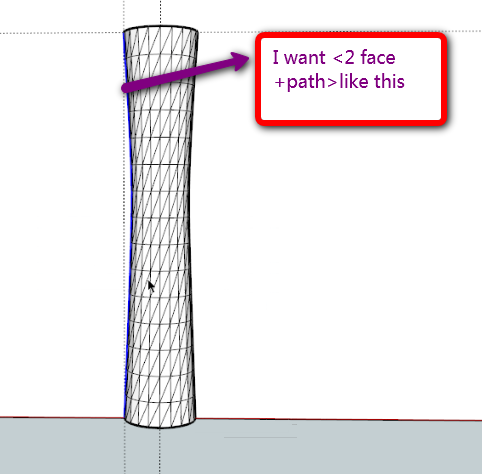

                          gogo.png

                          1 Reply Last reply
                          Reply Quote 0
                          • ken28875K
                            ken28875
                            last edited by

                            @hsjzyangbin said:

                            Hi,ken28875,I want 2 face+path give path just like this:

                            Hi hsjyangbin,

                            I think you meant to ask Kirill. He's the one who wrote the plugin.

                            I have no idea about code. lol

                            _KN

                            Follow Your Dreams.

                            1 Reply Last reply
                            Reply Quote 0
                            • R
                              romain210
                              last edited by

                              thanks a lot

                              1 Reply Last reply
                              Reply Quote 0
                              • pilouP
                                pilou
                                last edited by

                                Seems there is a little glitch ! ๐Ÿ˜ฎ
                                Don't works for all these sort of "pierced faces" !
                                CLick if scrollbars
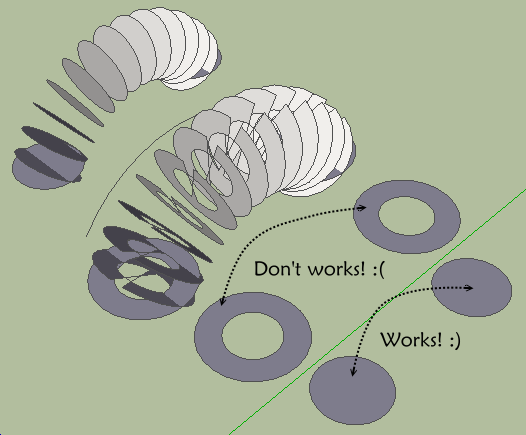

                                dworks.png

                                Frenchy Pilou
                                Is beautiful that please without concept!
                                My Little site :)

                                1 Reply Last reply
                                Reply Quote 0
                                • B
                                  balloon
                                  last edited by

                                  Thank you very much!

                                  1 Reply Last reply
                                  Reply Quote 0
                                  • M
                                    museummaker
                                    last edited by

                                    I am having some difficulty with this shape. It is a spiral with a shape, and it tapers as it it travels down the spiral.

                                    I thought this plug would work but I am getting odd results.

                                    Any ideas?

                                    Thank you for all,
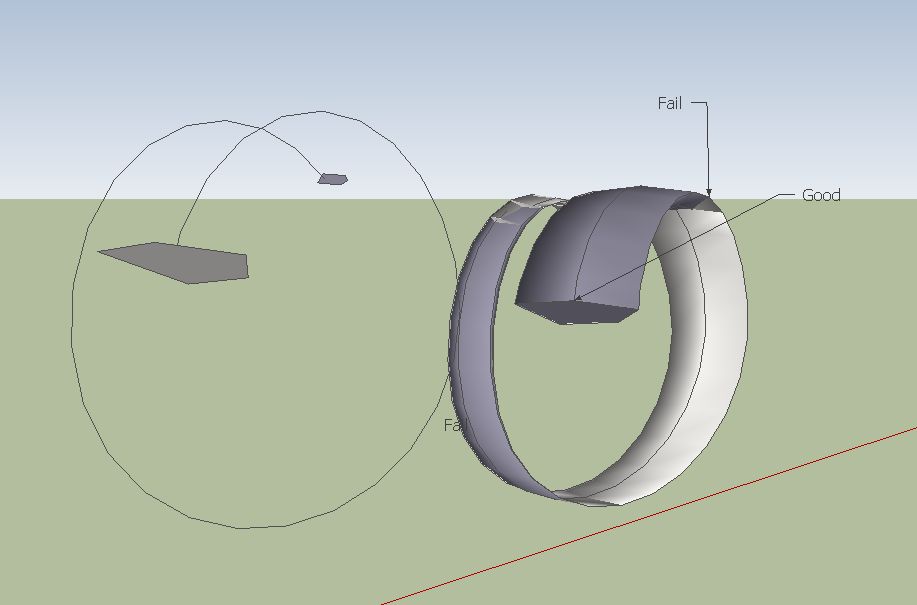

                                    tryagain.skp


                                    2facesonepath.JPG

                                    1 Reply Last reply
                                    Reply Quote 0
                                    • pilouP
                                      pilou
                                      last edited by

                                      Use the Perpendicular face tool by Chris Fullmer for put your 2 faces at the extremities of the curve!
                                      Don't take care of their positions explode the groups select all
                                      and launch 2 faces + path ๐Ÿ˜‰
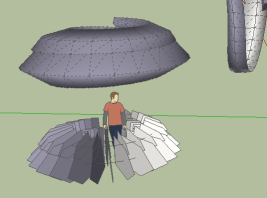
                                      works.png

                                      Frenchy Pilou
                                      Is beautiful that please without concept!
                                      My Little site :)

                                      1 Reply Last reply
                                      Reply Quote 0
                                      • M
                                        museummaker
                                        last edited by

                                        Hi Frenchy,

                                        I used that when I set up the model. Also tried flipping the normals on the shaped ends, various options in the dialog box, its not behaving like I thought. Driving me crazy

                                        1 Reply Last reply
                                        Reply Quote 0
                                        • pilouP
                                          pilou
                                          last edited by

                                          Maybe it's your curve! I have drawn a new one ๐Ÿ˜‰
                                          With spiral 1.3

                                          Frenchy Pilou
                                          Is beautiful that please without concept!
                                          My Little site :)

                                          1 Reply Last reply
                                          Reply Quote 0
                                          • M
                                            museummaker
                                            last edited by

                                            I was guessing it may be that the spiral was precisely formed.

                                            I'm trying but I still can't get it.

                                            1 Reply Last reply
                                            Reply Quote 0

                                            Hello! It looks like you're interested in this conversation, but you don't have an account yet.

                                            Getting fed up of having to scroll through the same posts each visit? When you register for an account, you'll always come back to exactly where you were before, and choose to be notified of new replies (either via email, or push notification). You'll also be able to save bookmarks and upvote posts to show your appreciation to other community members.

                                            With your input, this post could be even better ๐Ÿ’—

                                            Register Login
                                            • 1
                                            • 2
                                            • 3
                                            • 4
                                            • 4 / 4
                                            • First post
                                              Last post
                                            Buy SketchPlus
                                            Buy SUbD
                                            Buy WrapR
                                            Buy eBook
                                            Buy Modelur
                                            Buy Vertex Tools
                                            Buy SketchCuisine
                                            Buy FormFonts

                                            Advertisement