[Plugin] Import OBJ with Materials v2.1 20131118
-
Hey Chris. Yes, the tcs file comes from tree[d]. I'm not at my computer right now, but from what I remember it's a series of rgb values that I believe tree[d] uses to compute the color variations in the leaves. It would be great if you are figuring out a way to use that data in SU. Let me know if I can help.
-
+1 to Wyatt's request! Could be very useful using Tree[d] trees!
-
thank you so much!!!!!
-
worked very well... thanks!!
-
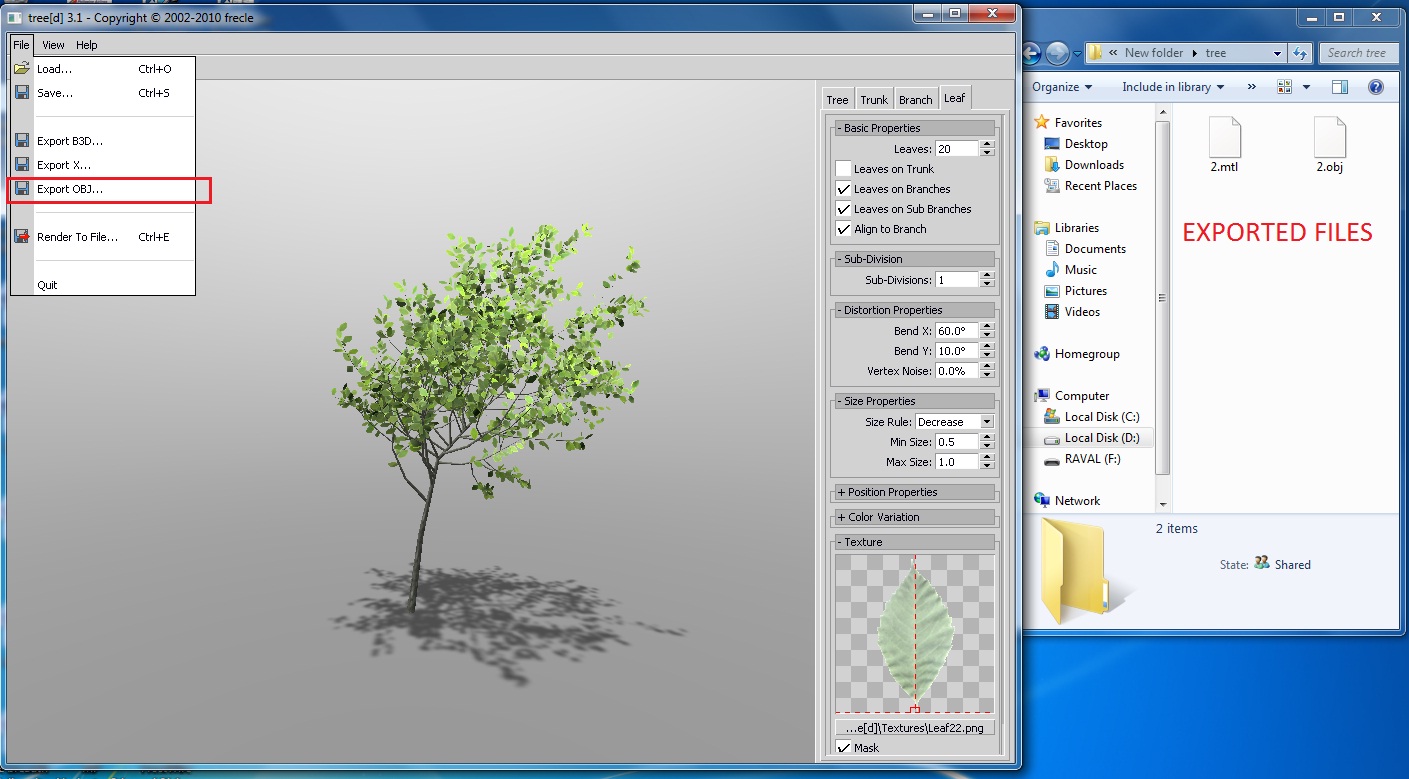
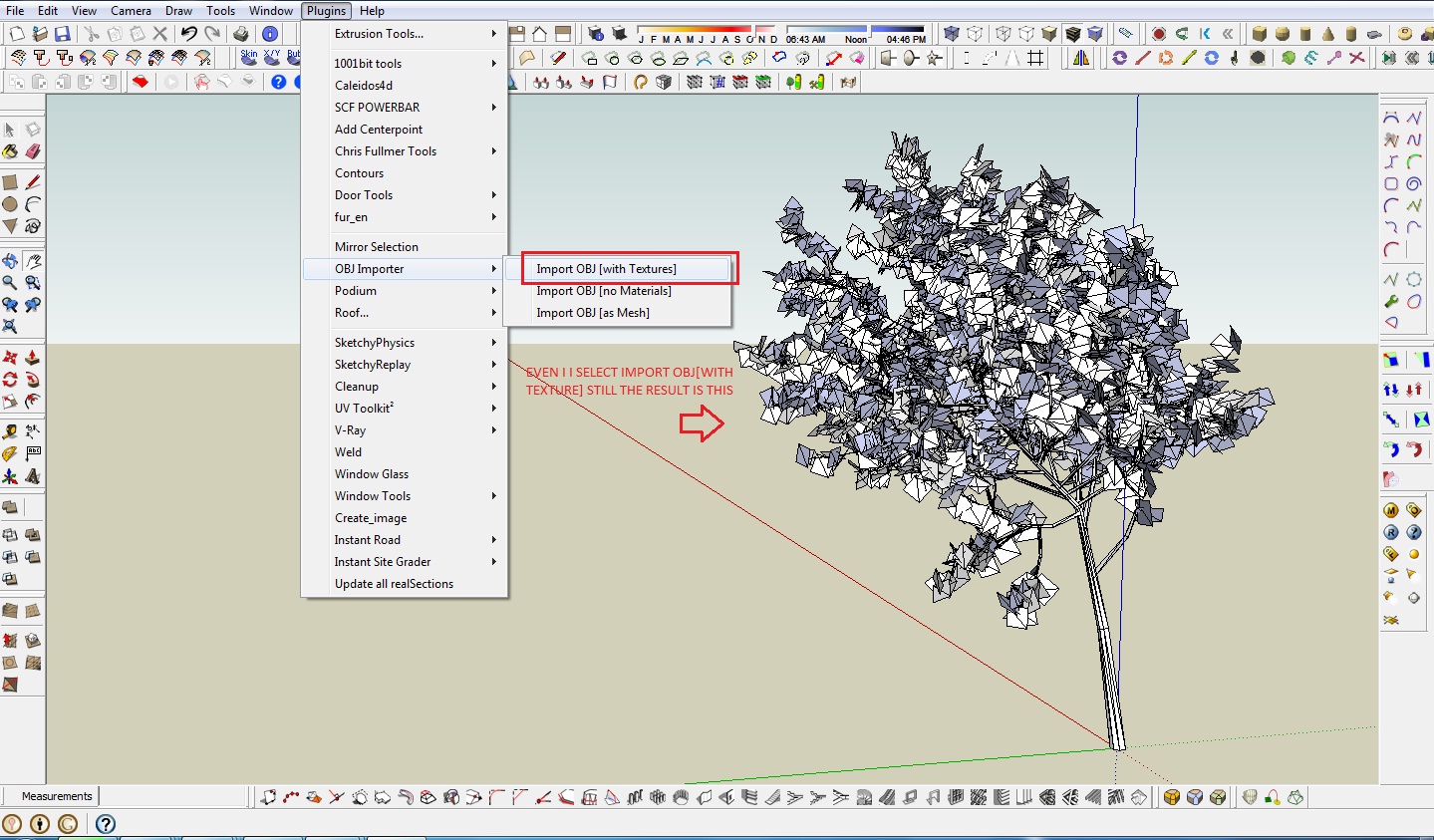
hellow TIG, i got some problem using this plug-ins. i don't know if the import OBJ plug-ins have a problem or the software i used. I use Frecle tree[d] 3.1 its a free tree generator software to generate tree and export it to .obj file and then import it to sketchup pro 8 using Import OBJ. when i finish importing it, the tree has no texture even i use import OBJ[with texture]as seen in the pictures. whats the problem for it TIG? Anyways, heres the link for tree[d]3.1 software http://www.frecle.net/index.php?show=treed.about . It is great help to us if you can fix this one, we can generate trees and load it to sketchup. hope you will reply this post, thanks.
-
3deviator
The fault isn't with OBJimporter itself but rather with the 'tree[d]' OBJ exporter.
It makes a OBJ file describing the geometry and a MTL file describing the materials but fails to export the image files to which the MTL file refers.
If you open the MTL file with notepad you'll see some image files specified at the end of each material definition - e.g. map_Kd wood03.png
These image files are in the tree[d] 'Textures' folder - typically it'sC:\Program Files\gile[s]\plugins\tree[d]\Textures
Copy the missing image files from that folder to the folder into which you have exported your OBJ/MTL files.
Now your image OBJ file imported into a SKP 'with Textures' will have the textures applied...
Now for the rub! The exported/imported tree[d] is relatively 'useless' !!! It has single sided leaf faces and the texture is only applied to the front faces, so all of the backs show as the default back color - usually a blue/gray AND the leaf faces have visible edges and a diagonal line across the middle.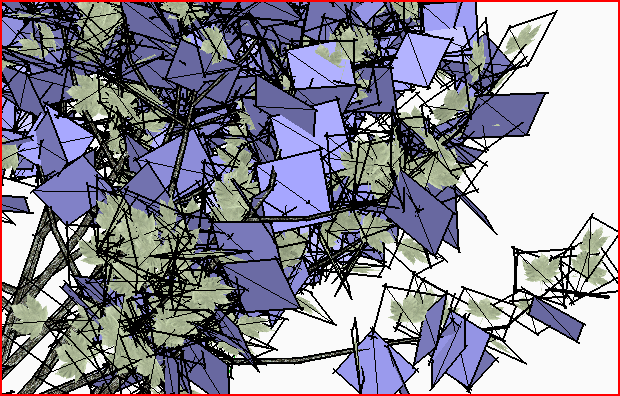
BUT there is a way to fix these issues...
Put the attached script [FixtreeD.rb] into ../Plugins folder and reopen the SKP with the tree in it, so that the script is loaded.
Now edit the group containing the tree and typeFixtreeD.newinto the Ruby Console (it runs on all entities in the current context, so DON'T use it outside of the tree group's edit).
All coplanar edges will be removed.
All other edges are hidden, and no longer cast/receive shadows.
The leaves' front materials are copied to their backs.
Hidden Geometry is switched 'off'.
Progress is reported in the Status Bar and Ruby Console
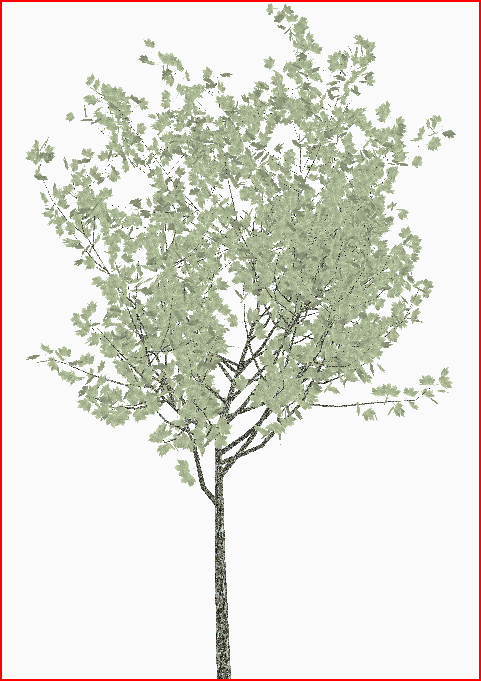
It can take some time to process a complex tree that has 1000s of partsThe attached zip file contains a tree[d] exported OBJ/MTL AND the required images listed in that MTL [but not exported by tree[d]!], it also contains the imported OBJ tree showing the problems...Examples This image shows what the 'fixed' tree looks like with the edges/back_faces etc sorted...
-
TIG is Mac Gyver!


-
I'm guessing that's a render of a made-up model? If so, add a zip-gun, wrap it into a bracelet, and represent it:-)
-
Thanks for your reply TIG, this is very nice script, its a Great Help. Thanks a lot. It works fine although it took too long in processing but you will also satisfied with the output. I'm very impress of what you did TIG,your truly "The Incredible Giant".
-
@3deviator said:
Thanks for your reply TIG, this is very nice script, its a Great Help. Thanks a lot. It works fine although it took too long in processing but you will also satisfied with the output. I'm very impress of what you did TIG,your truly "The Incredible Giant".
3deviator, use the reply (or quote) buttons to reply a post, not the report function, please. (I know, this needs some sort of routine, too). I had to copy/paste/change poster and all for the above post...
Cheers
-
@gaieus said:
@3deviator said:
Thanks for your reply TIG, this is very nice script, its a Great Help. Thanks a lot. It works fine although it took too long in processing but you will also satisfied with the output. I'm very impress of what you did TIG,your truly "The Incredible Giant".
3deviator, use the reply (or quote) buttons to reply a post, not the report function, please. (I know, this needs some sort of routine, too). I had to copy/paste/change poster and all for the above post...
Cheers
ohh! im so sory sir Gaieus, i dont intend to do that, I'm just confuse, if where is the button to reply for a specific post. im so sory for that sir. how can i delete that post sir?
-
Hi TIG,
First:(I wrote to you in another thread, about the texture mapping import)
After testing the last days with Maya 2009 I can say the following:
Your Plugin imports the Geometry very fine and accurate, and it additionally imports the maya mental ray shader I used there. If the shader has only normal mapping applied without diffuse mapping, on import the mapping seems to get lost. When i applied the same map to the diffuse channel it worked, but:The texture mapping is applied to the shader, not to the object, because when i replace the shader in SU 8, the texture mapping gets lost.
When I tried to render the object in SU 8 with V-Ray 1.49.91 it did work for hours, but could not complete the Render. When I replace the imported shader with a new one with same textures applied, it renders in usual time, but - as i said - the mapping is lost.
am I doing something wrong?
thx again for your great plugin!
cheers, 3rdEye -
Hi TIG
I Have little problem when import a complex big obj file
its very heavy in my little machines..
I made the obj from ivy generator filling full a wall which dimension 5 x 12 meter2
could you teach me..how I can import complex big obj file?
thanks a lot
-
@cublique said:
Hi TIG
I Have little problem when import a complex big obj file
its very heavy in my little machines..
I made the obj from ivy generator filling full a wall which dimension 5 x 12 meter2
could you teach me..how I can import complex big obj file?
thanks a lot
With complex data it takes time...
Try simpler forms...
OR wait overnight...
-
Ivy generator creates extremely complex geometry (mostly unusable in SU actually).
-
Here's v1.9 http://forums.sketchucation.com/viewtopic.php?p=172790#p172790
A glitch with occasional 'reversed faces' on import has been addresses... -
TIG, the fixtreed.rb is fantastic! The script eliminates several steps from a fairly lengthy process I developed to use Tree[d] models. Thank you!
-
Hi TIG!
There are problems with import of this file. Familiarize please, and whether it is possible that or to make?
In advance thanks!
Max -
Sorry! I forget attach file
-
@imaxx said:
...
Imaxx
You only included the OBJ file !
Therefore when it imports there is no MTL to set materials and of course NO texture/image files either...
Here is what imports with what you supplied.
The trunk is there and I suspect the branches/leaves too [as the rectangular slabs at various angles], BUT these need to have PNG texture materials with transparency to look right.
Also the app that has made these triangulated faces AND reversed one part - this is fixable using the 'tree[d]' techniques described in the recent thread BUT you need the OBJ file, the MTL file and the images specified in the MTL file in a subfolder IF given in the MTL; then process the import to remove the coplanar edge, add the material to BOTH sides of the face and hide edges etc..........
This is the present version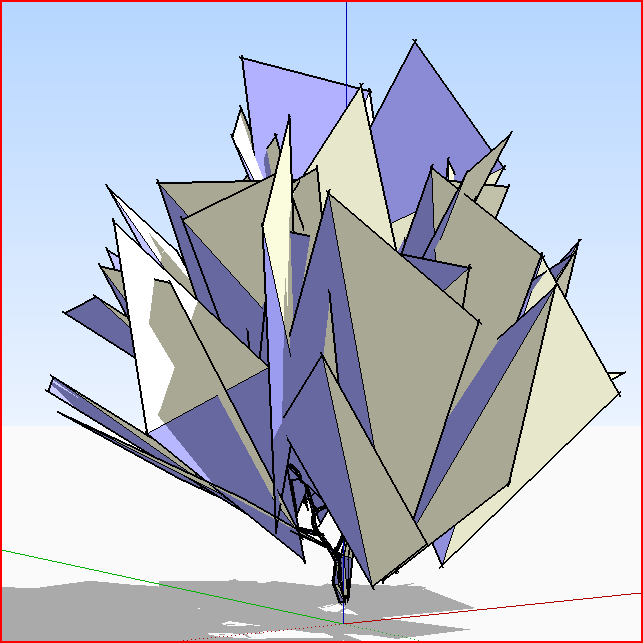





Advertisement