[Plugin] SectionCutFace
-
While v8 is no longer supported by Trimble, and it's regarded as pretty much obsolete, I have loaded the latest version of SectionCutFace into v8 and it loads and works just fine...
So something is wrong...
Close SketchUp.
Find the SectionCutFace.rb file and SectionCutFace subfolder within v8's Plugins folder - and delete them.
Then reinstall SectionCutFace from its latest RBZ.I suspect you somehow have some older legacy files loading.
This plugin tries to delete any such files in the subfolder, but if your v8 Plugins folder security-permissions are not set to FULL for every one listed in its Properties dialog, then it might be failing...
By manually removing the loader and subfolder... and reinstalling from new you should get a clean installation.As I said - it works for me in all versions from v8 up to v2016, on both PC and MAC...
So something is wrong at your end... -
Tried everything suggested and still get the same load error - time to enter the 21st century and upgrade from 8 Pro. Have you guys chased all the gremlins out of v2016 yet?
-
@architect said:
Have you guys chased all the gremlins out of v2016 yet?
There are a lot more gremlins in SU8 than in SU2016.

-
Have you actually removed the related file/subfolder as I suggested, and then reinstalled the RBZ ?
I have it working fine on v8, so you should be able to too ?? -
Same problem for me in SU8-Pro and Windows. Tested all variants of installation...
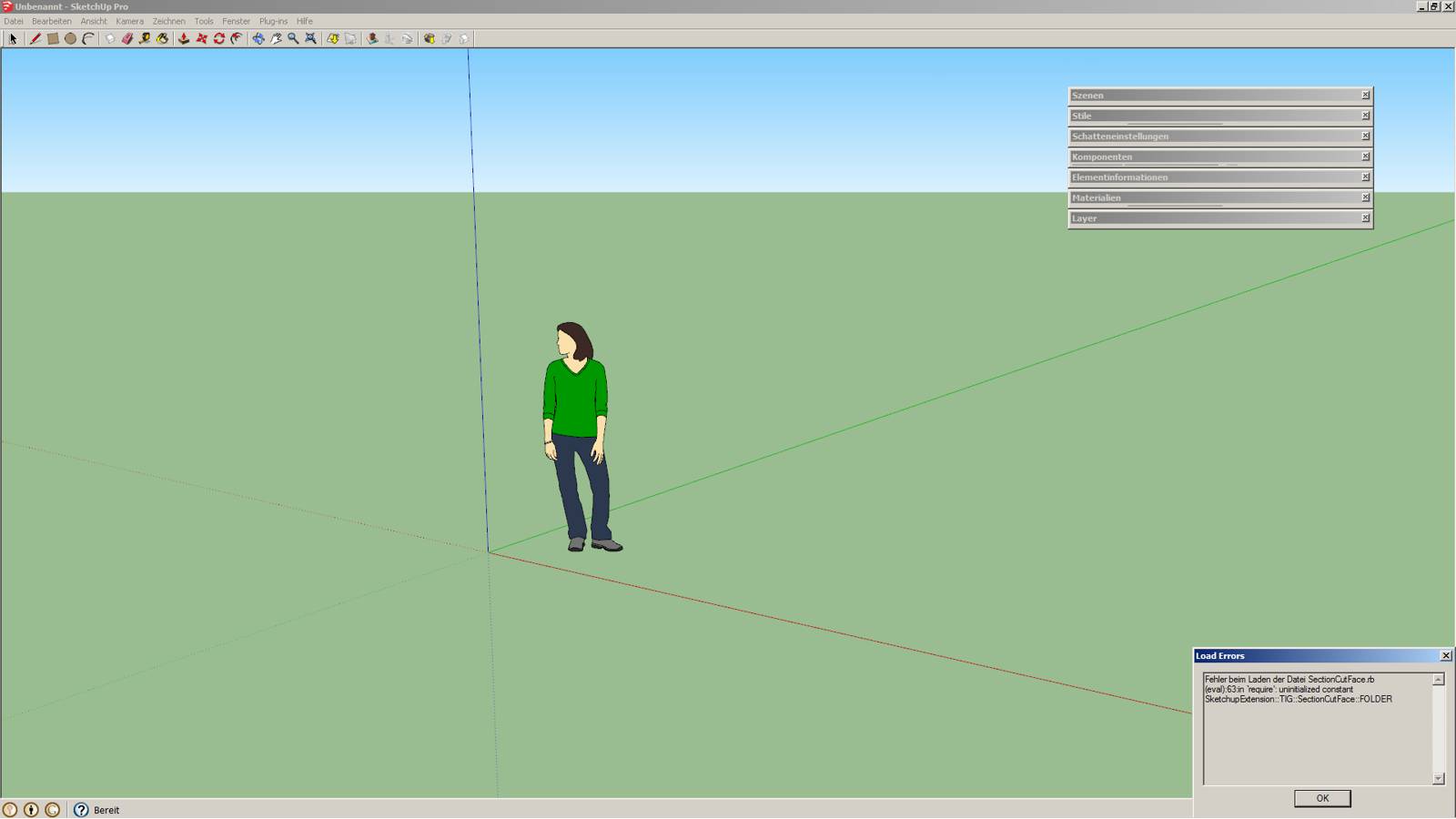
-
Have you also tried manually deleting the rb file and the matching subfolder relating to SectionCutFace, then reinstalling a fresh version from the latest RBZ ?
AND editing your v8 Plugins folder's security permissions [as an admin] to be FULL for everyone listed ?I have the latest version working just fine in v8, so you should be able to too !
-
Hi everyone. Long time user of this plugin here. First up, wanted to say a big thank you to TIG for the plugin. It's really helpful. I wanted to ask something that's been bothering me for a while. Is there any chance a 'quick' version of this plugin could be released? I don't know how to code, unfortunately and I don't know if it's legal to edit someone's plugin. Basically, I'm looking for a version that doesn't have the pop-up dialog box. I'd like the plugin to generate a standard, unlocked face with the default material, on the default SketchUp layer, with all the edges visible without any other additions. It takes some time to adjust the settings in the dialog box, so I think a 1-click version could speed up the workflow. Any hopes?
-
As it is you can edit settings in the config file, as mentioned in first post, and once you run the plugin you just press enter once.´
That's what I do and since recent development, both name and layer get autoassigned. The rest is up to the settings you define in the file above.
-
Do you mean editing the .rbz file of the plugin?
-
@tig said:
Here's v5.0
It's now signed for v2016 full compatibility.
The customize-able Constants [COLORS-list and various starting defaults] are now supplied in an editable '.constants' file within its subfolder.
There are now several more locale .strings files.The main changes are that the dialog now lets you choose the layer for the SectionCutFace -
either the Section's layer,
or a unique SCUT-nnnnnn layer,
or a 'Customized' layer [you type in a name],
or any other layer available in the model.It also now lets you choose the SectionCutFace's name - as either as its Layer-Name or a 'Customized' name [you type in a name].
Sorry this is the right post and the following is what you should be focusing in:
@unknownuser said:
The customize-able Constants [COLORS-list and various starting defaults] are now supplied in an editable '.constants' file within its subfolder.
The idea is to search for you plugin folder and edit the file *.constants with notepad (instructions are inside the file). That way, the default options you get when running the plugin are what you choose them to be.
You can then run the plugin and hit enter immediatelly and be sure it does what you want without you manually have to change options.
-
###
### Customizable list of the dialog's initial defaults...
### Do NOT edit anything to the left of the =
Color="<#{DEFAULT}>" ### Note - this MUST be in the COLORS listed above...
Keep=YES ### =YES or =NO - Note MUST be in CAPS
Hide=NO ### =YES or =NO - Note MUST be in CAPS
Lock=NO ### =YES or =NO - Note MUST be in CAPS
Glue=NO  ### =NO or =YES or =ONDEMAND - Note MUST be in CAPS
Layer="<#{SLAYER}>" ### i.e. ="<#{SLAYER}>" to use Section's Layer, or use =SCUT for new unique Layer, or use ="<#{CUSTOM}>" for a Customized New Layer, or use =nil for Choose Layer
Naming="<#{AFTER}>"  ### i.e. ="<#{AFTER}>" to use the Section's Layer, or use ="<#{CUSTOM}>" for a Customized Name
###
### Change Inset of the Section-cut from the SectionPlane.
### default 0.1 [Note it's in mm - do NOT add units] -
### Change it if the Section-cut isn't showing at the SectionPlane [Graphics-Card issue].
Inset=0.1
###
Done it! Now I don't have to go through the settings. Thanks a lot for the help JQL!
-
As JQL says, in the newer versions you can edit the SCF .constants file.
This sets up the Color list and other dialog initial defaults.
If you open that file using Notepad(++) there are instructions in the file itself on what can be edited.
You can then set it to default to whatever you want in every SKP you open.
Run the tool and press enter for OK without recourse to any setting changes.
The reason the .constants file was added was that previously these were in a separate [editable] RB, but v2016 signing doesn't allow you to mix RB and RBS files in the same RBZ !
Also if certain file-types [like RB] are edited in any way the hash signing is broken and in v2016 its 'security' status is compromised.
You can however edit a .constants file-type without any bad affects on the 'security' in all versions of SketchUp, as that file-type is not included on the hash set up.
Also the RBS code that reads those values in has a strict list of items to read in from that file, so in that way some 3rd-party idiot adding malicious content into there is also prevented from from execution.
The only downside thus far is that when reinstalling a newer RBZ the .constants file is refreshed, and so it will need re-editing [but you can make a backup copy inside the folder, which with survive the reinstallation, then you just need to rename etc !] -
Thanks for the info TIG!

-
Great Update TIG! Love the naming options. Thanks!
-
Well Tig, I don't know how to say this, but I have yet another feature request, that I guess would make SCF more than perfect...

Would it be hard for you to have SCF group's axis parallel to the section plane?
If our section plane is orthogonal to world axis, their group's axis are fine, if our sections are not orthogonal, the axis are not not coplanar with the face inside.
This seems minor (and indeed it is) but I use section cut faces for 2D drafting inside sketchup and I often have sections wich are not parallel to world axis. When I need to, I change axis with the axis tool, so I know how to deal with that, however it would be cool to turn a section into an autocad drawing clone with 2D axis set to go.
If you'd let me choose, I'd like axis to be 2D with the section face, wich would mean:
- X to the right;
- Y pointing up;
- Z would result to be on the reversed normal of the section (pointing against the sections arrows)

I also use these newly set axis to correct whole section groups, or parts of sections wich I have remodeled but I don't want to redo the whole section cut face I've been working on.
Here's an example gif:

-
Hi Tig -
I'm having an issue with 5.1:
When I 'Remake Section Cut Face' it doesn't fill the section and it creates a new object on Layer 0, despite having selected the option to name it after the layer when I first created the cut.
I'm going to try and delete all related files from my PlugIn folder and re-install from a download.
-
@bmike said:
Hi Tig -
I'm having an issue with 5.1:
When I 'Remake Section Cut Face' it doesn't fill the section and it creates a new object on Layer 0, despite having selected the option to name it after the layer when I first created the cut.
I'm going to try and delete all related files from my PlugIn folder and re-install from a download.
No luck, deleted manually and re-installed from the SKF store, same problem persists.
-Mike
-
That usually happens if you made the original section on Layer0.
Instead of Remaking the section try Making a new section. From then on you can Remake it and it will keep those values.
-
@jql said:
That usually happens if you made the original section on Layer0.
Instead of Remaking the section try Making a new section. From then on you can Remake it and it will keep those values.
I didn't make the original section on Layer 0....
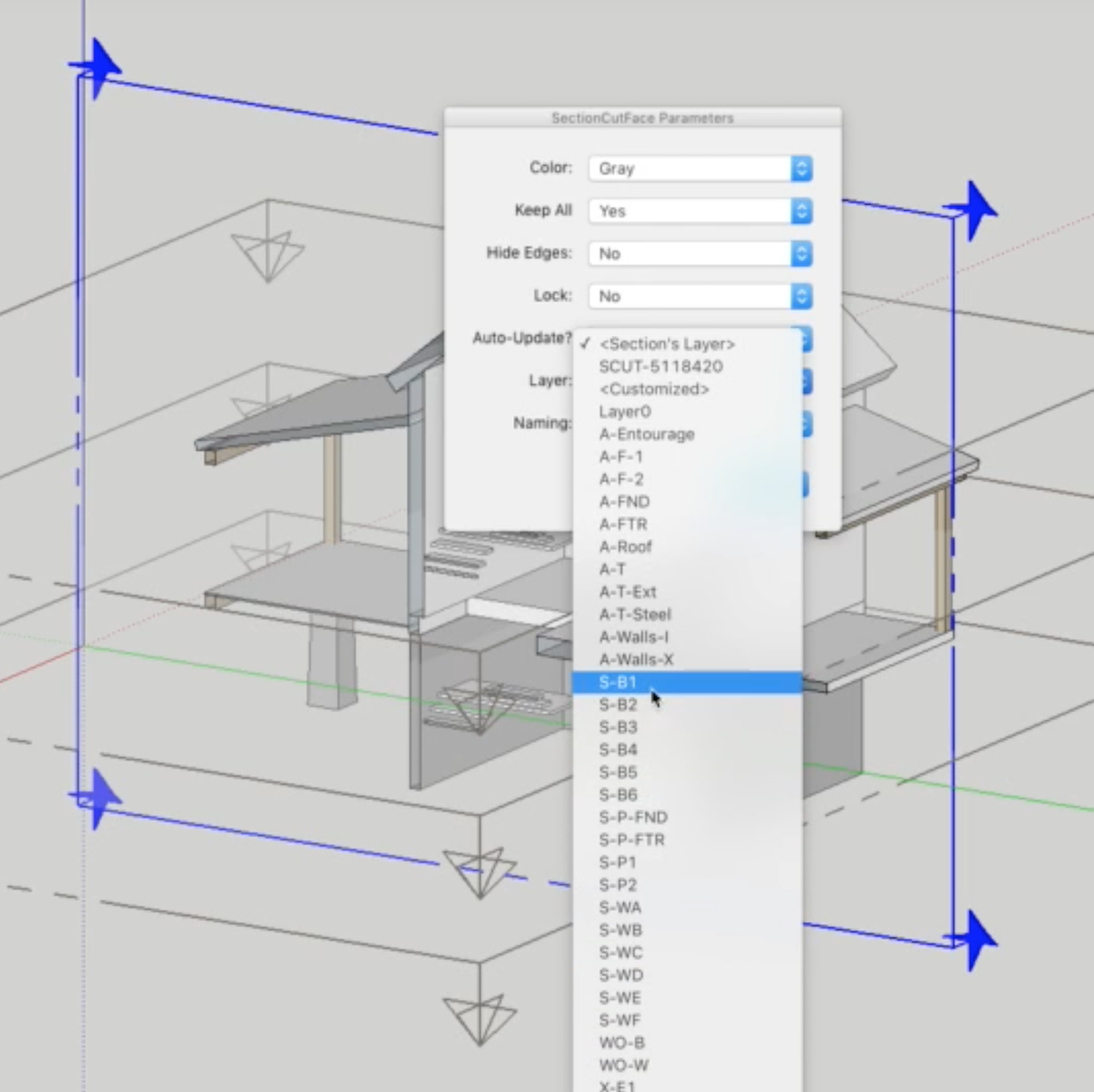
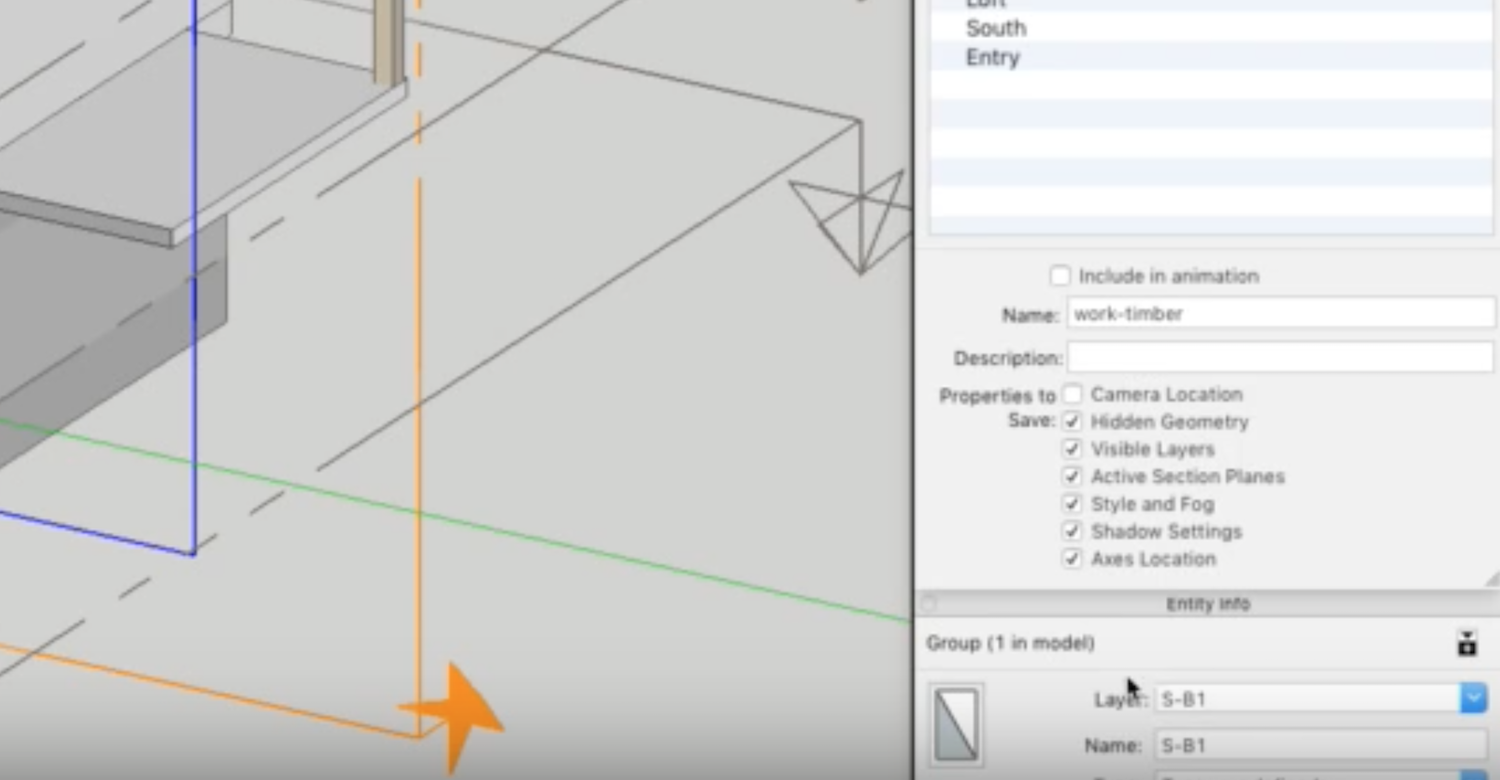
-
Either set the Section-Plane to have the desired layer and set the SectionCutFace's layer to be '<Section's Layer>' so they always match - or pick '<Customized>' and in the dialog type in the existing layer-name e.g. S-81 - which is then frozen.
Then when you remake it, then it always uses that customized-name.Picking from the list of 'all' layers is only really useful for the 'No' - Non-update-able - SectionCutFaces - which are of course frozen and not re-makeable.
But having the list available for all SectionCutFaces types, at least lets you see what layers names already exist, to then use in '<Customize>'...For the two types of remake/update-able SectionCutFaces... the 'frozen' layer-name choices are:
'<Section's Layer>' - where the Section-Plane's layer-name is used across remakes; and only changes if you have reassigned the Section-Plane's layer, in which case when you remake it, its layer is changed to match... So a simple fix is to reassign the Section-Plane to say S-81 and then when remade the SectionCutFace will also have that layer.
'SCUT...' - where that specific initially assigned layer-name is retained across all remakes.
'<Customized>' - where that initially chosen layer-name is retained across remakes.
If you simply recreate either of the two update-able SectionCutFace types, by using 'Add...' it will replace the previous one, using whatever options you choose - a remake-able SectionCutFace is only one per Section-Plane - unlike a 'No' update type which can have several SectionCutFaces associated with it.





Hello! It looks like you're interested in this conversation, but you don't have an account yet.
Getting fed up of having to scroll through the same posts each visit? When you register for an account, you'll always come back to exactly where you were before, and choose to be notified of new replies (either via email, or push notification). You'll also be able to save bookmarks and upvote posts to show your appreciation to other community members.
With your input, this post could be even better 💗
Register Login


Advertisement