Apply logo texture
-
Hi Guys,
I have a project I'm working on and I need to put a small logo in the top right corner of a panel and I can't for the life of me figure out how to do it. All I get is a tiled texture across the whole section which isn't what I want.
Does anyone know how to place an image onto a small section of a face as a texture? Has to be as a texture as I'll render it in hypershot.
Any help appreciated.
Puck
-
When you import the image, import it as an image not a texture. You may have to unglue it from the surface you are attaching it to in order to place it properly.
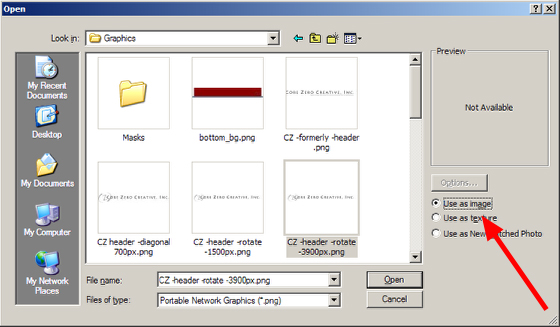
-
If it has to be inserted as a texture, draw a couple of lines on the surface as the perimeter of the texture. Insert the logo and apply it to that smaller face. Then, with Shift+Eraser, hide those edges.
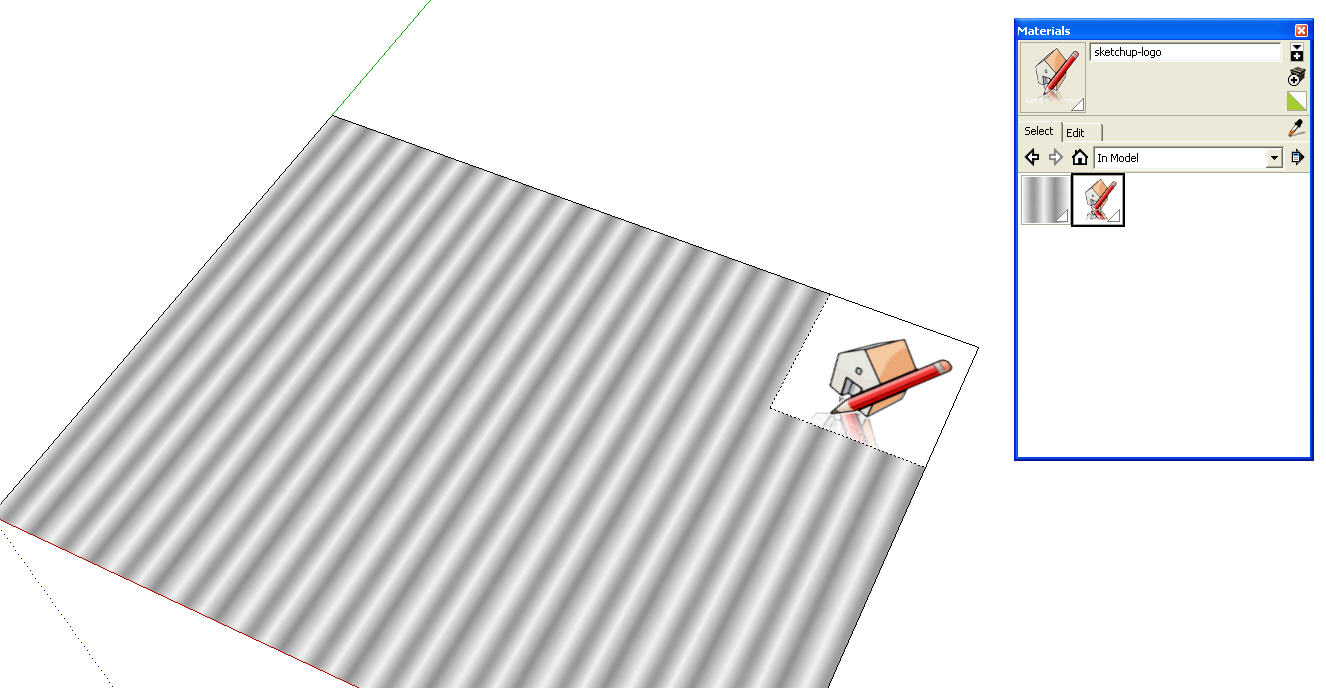
-
Thanks guys!
Superstars as always

Puck


Hello! It looks like you're interested in this conversation, but you don't have an account yet.
Getting fed up of having to scroll through the same posts each visit? When you register for an account, you'll always come back to exactly where you were before, and choose to be notified of new replies (either via email, or push notification). You'll also be able to save bookmarks and upvote posts to show your appreciation to other community members.
With your input, this post could be even better 💗
Register Login


Advertisement