Shadow Mystery
-
Hey Gang,
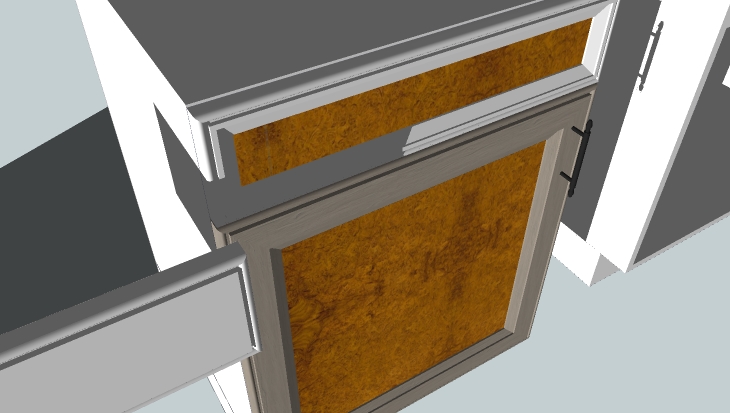
Where did my shadow go? When I add a texture to a model a shadow will no longer cast/appear on that surface. See the image below- no shadow on the door face and the drawer panel. ????
-
Well I just fixed it. Turns out I saved the textures in PS as .png 24.
I resaved as .jpg and now the shadows show.So... now the ? is... is it possible to use a .png and still get the shadows? or is this an SU bug?
-
Wulp,
Further experimenting I found I'd saved the .png in PS with "transparency". That seems to have solved the problem.
So...Gee thanks for the help.
-


Hello! It looks like you're interested in this conversation, but you don't have an account yet.
Getting fed up of having to scroll through the same posts each visit? When you register for an account, you'll always come back to exactly where you were before, and choose to be notified of new replies (either via email, or push notification). You'll also be able to save bookmarks and upvote posts to show your appreciation to other community members.
With your input, this post could be even better 💗
Register Login


Advertisement