[Plugin] Exploded Arc Centerpoint Finder UPDATE May 23, 2013
-
Great, thanks Christophe! I've updated the first post to also include a link to the French version.
Chris
-
@chris fullmer said:
Name: Arc Centerpoint Finder
Version: v1.0wow! nice one.
perfect little timesaver.
thank you -
There's a wee bug. It adds the CPoint in model.entities instead of model.active_entities - so if you use this inside a group/component it's not added to the correct context.
-
Chris, you're a mind reader...I was looking for this function for a long time. Thanks for your help in our sketchup's lives !!
-
@thomthom said:
There's a wee bug. It adds the CPoint in model.entities instead of model.active_entities - so if you use this inside a group/component it's not added to the correct context.
Oh darn, there was a little while there where I think I forgot about .active_entities and just added everything to the .entities collection. I'll fix it and get it uploaded later today,
Chris
-
ok, now updated so that when it is used in group/component edit mode, it will add the construction point inside the group that is being edited. Thanks for pointing that out Thom.
So re-download it from the first post in the thread.
Chris
-

-
Thanks Chris,
I found this to be a very readable script for learning a little more Ruby. It's pretty clear from context what it's doing as far as finding a perpendicular direction, creating a temporary "z" from the original two edges, etc. I assume the ".cross" function is the Cross-product from vector algebra, which I vaguely remember, but I'll have to look up what that actually is and why it's called "cross".
Thanks again,
August -
i know it may seem stupid, but why can't i see the context "point at center" menu when i right-click on an arc?

-
You have to first enable the sketchup ruby script examples from Window > Preferences > Extensions > Ruyb Script Examples (or might be the one called Utilities tools). Enable them both, then you should get the point at center option.
Chris
-
@chris fullmer said:
You have to first enable the sketchup ruby script examples from Window > Preferences > Extensions > Ruyb Script Examples (or might be the one called Utilities tools). Enable them both, then you should get the point at center option.
Chris
ha!
i never knew this function came with SU.. i've been using jim f's arc_centerpoint.rb for a couple of years now.

-
Hehe, and I wrote that before I realized Point at Center came with SketchUp!
-
@unknownuser said:
@chris fullmer said:
You have to first enable the sketchup ruby script examples from Window > Preferences > Extensions > Ruyb Script Examples (or might be the one called Utilities tools). Enable them both, then you should get the point at center option.
Chris
ha!
i never knew this function came with SU.. i've been using jim f's arc_centerpoint.rb for a couple of years now.
Me too, seems that the ways of SU are infinite!

Thanks for the tip, Chris.
-
I just wanted to thank you again for this Chris. It is a very useful tool.
-
Oh good, glad its helpful!
Chris
-
Great tool, thanks Chris.
baz -
Dear Chris,
I made a request a little time ago for an icon to go with this script. I use your centrepoint finder so often that an icon would be very useful (and yes, TIG, I know I could assign a shortcut...)
Many thanks,
Bob
-
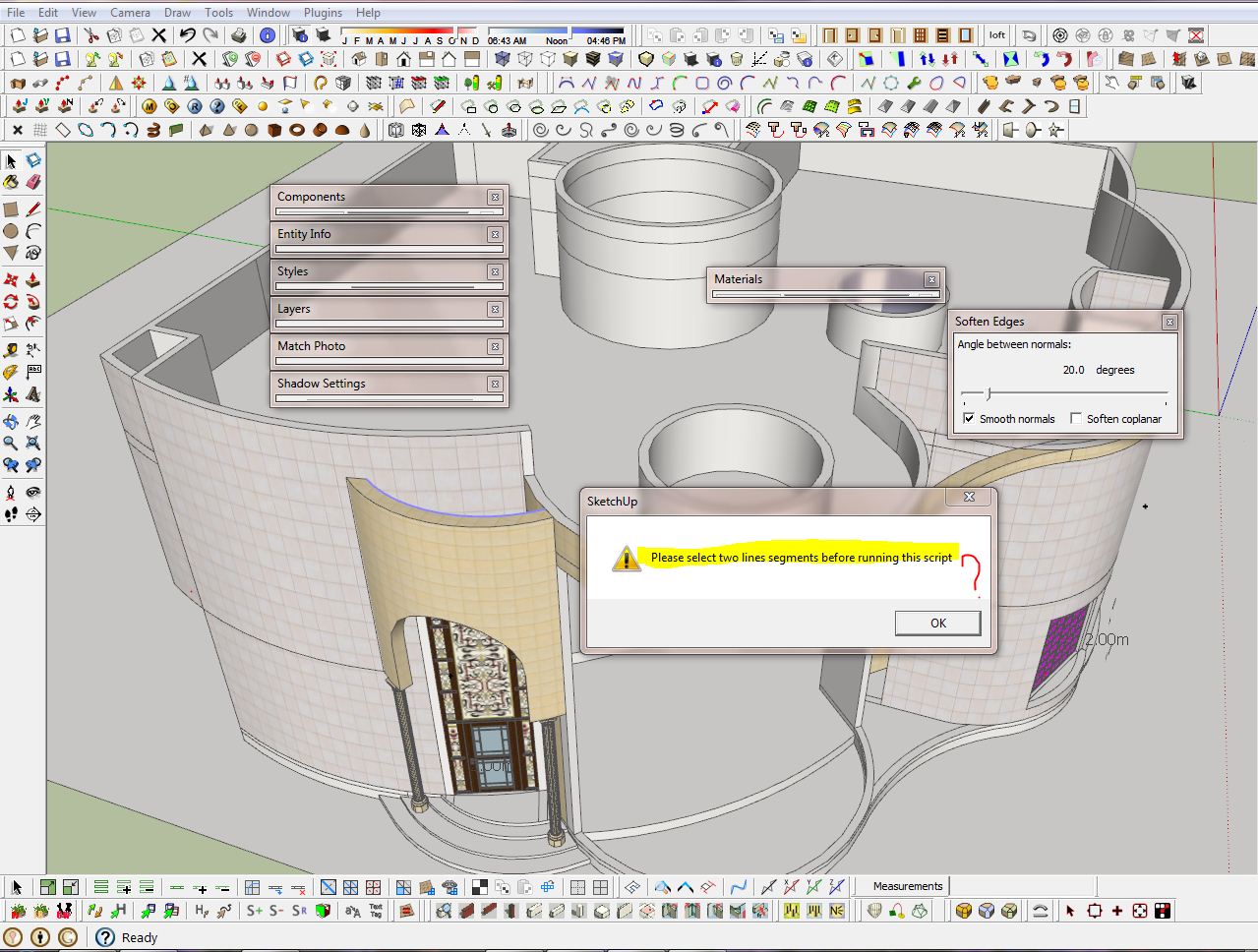
hello Chris thank for this Plugin but after I updated my SU8 to SU8m2 it was not work when I run in form plugin menu show to me this window I don't know what is meaning ?
note I removed it and instal it again but same problem
-
Hi, jamalito:
It appears you have preselected a non exploded arc. Chris's plugin is for calculating a centerpoint of 2 or more unconnected or nonwelded segments. Use Sketchup's native Point at Center or Jim's Autocenterpoint. -
Had this very handy plugin installed previouslyu but I had to reintall Sketchup today.
I tried installing via the Sketchucation plugin store but it didn't work so I manually placed it in the plugin folder and but doesn't appear in the plugins menu.Am I doing something wrong?







Hello! It looks like you're interested in this conversation, but you don't have an account yet.
Getting fed up of having to scroll through the same posts each visit? When you register for an account, you'll always come back to exactly where you were before, and choose to be notified of new replies (either via email, or push notification). You'll also be able to save bookmarks and upvote posts to show your appreciation to other community members.
With your input, this post could be even better 💗
Register Login


Advertisement