sketchucation logo sketchucation
    • 登入
    Oops, your profile's looking a bit empty! To help us tailor your experience, please fill in key details like your SketchUp version, skill level, operating system, and more. Update and save your info on your profile page today!
    🔌 Smart Spline | Fluid way to handle splines for furniture design and complex structures. Download

    [Plugin] Shape Bender Beta

    已排程 已置頂 已鎖定 已移動 Plugins
    1.3k 貼文 331 Posters 1.8m 瀏覽 329 Watching
    正在載入更多貼文
    • 從舊到新
    • 從新到舊
    • 最多點贊
    回覆
    • 在新貼文中回覆
    登入後回覆
    此主題已被刪除。只有擁有主題管理權限的使用者可以查看。
    • thomthomT 離線
      thomthom
      最後由 編輯

      You've put all of 1001bits files into the plugins root folder. All but one, 1001bit_tools.rb should be in a 1001bit folder.

      Thomas Thomassen — SketchUp Monkey & Coding addict
      List of my plugins and link to the CookieWare fund

      1 條回覆 最後回覆 回覆 引用 0
      • A 離線
        Allen Brown
        最後由 編輯

        @chris fullmer said:

        This loos like you probably just got some files in the wrong spot. In your base Plugins folder, there should be a file called clf_shape_bender_loader.rb and a folder called clf_shape_bender. All other files (a bunch of icons and and file called clf_shape_bender.rb) should all be inside the clf_shape_bender folder.

        If you feel like you have the files in the right spot, then you need to open the Ruby Console in the "Window" menu. Have that open, then try to run shape bender once. It will probably write a bunch of errors to the console. copy (ctrl-c) those and paste them back here. I'll look at what the error is and we'll go from there,

        Chris

        Awesome Chris! That was it.

        Thanks so much for all you do!

        1 條回覆 最後回覆 回覆 引用 0
        • I 離線
          InterArchi
          最後由 編輯

          @thomthom said:

          You've put all of 1001bits files into the plugins root folder. All but one, 1001bit_tools.rb should be in a 1001bit folder.

          Thanks Bro ..U have a heart of Gold

          1 條回覆 最後回覆 回覆 引用 0
          • T 離線
            thelandscaper
            最後由 編輯

            Hey, you have no idea the way you are helping me my friend!!! Thank you Thank you Thank you!!!

            keep on the gooooood work. 😍

            "If life brings you lemons, get salt, Tequila and call me over"

            1 條回覆 最後回覆 回覆 引用 0
            • charly2008C 離線
              charly2008
              最後由 編輯

              Hi,

              Yesterday I installed the beta version 0.55 and get the following error message.

              The clf main folder is containing all files. the progressbar and the shape bender loader are in the plugins folder. Can anybody help.

              Charly
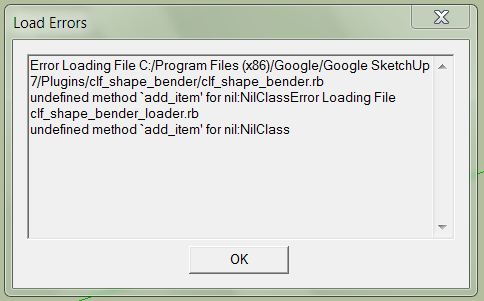

              shape bender.JPG

              He who makes no mistakes, makes nothing

              1 條回覆 最後回覆 回覆 引用 0
              • TIGT 離線
                TIG Moderator
                最後由 編輯

                Try replacing this file in the ../Plugins/clf_shape_bender/ sub-folder clf_shape_bender.rb - there was a potential error with the YouTube linking in part of its code [around line 1003] that got 'masked' if you have other clf tools loading it correctly before this one - this now fixes it in every case.

                TIG

                1 條回覆 最後回覆 回覆 引用 0
                • charly2008C 離線
                  charly2008
                  最後由 編輯

                  Hi TIG,

                  thanks for your quick response it works now.

                  Charly

                  He who makes no mistakes, makes nothing

                  1 條回覆 最後回覆 回覆 引用 0
                  • M 離線
                    mjsnyder80
                    最後由 編輯

                    Hello out there. I'm new to the forum, but have been using sketchup for many years now. I just discovered the bender script, but am not able to get it to work. The progress bar at the bottom stops either at 1% or 5% depending ont he complexity of the group. The ruby console shows the following text:

                    Error: #<NoMethodError: undefined method /' for nil:NilClass> C:/Program Files/Google/Google SketchUp 7/Plugins/clf_shape_bender/clf_shape_bender.rb:676:in draw'
                    C:/Program Files/Google/Google SketchUp 7/Plugins/clf_shape_bender/clf_shape_bender.rb:676

                    As I am not a programmer, this is completely over my head. Can anyone help to get this script working?

                    Many thanks.

                    1 條回覆 最後回覆 回覆 引用 0
                    • Chris FullmerC 離線
                      Chris Fullmer
                      最後由 編輯

                      This sounds like you might be having a conflict with an old version of Component Spray plugin.

                      If you have component spray installed, please uninstall it and re-install the newest version. THat should fix your problem. Let me know if works or not.

                      Chris

                      Lately you've been tan, suspicious for the winter.
                      All my Plugins I've written

                      1 條回覆 最後回覆 回覆 引用 0
                      • M 離線
                        mjsnyder80
                        最後由 編輯

                        That did the trick. Thank you very much. And by the way, this is an awesome plugin. Nice work, and thanks again.

                        Mike

                        1 條回覆 最後回覆 回覆 引用 0
                        • D 離線
                          darkhelmet
                          最後由 編輯

                          I've almost given up. Ran Ruby console while trying to use this plugin and this is what i got:

                          Error: #<NoMethodError: undefined method all_connected' for nil:NilClass> C:/Program Files (x86)/SketchUp 7/Plugins/clf_shape_bender/clf_shape_bender.rb:307:in line_picker'
                          C:/Program Files (x86)/SketchUp 7/Plugins/clf_shape_bender/clf_shape_bender.rb:239:in `onLButtonUp'
                          C:/Program Files (x86)/SketchUp 7/Plugins/clf_shape_bender/clf_shape_bender.rb:307

                          WIN7 64bit

                          1 條回覆 最後回覆 回覆 引用 0
                          • Chris FullmerC 離線
                            Chris Fullmer
                            最後由 編輯

                            Hmm, do you have component spray installed? If so, please update. There was a version that was around for a while that caused problems.

                            If that does not work, please verify that you have the files in the right places. In the plugins folder you should have a file called clf_shape_bender_loader.rb and a folder called clf_shape_bender. All other shape bender files (another .rb file and a bunch of icons) should go inside the clf_shape_bender folder.

                            So I guess verify those two things. If you do have the most current version of component spray instlled (please actually do re-download and install it again) and you do have your file structure set up correctly, then come back and we'll keep trying things.

                            Chris

                            Lately you've been tan, suspicious for the winter.
                            All my Plugins I've written

                            1 條回覆 最後回覆 回覆 引用 0
                            • Y 離線
                              yna
                              最後由 編輯

                              im having problems with the plug in. in the video after i click both the curved line and the straight line the red highlight appeared but the green diddnt and when i pressed enter, nothing happened. what did i do wrong? please help me

                              1 條回覆 最後回覆 回覆 引用 0
                              • Chris FullmerC 離線
                                Chris Fullmer
                                最後由 編輯

                                The red and green highlight will not always appear at the same time. So if you get the red highlight, then you're doing pretty good - better than most who have initial problems with the script.

                                It could be that the thing you are trying to bend is too complex. Test it with a simple box or something. That should bend instantly. If that works, then you might just need more patience. If the box does not work, and it still hangs on the red/green highlight, then there might be bigger problems. If that is the case, please open the Ruby console (from the Windows menu). Then try running the plugin. It will probably write errors to the ruby console. Please copy and paste ALL of those errors back here. I'll dig through them and see what I can see. Thanks,

                                Chris

                                Lately you've been tan, suspicious for the winter.
                                All my Plugins I've written

                                1 條回覆 最後回覆 回覆 引用 0
                                • Y 離線
                                  yna
                                  最後由 編輯

                                  i tried using it with a less complex shape and it did work. thank you. amazing plugin!!

                                  1 條回覆 最後回覆 回覆 引用 0
                                  • Chris FullmerC 離線
                                    Chris Fullmer
                                    最後由 編輯

                                    Great! Now it should also work with complex groups. It just might take more time. I've run some shapes that took 3 hours to bend (it was a fairly detailed corvette model). So once you know its working, you can start experiemneting with more complex shapes. Kust let it run until its done.

                                    Thanks for trying the plugin,

                                    Chris

                                    Lately you've been tan, suspicious for the winter.
                                    All my Plugins I've written

                                    1 條回覆 最後回覆 回覆 引用 0
                                    • charly2008C 離線
                                      charly2008
                                      最後由 編輯

                                      Hi Chris,

                                      i have a Question. How can i control to get a exact Half circle. Please have look at the Image below. Thanks in advance.

                                      Charly
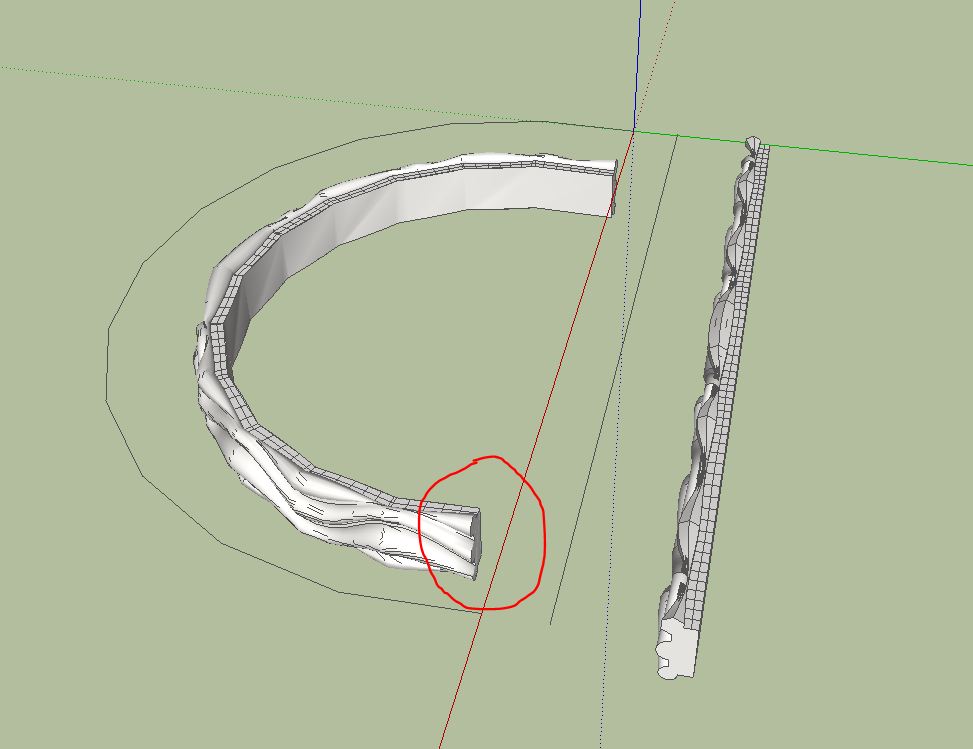

                                      Unbenannt.JPG


                                      Half Pipe.skp

                                      He who makes no mistakes, makes nothing

                                      1 條回覆 最後回覆 回覆 引用 0
                                      • charly2008C 離線
                                        charly2008
                                        最後由 編輯

                                        Sorry,

                                        the problem is solved. There was a difference in the length between the model and the line.

                                        Charly
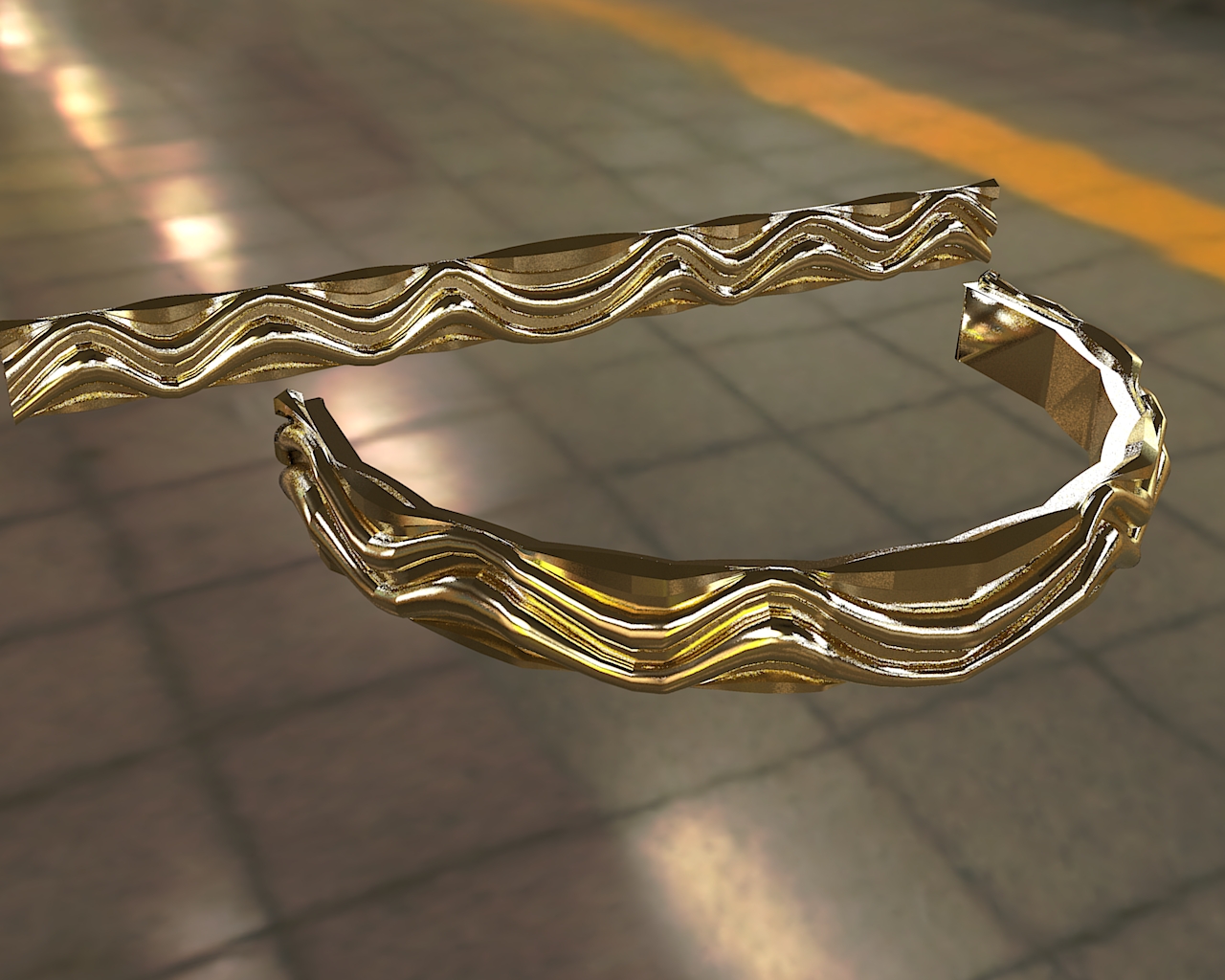

                                        Unbenannt.JPG

                                        He who makes no mistakes, makes nothing

                                        1 條回覆 最後回覆 回覆 引用 0
                                        • T 離線
                                          THX-1138
                                          最後由 編輯

                                          Love this, though it's grovelling over my screw threads. 😄

                                          One thing, though. My desktop lost power during the final stage (after pressing 'enter'), and when I restarted Sketchup I chose to recover from the last autosave. Unfortunately, the shape-bending context didn't save gracefully (shape to bend had weird alterations, there were multiple 'start'/'end' markers, etc.) and I had to throw things out and re-load from the last manual save.

                                          I don't know if SU provides a mechanism for plugins to be notified when a save is about to happen, but if so I think there's room for some fixes there.

                                          How often do you lose power, though..

                                          1 條回覆 最後回覆 回覆 引用 0
                                          • Chris FullmerC 離線
                                            Chris Fullmer
                                            最後由 編輯

                                            Hehe, sorry about that. That is the unfortunate nature of plugins. And this one in particular is doing a LOT of stuff behind the scenes. If it gets interupted in the middle of processing, crazy things happen. Normally one can just undo them, but if power is lost simultaneously, that can cause trouble.

                                            Hope you were able to get your file up and running again.

                                            Chris

                                            Lately you've been tan, suspicious for the winter.
                                            All my Plugins I've written

                                            1 條回覆 最後回覆 回覆 引用 0
                                            • 1
                                            • 2
                                            • 3
                                            • 4
                                            • 5
                                            • 6
                                            • 7
                                            • 63
                                            • 64
                                            • 5 / 64
                                            • 第一個貼文
                                              最後的貼文
                                            Buy SketchPlus
                                            Buy SUbD
                                            Buy WrapR
                                            Buy eBook
                                            Buy Modelur
                                            Buy Vertex Tools
                                            Buy SketchCuisine
                                            Buy FormFonts

                                            Advertisement


