[Plugin Library] LibFredo6 - v16.1a - 31 Aug 26



-
excelent
-
NEW RELEASE: LibFredo6 v16.0a - 08 Aug 26
LibFredo6 16.0a is a maintenance release. It includes changes related to:
- Bug Fixing for ThruPaint (visibility of palette)
Requirements: SU2017 and above
See plugin home page of LibFredo6 for Download of LibFredo6.
-
NEW RELEASE: LibFredo6 v16.0b - 19 Aug 26
LibFredo6 16.0b is a maintenance release. It includes changes related to:
- Bug Fixing for dialogs when V-Ray is present
Requirements: SU2017 and above
See plugin home page of LibFredo6 for Download of LibFredo6.
-
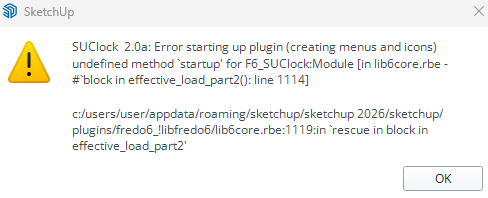
After the update I got this error...Sketchup also won't boot! When I uninstall all Fredo-plugins Sketchup start-up again. Does anyone else has this problem?
-
Does anyone else has this problem?
No, did you try uodating SUClock to 3.1?

SketchUp Plugins | PluginStore | SketchUcation
SketchUp Plugin and Extension Store by SketchUcation provides free downloads of hundreds of SketchUp extensions and plugins
(sketchucation.com)
-
No! I don't even know what SUclock is...:( But when I remove all the FREDO-plugins Sketchup start normal again.
-
If you look at your error message it references SUClock 2.0
Download the free D'oh Book for SketchUp 📖
-
Thanks, but it also refers to Libfredo6.

-
NEW RELEASE: LibFredo6 v16.1a - 31 Aug 26
LibFredo6 16.1a is a maintenance release. It includes changes related to:
- Future compatibility (SU2027)
- Bug Fixing, possibly for Mac
Requirements: SU2017 and above
See plugin home page of LibFredo6 for Download of LibFredo6.
-
Hi Fredo since today 2 september I updated version LibFredo6 V16.0a 8 aug 2026 to the latest LibFredo6 V16.1a but all your plugins dont work anymore. Where can I find the prior version. I would love to get this old one. Because this version workes for me fine. I was working with curviloft and since the latest version it don't work.
I am working on the PC with SketchUp 2026. There is no error message but it does nothing. I tried several times to start SkectUp but it still doesn't do nothing.
I tried several of your plugins but they doesnt startWith regars,
Rienk
-
When you start Sketchup, do you see the menus for the plugins. Do you see the menu Window > LibFredo6 settings.....?
-
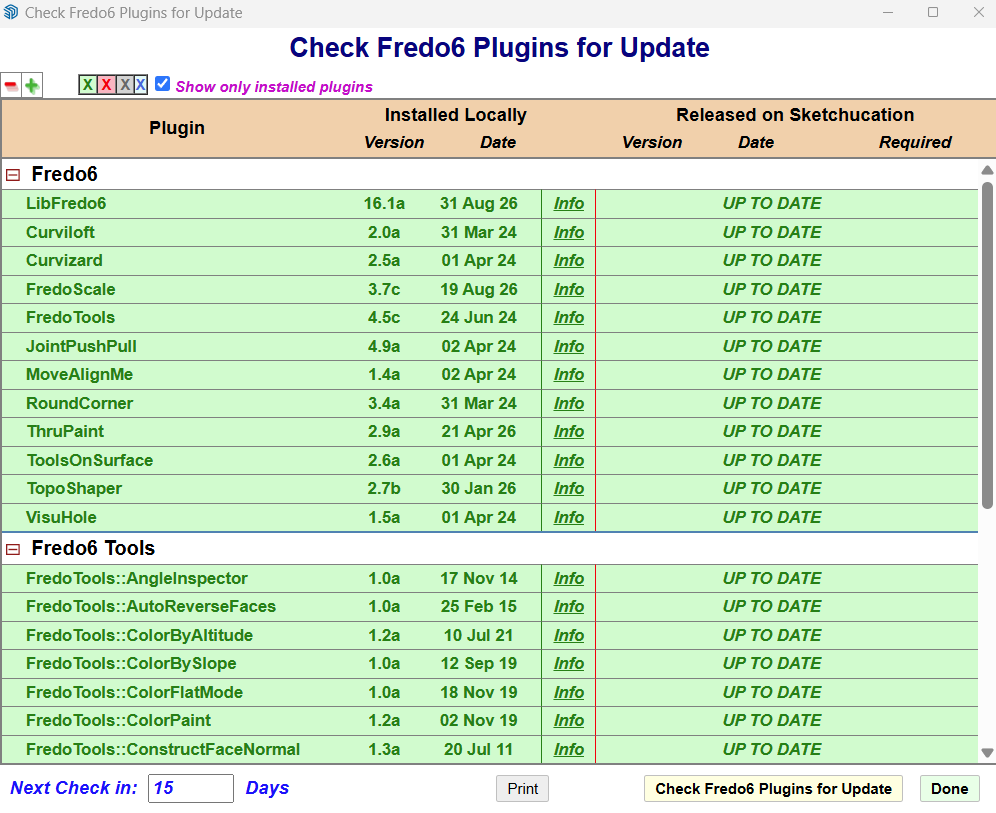
Yes you mean the window check Fredo6 Plugins for Update?
-
-
You mean the dialog window "check Fredo6 Plugins for Update?
I started SketchUp again and It seems to work fine with your plugins.
Thanks for your reply.Rienk





Hello! It looks like you're interested in this conversation, but you don't have an account yet.
Getting fed up of having to scroll through the same posts each visit? When you register for an account, you'll always come back to exactly where you were before, and choose to be notified of new replies (either via email, or push notification). You'll also be able to save bookmarks and upvote posts to show your appreciation to other community members.
With your input, this post could be even better 💗
Register Login


Advertisement