[Plugin Library] LibFredo6 - v15.9a - 25 Mar 26



-
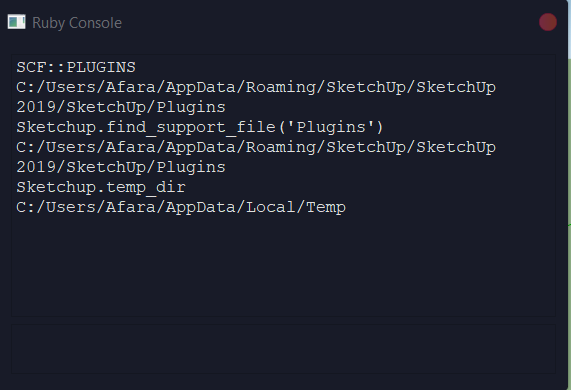
okay so i typed them individually and this is what i got
-
And yeah even after installing the plugin from your preferred links, for some reason it still shows version 1.0 which is quite odd..

-
This is indeed very strange !
The paths that you tested are all as expected...I trust that you emptied your Plugins folder of anything 'Fredo' related in the recent re-setting ?
Before reinstalling the Fredo Lib and Extensions...Can you try this last test for me...
Find the folder named:
C:\ProgramData\SketchUp\SketchUp 2019\SketchUp
Is there a\Pluginssubfolder in it ?
If so, then look at its contents - are there any old Fredo files incorrectly installed in there ?
If so delete them and restart SketchUp and see if that has helpedFredo needs to chip in here - I'm running out of ideas !
-
The problem seems to come from the infamous "Failed to read RBE/RBS file".
Usually, this is fixed with a full reinstallation of Sketchup, using 'Run as Administrator' on the Install executable.
Fredo
-
The issue is widespread, not just with Fredo tools / lib but also relates to the su_ 'shipped-extensions' rbe files, which SketchUp copies into the User's Plugins folder as needed...
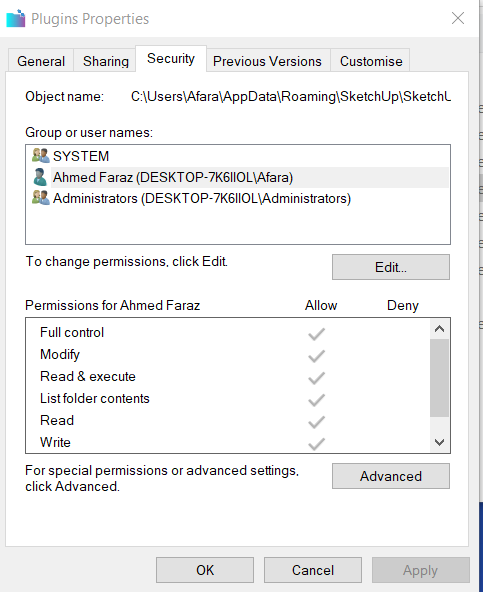
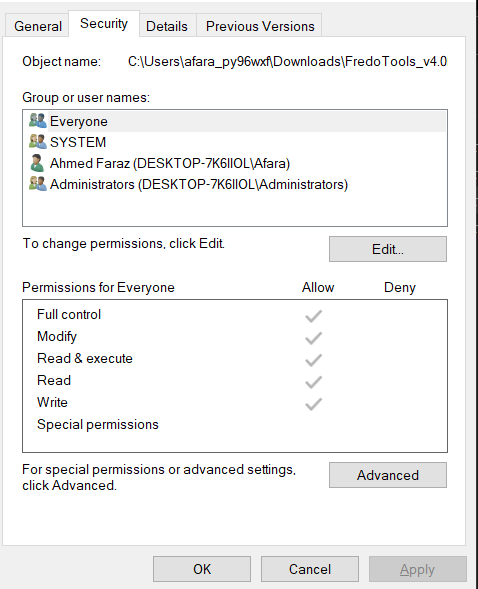
Looks like there's a major file / folder read/write problem with permissions - usually fixed by installing SketchUp 'properly' using 'Run as administrator'...Can you check the security permissions for your User's Plugins folder...
C:/Users/Afara/AppData/Roaming/SketchUp/SketchUp 2019/SketchUp/PluginsSelect the Plugins folder's icon, right-click > context-menu > Properties > Security tab > Edit
There might be several 'users' listed.
Go through the list and under the Allow column give 'Full control' to each one in turn [i.e. all permissions should appear ticked, except 'special permissions']
If you are resetting any permissions allow the changes to cascade through all nested files and subfolders...
None of the entries under the Deny column should be ticked at all. -
NEW RELEASE: LibFredo6 v11.5a - 15 Jan 21
LibFredo6 11.5a includes
- Various bug fixing and adjustments
- Changes to Animator (Move Along Path with upright orientation)
Requirements: SU2017 and above
See plugin home page of LibFredo6 for Download of LibFredo6.
Main Post of the LibFredo6 thread
Fredo
-
Hello, I've done what you've asked as well, i am also posting a screenshot.. Everything seems to fine there. and as Tig also uploaded a new RBZ file as i can see below. It's still not installing the RBZ. I mean when i click on install extension it doesn't show up in the extension manager list
-
Dear TIG and Fredo, Really do appreciate your effort and energy that you've put here in order to help me regarding this particular Plugin. I have no other choice but to give up now and choose the long road ahead for my particular project. hopefully in the midst i hope it somehow fixes. I'll be here waiting for your response. If you require any other further proofs or anything regarding what i should do please don't hesitate to ask.
Aiden
-
Maybe you should uninstall Sketchup fully.
Then reinstall, with right click "Run as Administrator' on the installation executable.
-
Hello Sir,
Okay i have done that and ran the full installation again as an administrator, and all the plugings are showing up in the extensions manager, however something new has happened .
Whenever i try to install the Librefredotool, I get an error message which says Failed to Load RBZ file. even though the permissions in the security context menu is on. -
For completeness...
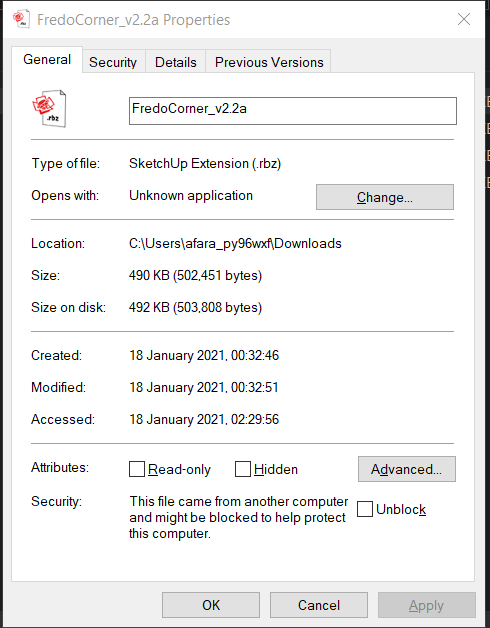
Please post the exact name of the LibFredo RBZ file, and its size - from properties...
Screenshot its dialog for us...Currently it should be LibFredo6_v11.5a.rbz and ~6.14 Mb
What's the folder you are trying to install it from ?
-
@tig said:
For completeness...
Please post the exact name of the LibFredo RBZ file, and its size - from properties...
Screenshot its dialog for us...Currently it should be LibFredo6_v11.5a.rbz and ~6.14 Mb
What's the folder you are trying to install it from ?
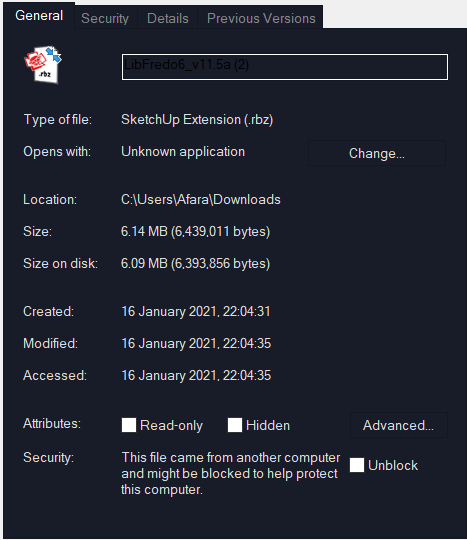
LibFredo6_v11.5a (2)- and yes it is 6.14 MB and they are downloading to my downloads folder.
-
Please re-read the properties dialog for that RBZ.
You posted an image which shows a check box - bottom-right
"Security: This file came from another computer and might be blocked to protect this computer"
The adjacent box says "Unblock" BUT it is not ticked !Try ticking it and retry...
I now suspect that you have some system-setting that is being overly protective regarding possible malware etc !
It sees a ZIP [RBZ] file containing things that might be suspect and blocks it...You can tick 'Unblock' for each RBZ file you download...
Alternatively you can adjust your system-settings, but might be is complicated, and you need to read up on it... e.g.
https://www.windowsphoneinfo.com/threads/unblock-file-in-windows-10.7625/I think this is getting us somewhere...
But you do need to sort out your system's security settings yourself... -
Hello TIG, So I tried as it was stated in the forums and just to be sure I also got in touch with a Microsoft agent via the live chat and we did some digging and everything seem to fine, i just had to update my windows which took quite a while, And unfortunately even after that it didn't work. I tried to install the extension again but still no luck
-
You could try manually installing the RBZ's contents in case that sidesteps the 'blocking' issue with the RBZ itself.
Follow these steps carefully...
Close SketchUp.
Open yourPluginsfolder and find the file namedFredo6_!LibFredo6.rband the matching named folderFredo6_!LibFredo6
Delete that file and folder.You might not have your folder options 'optimized', so do the following...
In andWindows Explorerwindow [like the one you used to look inside thePluginsfolder]...
Choose theViewtab in the top-bar.
On the right-hand side is a drop-down named 'Options'.
Choose 'change folder and search options'.
A dialog opens named 'Folder Options'.
Choose its 'View' tab.
There's a list of options with check-boxes.
Near the bottom of the first page is 'Hide extensions for known file types'.
Make sure that this check-box is NOT ticked.
ClickOK.Find your downloaded RBZ file
LibFredo6_v11.5a.rbz
In Windows Explorer you should see it with its file-type extension .rbz
Select the name and wipe to select the file-type suffix.
Rename itLibFredo6_v11.5a.zip
You will be warned about renaming files, but do it anyway.Open the renamed 'zip' file.
In it you will see a file namedFredo6_!LibFredo6.rband the matching named folderFredo6_!LibFredo6
Select both of these and drag-and-drop them into yourPluginsfolder.This is doing manually what the
Extension Manager > Install...should do automatically for you !Restart SketchUp and look in the
Extension Managerdialog, doesLibFredoload and appear with the correct version etc ?? -
Fredo6
Just a note. I had checked and updated all of your plugins on my 2021 SKP last Friday. The plugin, LibFredo6 was 11.4f and your check plugins Fredo Tools indicated that 11.4f was the correct version. This morning, I find there is an update, 11.5a. So I opened Ver 2021, used your Fredo Tools and still 11.4f was indicated as the correct version.
I installed version 11.5a. Now Fredo Tools was still 11.4f. Shut down ver 2021, reopened, and went to Fredo Tools. Now it indicated that I had ver 11.5a.
Everything else seems to be working. Just informing you what happened. Could be it takes some time to get all the info correct.
-
Hey TIG,
I tried that as well, and I don't know why it's still showing me as version 1.0 for some reason. followed exactly as you said without a hustle and still dosen't seem to catch the new version and it's still showing version 1.0
find the attachment below.
A.F

-
So manually installing the RBZ's contents failed to improve things !
Perhaps Fredo has some more ideas about his 'hidden-settings' files which could be changed or deleted to try to reset things ?
e.g. the subfolder
C:\Users\Afara\AppData\Local\LIBFREDO6_DATA_Dir
Could you check that its Properties > Security permissions are all ticked as 'full' [as you did for somethings earlier]Alternatively, the whole folder could be deleted and all of its saved data removed...
BUT please wait for Fredo to comment on this before this drastic step........... -
Hey guys i came to know the problem, so out of curiosity what i did is that i created a new user account and i tried Libfredo and worked flawlessly so which indicates that i am having some issues with the current user account and it's attributes. So I am going to fix it asap. Actually i am in the midst of it.. as it's denying my access to apply the attributes so waiting for agent to help me out with that

-
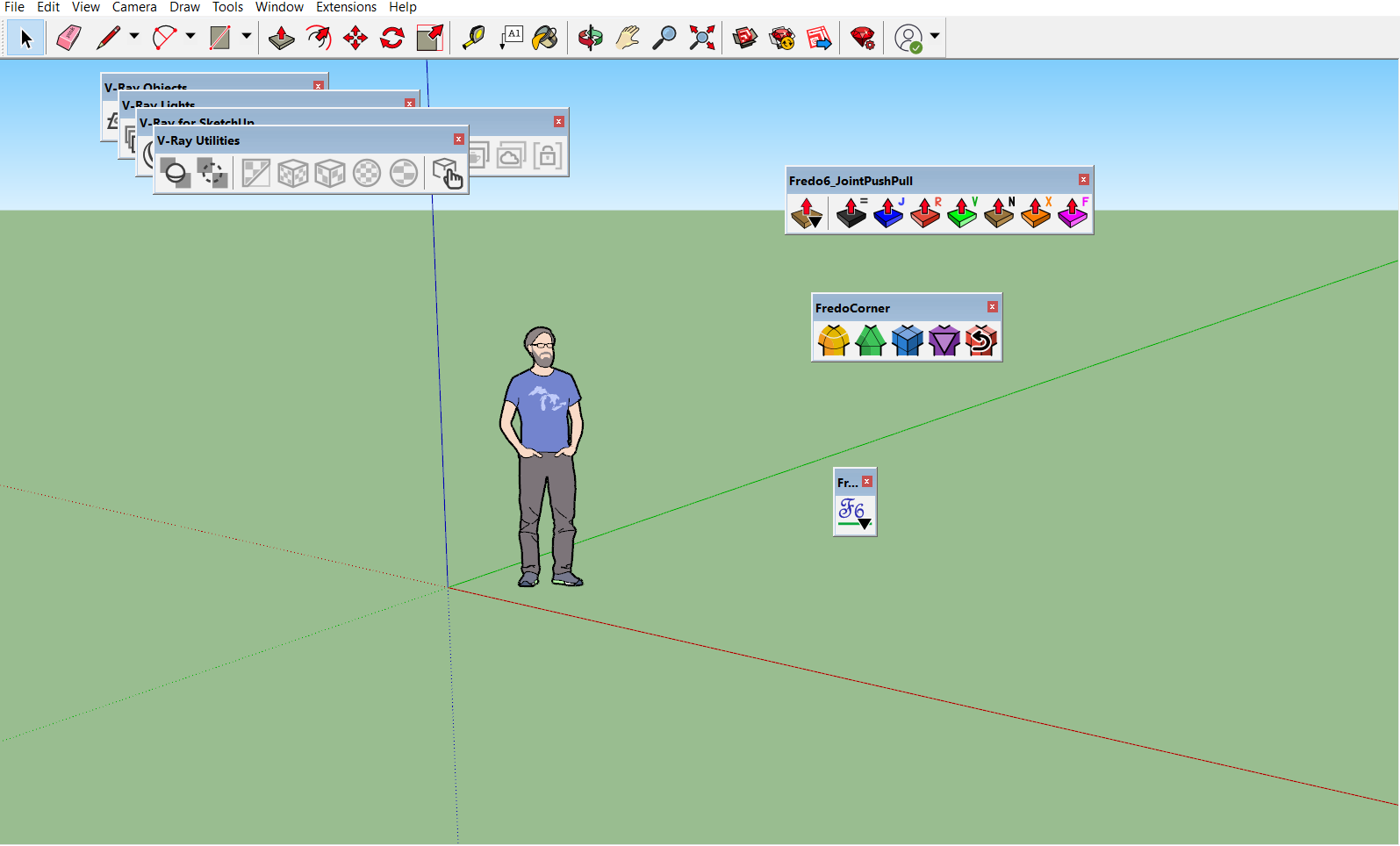
Okay SO i took screenshots of my sketchup and the file properties from the new user account i created and i must say without any troubles the plugins were installed and everything was working very smooth,
how ever since most of my work is here on my regular account and i have my own setup i still can't get to work here. And i've been waiting for almost 6 hours and i haven't had any help from the MS agents, Still waiting though, Attaching screenshots. If any suggestions or fix do come up, let me know.
Kind regards
A.F



Hello! It looks like you're interested in this conversation, but you don't have an account yet.
Getting fed up of having to scroll through the same posts each visit? When you register for an account, you'll always come back to exactly where you were before, and choose to be notified of new replies (either via email, or push notification). You'll also be able to save bookmarks and upvote posts to show your appreciation to other community members.
With your input, this post could be even better 💗
등록 로그인


Advertisement