sketchucation logo sketchucation
    • Login
    Oops, your profile's looking a bit empty! To help us tailor your experience, please fill in key details like your SketchUp version, skill level, operating system, and more. Update and save your info on your profile page today!
    Mac User? | Join the Rayscaper Beta for Mac Learn More

    [Plugin]SketchyPhysics3 beta.

    Scheduled Pinned Locked Moved SketchyPhysics
    69 Posts 14 Posters 28.0k Views 14 Watching
    Loading More Posts
    • Oldest to Newest
    • Newest to Oldest
    • Most Votes
    Reply
    • Reply as topic
    Log in to reply
    This topic has been deleted. Only users with topic management privileges can see it.
    • T
      Trimmer
      last edited by

      Hi Guys,

      I'm A newbie to this forum but the excitement that your work has brought to SketchUp has led me to watching these post for a wile now.

      I finally downloaded the file "SketchyPhysics3RC1-MacAndWin" yesterday. I installed into both operating systems. everything seems to work perfectly in the PC, but the MAC is giving me this "Load Error" message:

      Error Loading File sketchyphysics.rb
      no such file to load -- dl

      Any advice you can give me?

      P.S. Love what you Guys are doing!

      1 Reply Last reply
      Reply Quote 0
      • C
        CPhillips
        last edited by

        Looks like I forgot a library "dl.bundle" in the latest version. Ill update it as soon as I can.

        1 Reply Last reply
        Reply Quote 0
        • L
          l.frisken
          last edited by

          the joint connector isn't working at all for sp3 but is for sp2, even when I reinstall it. not much point sending a scene file, as it was just a box and a sphere with the joint grouped with the box. oh, and when I try to connect the hinge joint it shows a wireframe version of it's self at the axis. this is very strange!

          1 Reply Last reply
          Reply Quote 0
          • W
            Wacov
            last edited by

            A scene might help, you never know. But could you post a picture(s) of what's happening?

            http://sketchup.google.com/3dwarehouse/cldetails?mid=3096a836877fb9af6cd8ad826e9017b8&prevstart=0

            1 Reply Last reply
            Reply Quote 0
            • L
              l.frisken
              last edited by

              just after I clicked on the joint to connect it to the sphere...
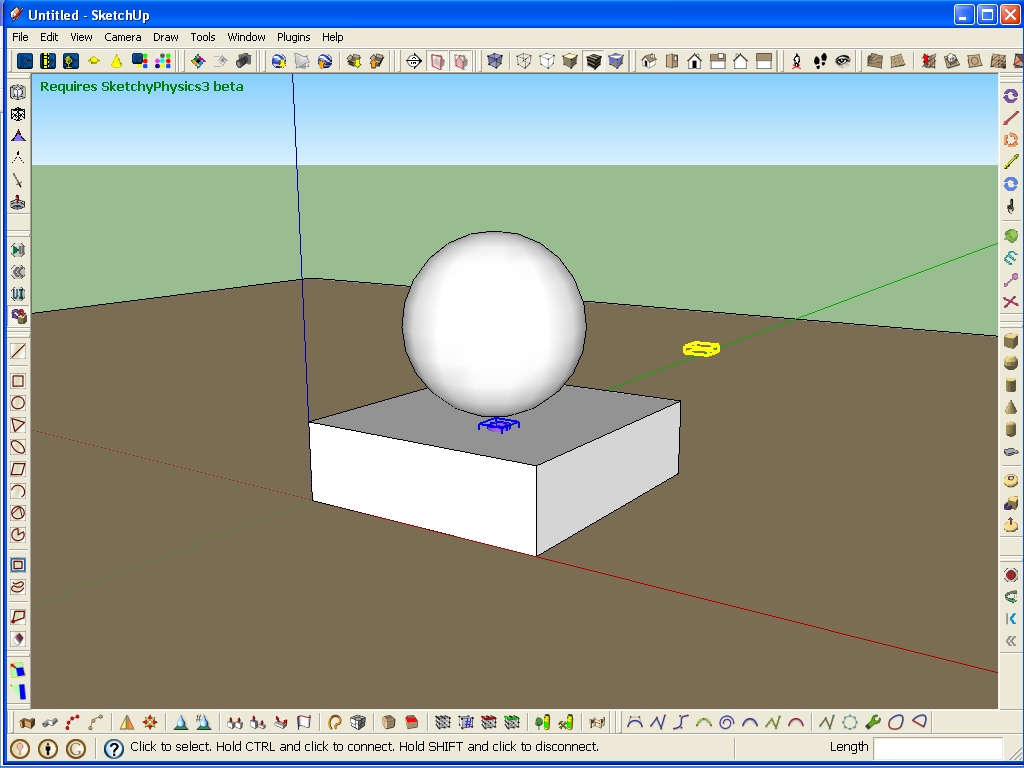
              Screenshot

              1 Reply Last reply
              Reply Quote 0
              • W
                Wacov
                last edited by

                That's always happened to me! I never mentioned it before... but the joints still got connected. Just to check, you are clicking the hinge, then ctrl/clicking the spehere, aren't you? I see you're using the beta; try RC1.

                http://sketchup.google.com/3dwarehouse/cldetails?mid=3096a836877fb9af6cd8ad826e9017b8&prevstart=0

                1 Reply Last reply
                Reply Quote 0
                • C
                  CPhillips
                  last edited by

                  There is a bug in either my code or Sketchup that doesnt always draw the bounding volume for newly connected joints. It that the problem you are having?

                  1 Reply Last reply
                  Reply Quote 0
                  • L
                    l.frisken
                    last edited by

                    yes, but it also doesn't connect. RC1? is that sp3? It work fine for me with sp2.

                    1 Reply Last reply
                    Reply Quote 0
                    • L
                      l.frisken
                      last edited by

                      ok tried with rc1 with no success. ctr clicking on joint then sphere is stll not producing results

                      1 Reply Last reply
                      Reply Quote 0
                      • W
                        Wacov
                        last edited by

                        This is what I see... like I said, it still works, but here you can see the ghost joint;
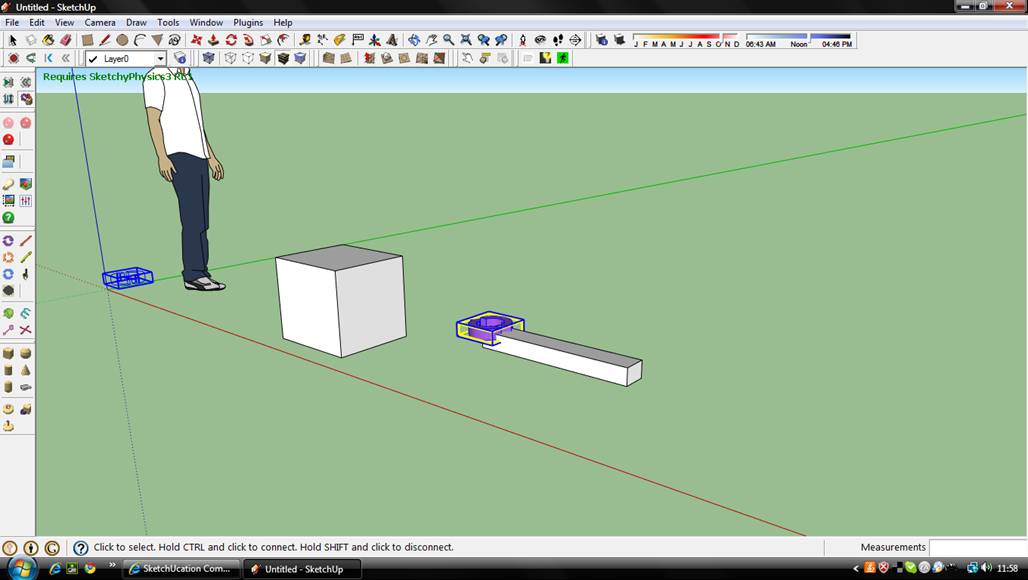
                        Selected joint

                        Connected joint

                        Wierd.

                        http://sketchup.google.com/3dwarehouse/cldetails?mid=3096a836877fb9af6cd8ad826e9017b8&prevstart=0

                        1 Reply Last reply
                        Reply Quote 0
                        • L
                          l.frisken
                          last edited by

                          mine does that but it refuses to connect. Very strange 😢

                          1 Reply Last reply
                          Reply Quote 0
                          • C
                            CPhillips
                            last edited by

                            Could you try one more time. But this time open the Window->Ruby Console before you try to connect them. Then cut and paste any text after it fails.

                            Thanks!

                            1 Reply Last reply
                            Reply Quote 0
                            • P
                              phy
                              last edited by

                              @l.frisken said:

                              mine does that but it refuses to connect. Very strange 😢

                              Try clicking on the sphere and then ctrl clicking on the joint. That's how I've always connected joints.

                              Tableau de comparaison de Staxyn s'agit d'un mГ©dicament uniquement sur ordonnance.

                              1 Reply Last reply
                              Reply Quote 0
                              • L
                                l.frisken
                                last edited by

                                ok, will try cphillips.
                                phy, I have tried that, and it works fine with sp2 but not with sp3 for me

                                1 Reply Last reply
                                Reply Quote 0
                                • L
                                  l.frisken
                                  last edited by

                                  this is the ruby script from creating the joint, grouping it with he rectangular prism, and then attempting to connect it:

                                  First click
                                  potentialParent #<Sketchup;;Group;0x86b5238>
                                  onSelectionAdded
                                  onSelectionBulkChange1
                                  Webdialog set to#<Sketchup;;Group;0x8681b30>
                                  onSelectionCleared
                                  onSelectionBulkChange1
                                  Webdialog set to#<Sketchup;;Group;0x86b5238>
                                  onSelectionBulkChange2
                                  onSelectionBulkChange0
                                  onSelectionAdded
                                  onSelectionBulkChange1
                                  Webdialog set to#<Sketchup;;Group;0x8675518>
                                  onSelectionCleared
                                  No version.
                                  Inspecting model for errors
                                  onSelectionAdded
                                  onSelectionBulkChange1
                                  Webdialog set to#<Sketchup;;Group;0x8681b30>
                                  onSelectionCleared
                                  onSelectionAdded
                                  onSelectionBulkChange1
                                  Webdialog set to#<Sketchup;;Group;0x86a78a0>
                                  
                                  1 Reply Last reply
                                  Reply Quote 0
                                  • C
                                    CPhillips
                                    last edited by

                                    That doesnt look like the joint even tries to connect. Are you sure you are holding down the correct key (ctrl on the left side of the keyboard) when you are trying to connect?

                                    1 Reply Last reply
                                    Reply Quote 0
                                    • L
                                      l.frisken
                                      last edited by

                                      I did use the left ctrl. It worked with sp2 which is strange, but I'll try right ctrl just in case it is a problem with my keyboard.

                                      1 Reply Last reply
                                      Reply Quote 0
                                      • L
                                        l.frisken
                                        last edited by

                                        ok thankyou cphillips for solving the prob! I wasn't using the left ctrl like I usually do because I broke my left arm recently, and it is easier to use the right one on my laptop keyboard! but the is still that little glitch with the box in the wrong spot!

                                        1 Reply Last reply
                                        Reply Quote 0
                                        • C
                                          CPhillips
                                          last edited by

                                          Sorry to hear that. I broke my arm last year and hardly used the computer the whole time it was healing. It was actually kinda nice....

                                          I'll make a note to hook up the right ctrl and shift keys.

                                          1 Reply Last reply
                                          Reply Quote 0
                                          • A
                                            Alpha Wing
                                            last edited by

                                            I had this problem.... Error starting simulation undefined method... nilclass.... etc.......... I need help!

                                            1 Reply Last reply
                                            Reply Quote 0

                                            Hello! It looks like you're interested in this conversation, but you don't have an account yet.

                                            Getting fed up of having to scroll through the same posts each visit? When you register for an account, you'll always come back to exactly where you were before, and choose to be notified of new replies (either via email, or push notification). You'll also be able to save bookmarks and upvote posts to show your appreciation to other community members.

                                            With your input, this post could be even better 💗

                                            Register Login
                                            • 1
                                            • 2
                                            • 3
                                            • 4
                                            • 1 / 4
                                            • First post
                                              Last post
                                            Buy SketchPlus
                                            Buy SUbD
                                            Buy WrapR
                                            Buy eBook
                                            Buy Modelur
                                            Buy Vertex Tools
                                            Buy SketchCuisine
                                            Buy FormFonts

                                            Advertisement