sketchucation logo sketchucation
    • Login
    Oops, your profile's looking a bit empty! To help us tailor your experience, please fill in key details like your SketchUp version, skill level, operating system, and more. Update and save your info on your profile page today!
    ⚠️ Update | Sketchucation Tools 5.0.8 released with licensing improvements and bugfixes Download

    Transferring from SketchUp 7 Pro to Photoshop CS3 Extended

    Scheduled Pinned Locked Moved Newbie Forum
    sketchup
    12 Posts 3 Posters 1.1k Views 3 Watching
    Loading More Posts
    • Oldest to Newest
    • Newest to Oldest
    • Most Votes
    Reply
    • Reply as topic
    Log in to reply
    This topic has been deleted. Only users with topic management privileges can see it.
    • R
      remus
      last edited by

      I assume you want to take pictures of your sketchup model and take them in to photoshop...if so, just go file->export->2d graphic to export a picture. You can then open this in photoshop and do whatever you need to.

      If you want to preserve the vector information, would would be better of using illustrator as it is designed to handle vectors. You could then go file->export->2d graphic, and choose the .dwg/.dxf format, as they preserve vector information. You could then open this in illustrator and manipulate them to your hearts content.

      http://remusrendering.wordpress.com/

      1 Reply Last reply
      Reply Quote 0
      • L
        ltooker
        last edited by

        I imported the image into Photoshop but a piece of the image is missing. See attached.

        1 Reply Last reply
        Reply Quote 0
        • GaieusG
          Gaieus
          last edited by

          @ltooker said:

          ...See attached.

          Ehm... Where is that attachment?

          Gai...

          1 Reply Last reply
          Reply Quote 0
          • L
            ltooker
            last edited by

            The attachment was a eps file, didn't realize that couldn't be uploaded? Jpg is attached. I think?
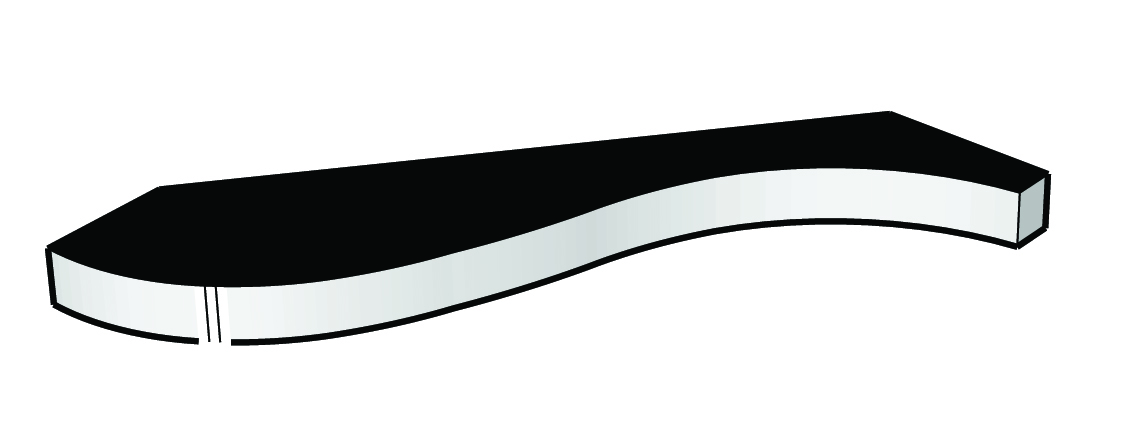
            M653 Missing Piece.jpg


            M653 Missing Piece.jpg

            1 Reply Last reply
            Reply Quote 0
            • GaieusG
              Gaieus
              last edited by

              In SU, are you using any of those "sketchy" styles?

              Gai...

              1 Reply Last reply
              Reply Quote 0
              • L
                ltooker
                last edited by

                No, I am importing a dwg file from auto cad then.

                1 Reply Last reply
                Reply Quote 0
                • GaieusG
                  Gaieus
                  last edited by

                  And what are those extremely thick lines? Can you share the skp file?

                  Gai...

                  1 Reply Last reply
                  Reply Quote 0
                  • L
                    ltooker
                    last edited by

                    SketchUp file attached. I think those lines are kinda think too. Maybe you can advise me on how I can thin them out?


                    M619.skp

                    1 Reply Last reply
                    Reply Quote 0
                    • GaieusG
                      Gaieus
                      last edited by

                      Hm... I don't have any problems like that with it. I turned off profiles however. But the whole shape looks different from what you posted!
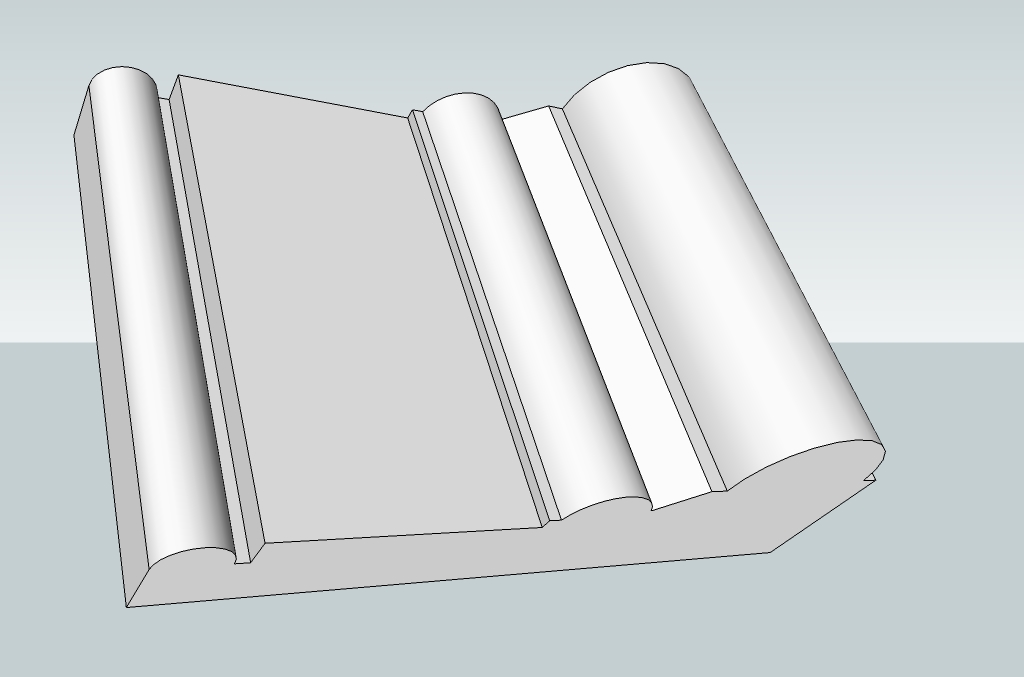

                      M619.jpg

                      Gai...

                      1 Reply Last reply
                      Reply Quote 0
                      • L
                        ltooker
                        last edited by

                        That looks perfect! How do you turn off profiles? Did you do anything else that I should do to make my file look like yours?

                        1 Reply Last reply
                        Reply Quote 0
                        • GaieusG
                          Gaieus
                          last edited by

                          It's at Window (at least on the PC) > Styles > In model (the little house icon) > Edit > Edge settings. But profiles are just set o 3 pixels so it shouldn't explain that huge difference!

                          Gai...

                          1 Reply Last reply
                          Reply Quote 0

                          Hello! It looks like you're interested in this conversation, but you don't have an account yet.

                          Getting fed up of having to scroll through the same posts each visit? When you register for an account, you'll always come back to exactly where you were before, and choose to be notified of new replies (either via email, or push notification). You'll also be able to save bookmarks and upvote posts to show your appreciation to other community members.

                          With your input, this post could be even better 💗

                          Register Login
                          • 1 / 1
                          • First post
                            Last post
                          Buy SketchPlus
                          Buy SUbD
                          Buy WrapR
                          Buy eBook
                          Buy Modelur
                          Buy Vertex Tools
                          Buy SketchCuisine
                          Buy FormFonts

                          Advertisement