sketchucation logo sketchucation
    • Login
    Oops, your profile's looking a bit empty! To help us tailor your experience, please fill in key details like your SketchUp version, skill level, operating system, and more. Update and save your info on your profile page today!
    ⚠️ Update | Sketchucation Tools 5.0.8 released with licensing improvements and bugfixes Download

    Hidden line, wire

    Scheduled Pinned Locked Moved SketchUp Components, Materials & Styles
    sketchup
    19 Posts 7 Posters 2.8k Views 7 Watching
    Loading More Posts
    • Oldest to Newest
    • Newest to Oldest
    • Most Votes
    Reply
    • Reply as topic
    Log in to reply
    This topic has been deleted. Only users with topic management privileges can see it.
    • pilouP
      pilou
      last edited by

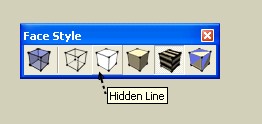
      Seems that make the trick 😄


      hidden.jpg

      Frenchy Pilou
      Is beautiful that please without concept!
      My Little site :)

      1 Reply Last reply
      Reply Quote 0
      • X
        xrok1
        last edited by

        @unknownuser said:

        Seems that make the trick 😄

        no, look at the pictures, i want hidden line removed no faces.

        hidden line view in SU is useless it just an unshaded model!

        “There are three classes of people: those who see. Those who see when they are shown. Those who do not see.”

        http://www.Twilightrender.com try it!

        1 Reply Last reply
        Reply Quote 0
        • E
          Ecuadorian
          last edited by

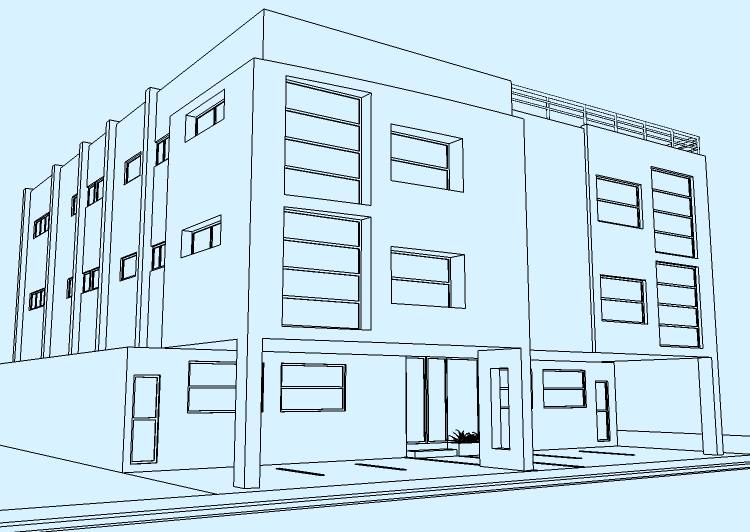
          You want something like this?


          Condominio006.jpg

          -Miguel Lescano
          Subscribe to my house plans YouTube channel! (30K+ subs)

          1 Reply Last reply
          Reply Quote 0
          • E
            Ecuadorian
            last edited by

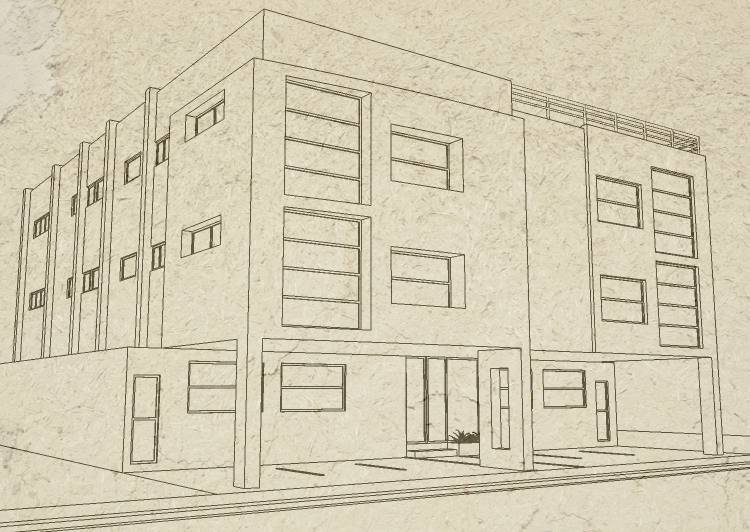
            Or this?


            Condominio006b.jpg

            -Miguel Lescano
            Subscribe to my house plans YouTube channel! (30K+ subs)

            1 Reply Last reply
            Reply Quote 0
            • jeff hammondJ
              jeff hammond
              last edited by

              i think he's asking for the look of those pictures Ecuadorian except...
              there would be no faces..

              the pictures you posted still have faces (click on a window and it will highlight)..

              dotdotdot

              1 Reply Last reply
              Reply Quote 0
              • E
                Ecuadorian
                last edited by

                May I ask what, precisely, is your goal, to see if I can find a workaround?

                -Miguel Lescano
                Subscribe to my house plans YouTube channel! (30K+ subs)

                1 Reply Last reply
                Reply Quote 0
                • X
                  xrok1
                  last edited by

                  @unknownuser said:

                  i think he's asking for the look of those pictures Ecuadorian except...
                  there would be no faces..

                  the pictures you posted still have faces (click on a window and it will highlight)..

                  yes, i don't want faces. 😮

                  “There are three classes of people: those who see. Those who see when they are shown. Those who do not see.”

                  http://www.Twilightrender.com try it!

                  1 Reply Last reply
                  Reply Quote 0
                  • X
                    xrok1
                    last edited by

                    @ecuadorian said:

                    May I ask what, precisely, is your goal, to see if I can find a workaround?

                    😄 i knew that question was coming. i want to overlay a render, and i know there are work arounds, but its a pain. it would be so nice to just bring the render back into SU then put the model in front of it with hidden lines removed. 😄

                    “There are three classes of people: those who see. Those who see when they are shown. Those who do not see.”

                    http://www.Twilightrender.com try it!

                    1 Reply Last reply
                    Reply Quote 0
                    • E
                      Ecuadorian
                      last edited by

                      My brain was starting to hurt wondering why would anyone want to do this!

                      Easiest way to do that is exporting a 2D hidden line image and overlaying it on your render in any photo program using "Multiply" layer blend.

                      Or if you want to do it inside SU, go to styles and overlay your render as a watermark, just as I did with that texture in the second example. Of course you'll have to sacrifice some opacity.

                      -Miguel Lescano
                      Subscribe to my house plans YouTube channel! (30K+ subs)

                      1 Reply Last reply
                      Reply Quote 0
                      • X
                        xrok1
                        last edited by

                        i should have kept you guessing a little longer LOL.

                        thanks for the help, i really appreciate it. 😉

                        “There are three classes of people: those who see. Those who see when they are shown. Those who do not see.”

                        http://www.Twilightrender.com try it!

                        1 Reply Last reply
                        Reply Quote 0
                        • jeff hammondJ
                          jeff hammond
                          last edited by

                          @ecuadorian said:

                          Easiest way to do that is..

                          nice solution miguel..

                          dotdotdot

                          1 Reply Last reply
                          Reply Quote 0
                          • B
                            barry gray
                            last edited by

                            really easy way-
                            Group your object>select a texture/color(any will do)>set opacity to zero>fill(this will fill all faces with one click). All faces will now be transparent. ????

                            1 Reply Last reply
                            Reply Quote 0
                            • GaieusG
                              Gaieus
                              last edited by

                              @barry gray said:

                              Group your object>select a texture/color(any will do)>set opacity to zero>fill(this will fill all faces with one click). All faces will now be transparent. ????

                              That would result in the lines now covered also display (even in hidden line mode).

                              BUT:

                              • what if you render it simply with hidden line mode
                              • Turn off any sky and ground
                              • export it into Layout
                              • change the rendering style to vector only (this will remove all the colour - see attached #1; screenshot)
                              • get the totally transparent (except for the linework) png file exported from layout (see attached #2). Make sure to set the paper colour no fully transparent for this.
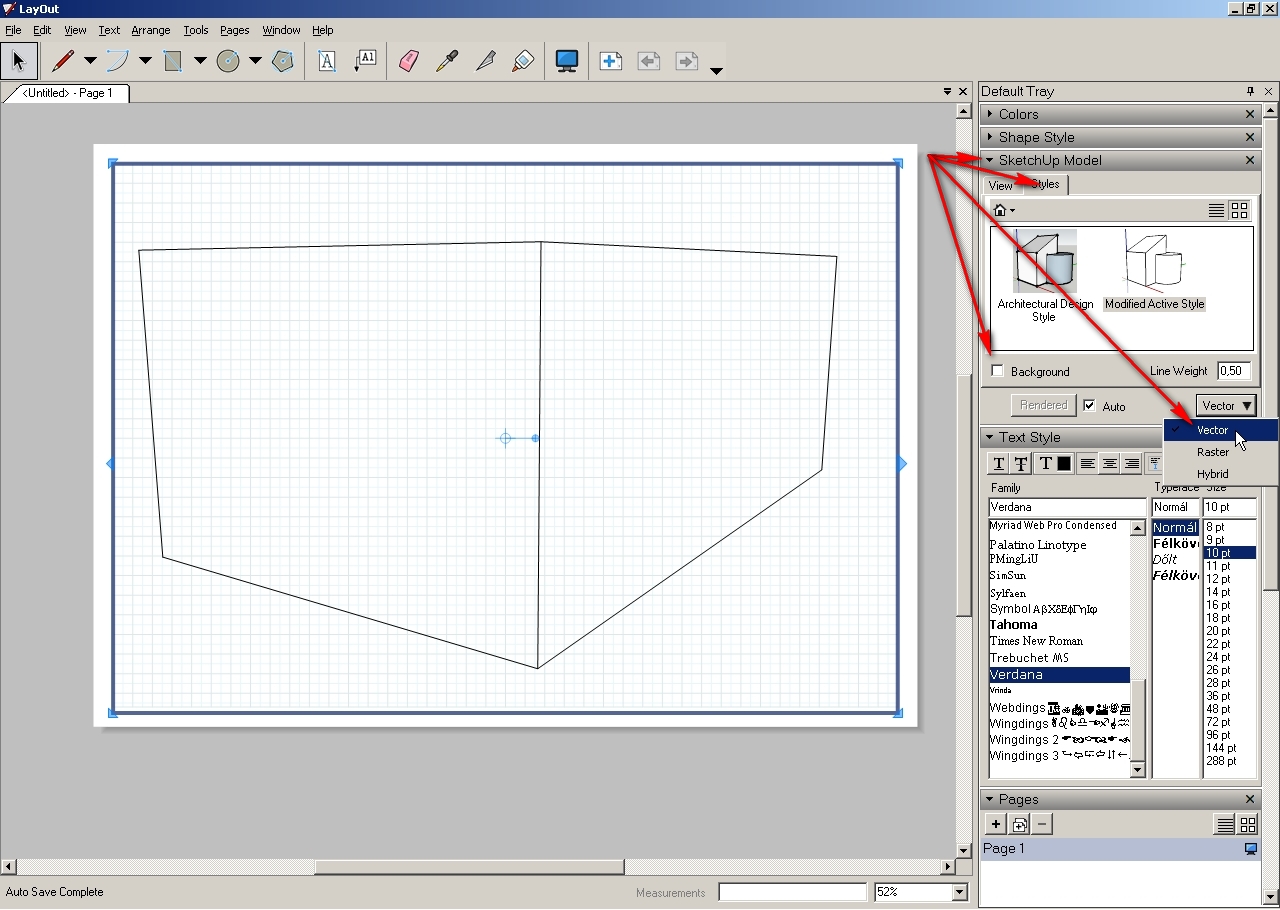
                              Hidden lines with vector rendering in LO
                              Plese, click on the image below; the forum software adds a black background to transparent png files and you cannot see anything of the "black on black" thing.

                              Exported png file
                              Certainl you may experiment with the sizes - note that the above technique is just "theory" and I haven't tried it in practice yet.

                              Gai...

                              1 Reply Last reply
                              Reply Quote 0
                              • Dave RD
                                Dave R
                                last edited by

                                So you want to do something like this:

                                http://img.photobucket.com/albums/v506/weekender410/2eb58946.jpg

                                From something like this:

                                http://img.photobucket.com/albums/v506/weekender410/658dcab8.jpg

                                and this:

                                http://img.photobucket.com/albums/v506/weekender410/1418313d.jpg

                                Is that right?

                                I just export the hidden line image immediately before exporting to Kerkythea. I render in Kerkythea at the exported size and then combine the render and the hidden line image in my image editing software in a few seconds.

                                Etaoin Shrdlu

                                %

                                (THERE'S NO PLACE LIKE)

                                G28 X0.0 Y0.0 Z0.0

                                M30

                                %

                                1 Reply Last reply
                                Reply Quote 0
                                • X
                                  xrok1
                                  last edited by

                                  that's exactly it! i guess i just need to play with the export and render resolutions a bit cause i'm having a hard time lining them up.

                                  thanks all. 😄

                                  “There are three classes of people: those who see. Those who see when they are shown. Those who do not see.”

                                  http://www.Twilightrender.com try it!

                                  1 Reply Last reply
                                  Reply Quote 0
                                  • Dave RD
                                    Dave R
                                    last edited by

                                    I've found that if I do the exports without orbiting or zooming in SketchUp or in Kerkythea and leave the resolution the same, it's pretty simple to get the alignment exactly correct. for thse images I did both at screen size.


                                    Etaoin Shrdlu

                                    %

                                    (THERE'S NO PLACE LIKE)

                                    G28 X0.0 Y0.0 Z0.0

                                    M30

                                    %

                                    1 Reply Last reply
                                    Reply Quote 0

                                    Hello! It looks like you're interested in this conversation, but you don't have an account yet.

                                    Getting fed up of having to scroll through the same posts each visit? When you register for an account, you'll always come back to exactly where you were before, and choose to be notified of new replies (either via email, or push notification). You'll also be able to save bookmarks and upvote posts to show your appreciation to other community members.

                                    With your input, this post could be even better 💗

                                    Register Login
                                    • 1 / 1
                                    • First post
                                      Last post
                                    Buy SketchPlus
                                    Buy SUbD
                                    Buy WrapR
                                    Buy eBook
                                    Buy Modelur
                                    Buy Vertex Tools
                                    Buy SketchCuisine
                                    Buy FormFonts

                                    Advertisement