sketchucation logo sketchucation
    • 登入
    Oops, your profile's looking a bit empty! To help us tailor your experience, please fill in key details like your SketchUp version, skill level, operating system, and more. Update and save your info on your profile page today!
    🔌 Smart Spline | Fluid way to handle splines for furniture design and complex structures. Download

    [Plugin] Color by Z (Updated August 27th, 2009)

    已排程 已置頂 已鎖定 已移動 Plugins
    54 貼文 21 Posters 52.8k 瀏覽 21 Watching
    正在載入更多貼文
    • 從舊到新
    • 從新到舊
    • 最多點贊
    回覆
    • 在新貼文中回覆
    登入後回覆
    此主題已被刪除。只有擁有主題管理權限的使用者可以查看。
    • Chris FullmerC 離線
      Chris Fullmer
      最後由 Chris Fullmer 編輯

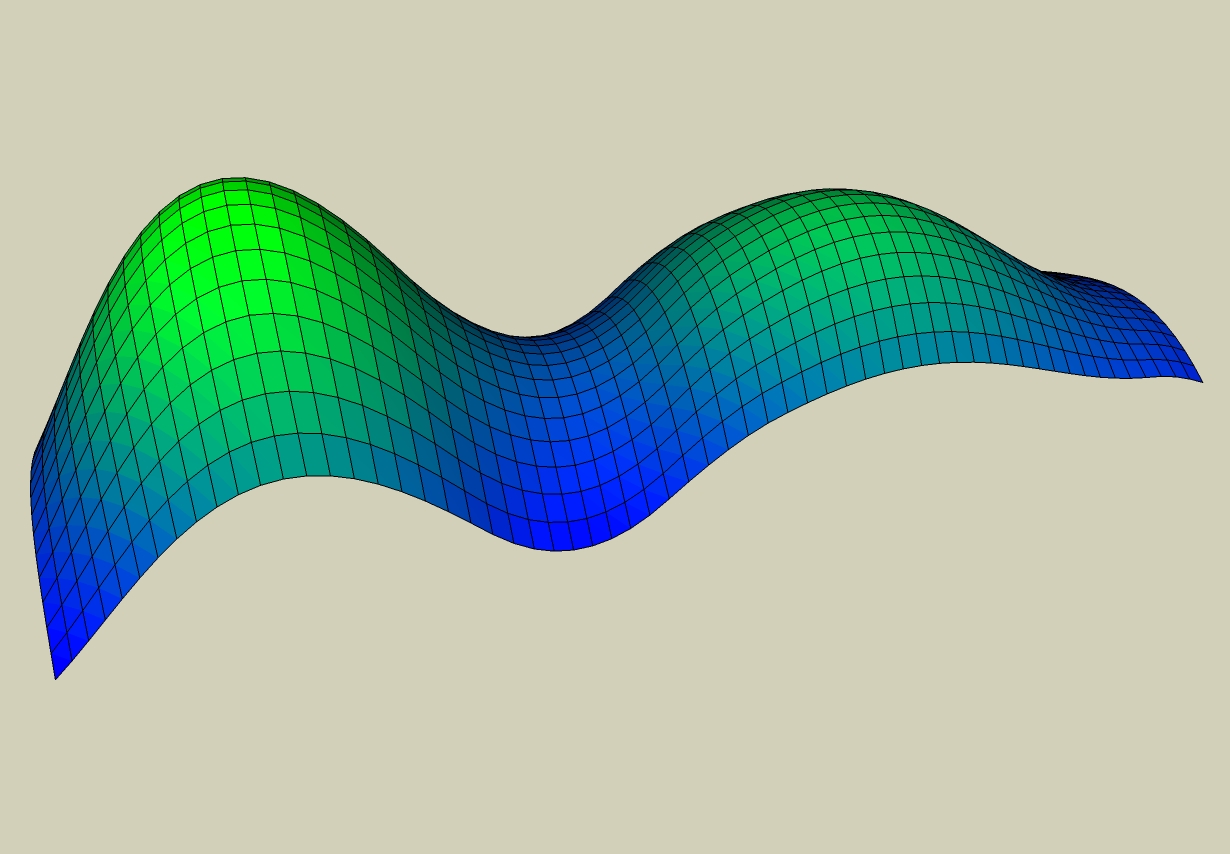
      This plugin will prompt you to enter two colors by inputing the RGB values. It will then paint all faces in the model according to their elevation (Z height). The first color will be applied to the highest elevations and the second color will be applied to the lowest elevations. It works by finding the coordinates of the center of the face. It will paint only what you have selected, or everything if you don't have anything selected. It will not paint groups or components or edges.

      In the image, I entered green for my first color and blue for my second color. So the high peaks are green and the low points are blue and the script assigns the colors in between.
      color by z.jpg

      I've discovered that the script runs slow sometimes and its because it creates so many new materials. So sorry about that. I can't think of any way to get around that.

      The script can be downloaded from smustard.com here:

      http://www.smustard.com/script/ColorByZ
      PayPalButton
      UPDATES:
      v1.0 - The original
      v1.1 - working out a few little bugs - as always.
      v1.3 - Changed where it loads itself - under Plugins>Chris FUllmer Tools>Color by Z

      Chris

      Lately you've been tan, suspicious for the winter.
      All my Plugins I've written

      1 條回覆 最後回覆 回覆 引用 0
      • spenceS 離線
        spence
        最後由 編輯

        Hey this is pretty cool. I can see this being very useful when I have a DTM and need to better understand the high and low points, I think that would work anyway. I need to try it out.

        Spence

        1 條回覆 最後回覆 回覆 引用 0
        • X 離線
          xrok1
          最後由 編輯

          it would be cool to combine this script with the component spray tool as a pre-vis for the altitude settings. 💭

          “There are three classes of people: those who see. Those who see when they are shown. Those who do not see.”

          http://www.Twilightrender.com try it!

          1 條回覆 最後回覆 回覆 引用 0
          • Chris FullmerC 離線
            Chris Fullmer
            最後由 編輯

            I was definitely thinking of DTM's and DEM's etc when I was thinking about how it should work. I've got a lot of ideas as to how to improve it in the future, but this is a good start I think.

            Chris

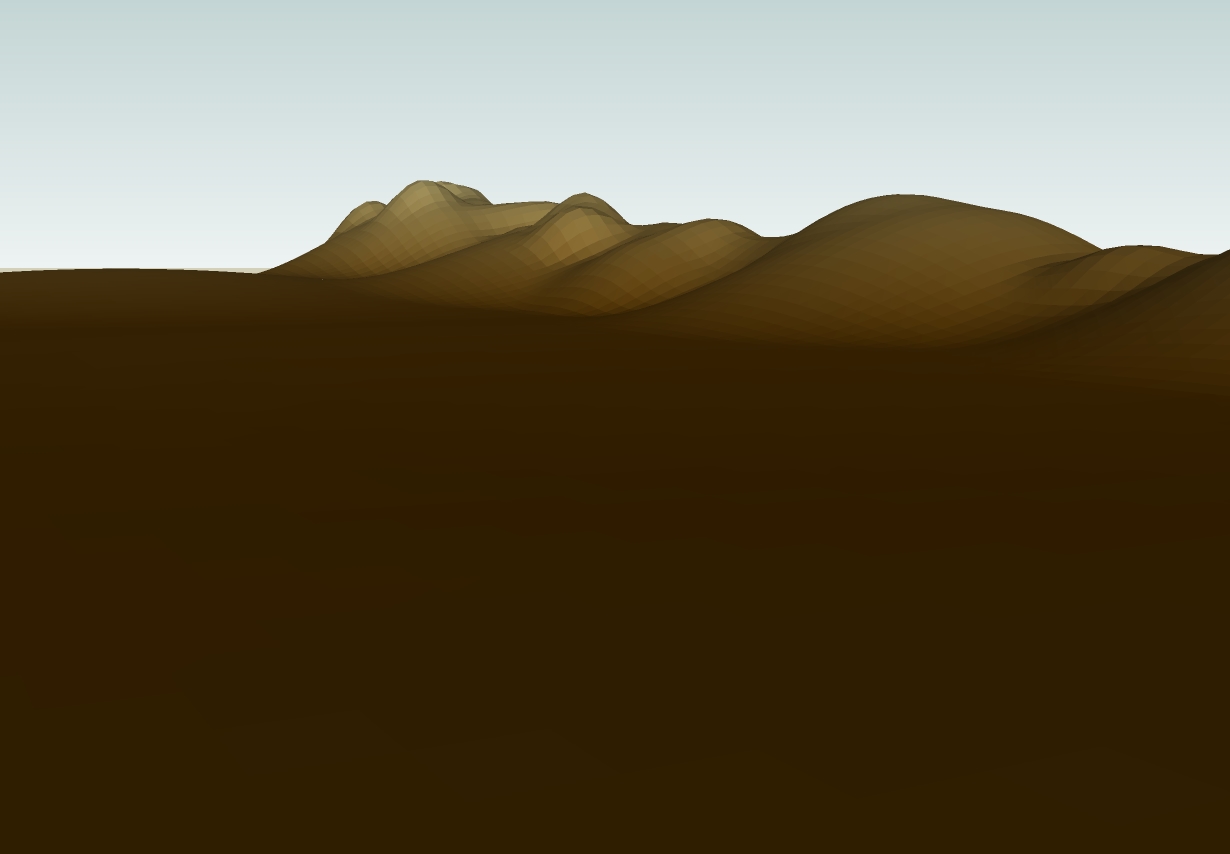
            PS I re-uploaded it right now. You might need to re-install it.
            moutains by z.jpg

            Lately you've been tan, suspicious for the winter.
            All my Plugins I've written

            1 條回覆 最後回覆 回覆 引用 0
            • K 離線
              kwistenbiebel
              最後由 編輯

              Wow. You are making really cool plugins, Chris !

              Almost Rhino's Grasshopper.
              It would be great to also have a plugin that lets you pick a point in a flat (or curved) surface and a gradient will made from that point, like magnetic points. Moving the point, will shift the color gradient. Very useful for lakes and grass areas. But also for some wicked material use on facades etc...

              1 條回覆 最後回覆 回覆 引用 0
              • pilouP 離線
                pilou
                最後由 編輯

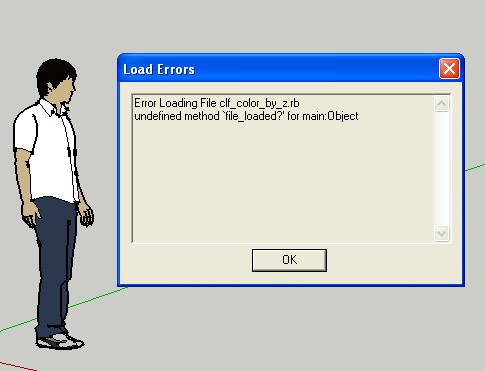
                "Undfined method file loaded for main object!" 😮
                so no ruby 😄

                Frenchy Pilou
                Is beautiful that please without concept!
                My Little site :)

                1 條回覆 最後回覆 回覆 引用 0
                • Chris FullmerC 離線
                  Chris Fullmer
                  最後由 編輯

                  Hmm, its working just fine for me. I just installed it on a fresh machine, not the one I created it on.

                  Could you copy the entire text from the ruby console? Thanks Pilou, you've been a die-hard script tester for me! Sorry they never seem to work for you on the first try 😄

                  Chris

                  Lately you've been tan, suspicious for the winter.
                  All my Plugins I've written

                  1 條回覆 最後回覆 回覆 引用 0
                  • pilouP 離線
                    pilou
                    最後由 編輯

                    I can't open the ruby console it's at the start of the prog!
                    I must press OK and no ruby and no ruby console possible before! 😉

                    bug.jpg

                    Frenchy Pilou
                    Is beautiful that please without concept!
                    My Little site :)

                    1 條回覆 最後回覆 回覆 引用 0
                    • JClementsJ 離線
                      JClements
                      最後由 編輯

                      Chris, Super Idea and Implementation.

                      I can definitely see where this would help when "Use Sun for Shading" doesn't produce desired shading nuances.

                      Many thanks for coming up with this!

                      If you select a group, is it able to act on all surfaces within that group?

                      Regards, John

                      John | Illustrator | Beaverton, Oregon

                      1 條回覆 最後回覆 回覆 引用 0
                      • Chris FullmerC 離線
                        Chris Fullmer
                        最後由 編輯

                        Thanks John and all!

                        For now, it does not work on groups by design (and because I haven't made a plugin that drills down into groups, so I would have to learn how). But I made it so it would leave all groups alone because I didn't think it would be desireable to have it re-paint your trees and buildings and things.

                        I suppose once I get it able to drill down into groups, I could just put in a prompt asking if you want it to work on groups and components. That would probably be a good solution.

                        Chris

                        Lately you've been tan, suspicious for the winter.
                        All my Plugins I've written

                        1 條回覆 最後回覆 回覆 引用 0
                        • Chris FullmerC 離線
                          Chris Fullmer
                          最後由 編輯

                          Thanks Coen! This script was a good challenge for me, so I'm glad I got it to work at all!

                          John, those are great ideas. I'll have to look into how to implement them. I know I can get the color palette in this one too easy enough, but I can't get it to remember colors very well or to give it my own starting colors. If I could figure that out, then it would be super easy to save chosen color schemes and re-use them. Maybe Ill contact the guy who developed the SU color palette and see if he can give me any tips on how to use it better.

                          Anyhow, thanks for using it. I'm interested in you image though John. You have some unexpected coloration going I think. It looks like you have patches of light color moving up into higher elevations and a single color crosing over onto multiple faces. I'd be interested in seeing that file maybe. Thanks!

                          Chris

                          Lately you've been tan, suspicious for the winter.
                          All my Plugins I've written

                          1 條回覆 最後回覆 回覆 引用 0
                          • K 離線
                            kwistenbiebel
                            最後由 編輯

                            I know in SU7 you can 'make a texture unique'.
                            Unfortunaly I am on SU 6. Is there a workaround to get it in SU 6 as well?
                            It would be great to be able to make a unique (projected) texture out of the mesh produced by Color by Z...

                            Keep up the good work! That city/terrain greebler is going to be a blast when you will have finished all the needed rubies.
                            We have a new ruby master 👍

                            1 條回覆 最後回覆 回覆 引用 0
                            • F 離線
                              Fletch
                              最後由 編輯

                              Looks cool, Chris!

                              maybe we should just update the first post w/ new versions as it get confusing to try to follow if one has the most up-to-date version or not...

                              thanks for sharing and this is a great ruby idea!

                              Fletch
                              Twilight Render Cross-platform Plugin for SketchUp on PC or Mac

                              1 條回覆 最後回覆 回覆 引用 0
                              • MALAISEM 離線
                                MALAISE
                                最後由 編輯

                                I'm definitively fascinated by the way you produce so many plugins. 😄
                                MALAISE 👍 ................. 👍

                                La Connaissance n'a de valeur que partagée

                                1 條回覆 最後回覆 回覆 引用 0
                                • Chris FullmerC 離線
                                  Chris Fullmer
                                  最後由 編輯

                                  Aha! I think I forgot to add "require 'sketchup.rb'" to the top of the file. And I think that is the problem. Try the current version. THanks,

                                  Chris

                                  Lately you've been tan, suspicious for the winter.
                                  All my Plugins I've written

                                  1 條回覆 最後回覆 回覆 引用 0
                                  • PixeroP 離線
                                    Pixero
                                    最後由 編輯

                                    I've experimented with something similar in the past but gave up because I didnt find a way of getting a smooth gradient. Colors are applied to every polygon and not the UV values. Also it resulted in a "LOT" of color swatches in the material browser. Is there a way of applying colors but not having them added to the materials? And is there a way of using the UV values to get a smooth gradient?

                                    1 條回覆 最後回覆 回覆 引用 0
                                    • pilouP 離線
                                      pilou
                                      最後由 編輯

                                      Works now! 😉 ☀


                                      zzz.jpg

                                      Frenchy Pilou
                                      Is beautiful that please without concept!
                                      My Little site :)

                                      1 條回覆 最後回覆 回覆 引用 0
                                      • H 離線
                                        Heven7_floor
                                        最後由 編輯

                                        Thanks Chris , your creation is still very cool and fantastic, 👍 👍 my model is look better now

                                        1 條回覆 最後回覆 回覆 引用 0
                                        • K 離線
                                          kwistenbiebel
                                          最後由 編輯

                                          @pixero said:

                                          I've experimented with something similar in the past but gave up because I didnt find a way of getting a smooth gradient. Colors are applied to every polygon and not the UV values. Also it resulted in a "LOT" of color swatches in the material browser. Is there a way of applying colors but not having them added to the materials? And is there a way of using the UV values to get a smooth gradient?

                                          Yes, that is exactly what the new SU 7 feature 'Make unique texture' does. It makes one big gradient texture to project on your geometry.
                                          If you go to the other plugin thread by chris (Random Color Select), he demonstrates this feauture in his proof of concept video in the first post.

                                          Since I don't use SU 7 (various reasons, the handicapped component browser is one of them), I truely miss that 'make texture unique' option. 😕

                                          1 條回覆 最後回覆 回覆 引用 0
                                          • D 離線
                                            Daniel S
                                            最後由 編輯

                                            SU7 has an option called Combine Textures (The Combine Textures menu item combines separate textures on adjacent co-planar faces into a single larger texture. This feature also, optionally, removes edges between co-planar faces to reduce the polygon count for the model as a whole. Context-click on multiple selected parallel faces, with at least one face having a texture, and select Combine Textures to create a texture which is unique to that set of faces.)
                                            This is a great tool, but it will be more usefull if it`s extended into curved surfaces. This Color by Z or the Tools On Surface are examples of plugins that will be benefit.

                                            Daniel S

                                            1 條回覆 最後回覆 回覆 引用 0
                                            • 1
                                            • 2
                                            • 3
                                            • 1 / 3
                                            • 第一個貼文
                                              最後的貼文
                                            Buy SketchPlus
                                            Buy SUbD
                                            Buy WrapR
                                            Buy eBook
                                            Buy Modelur
                                            Buy Vertex Tools
                                            Buy SketchCuisine
                                            Buy FormFonts

                                            Advertisement