Automatic "Bloom effect" in Photoshop
-
Hello, everyone. I guess almost everybody here already knows this Photoshop trick (for what I see in your renderings), so this is for the newbies like me...
By the way, it works best in dark interior renderings with bright windows.----Instructions added on Feb 6------
The following steps apply to Photoshop 7 but should be similar in newer versions.
First, unzip the attached file.
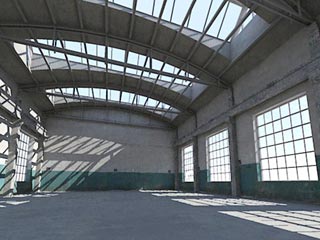
Open your render in Photoshop...
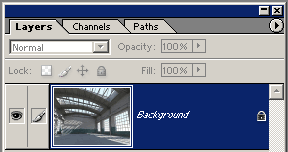
And make sure it only has a Background layer, or the actions won't work. If you opened a JPG file, you don't have to worry about this.
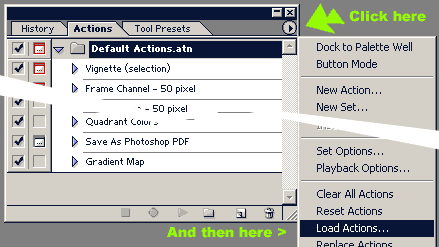
If you haven't already, open your "Actions" panel by going to the menu Window > Actions.
Look for the small round button with a triangle near the upper corner of the panel, click it and select "load action" from the menu:
Look for the unzipped file Bloom.atn and hit the "Load" button.
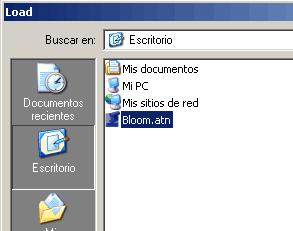
Now you have...
WAIT A SEC, STILL EDITING THE POST...
Unzip, load from Actions panel, select the action inside the folder and hit "Play".
-
Thanks I'll give it a try!~
-
Thanks Miguel. Could you possibly post a before and after image to show what the effect is? I think that would help "sell" this Photoshop action.
-
Sepo, i think he was refering to images uploaded to the board rather than in SU, thats still a rather useful tip though.
Ecuadorian, you can either upload your images a bit smaller or you can upload them to an external hosting site (photobucket or something similar) and then link them to your post using the [img] tag.
-
Click the images to make them expand.
-
Oopsy...sorry about that.

-
Thank you Miguel for the images and explanation.

-
Yes, I should have. Please excuse my lazyness.
Ok, here's a quick render of the now-famous warehouse, before...
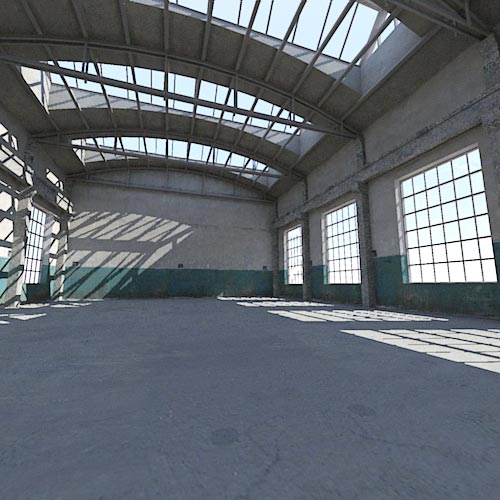
and after applying the action:
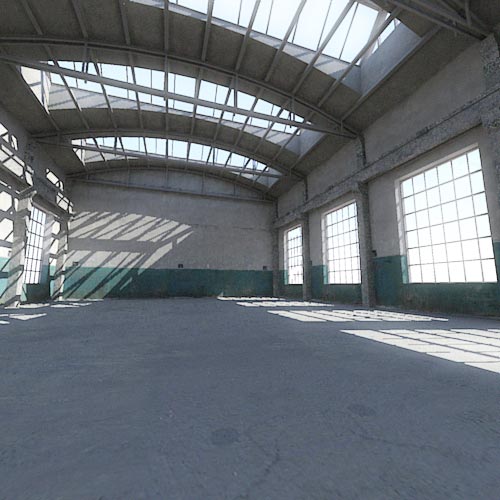
I programmed the F7 key to activate the action. As you can see, this works best in dark interiors with bright windows.Render took 2 minutes in Podium evaluation version 1.6 on my old Core 2 Duo E6300. I took the .hdr output and tone-mapped it in Photomatrix before applying the filter in Photoshop.
By the way, how do you prevent your image attachments from becoming framed with slide bars? [correction: scroll bars]
-
works great, thanks!
-
Can't find any such thing in CS3.

-
It should be a little thing just underneath the close x in the actions window. You can load the action from there.




Hello! It looks like you're interested in this conversation, but you don't have an account yet.
Getting fed up of having to scroll through the same posts each visit? When you register for an account, you'll always come back to exactly where you were before, and choose to be notified of new replies (either via email, or push notification). You'll also be able to save bookmarks and upvote posts to show your appreciation to other community members.
With your input, this post could be even better 💗
Register Login


Advertisement