sketchucation logo sketchucation
    • 登入
    Oops, your profile's looking a bit empty! To help us tailor your experience, please fill in key details like your SketchUp version, skill level, operating system, and more. Update and save your info on your profile page today!
    🔌 Smart Spline | Fluid way to handle splines for furniture design and complex structures. Download

    [Plugin] V-Ray Tools

    已排程 已置頂 已鎖定 已移動 Plugins
    238 貼文 80 Posters 257.1k 瀏覽 80 Watching
    正在載入更多貼文
    • 從舊到新
    • 從新到舊
    • 最多點贊
    回覆
    • 在新貼文中回覆
    登入後回覆
    此主題已被刪除。只有擁有主題管理權限的使用者可以查看。
    • thomthomT 離線
      thomthom
      最後由 編輯

      Didn't notice this until now... :s
      What does it mean that "material editor is always stuck on 1 material"? I'm really not sure what is being described here. Any screenshots? Sample model?

      Thomas Thomassen — SketchUp Monkey & Coding addict
      List of my plugins and link to the CookieWare fund

      1 條回覆 最後回覆 回覆 引用 0
      • I 離線
        itsupport
        最後由 編輯

        @itsupport said:

        @thomthom said:

        I'm sorry but I don't quite understand the question here.
        Is it an installation issue?

        Hi Thomthom - thanks for the super speedy reply 😄

        So we are copying the unpacked files to the plugin folder. This works fine, but on first use they aren't setup as default enabled, so it has to be done manually. Once enabled, everything seems to work great.

        How would we enable the plugin on first SketchUp use using this method (EG, not using sketchup plugin installer) ? If it means enabling all plugins that that would be ok (not ideal) - is there a registry setting or something we could set a GPO up to always enable the plugin ?

        Many thanks ! 😄

        Ello, have you any thoughts about this, I hope it's clearer to understand, but pelase let know if I've not made it clear.

        Kind Regards 😄

        1 條回覆 最後回覆 回覆 引用 0
        • I 離線
          itsupport
          最後由 編輯

          No Worries,

          Got it sorted, we wrote a little program to open your plugin's first, and also to not allow V-Ray plugin to open so that your excellent programs control it by default.

          Cheers

          1 條回覆 最後回覆 回覆 引用 0
          • maeglin1M 離線
            maeglin1
            最後由 編輯

            For me this is the best tool ever. Saved me alot of frustration and stress with all the Vray issues. A BIG Thankyou 😄

            1 條回覆 最後回覆 回覆 引用 0
            • S 離線
              sanjaygrg
              最後由 編輯

              Hi everybody,
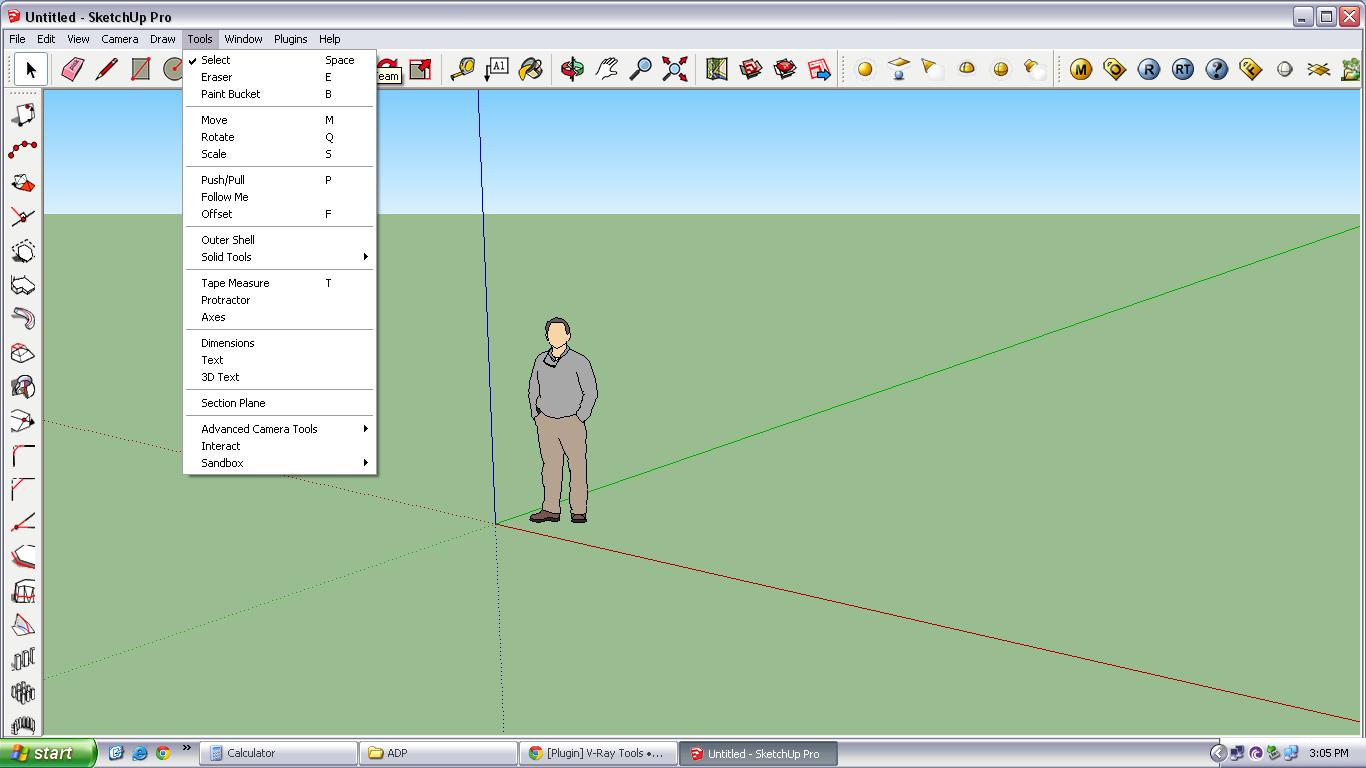
              I installed TTLib v2.9.9 and ttvray tools v2.2.1 (sketchup 8, vray for SU 2), I can't find the camera tools in vray camera tool toolbar. My question is whether camera tool is not available in vray for SU ver. 2.

              1 條回覆 最後回覆 回覆 引用 0
              • tt_suT 離線
                tt_su
                最後由 編輯

                Should be there... what does your toolbar look like?

                1 條回覆 最後回覆 回覆 引用 0
                • S 離線
                  sanjaygrg
                  最後由 編輯

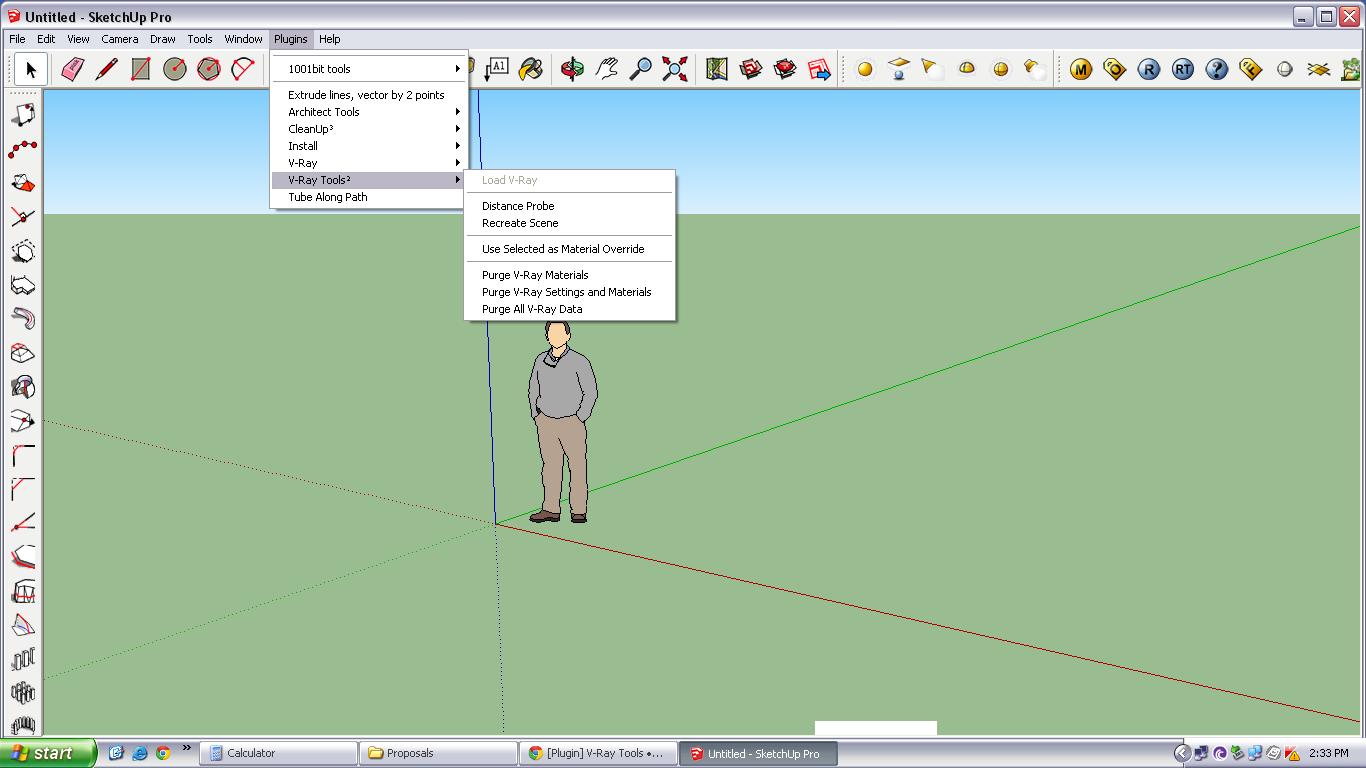
                  here is the attachment of the toolbar..

                  11.JPG

                  1 條回覆 最後回覆 回覆 引用 0
                  • S 離線
                    sanjaygrg
                    最後由 編輯

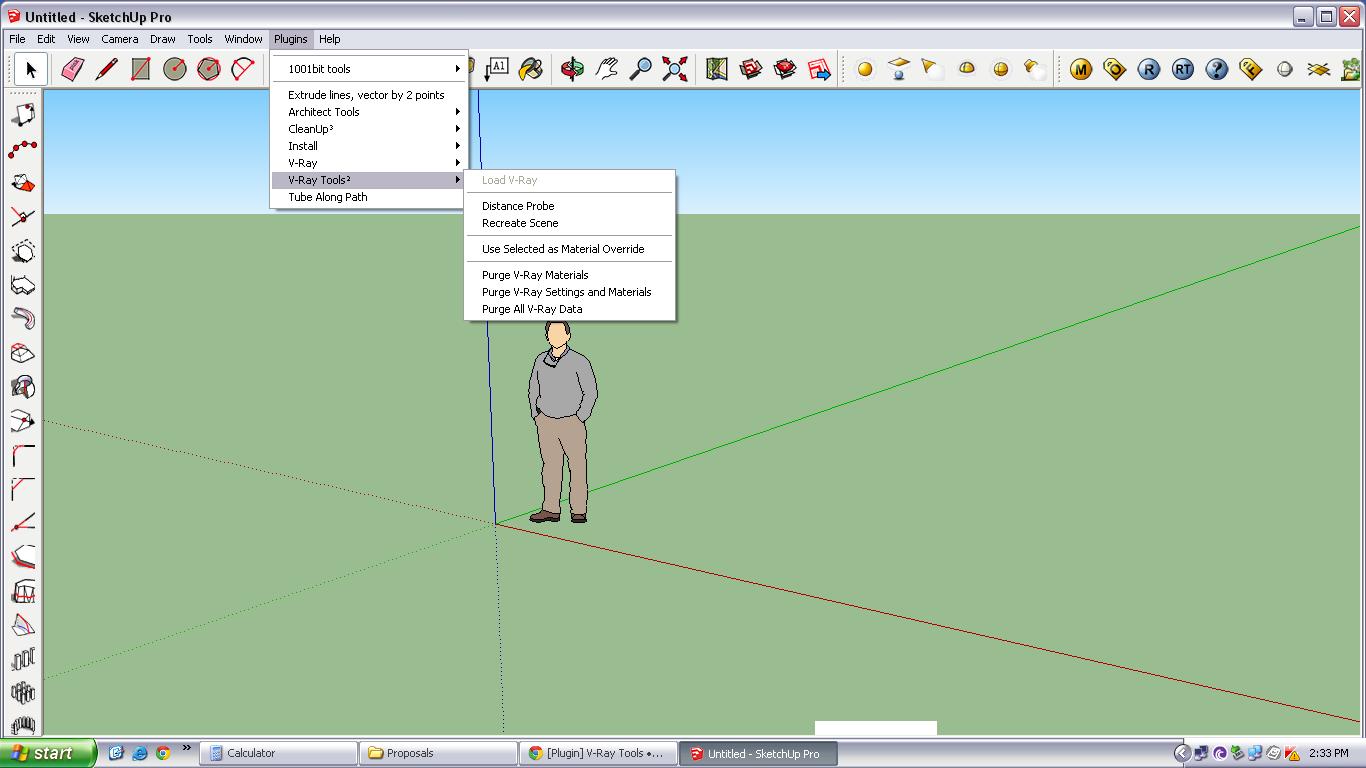
                    here is the attachment of the toolbar..

                    11.JPG

                    1 條回覆 最後回覆 回覆 引用 0
                    • tt_suT 離線
                      tt_su
                      最後由 編輯

                      That's the menu, do you have a screenshot of the toolbar?

                      1 條回覆 最後回覆 回覆 引用 0
                      • S 離線
                        sanjaygrg
                        最後由 編輯

                        here is the toolbar screenshot..


                        22.JPG

                        1 條回覆 最後回覆 回覆 引用 0
                        • tt_suT 離線
                          tt_su
                          最後由 編輯

                          Toolbars are the icons under the menus. View > Toolbars

                          1 條回覆 最後回覆 回覆 引用 0
                          • D 離線
                            dikasita
                            最後由 編輯

                            Sir thomtom
                            how to load vray toys? i hv install tt lib and vray tool from this thread
                            but i cant find vray toys
                            im using SU2013
                            thanks

                            1 條回覆 最後回覆 回覆 引用 0
                            • john2J 離線
                              john2
                              最後由 編輯

                              I'm getting the following error in 2014 SU

                              Error Loading File vray_toys.rb
                              Error: #<LoadError: 126: The specified module could not be found. - C:/Users/john2/AppData/Roaming/SketchUp/SketchUp 2014/SketchUp/Plugins/RubyWinFunc.so>
                              C:/Program Files (x86)/SketchUpfresh/SketchUp 2014/Tools/RubyStdLib/rubygems/core_ext/kernel_require.rb:45:in require' C:/Program Files (x86)/SketchUpfresh/SketchUp 2014/Tools/RubyStdLib/rubygems/core_ext/kernel_require.rb:45:in require'
                              C:/Users/john2/AppData/Roaming/SketchUp/SketchUp 2014/SketchUp/Plugins/vfs.rb:22:in getWindowsASGVISFolder' C:/Users/john2/AppData/Roaming/SketchUp/SketchUp 2014/SketchUp/Plugins/vfs.rb:42:in getASGVISRubyFolder'
                              C:/Users/john2/AppData/Roaming/SketchUp/SketchUp 2014/SketchUp/Plugins/vfs.rb:46:in <top (required)>' C:/Program Files (x86)/SketchUpfresh/SketchUp 2014/Tools/RubyStdLib/rubygems/core_ext/kernel_require.rb:45:in require'
                              C:/Program Files (x86)/SketchUpfresh/SketchUp 2014/Tools/RubyStdLib/rubygems/core_ext/kernel_require.rb:45:in require' C:/Users/john2/AppData/Roaming/SketchUp/SketchUp 2014/SketchUp/Plugins/VRayToys/vr_loader.rb:58:in module:VRay_Loader'
                              C:/Users/john2/AppData/Roaming/SketchUp/SketchUp 2014/SketchUp/Plugins/VRayToys/vr_loader.rb:47:in <module:VRay_Toys>' C:/Users/john2/AppData/Roaming/SketchUp/SketchUp 2014/SketchUp/Plugins/VRayToys/vr_loader.rb:45:in <top (required)>'
                              C:/Program Files (x86)/SketchUpfresh/SketchUp 2014/Tools/RubyStdLib/rubygems/core_ext/kernel_require.rb:45:in require' C:/Program Files (x86)/SketchUpfresh/SketchUp 2014/Tools/RubyStdLib/rubygems/core_ext/kernel_require.rb:45:in require'
                              C:/Users/john2/AppData/Roaming/SketchUp/SketchUp 2014/SketchUp/Plugins/vray_toys.rb:101:in `<top (required)>'

                              Sketchup Make 2017 (64-bit), Vray 4.0 , Windows 10 – 64 bit, corei7-8750H, 16GB RAM, Nvidia GeForce GTX 1050Ti 4GB

                              1 條回覆 最後回覆 回覆 引用 0
                              • thomthomT 離線
                                thomthom
                                最後由 編輯

                                John, that error is V-Ray Tools trying to load V-Ray. But the version of V-Ray you have installed doesn't work with SU2014.

                                Thomas Thomassen — SketchUp Monkey & Coding addict
                                List of my plugins and link to the CookieWare fund

                                1 條回覆 最後回覆 回覆 引用 0
                                • john2J 離線
                                  john2
                                  最後由 編輯

                                  @thomthom said:

                                  John, that error is V-Ray Tools trying to load V-Ray. But the version of V-Ray you have installed doesn't work with SU2014.

                                  Thanks a lot. Now I've fixed every damn error that was coming. Now I have an error free startup. feeling relieved just like you do after you cleanup your room after weeks.

                                  Sketchup Make 2017 (64-bit), Vray 4.0 , Windows 10 – 64 bit, corei7-8750H, 16GB RAM, Nvidia GeForce GTX 1050Ti 4GB

                                  1 條回覆 最後回覆 回覆 引用 0
                                  • thomthomT 離線
                                    thomthom
                                    最後由 編輯

                                    I know that feeling!

                                    Thomas Thomassen — SketchUp Monkey & Coding addict
                                    List of my plugins and link to the CookieWare fund

                                    1 條回覆 最後回覆 回覆 引用 0
                                    • john2J 離線
                                      john2
                                      最後由 編輯

                                      @thomthom said:

                                      I know that feeling!

                                      I'd have given you a hug man if you were in front of me. 😍

                                      Sketchup Make 2017 (64-bit), Vray 4.0 , Windows 10 – 64 bit, corei7-8750H, 16GB RAM, Nvidia GeForce GTX 1050Ti 4GB

                                      1 條回覆 最後回覆 回覆 引用 0
                                      • N 離線
                                        NikeScor
                                        最後由 編輯

                                        Very Good, Sir.

                                        1 條回覆 最後回覆 回覆 引用 0
                                        • S 離線
                                          ssfat06
                                          最後由 編輯

                                          @miamiarnold said:

                                          Installed your plugin and it somehow messed up the material link when you pick a material from sketchup model it doesn't reflect on the vray material editor, the selection in the vray material editor is always stuck on 1 material, tried uninstalling the ruby by deleting the files and folder in the sketchup root folder then uninstalled sketchup and re installed but i seem to get the same problem am using vray 2.0 and sketchup 2013, seems the problem might have started when i purged materials using vray tools, i have also tried copying the model to a fresh sketchup file but still nothing fruitful, 😞 the project is due and am stuck i get this error when i open the file

                                          Error Loading File C:\ProgramData/ASGVIS/VfS/Ruby/R2P.rb
                                          undefined method entityID' for nil:NilClass Error Loading File vfs.rb undefined method entityID' for nil:NilClass

                                          any help will be appreciated, and thanks in advance. i just need my vray back to the way it was thank you

                                          I have the same problem.Problem solved? Does any suggestion?
                                          purged model => error message occurred after open the saved file again.

                                          Error Loading File C:\ProgramData/ASGVIS/VfS/Ruby/R2P.rb
                                          undefined method entityID' for nil:NilClass Error Loading File vfs.rb undefined method entityID' for nil:NilClass

                                          Appreciated.

                                          1 條回覆 最後回覆 回覆 引用 0
                                          • thomthomT 離線
                                            thomthom
                                            最後由 編輯

                                            What version of VfSU are we talking about here?
                                            Got a sample model?

                                            Thomas Thomassen — SketchUp Monkey & Coding addict
                                            List of my plugins and link to the CookieWare fund

                                            1 條回覆 最後回覆 回覆 引用 0
                                            • 1
                                            • 2
                                            • 7
                                            • 8
                                            • 9
                                            • 10
                                            • 11
                                            • 12
                                            • 9 / 12
                                            • 第一個貼文
                                              最後的貼文
                                            Buy SketchPlus
                                            Buy SUbD
                                            Buy WrapR
                                            Buy eBook
                                            Buy Modelur
                                            Buy Vertex Tools
                                            Buy SketchCuisine
                                            Buy FormFonts

                                            Advertisement