[Plugin] SliceModeler v1.3 released!
-
Thanks for the cool plugin.
Is there a way to add the ability to slice down z axis only, and create a flat slices of this axis only? And lay that axis flat?
No Slots in the slice. Sorta like a 3D printer would need.
The other slicer plugin, Slicer5, is limited to solids and this plugin slices every thing. Coool.
This would be a very, very useful tool.
Thanks again. -
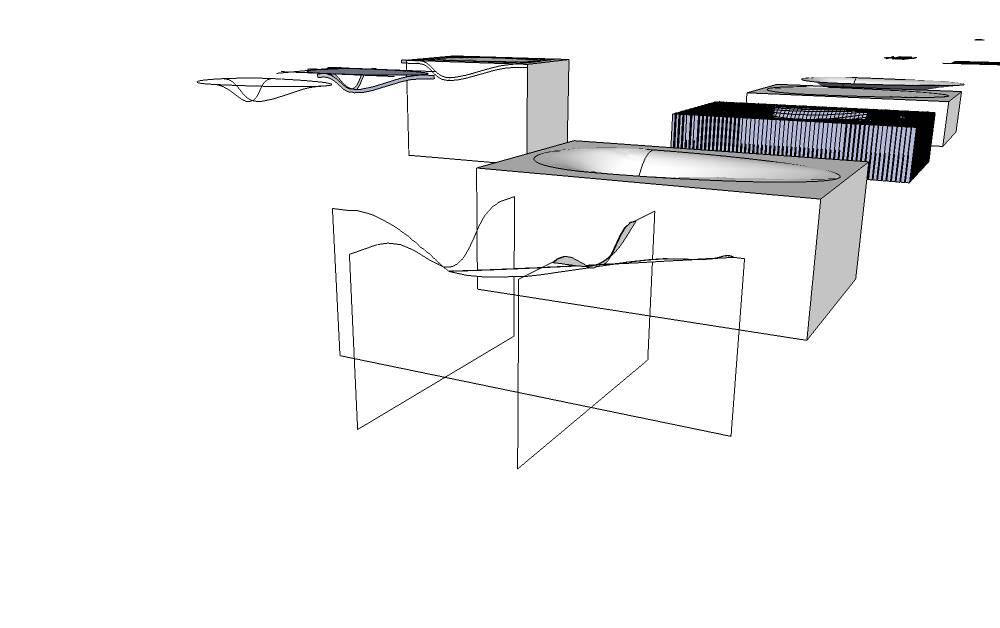
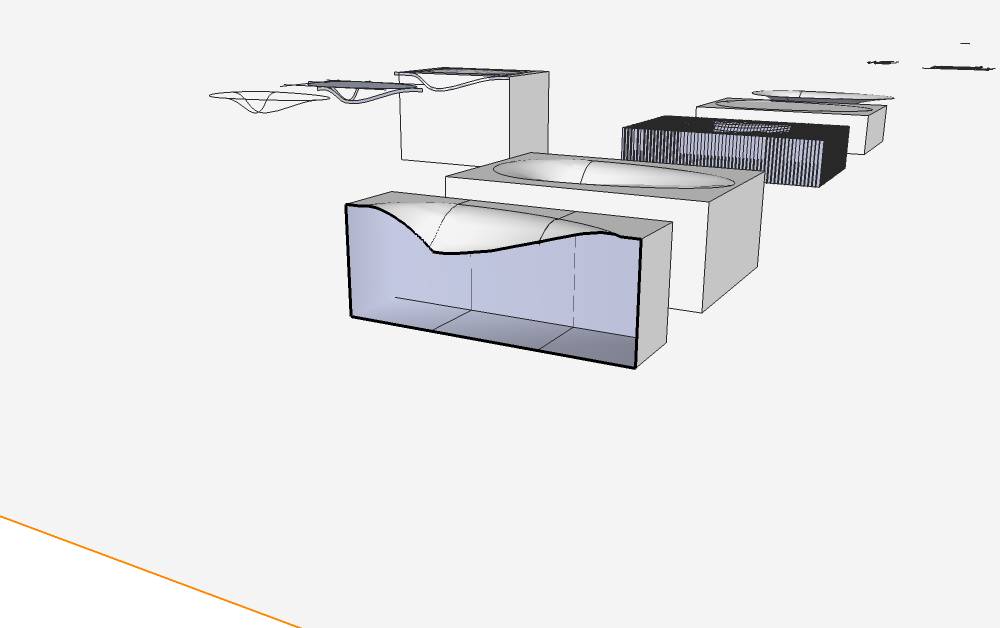
I know this is rather old but I am hoping to get some help/advice on a model of a sink I am building on a lasercutter. For some reason (I'm pretty certain its a problem with my model, not this plugin) the plug-in seems to sort of take some shortcuts when slicing (hopefully the pictures will explain it well). Any thoughts? Thank!
-
Your model needs a major tidy up.
If you combine the [exploded] parts into one group it's just not a 'Solid'.
There are overlapping edge, flaps, tiny holes etc.
Use thomthom's solid-inspector to see these issues, and some careful adjustments to fix them.Because tools like this and my newer 'Slicer5' work by intersecting planes with the group and deducing faces from the intersecting edges produced, non-solids will often produce unexpected results - e.g. if a slice's edges are missing and can't form a face to then extrude into the slice, or perhaps deciding what is a filled face and what is a void becomes untenable...

-
Perfect! Just what I was looking for (confirmation that my model is not up to snuff, and redirection to a few more up-to-date plug-ins). Thanks!
-
@tig said:
Your model needs a major tidy up.
If you combine the [exploded] parts into one group it's just not a 'Solid'.
There are overlapping edge, flaps, tiny holes etc.
Use thomthom's solid-inspector to see these issues, and some careful adjustments to fix them.Because tools like this and my newer 'Slicer5' work by intersecting planes with the group and deducing faces from the intersecting edges produced, non-solids will often produce unexpected results - e.g. if a slice's edges are missing and can't form a face to then extrude into the slice, or perhaps deciding what is a filled face and what is a void becomes untenable...
I cannot see the +flattened copies on my drawing..why?? i have windows 7 64b and skup 8..what is wrong with this plug in?? I have the same problem with the other slice plug ins. Im trying with very basic forms and NOTHING.
-
The plugin works fine for me and many others using SketchUp 8. I would conclude there's nothing wrong with the plugin. It doesn't make any sense to say there is something wrong with it. Perhaps it is your model.
-
Is your model very complex with overlapping forms ?
Is it very tiny ?
These kind of things cause issue with many aspects of working with geometry...A little more detail might help us...
Many people use these tools without major issues... so perhaps your modeling needs some TLC... -
Hello
thanks for this fantastic script, just what I've been looking for to help my students.
could you tell me if it is possible to create slices at a different angle, for example at 45deg to the standard axis? It would be very handy to be able to make slicemodels that use a radial assembly instead of a normal 90deg matrix style.
Hope that makes sence!
Thanks
-
@adamstew said:
Hello
thanks for this fantastic script, just what I've been looking for to help my students.
could you tell me if it is possible to create slices at a different angle, for example at 45deg to the standard axis? It would be very handy to be able to make slicemodels that use a radial assembly instead of a normal 90deg matrix style.
Hope that makes sence!
Thanks
This script is pretty much superseded by my Slicer5 which does various different slicing/slotting permutations...
Find it under the Plugins Index, accessed from the menu above... -
@tig said:
@adamstew said:
Hello
thanks for this fantastic script, just what I've been looking for to help my students.
could you tell me if it is possible to create slices at a different angle, for example at 45deg to the standard axis? It would be very handy to be able to make slicemodels that use a radial assembly instead of a normal 90deg matrix style.
Hope that makes sence!
Thanks
This script is pretty much superseded by my Slicer5 which does various different slicing/slotting permutations...
Find it under the Plugins Index, accessed from the menu above...thank you very much, I'll have a look and see what I can do.
-
Thanks for the plugin.
But allow a newbie question: how do I install it on the late3st SketchUp 8? -
Move the .rb file from where you saved it to the Plugins folder under SketchUp. Before doing so, be sure you have full administrative rights to the Plugins folder. restart Sketchup after pasting the rb file into the Plugins folder.




Advertisement