sketchucation logo sketchucation
    • 登入
    Oops, your profile's looking a bit empty! To help us tailor your experience, please fill in key details like your SketchUp version, skill level, operating system, and more. Update and save your info on your profile page today!
    🔌 Smart Spline | Fluid way to handle splines for furniture design and complex structures. Download

    [Plugin] SliceModeler v1.3 released!

    已排程 已置頂 已鎖定 已移動 Plugins
    93 貼文 37 Posters 113.2k 瀏覽 37 Watching
    正在載入更多貼文
    • 從舊到新
    • 從新到舊
    • 最多點贊
    回覆
    • 在新貼文中回覆
    登入後回覆
    此主題已被刪除。只有擁有主題管理權限的使用者可以查看。
    • pilouP 離線
      pilou
      最後由 編輯

      Inspiration:
      A radial Slicer?
      slicer.jpg

      Or at last a slicer from any profil? (not necessarily radial)
      previous profil will be that 😄
      profilr.jpg

      Frenchy Pilou
      Is beautiful that please without concept!
      My Little site :)

      1 條回覆 最後回覆 回覆 引用 0
      • Z 離線
        zbuckholz
        最後由 編輯

        Hello, I recently obtained a copy of SliceModeler from PAI and I am looking forward to using it with my laser cutter. The instructions I have found in the past 24 hours are ok, but I was hoping to find some tutorials I could learn from.

        I have used Blender, CorelDraw, Inkscape, and even UnrealEd so the concepts of Google SketchUp are already present, it's just the proper efficient use of the tool I need to learn.

        To start with I would like to grab a generic model from the Google 3D Warehouse and slice it up to see how well it works. Hopefully someone has already done a tutorial like this.

        Any insight or links to online educational info would be greatly appreciated.

        Thanks
        Zach

        1 條回覆 最後回覆 回覆 引用 0
        • I 離線
          ivreich
          最後由 編輯

          Hi asteronimo! great plugin!!

          It would be good if you could add an option to make slot holes a tiny bit larger than the actual slice thickness because in reality you actually need a small tolerance to get the slices to actually fit together...

          You could have this as an adjustable amount to cater for different materials etc.

          Cheers

          joel

          1 條回覆 最後回覆 回覆 引用 0
          • Z 離線
            zbuckholz
            最後由 編輯

            I have posted the message below in the newbie forum, I probably should have posted to this thread instead.

            I am trying to make a triangle box, I bought the Sketchup plugin SliceMaker to take a volumn and slice it into pieces I can then cut on my laser.

            The video is short 1 min 20 seconds.

            Then I attempt to export the pieces using the SVG plugin.

            I show in the video the SVG plugin export, and my attempt to open in CorelDraw and InkScape.

            Neither program can handle the pieces properly, hopefully someone can see something obvious in the video and point out my error.

            Thanks
            Zach

            1 條回覆 最後回覆 回覆 引用 0
            • Dave RD 離線
              Dave R
              最後由 編輯

              Zach, I used Slice Modeler, the plugin offered in the first post of this thread, to make something similar to your model. It looks like I got similar results.
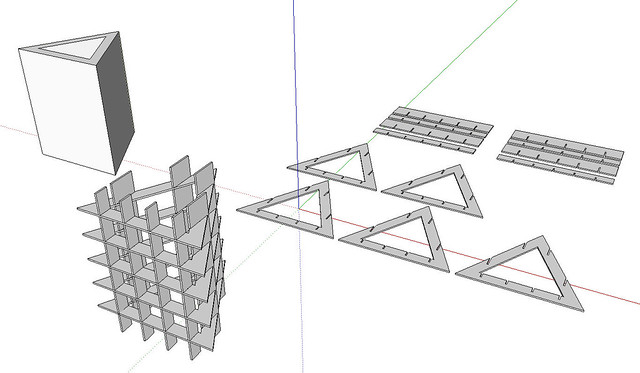
              http://farm5.static.flickr.com/4090/5007268225_3958247615_z.jpg

              Then I ran the SVG exporter from Flights of Ideas and got the following. I rearranged the SVG images so they would fit in tighter space but I didn't edit the file at all.
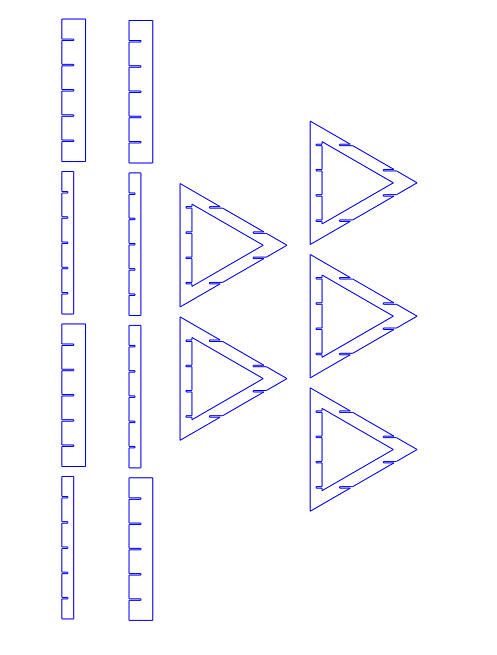
              http://farm5.static.flickr.com/4084/5007878306_7574e8ebaa_b.jpg

              You mention SliceMaker. Perhaps that is the problem? Have you tried SliceModeler?

              Etaoin Shrdlu

              %

              (THERE'S NO PLACE LIKE)

              G28 X0.0 Y0.0 Z0.0

              M30

              %

              1 條回覆 最後回覆 回覆 引用 0
              • Z 離線
                zbuckholz
                最後由 編輯

                I apologize Dave, the name of the plugin I am using is SliceModeler. I will try to move things around and export again.

                Thanks
                Zach

                1 條回覆 最後回覆 回覆 引用 0
                • R 離線
                  razer
                  最後由 編輯

                  what about if you only want to slice down one line of your group?

                  1 條回覆 最後回覆 回覆 引用 0
                  • Dave RD 離線
                    Dave R
                    最後由 編輯

                    Could you clarify that question? Maybe give an illustration of what you want.

                    Etaoin Shrdlu

                    %

                    (THERE'S NO PLACE LIKE)

                    G28 X0.0 Y0.0 Z0.0

                    M30

                    %

                    1 條回覆 最後回覆 回覆 引用 0
                    • thomthomT 離線
                      thomthom
                      最後由 編輯

                      @dave r said:

                      "Man skal være klok for å håndtere en løgn, en tosk bør heller holde seg til sannheten."

                      Interessant proverb - har ikke hørt det før. Hvem stammer sitatet fra?

                      Thomas Thomassen — SketchUp Monkey & Coding addict
                      List of my plugins and link to the CookieWare fund

                      1 條回覆 最後回覆 回覆 引用 0
                      • R 離線
                        razer
                        最後由 編輯

                        @dave r said:

                        Could you clarify that question? Maybe give an illustration of what you want.

                        Ive got one group and I want to cut that in half to make two groups, not slice it up all the way through my model.

                        1 條回覆 最後回覆 回覆 引用 0
                        • Dave RD 離線
                          Dave R
                          最後由 編輯

                          I see. This isn't the plugin you want for that. You could use Zorro.rb but don't really need a plugin at all to do this. Open your group for editing, draw a face (cutting plane) that cuts through it where you want to cut it, Select all of it an the group, right click and choose Intersect Faces>With Selection. Delete the edges of the cutting plane and the unwanted portion of the group. If you want to keep both halves, still, drag a left to right selection box around the part you want and use Move/Copy to move that copy away. Or Cut and Paste to get it outside the group if you prefer.

                          Zorro will make the cut for you but you'll still have to delete the waste or copy out the part you're interested in.

                          Etaoin Shrdlu

                          %

                          (THERE'S NO PLACE LIKE)

                          G28 X0.0 Y0.0 Z0.0

                          M30

                          %

                          1 條回覆 最後回覆 回覆 引用 0
                          • majidM 離線
                            majid
                            最後由 編輯

                            thanx for sharing mate 😄 , and seems to be amazing , but doesn't work for me 😞 maybe conflict with other ruby or something 😕

                            My inspiring A, B, Sketches book: https://sketchucation.com/shop/books/intermediate/2612-alphabet-inspired-sketches--inspiring-drills-for-architects--3d-artists-and-designers-

                            1 條回覆 最後回覆 回覆 引用 0
                            • S 離線
                              SlicerX
                              最後由 編輯

                              I am using sketchup pro version 8 and slice modeler v1.3 it slices up my model but doesnt ask me to flatten the slices out anyone know how this can be done manually or corrected??

                              1 條回覆 最後回覆 回覆 引用 0
                              • Dave RD 離線
                                Dave R
                                最後由 編輯

                                I see the same thing if I don't have the plugin make slices in a second axis or if there are no slices created during the second slicing step.

                                Etaoin Shrdlu

                                %

                                (THERE'S NO PLACE LIKE)

                                G28 X0.0 Y0.0 Z0.0

                                M30

                                %

                                1 條回覆 最後回覆 回覆 引用 0
                                • K 離線
                                  kojak
                                  最後由 編輯

                                  brilliant..well done..you should sell it

                                  1 條回覆 最後回覆 回覆 引用 0
                                  • C 離線
                                    CT Ertz
                                    最後由 編輯

                                    Wow, thanks. This works so good for making the inner formers for card models! I use to do it manually. Thanks,
                                    CT

                                    1 條回覆 最後回覆 回覆 引用 0
                                    • E 離線
                                      esatok
                                      最後由 編輯

                                      Is there a way to create a slice form tool that can create the slices radially? I would appreciate any suggestions, as SketchUp is fairly new to me. Thank you very much.

                                      1 條回覆 最後回覆 回覆 引用 0
                                      • Dave RD 離線
                                        Dave R
                                        最後由 編輯

                                        Until there is one, you could do it manually without much work. Draw a rectangular face and create a radial array from it with the copy function of the Rotate tool. Intersect faces with the thing you want to cut. Delete the stuff outside the intersection edges and you're left with your section slices.
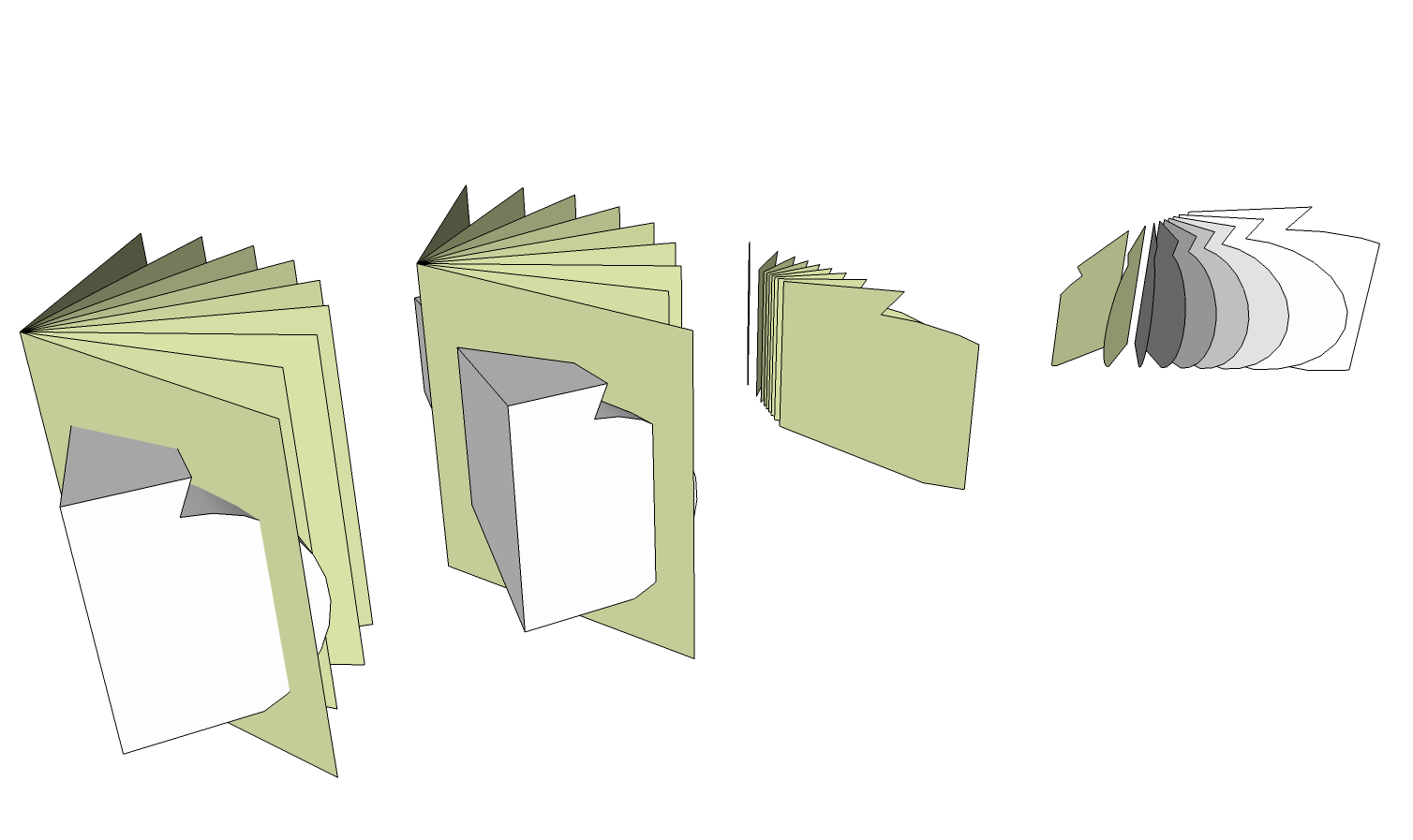

                                        Radial.png

                                        Etaoin Shrdlu

                                        %

                                        (THERE'S NO PLACE LIKE)

                                        G28 X0.0 Y0.0 Z0.0

                                        M30

                                        %

                                        1 條回覆 最後回覆 回覆 引用 0
                                        • T 離線
                                          trock2957
                                          最後由 編輯

                                          Thanks for the cool plugin.
                                          Is there a way to add the ability to slice down z axis only, and create a flat slices of this axis only? And lay that axis flat?
                                          No Slots in the slice. Sorta like a 3D printer would need.
                                          The other slicer plugin, Slicer5, is limited to solids and this plugin slices every thing. Coool.
                                          This would be a very, very useful tool.
                                          Thanks again.

                                          1 條回覆 最後回覆 回覆 引用 0
                                          • K 離線
                                            kyleboyd
                                            最後由 編輯

                                            I know this is rather old but I am hoping to get some help/advice on a model of a sink I am building on a lasercutter. For some reason (I'm pretty certain its a problem with my model, not this plugin) the plug-in seems to sort of take some shortcuts when slicing (hopefully the pictures will explain it well). Any thoughts? Thank!
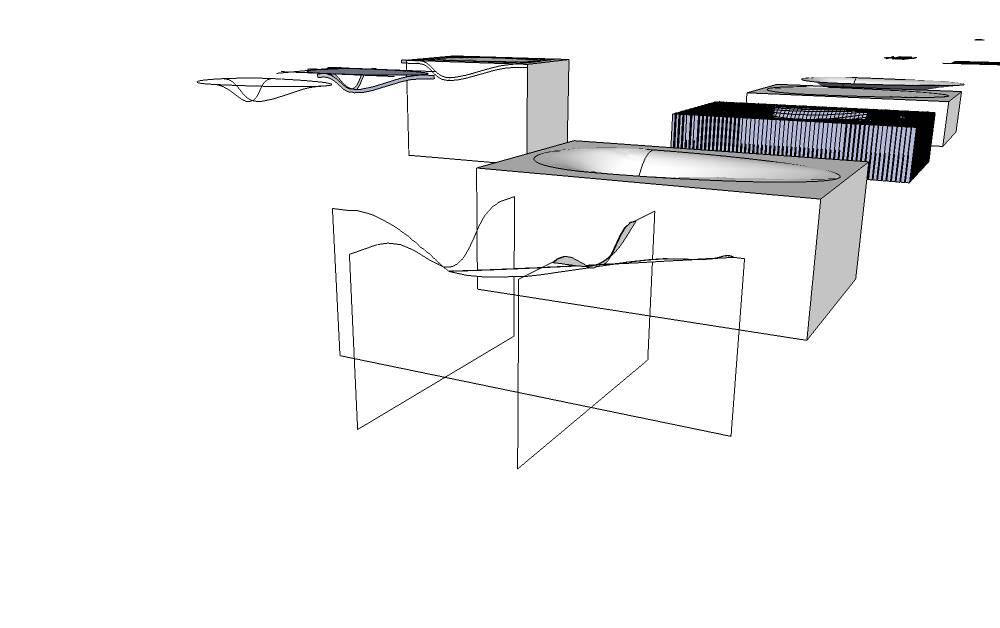
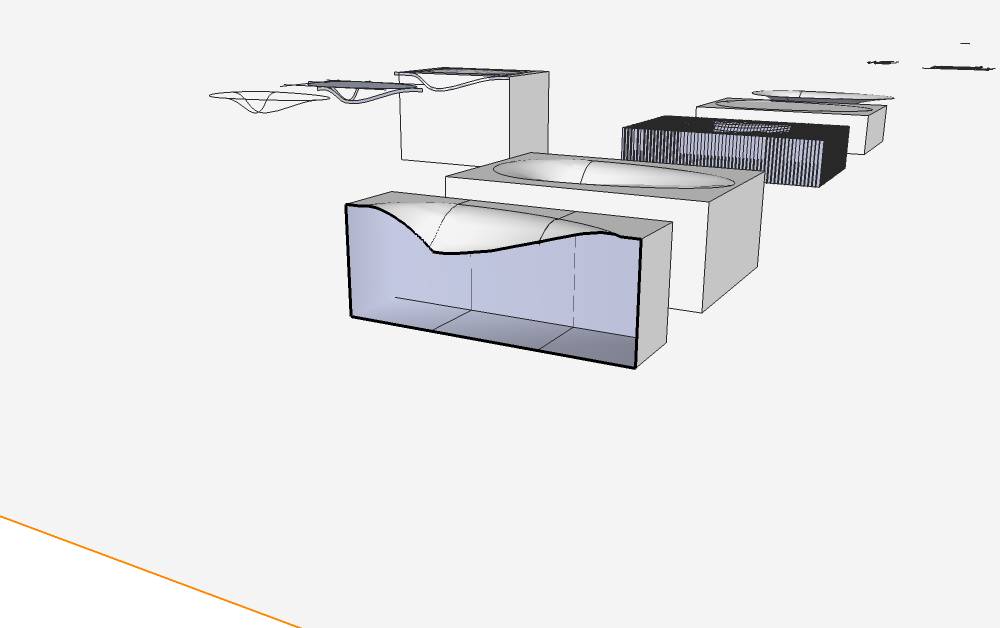
                                            What actually happens


                                            The section shape I need.


                                            VANITY_MODEL.skp

                                            1 條回覆 最後回覆 回覆 引用 0
                                            • 1
                                            • 2
                                            • 3
                                            • 4
                                            • 5
                                            • 2 / 5
                                            • 第一個貼文
                                              最後的貼文
                                            Buy SketchPlus
                                            Buy SUbD
                                            Buy WrapR
                                            Buy eBook
                                            Buy Modelur
                                            Buy Vertex Tools
                                            Buy SketchCuisine
                                            Buy FormFonts

                                            Advertisement


