Continue texture on next object ?
-
Is it possible to continue a texture on the next object ?
Right now I'm tryin to model a wall that is split up in floors, but from the outside I would like it to look like a single wall. It this possible ?
I have tried to use the "match paint form" when editing an object - but that did not help

Any suggestions ?
Thanks
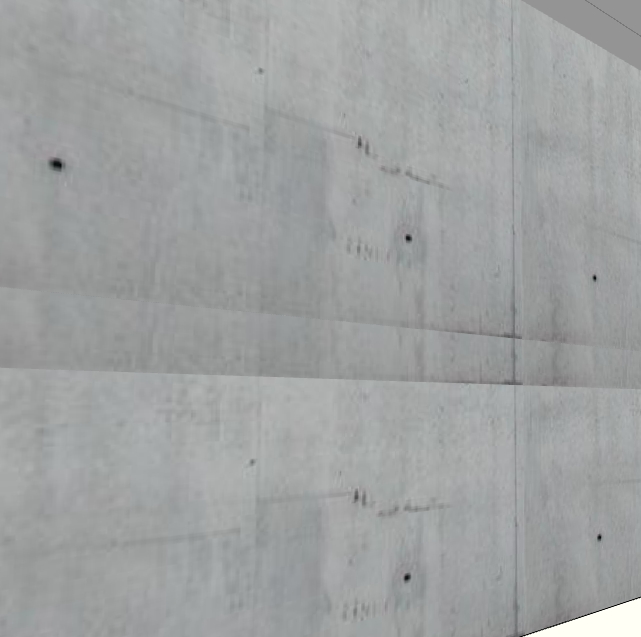
-
You could use a one big projected texture, and as long as it didnt tile it should go smoothly across the entire face.
-
It's tree objects

-
Jorgensen, SU will apply all the textures from the same starting point, unless you adjust it on a surface. If you do adjust it's position on a surface, and you want to reset the texture on adjacent surfaces to align, use the eyedropper to selected the adjusted texture, and repaint the adjacent surfaces.
-


Hello! It looks like you're interested in this conversation, but you don't have an account yet.
Getting fed up of having to scroll through the same posts each visit? When you register for an account, you'll always come back to exactly where you were before, and choose to be notified of new replies (either via email, or push notification). You'll also be able to save bookmarks and upvote posts to show your appreciation to other community members.
With your input, this post could be even better 💗
Register Login


Advertisement