[Plugin] Toggle Units
-
@tig said:
The newer Ruby version is unsympathetic to coding errors !
Using a plain-text editor, like Notepad++, edit the file:
C:/Users/Architekt/AppData/Roaming/SketchUp/SketchUp 2019/SketchUp/Plugins/Matt_Toggle_Units/Toggle_Units.rb
Find line #205
return if not settings.include?("true")
Add an initial#
#return if not settings.include?("true")
Save the file and restart SketchUp, to test it...Other 'returns' in the code seem OK...
Perfect TIG thanks! it worked perfect on mac SKP2019
-
Isit possible to show a tutorial process on doing the changes for Skp 2019. in a Picture format. Thanks
-
@tig said:
The newer Ruby version is unsympathetic to coding errors !
Using a plain-text editor, like Notepad++, edit the file:
C:/Users/Architekt/AppData/Roaming/SketchUp/SketchUp 2019/SketchUp/Plugins/Matt_Toggle_Units/Toggle_Units.rb
Find line #205
return if not settings.include?("true")
Add an initial#
#return if not settings.include?("true")
Save the file and restart SketchUp, to test it...Other 'returns' in the code seem OK...
Amazing - thanks TIG!!! (and Matt666 for the original). Was really panicking as I couldn't find an alternative to this, really great to get it working on 2019!
Thanks
-
@sherman23 said:
Is it possible to show a tutorial process on doing the changes for Skp 2019. in a Picture format. Thanks
It really is a very simple editing process.On a PC:
Using a plain-text editor, like Notepad++, edit the file:
C:/Users/YOUR_USER_NAME/AppData/Roaming/SketchUp/SketchUp 2019/SketchUp/Plugins/Matt_Toggle_Units/Toggle_Units.rb
Note that folders in the user's AppData tree are hidden by default, but you can use the full-path text to the Plugins folder, pasted into a Windows Explorer window to open that location, then find the Matt_Toggle_Units subfolder, and RB file in there to edit.
Find line #205
return if not settings.include?("true")
Add an initial#
#return if not settings.include?("true")
Save the file and restart SketchUp, to test it...On a MAC:
Using a plain-text editor, like TextWrangler, edit the file:
The RB file's location is different on a MAC - it's actually easier to find the RB file in theSketchUp/PluginsMatt_Toggle_Units subfolder...
The subsequent editing & saving etc is the same...Both of the text-editors are free and easy to install...
Tip: To open your Plugins folder directly - in SketchUp open the Ruby Console and paste this text:
UI.openURL("file:///#{Sketchup.find_support_file('Plugins')}")- <enter>...
-
Hello Matt666
Love this extension very handy for changing digits from meter to millimeter
and visa versa. To see cubic meters in meters and not in millimeters in
,,Entity Info,, and so on.
I'm now using Pro 2019 and it doesn't seem to be compatibel.
Any chance for an updated version soon
Greetings Makki -
Hello, I encounter several problème and I can not run properly this plugin on SU 2019 on my mac: it lacks the unit mm! And that's the unit I use the most.

Here are the different ways I tried:
- I downloaded the version of Blajnov. But I have an error message when I install it.
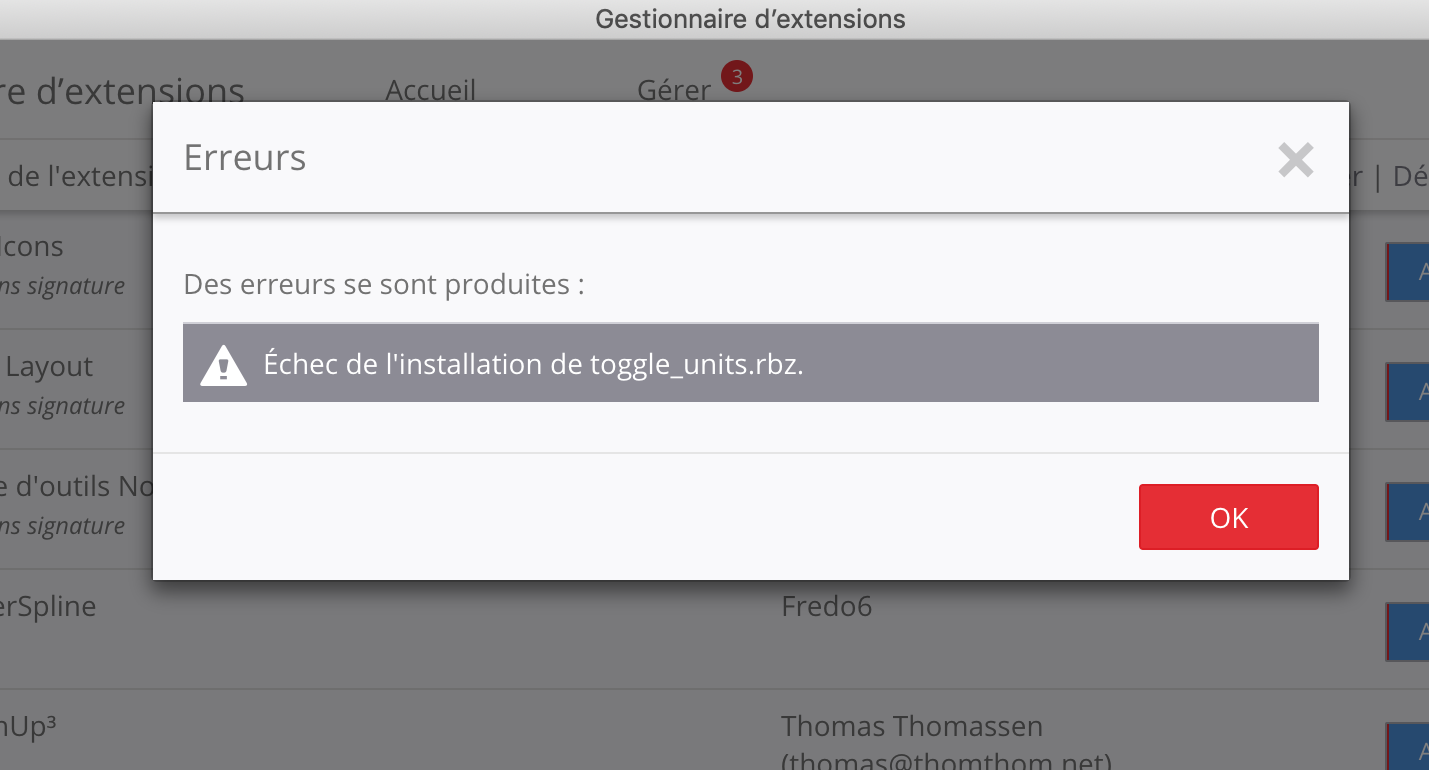
-I installed the original version with the sketchucation plugin and tried to edit the toggleunits.rb. But I can not find the line "return if not settings.include? (" True ")" with TextEdit
- I tried installing TextWrangler to edit the file. But this software no longer works with Mojave.
Can you help me? Or send me a rbz file that works?
Thank you so much.
Gildas
- I downloaded the version of Blajnov. But I have an error message when I install it.
-
Sorry for the confusion !
My mistake - I thought the recent ZIP file's author had packaged all of the files properly !
It will mess things up if it's made into an RBZ and installed !
If you have done so, then please open your Plugins folder and delete the following things - if they are incorrectly added into there -toggle_units_icons[folder],toggle_units.rb[file] andtoggle_units.strings[file]...
To open your Plugins folder directly - in SketchUp open the Ruby Console and paste this text:
UI.openURL("file:///#{Sketchup.find_support_file('Plugins')}")- <enter>...
I've deleted the post with that problem ZIP, simply to avoid any future confusion...
I've now personally updated this tool's files to be compatible with all SketchUp verisons !
I've also signed its RBZ for all Loading Policies compatibility...Please install the latest RBZ, which is now available from the PluginStore - v3.002:
it should now be compatible with ALL current SketchUp versions...
https://sketchucation.com/pluginstore?pln=Matt_Toggle_Units -
TIG, Thank you very much for your effort.
But I still can not install the plugin.
I uninstalled it from Extention Manager.
And I went to the library folder to check if the 3 files indicated were deleted.
Then installed v 3.002 from Sketchucation store
Then leave and relaunch sketchup.
And I have this message at the opening of sketchup:
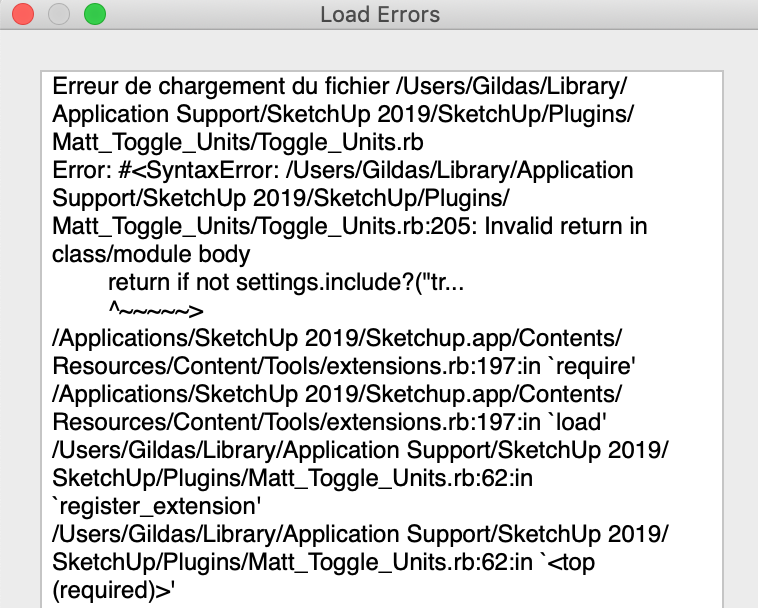
Sorry for my incompetence. Thank you very much for yours.
Gildas -
The incompetence is mine!
Somehow that old failing file sneaked into the latest RBZ...
I've re-updated the RBZ, so please re-download and reinstall it.
Restart SketchUp and it should work properly now !
https://sketchucation.com/pluginstore?pln=Matt_Toggle_Units -
Great ! thank you very much Tig
Now it works perfectly



Advertisement