sketchucation logo sketchucation
    • 登入
    Oops, your profile's looking a bit empty! To help us tailor your experience, please fill in key details like your SketchUp version, skill level, operating system, and more. Update and save your info on your profile page today!
    🔌 Smart Spline | Fluid way to handle splines for furniture design and complex structures. Download

    [Plugin] 3d Shapes Tool (was: Pyramid Tool)

    已排程 已置頂 已鎖定 已移動 Plugins
    53 貼文 21 Posters 51.0k 瀏覽 21 Watching
    正在載入更多貼文
    • 從舊到新
    • 從新到舊
    • 最多點贊
    回覆
    • 在新貼文中回覆
    登入後回覆
    此主題已被刪除。只有擁有主題管理權限的使用者可以查看。
    • JClementsJ 離線
      JClements
      最後由 編輯

      Chris, I agree. This would be consistent with other SU tools such as the Scale tool.

      OFFTOPIC:

      1. A big gripe of mine is being able to scale from the center of a selection along ONLY TWO AXIS directions with one mouse-drag sequence or one entry in the VCB. Primarily at equal distances from the center. I am wondering if some of the coding included in these new hybrid tools could utilized to create such a script?

      2. Also, when Dragging a side selection handle, you mirror or "flip" an object. However, manytimes I'd like to COPY the flipped object. In some of my 2d apps when dragging an object with the left-mouse depressed, I can drop a copy by clicking and releasing the right-mouse buttom while the left is still depressed. I think this would be a good solution for a similar SU flip-and-copy script.

      John | Illustrator | Beaverton, Oregon

      1 條回覆 最後回覆 回覆 引用 0
      • P 離線
        pav_3j
        最後由 編輯

        ah very neat lil ruby there. thank you for the hard work.

        pav

        Just won the 'Who is Least Competitive Championships' where trying to win will make you lose. Trying to lose makes you win which makes you lose. Not trying at all makes you lose which makes you win which makes you lose.

        1 條回覆 最後回覆 回覆 引用 0
        • M 離線
          Macs
          最後由 編輯

          I've finished the work on icosahedron too,
          now I will try to implement feature you all request and clean the code a little.
          see you next week.

          1 條回覆 最後回覆 回覆 引用 0
          • A 離線
            agrazdi
            最後由 編輯

            Is it possible to assign a shortcut key to " create a Box " for instance.?

            1 條回覆 最後回覆 回覆 引用 0
            • M 離線
              Macs
              最後由 編輯

              I've updated the script see first post for details,
              here the new toolbar with new shapes.
              enjoy 😉


              3DshapesToolbar.jpg

              1 條回覆 最後回覆 回覆 引用 0
              • urgenU 離線
                urgen
                最後由 編輯

                ... Thanks Macs, it,s very useful work. 👍 I like it... 😄

                --pupil forever...------

                1 條回覆 最後回覆 回覆 引用 0
                • M 離線
                  Macs
                  最後由 編輯

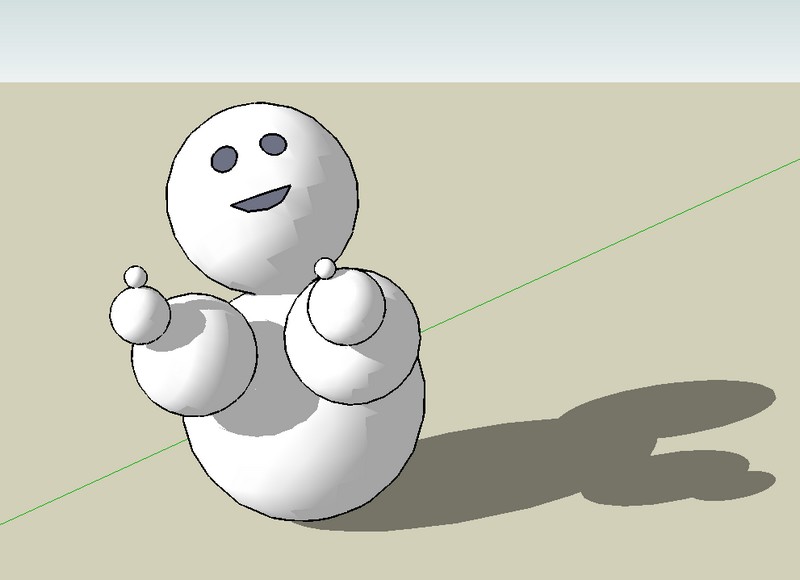
                  😎


                  snowman.jpg

                  1 條回覆 最後回覆 回覆 引用 0
                  • JClementsJ 離線
                    JClements
                    最後由 編輯

                    No cube/square from center? I tried the pyramid tool to do this with the last click on the same Z plane as the other clicks but, of course, I then get a square or rectangle with diagonals from corner-to-corner.

                    John | Illustrator | Beaverton, Oregon

                    1 條回覆 最後回覆 回覆 引用 0
                    • M 離線
                      Macs
                      最後由 編輯

                      I think you can do this with the standard polygon tool and setting 4 sides in VCB

                      1 條回覆 最後回覆 回覆 引用 0
                      • S 離線
                        sherwood11
                        最後由 編輯

                        This tool (version 1.1) seems very useful .. However, It won't work for me.

                        It will not complete after the last input
                        and the blue-pencil pointer stays visible.

                        It won't complete after :
                        Cone or Pyramid, 3rd click
                        Sphere, 2nd click
                        Rotated Pyramid, 4th click
                        Dodecahedron, 2nd click
                        Icosahedron, 2nd click

                        Any thoughts ?
                        Is there some kind of setting in SU ?

                        IE., Cone or Pyramid - Ruby console :

                        Error: #<NoMethodError: undefined method GetString' for nil:NilClass> C:/Program Files/Google/Google SketchUp 8/Plugins/3dshapestool.rb:616:in create_geometry'
                        C:/Program Files/Google/Google SketchUp 8/Plugins/3dshapestool.rb:555:in increment_state' C:/Program Files/Google/Google SketchUp 8/Plugins/3dshapestool.rb:213:in onLButtonDown'
                        C:/Program Files/Google/Google SketchUp 8/Plugins/3dshapestool.rb:616

                        Many Thanks,

                        I found a solution !

                        the problem is with this line in the script :
                        model.start_operation $exStrings.GetString("shapename")

                        I could not find the .GetString method anywhere ( after more hours of research than I care to mention).
                        apperantly, this error message occurs often without meaningfull documentation to remedy. I think
                        .GetString is some sort-of depricated method in Ruby or OpenGL or something like that ... 😠

                        I created a class variable for each shapename
                        placed between 'class PyramidTool' (line 29) and the first 'def Initialize' (line 36 +- ) :

                        @@threedcone = "Cone"
                        @@threedpyramid = "Pyramid"
                        @@threedsphere = "Sphere"
                        @@threedpolyhedron = "Polyhedron"
                        @@threeddodecahedron = "Dodecahedron"
                        @@threedicosahedron = "Icosahedron"

                        Then I simply replaced every occurance (7) of:
                        model.start_operation $exStrings.GetString("shapename")
                        with,
                        model.start_operation @@_shapename_ . . . . eg. @@threedcone

                        Done . . . I hope this helps anyone having this problem with the .GetString method
                        I have several scripts with this that do work ... but, I plan on modifing them also.

                        Cheers

                        1 條回覆 最後回覆 回覆 引用 0
                        • J 離線
                          johnwmcc
                          最後由 編輯

                          I've just tried this in Sketchup Make 2013, as this no longer has the 3D shapes built in to the free version.

                          It crashes Sketchup completely every time ("The Sketchup Application has stopped working"), on the third click to set height(for cone or pyramid) even after system restart, and using the plugin in a completely new drawing.

                          There's no error message in the Ruby console, just the crash. Entirely repeatable, unfortunately.

                          Is there an update available that would fix this?

                          I can't find any other equivalent plugin: if anyone knows of another, I'd be grateful for a pointer to it.

                          John McClenahan

                          PS. Have just found the Shapes plugin by the Sketchup team, in the Extension Warehouse. That will do very well. In earlier versions of SU I thought it got installed by default, but it wasn't in SU Make 2013.

                          1 條回覆 最後回覆 回覆 引用 0
                          • T 離線
                            TANER TAN
                            最後由 編輯

                            Is there working version for Sketchup 2013?

                            1 條回覆 最後回覆 回覆 引用 0
                            • TIGT 線上
                              TIG Moderator
                              最後由 編輯

                              @taner tan said:

                              Is there working version for Sketchup 2013?
                              See the preceding post - and get the similar SketchUp guys' Shapes tool from the EW...

                              There is no obvious reason why this very old 3d Shapes Tool should NOT work in SketchUp v2013...
                              BUT I confirm that it does crash it !
                              BUT it is ~6 years old, so what would you expect ?
                              There's probably some simple re-coding fix, I'm too busy to dig into it know, why not pester the author Macs ?
                              The EW toolset is very similar - and more comprehensive ???

                              I have added a warning note to the download page and equivalent PluginStore item...

                              TIG

                              1 條回覆 最後回覆 回覆 引用 0
                              • M 離線
                                man
                                最後由 編輯

                                loving this tool mate. thanks

                                1 條回覆 最後回覆 回覆 引用 0
                                • S 離線
                                  Shortstuff81000
                                  最後由 編輯

                                  I love this tool! 😄 I wish it was compatible with the latest version of SU; I like to use the mouse to draw my shapes rather than use dialog boxes. 😢

                                  1 條回覆 最後回覆 回覆 引用 0
                                  • TAYEBIT 離線
                                    TAYEBI
                                    最後由 編輯

                                    Can’t someone take a look at its code and make it work with newer versions of SU??
                                    This tool is far more better and user friendlier than any other similar tools..

                                    PLEASE make it work ... God blesses you, dear developer ..
                                    😉

                                    1 條回覆 最後回覆 回覆 引用 0
                                    • P 離線
                                      Pherim
                                      最後由 編輯

                                      I would also love to see this made compatible with newer versions.

                                      1 條回覆 最後回覆 回覆 引用 0
                                      • 1
                                      • 2
                                      • 3
                                      • 2 / 3
                                      • 第一個貼文
                                        最後的貼文
                                      Buy SketchPlus
                                      Buy SUbD
                                      Buy WrapR
                                      Buy eBook
                                      Buy Modelur
                                      Buy Vertex Tools
                                      Buy SketchCuisine
                                      Buy FormFonts

                                      Advertisement