sketchucation logo sketchucation
    • 登入
    Oops, your profile's looking a bit empty! To help us tailor your experience, please fill in key details like your SketchUp version, skill level, operating system, and more. Update and save your info on your profile page today!
    🔌 Smart Spline | Fluid way to handle splines for furniture design and complex structures. Download

    Just Released! Subdivide and Smooth

    已排程 已置頂 已鎖定 已移動 Extensions & Applications Discussions
    extensions
    102 貼文 36 Posters 26.1k 瀏覽 36 Watching
    正在載入更多貼文
    • 從舊到新
    • 從新到舊
    • 最多點贊
    回覆
    • 在新貼文中回覆
    登入後回覆
    此主題已被刪除。只有擁有主題管理權限的使用者可以查看。
    • J 離線
      Jorgensen
      最後由 編輯

      Hmm, If I don't load VRayForSketchup.rb it works fine. So I must have somekind of conflict 😞

      sketchup pro 2016 16.1.1449 64 bit | windows 10 pro | i7-3770k @3.5 GHz | 16gb ram | gtx 780 ti / gtx 980 ti | nvidia driver 368.39

      1 條回覆 最後回覆 回覆 引用 0
      • T 離線
        todd burch
        最後由 編輯

        Video card?

        1 條回覆 最後回覆 回覆 引用 0
        • W 離線
          Whaat
          最後由 編輯

          @jclements said:

          Questions/Observations:

          1. Earlier I believe there were some issues with The Sword(aka Zorro)
            1a. Will it work properly in Parallel Projection mode?
            1b. Is Zorro.rb now redundant and therefore should be removed from the plugins folder?
            1c. I see The Sword does not effect geometry outside of a group nor will it register if drawn ON a group. That is a nice refinement.

          Zorro will cause bugsplats when used on a proxy and is completely redundant. You should delete that Ruby.

          @unknownuser said:

          1. Does Subdivide have to the ability to save a copy of the original geometry (say to a hidden layer) prior to a Proxy being created?

          No, you have to save a copy manually if you think it is required. I am not sure why this is necessary. The proxy IS the original geometry.

          @unknownuser said:

          1. Is there a way to temporarily hide the subdivided surfaces so that the "controlling" edges or interior surfaces of the proxy can be more easily selected (I'm thinking of the example in one of your videos where an interior plane was created which caused a "crease" in the middle of the subdivided planes).
            The easiest method is to select the subdivided surface with the Outliner window and right click->hide

          @unknownuser said:

          1. Could there be a help button on the toolbar with options to view either the videos or to view any written documentation that may be available?
            All present and future docs will be linked directly from the Smustard website.

          @unknownuser said:

          1. Is there any info about the smoothing icon/function?
            See video tutorials

          Thanks for purchasing!

          SketchUp Plugins for Professionals

          1 條回覆 最後回覆 回覆 引用 0
          • W 離線
            Whaat
            最後由 編輯

            @unknownuser said:

            Dang, SU must be updated to handle higher poly models. I keep on crashing SU with this plugin.

            Any particular repeatable sequence of events that cause the crash? Maybe it's a bug with the script.

            SketchUp Plugins for Professionals

            1 條回覆 最後回覆 回覆 引用 0
            • W 離線
              Whaat
              最後由 編輯

              @pixero said:

              Is it possible to have the extrude tool select faces by hovering just like the push pull tool?

              No, this is not possible. If you assign a shortcut key to the extrude tool, you can hover over a face and then press the shortcut key to extrude. It works well.

              Thanks for purchasing!

              SketchUp Plugins for Professionals

              1 條回覆 最後回覆 回覆 引用 0
              • W 離線
                Whaat
                最後由 編輯

                Coen has kindly opened a forum exclusively for support for 'Subdivide and Smooth'. Please direct your questions and comments there.

                Please start a new topic for each independent question (and provide a detailed subject line...not just "Question" or "Help")

                Thanks!

                SketchUp Plugins for Professionals

                1 條回覆 最後回覆 回覆 引用 0
                • O 離線
                  osx59
                  最後由 編輯

                  hello Whaat,

                  I bought script, but it does not function on my macbook 2,2 Ghz and 4Go fo mem !
                  on Sketchup Pro 6.0 (6.4.245)

                  😢 😞 👊

                  V

                  1 條回覆 最後回覆 回覆 引用 0
                  • chippwaltersC 離線
                    chippwalters
                    最後由 編輯

                    I tested it on my MacBook without issue. I used the free version of SU6. I did not use Smustard installer as I was a beta tester.

                    Currently working with Cross-Reality technologies

                    1 條回覆 最後回覆 回覆 引用 0
                    • chippwaltersC 離線
                      chippwalters
                      最後由 編輯

                      Here's another quick tute on creating a soft pillow in SketchUp using SubSmooth.

                      http://www.gadgetplugins.com/chippstuff/pillow.jpg

                      Note: edited to update link to slower playing animation.

                      Currently working with Cross-Reality technologies

                      1 條回覆 最後回覆 回覆 引用 0
                      • chippwaltersC 離線
                        chippwalters
                        最後由 編輯

                        @kwistenbiebel said:

                        Both the flash animations posted on this page seem to play at a really fast speed, making it impossible to follow what's going on. Is it just my PC, or is this intended? The speed prevents me from learning things about the plug.

                        I updated the pillow tutorial so it plays back at normal speed.
                        http://www.screencast.com/t/R49fSwlJge

                        Currently working with Cross-Reality technologies

                        1 條回覆 最後回覆 回覆 引用 0
                        • K 離線
                          kwistenbiebel
                          最後由 編輯

                          @jorgensen said:

                          Strange. If I have VRAY for SU loaded I can't use SubSmooth. The object simply turns black when I select "Subdivide and Smooth".....

                          Any ideas what can be the problem ?

                          Thanks
                          Jorgensen

                          Hi Jorgensen,
                          I haven't bought the wonderful plugin yet (a helpful hand on this forum will buy the plugin for me as I don't have a credit card) but you might want to check your Internet explorer settings.
                          If the plugin has web based panels (not sure though) the Vray plugin might screw things up at the level of your IE.
                          I had this problem with Skindigo earlier and a hard reset of the IE settings solved it ('advanced options').
                          Try it and if it won't work,maybe Whaat can be of assistance...

                          Cheers and I can't wait to try Subsmooth.

                          Kwistenbiebel

                          1 條回覆 最後回覆 回覆 引用 0
                          • PixeroP 離線
                            Pixero
                            最後由 編輯

                            @whaat said:

                            @pixero said:

                            Is it possible to have the extrude tool select faces by hovering just like the push pull tool?

                            No, this is not possible. If you assign a shortcut key to the extrude tool, you can hover over a face and then press the shortcut key to extrude. It works well.

                            Thanks for purchasing!

                            And what about hiding the proxy?

                            1 條回覆 最後回覆 回覆 引用 0
                            • J 離線
                              Jorgensen
                              最後由 編輯

                              It would be great if one could select the layer for the proxy in an dropdownmenu.

                              sketchup pro 2016 16.1.1449 64 bit | windows 10 pro | i7-3770k @3.5 GHz | 16gb ram | gtx 780 ti / gtx 980 ti | nvidia driver 368.39

                              1 條回覆 最後回覆 回覆 引用 0
                              • chippwaltersC 離線
                                chippwalters
                                最後由 編輯

                                To hide the proxy, you can duplicate the proxy subGroup, then move it out of the group with the proxy. Then hide the proxy group and use the duplicated subGroup.

                                Currently working with Cross-Reality technologies

                                1 條回覆 最後回覆 回覆 引用 0
                                • J 離線
                                  Jorgensen
                                  最後由 編輯

                                  Turn off a layer would be easy 😄

                                  sketchup pro 2016 16.1.1449 64 bit | windows 10 pro | i7-3770k @3.5 GHz | 16gb ram | gtx 780 ti / gtx 980 ti | nvidia driver 368.39

                                  1 條回覆 最後回覆 回覆 引用 0
                                  • PixeroP 離線
                                    Pixero
                                    最後由 編輯

                                    @jorgensen said:

                                    Turn off a layer would be easy 😄

                                    I agree and hopefully it will be implemented. 😉

                                    1 條回覆 最後回覆 回覆 引用 0
                                    • K 離線
                                      krash88
                                      最後由 編輯

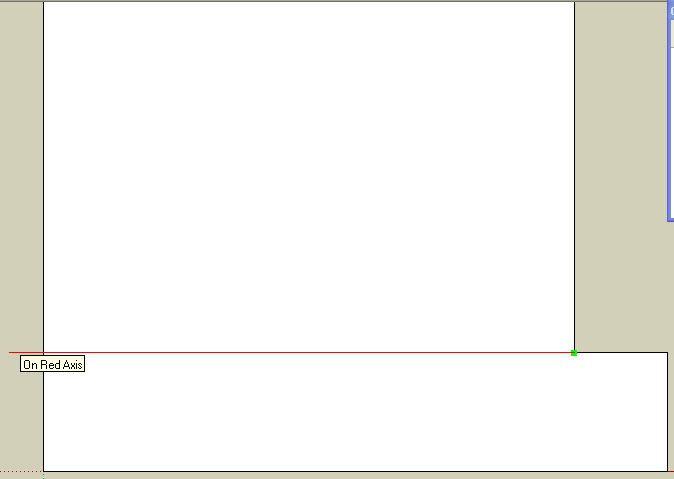
                                      Great script! I love the features, but I've had a problem with the knife tool. If I use it to snap to an endpoint, the resulting "cut" doesn't actually start at that endpoint. I think these images will explain what I mean.
                                      http://i109.photobucket.com/albums/n65/krash88/knife1.jpg

                                      http://i109.photobucket.com/albums/n65/krash88/knife2.jpg

                                      I've had no other problems so far and I see this one tool, in particular, speeding up my work considerably, if I can get it to work properly.

                                      Thanks again and thanks for any help!

                                      1 條回覆 最後回覆 回覆 引用 0
                                      • R 離線
                                        remus
                                        最後由 編輯

                                        Krash, it should work if you go in to parallel projection mode.

                                        http://remusrendering.wordpress.com/

                                        1 條回覆 最後回覆 回覆 引用 0
                                        • jenujacobJ 離線
                                          jenujacob
                                          最後由 編輯

                                          i think he was in parallel projection as shown in the first image....

                                          1 條回覆 最後回覆 回覆 引用 0
                                          • R 離線
                                            remus
                                            最後由 編輯

                                            I tried it in parallel projection and perspective and i could only replicate the problem in perspective 😉

                                            http://remusrendering.wordpress.com/

                                            1 條回覆 最後回覆 回覆 引用 0
                                            • 1
                                            • 2
                                            • 3
                                            • 4
                                            • 5
                                            • 6
                                            • 5 / 6
                                            • 第一個貼文
                                              最後的貼文
                                            Buy SketchPlus
                                            Buy SUbD
                                            Buy WrapR
                                            Buy eBook
                                            Buy Modelur
                                            Buy Vertex Tools
                                            Buy SketchCuisine
                                            Buy FormFonts

                                            Advertisement


